
Download DocsBot – AI‑Powered Chatbot Solution for Customer Support & Knowledge Management
Overview of DocsBot
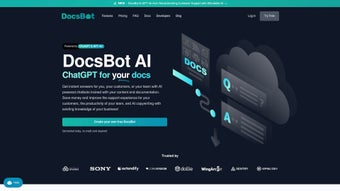
DocsBot is a next‑generation, AI‑driven chatbot platform that transforms static documentation into an interactive, always‑available support assistant. Built on top of the powerful ChatGPT engine, DocsBot enables businesses of any size to create custom chatbots that pull answers directly from existing knowledge bases, manuals, FAQs, and even scattered files across cloud storage. Whether you need to automate repetitive ticket responses, provide instant presales guidance, or empower internal teams with a searchable knowledge hub, DocsBot delivers a seamless experience that feels human while leveraging the speed and consistency of artificial intelligence.
The platform’s core advantage lies in its ability to “index” content automatically. Users simply upload PDFs, Word documents, markdown files, or connect to cloud services like Google Drive, Dropbox, and Confluence. DocsBot then parses the material, builds a vector‑based index, and trains a chatbot that can answer queries in natural language. This eliminates the need for manual scripting or rule‑based bots, dramatically reducing the time‑to‑value for support operations.
DocsBot also offers a robust API and ready‑made widgets that can be embedded in websites, SaaS applications, or WordPress sites with just a few lines of code. Subscription plans are tiered to accommodate startups, mid‑market firms, and enterprises, each providing a different level of query volume, customization options, and dedicated support. Security is baked in – all data is encrypted in transit and at rest, and the platform complies with GDPR and CCPA standards.
In short, DocsBot is more than a chatbot; it is a knowledge‑automation engine that helps you cut support costs, boost customer satisfaction, and free up human agents to focus on high‑value interactions. The following sections dive deeper into its standout features, installation steps, system compatibility, and real‑world pros and cons.
Key Features That Set DocsBot Apart
- AI‑Powered Natural Language Understanding: Leverages OpenAI’s ChatGPT model to interpret user intent and generate context‑aware responses.
- Multi‑Format Content Indexing: Supports PDFs, DOCX, Markdown, HTML, and bulk upload via ZIP files.
- Cloud Source Integration: Direct connectors for Google Drive, OneDrive, Dropbox, Confluence, Notion, and GitHub repositories.
- Automatic Ticket Reply: Generates draft replies for support tickets, reducing first‑response time.
- Interactive Q&A Bot: Enables live chat on websites with a customizable widget that matches your brand’s look and feel.
- Custom Copywriting Tools: Uses AI to draft marketing copy, email templates, and product descriptions based on indexed content.
- Powerful API & Webhooks: Allows developers to push queries, retrieve answers, and trigger actions in third‑party apps.
- Role‑Based Access Control: Admins can define who can train bots, edit indexed data, or view analytics.
- Analytics Dashboard: Tracks query volume, satisfaction scores, and common topics to continuously improve the knowledge base.
- Scalable Pricing Plans: From a free trial to enterprise‑grade plans with unlimited queries and SLA guarantees.
Each of these capabilities is designed to reduce friction in the knowledge‑delivery pipeline. For instance, the automatic ticket reply feature works by pulling relevant excerpts from your documentation, then prompting the AI to rewrite them in a tone that matches your brand guidelines. The result is a ready‑to‑send draft that agents can approve with a single click, slashing handling time by up to 60 % in many case studies.
The multi‑format indexing engine is also noteworthy. Traditional chatbot solutions often require you to convert every source into a specific schema, but DocsBot’s parser intelligently extracts headings, tables, and code snippets, preserving context. This means you can keep your existing knowledge assets untouched while still benefitting from AI‑driven interaction.
Finally, the API’s flexibility means you can embed the bot inside internal tools like Slack, Microsoft Teams, or a custom CRM. The webhook system lets you trigger downstream workflows—such as creating a support ticket in Zendesk when the bot cannot answer a query—ensuring a smooth handoff to human agents.
Installation, Usage & Compatibility Guide
Getting DocsBot up and running is intentionally straightforward, even for teams without deep technical expertise. Follow these steps to launch your first AI chatbot:
Step 1 – Sign Up & Choose a Plan
Visit the DocsBot website and register with an email address or single‑sign‑on (SSO) using Google or Azure AD. After confirming your account, you’ll be prompted to select a subscription tier. A free trial provides 5,000 queries per month, which is sufficient for testing the core features. Once you’re comfortable, you can upgrade to a paid plan that matches your projected query volume.
Step 2 – Connect Your Documentation Sources
From the dashboard, click “Add Content”. You can upload files directly (drag‑and‑drop is supported) or connect to cloud services. For cloud connections, you’ll need to authorize DocsBot to read the selected folders. The platform then scans each document, extracts text, and builds an indexed knowledge graph. This process typically takes 2–5 minutes for a moderate library of 200 MB.
Step 3 – Train Your Bot
Once the index is ready, navigate to “Bot Builder”. Here you can give your bot a name, set a personality tone (formal, friendly, technical), and define fallback responses. DocsBot automatically trains the model using the indexed content; you can optionally fine‑tune it by providing sample Q&A pairs or by marking certain sections as “high priority”.
Step 4 – Deploy the Widget or API
Deployment is as simple as copying a JavaScript snippet into the footer of your website, or installing the WordPress plugin from the official repository. For deeper integration, generate an API key from the “Developers” tab and use the REST endpoints to send queries programmatically. Example curl request:
curl -X POST https://api.docsbot.io/v1/query \
  -H "Authorization: Bearer YOUR_API_KEY" \
  -d '{"question":"How do I reset my password?"}'
The response will contain the AI‑generated answer along with a confidence score, allowing you to decide whether to display it directly or route it to a human agent.
Step 5 – Monitor & Optimize
The built‑in analytics dashboard provides real‑time metrics: most asked questions, average response time, and user satisfaction (thumbs‑up/down). Use these insights to refine the knowledge base—add missing documents, update outdated sections, or retrain the bot with new examples.
System Compatibility: DocsBot is a fully cloud‑based SaaS solution, so there is no client‑side installation required. It works on any modern web browser (Chrome, Edge, Firefox, Safari) and is fully responsive on mobile devices. The API can be called from Windows, macOS, Linux, Android, or iOS environments, making it ideal for cross‑platform deployments.
In summary, the entire workflow—from sign‑up to live chatbot—can be completed in under an hour for most organizations. The intuitive UI, clear documentation, and low‑code integration options reduce the barrier to entry, while the underlying AI and indexing engine provide enterprise‑grade performance.
Pros and Cons – An Unbiased Look
Pros
- Fast setup with drag‑and‑drop document upload.
- AI model based on ChatGPT delivers natural, context‑aware answers.
- Supports a wide range of file formats and direct cloud integrations.
- Powerful API and webhook system for custom workflows.
- Comprehensive analytics help improve knowledge assets over time.
- GDPR and CCPA compliant, with end‑to‑end encryption.
- Scalable pricing that fits startups to large enterprises.
- Customizable widget that blends with any website design.
Cons
- Advanced customization (e.g., custom AI fine‑tuning) requires a higher‑tier plan.
- Reliance on internet connectivity; offline usage is not supported.
- Learning curve for non‑technical users when setting up complex webhook flows.
- Pricing can become expensive for very high query volumes.
- Limited support for non‑English languages in the current release.
FAQ & Final Thoughts – Your DocsBot Questions Answered
Can DocsBot work with existing help‑desk software?
Yes. DocsBot offers native integrations and webhooks for popular platforms such as Zendesk, Freshdesk, Intercom, and ServiceNow. You can configure the bot to automatically create a ticket when it cannot resolve a query, ensuring a smooth handoff to human agents.
Is there a free trial, and what are its limitations?
DocsBot provides a 14‑day free trial with up to 5,000 queries per month. All core features—including document indexing, widget deployment, and API access—are available during the trial, but premium support and higher query limits require an upgraded plan.
How secure is the data I upload to DocsBot?
Security is a top priority. All files are encrypted both in transit (TLS 1.3) and at rest (AES‑256). DocsBot complies with GDPR, CCPA, and ISO‑27001 standards, and offers role‑based access controls so you can restrict who can view or edit indexed content.
Can I customize the bot’s personality or tone?
Absolutely. During bot creation you can select predefined tones (formal, friendly, technical) or define a custom style guide. The AI then adjusts its language generation to match the chosen persona, ensuring brand consistency across all interactions.
What happens if the bot fails to find an answer?
If the confidence score falls below a configurable threshold, DocsBot can either present a friendly “I’m not sure” message, suggest related articles, or automatically create a ticket in your help‑desk system for a human agent to handle.
Final Thoughts
DocsBot stands out as a versatile, AI‑powered solution that bridges the gap between static documentation and dynamic, conversational support. Its ease of deployment, extensive integrations, and robust analytics make it a practical choice for businesses aiming to reduce support costs while delivering a superior customer experience. While the pricing may scale with usage, the productivity gains and higher satisfaction scores often provide a strong ROI. If you’re ready to modernize your knowledge base and let an intelligent chatbot handle routine inquiries, start your free trial today and see how DocsBot can empower your team.



.png)




