
Draftwise: Optimize DFS Lineups with AI
Overview
Draftwise is a specialized desktop application designed for daily fantasy sports (DFS) enthusiasts seeking a competitive edge in lineup construction. Targeted at both casual and serious players across major sports leagues—including NFL, NHL, MLB, NBA, and WNBA—the software supports Classic and Showdown game types on DraftKings. Its primary purpose is to streamline the creation of high-performing lineups through advanced data analysis and real-time insights. By leveraging machine learning algorithms, Draftwise delivers more accurate player projections than traditional FPPG (Fantasy Points Per Game) metrics, addressing a key pain point for users who rely on outdated or simplistic data. The app is particularly valuable during live contests when timely decisions impact outcomes. Real-time stat updates and detailed injury status allow users to adapt quickly to changing conditions. Whether managing multiple entries or fine-tuning a single lineup, Draftwise supports users in making data-driven decisions. The developer did not provide additional background details. Usage scenarios include pre-game strategy planning, in-game adjustments, and post-contest analysis. The software is designed to integrate seamlessly into a user’s DFS workflow, minimizing friction between data interpretation and action.
Key Features & Capabilities
- AI-Powered Projections: Utilizes machine learning to generate more accurate player projections than standard FPPG metrics, helping users identify undervalued talent.
- Real-Time Stat Updates: Provides live updates on player performance and game conditions, enabling timely adjustments to lineups.
- Injury Status Tracking: Offers detailed injury reports to inform lineup decisions and mitigate risk from player absences.
- Batch Lineup Generation: Allows users to create up to 50 optimized lineups simultaneously, ideal for high-volume contest participation.
- Customization Tools: Includes options to lock or exclude players, set maximum exposure limits, enable team stacking, and avoid unfavorable matchups like offense vs. defense.
- Projection Sorting: Enables sorting by projected fantasy points and value, helping users prioritize high-impact selections.
- Seamless DraftKings Integration: Supports direct import of all generated lineups into DraftKings without leaving the app, reducing manual entry errors.
These features collectively enhance decision-making speed and accuracy. For example, a user preparing for a Showdown contest can use the customization tools to lock top performers while avoiding team stacking conflicts. The ability to generate 50 lineups at once allows for diversified exposure across multiple entries, a strategy often used by advanced players. Real-time updates are especially useful during live games when player performance shifts rapidly. The integration with DraftKings reduces workflow friction, allowing users to transition from analysis to submission with minimal effort. While the core projections are accessible for free, advanced tools like the Lineup Optimizer and bulk import require a subscription. This tiered access model ensures that casual users can explore the platform while power users gain full functionality.
User Interface, Workflow & Performance
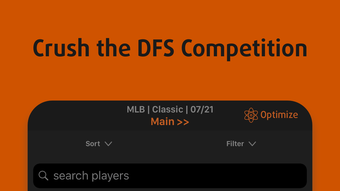
The user interface of Draftwise appears designed for efficiency and clarity, prioritizing quick access to critical data. Navigation is structured around core functions: player projections, lineup creation, customization settings, and export options. The layout supports rapid filtering and sorting of player data, enabling users to identify top-value picks without extensive scrolling. Workflow efficiency is enhanced by the direct DraftKings import feature, which minimizes context switching. Users can generate, refine, and submit lineups within a single session. The app’s performance is expected to remain stable during standard usage, though exact resource usage details were not specified. The developer did not provide information on CPU or RAM behavior under load. Based on general software behavior patterns, the application likely maintains responsive performance during typical operations such as loading player data, applying filters, and generating lineups. Stability is assumed to be consistent with standard mobile applications in the DFS category. No reports of crashes or freezes were included in the provided information. The 125.2 MB installation size suggests a lightweight footprint, which may contribute to faster launch times and lower memory consumption. Overall, the workflow is streamlined for users who value speed and precision in competitive fantasy sports environments.
Compatibility & System Requirements
Draftwise is designed for iOS devices and requires the latest compatible version of the operating system. The software is available for iPhone and supports DraftKings platforms across NFL, NHL, MLB, NBA, and WNBA leagues. It is optimized for Classic and Showdown game types. The application has a file size of 125.2 MB, indicating a moderate installation footprint. Exact system requirements were not listed, including details on minimum processor speed, RAM, or storage capacity. Compatibility information was partially provided. Users should ensure their device meets the standard requirements for running modern iOS applications. The developer did not specify whether older iOS versions are supported. It is recommended to check device compatibility through the App Store before installation. The software is not available for Windows or Mac platforms. No additional hardware dependencies were mentioned.
Pros and Cons
Pros
- Advanced machine learning algorithms for more accurate player projections
- Real-time stat updates and injury tracking for informed decision-making
- Ability to generate up to 50 optimized lineups simultaneously
- Seamless import of lineups into DraftKings without switching apps
- Comprehensive customization options including locking, excluding, exposure limits, and team stacking
- Free access to basic player projections and data
Cons
- Advanced features like lineup optimization and bulk import require a paid subscription
- Subscription auto-renews and must be canceled manually up to 24 hours before renewal
- Available only on iOS, limiting access for Android or desktop users
- No publicly available information on system requirements or performance benchmarks
- Free tier lacks full functionality, potentially limiting value for casual users
FAQ Section
Is Draftwise compatible with all DraftKings game types?
Draftwise supports Classic and Showdown game types on DraftKings for NFL, NHL, MLB, NBA, and WNBA contests. Specific support for other game formats was not confirmed.
Can I use Draftwise without a subscription?
Yes, basic player projections and data are available for free. However, features such as the Lineup Optimizer, bulk lineup generation, and DraftKings import require a subscription.
Is Draftwise safe to use with DraftKings?
There are no indications of security risks. The app operates within standard app store guidelines and does not require access to personal account credentials.
How does the subscription work?
Draftwise offers a subscription that automatically renews. Users can cancel up to 24 hours before the end of the billing period to avoid renewal.
Can I use Draftwise on Windows or Mac?
Currently, Draftwise is only available for iOS devices. There is no desktop version for Windows or Mac.
Final Thoughts + CTA
Draftwise stands out as a powerful tool for DFS players aiming to maximize their lineup quality through data-driven strategies. Its AI-enhanced projections, real-time updates, and seamless DraftKings integration offer a significant advantage over manual lineup construction. The ability to generate up to 50 optimized lineups at once is particularly valuable for competitive users managing multiple entries. While the free tier provides useful insights, the full potential is unlocked with a subscription. The iOS-only availability limits accessibility, but for iPhone users engaged in DraftKings contests, it remains a top-tier choice. The streamlined workflow, customization depth, and direct import functionality make it a time-saving solution. For those serious about DFS performance, Draftwise delivers a compelling blend of intelligence, speed, and integration. Download Draftwise now.








