
Download e-Counter – digital counter, time tracking, task timer, focus timer, productivity tool, computer shutdown, internet disable, multilingual
Overview
e-Counter is a compact digital counter designed for efficient time tracking across various tasks. The application serves as a productivity tool that helps users manage focus sessions, set reminders, and automate system actions upon timer completion. Its core purpose lies in enabling users to maintain concentration by offering structured time intervals, particularly useful for work, study, or personal project management. The app addresses common challenges such as distraction, procrastination, and poor time awareness by integrating customizable timers with system-level functionalities.
Target users include professionals, students, and individuals seeking disciplined work habits. The inclusion of features like automatic computer shutdown and internet disable suggests it is especially useful for those aiming to minimize digital distractions during deep work sessions. The app’s minimalistic reduced view option supports uninterrupted workflow by minimizing screen clutter. Although the developer did not provide additional background information, the app’s longevity—first released in 2009—indicates stability and consistent user demand over time. Real-world use cases include Pomodoro-style work cycles, study sessions, and scheduled task intervals. In the broader productivity tool ecosystem, e-Counter fills a niche by combining time tracking with actionable system outcomes, offering a streamlined alternative to more complex software.
Key Features & Functionality
- Customizable Time Tracking: Users can set precise durations for individual tasks, allowing flexibility across different workflows. Whether managing a 25-minute study block or a 2-hour work session, the timer adapts to user-defined intervals.
- Multiple Alert Options: Upon timer expiration, e-Counter delivers both sound and visual alerts. These notifications ensure users are promptly informed, even in noisy or busy environments.
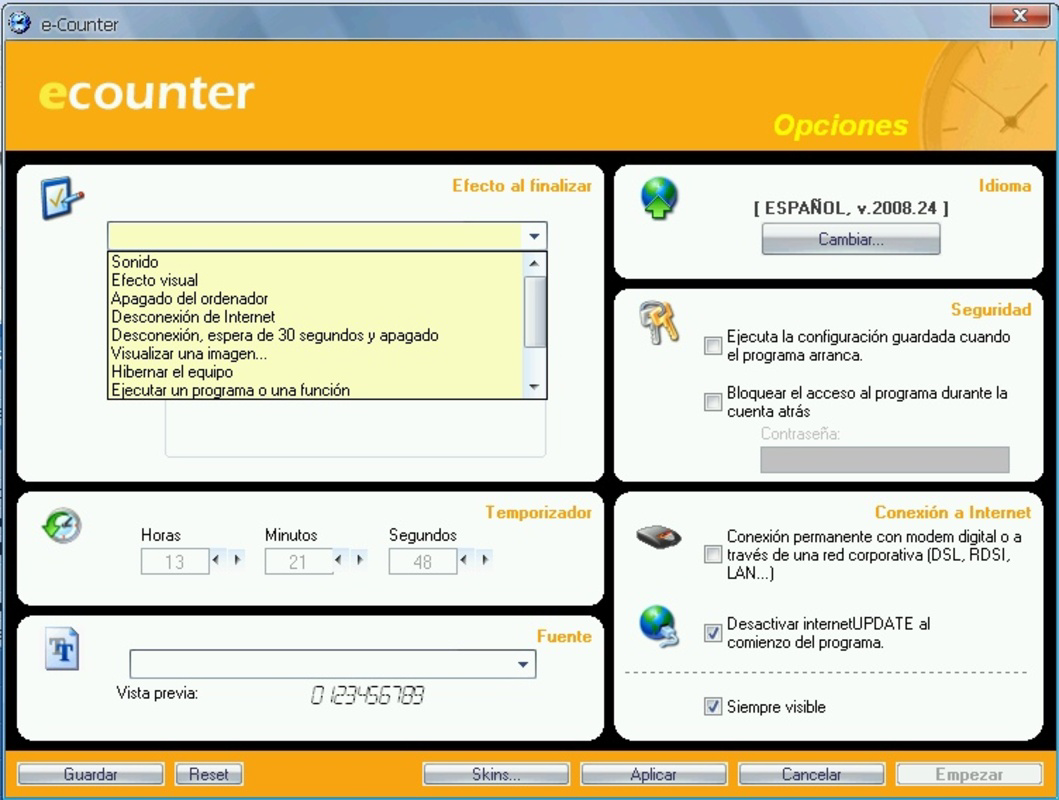
- System Automation Features: The app can trigger predefined actions such as shutting down the computer or disabling internet connectivity. This functionality supports focused work by removing access to distracting online content.
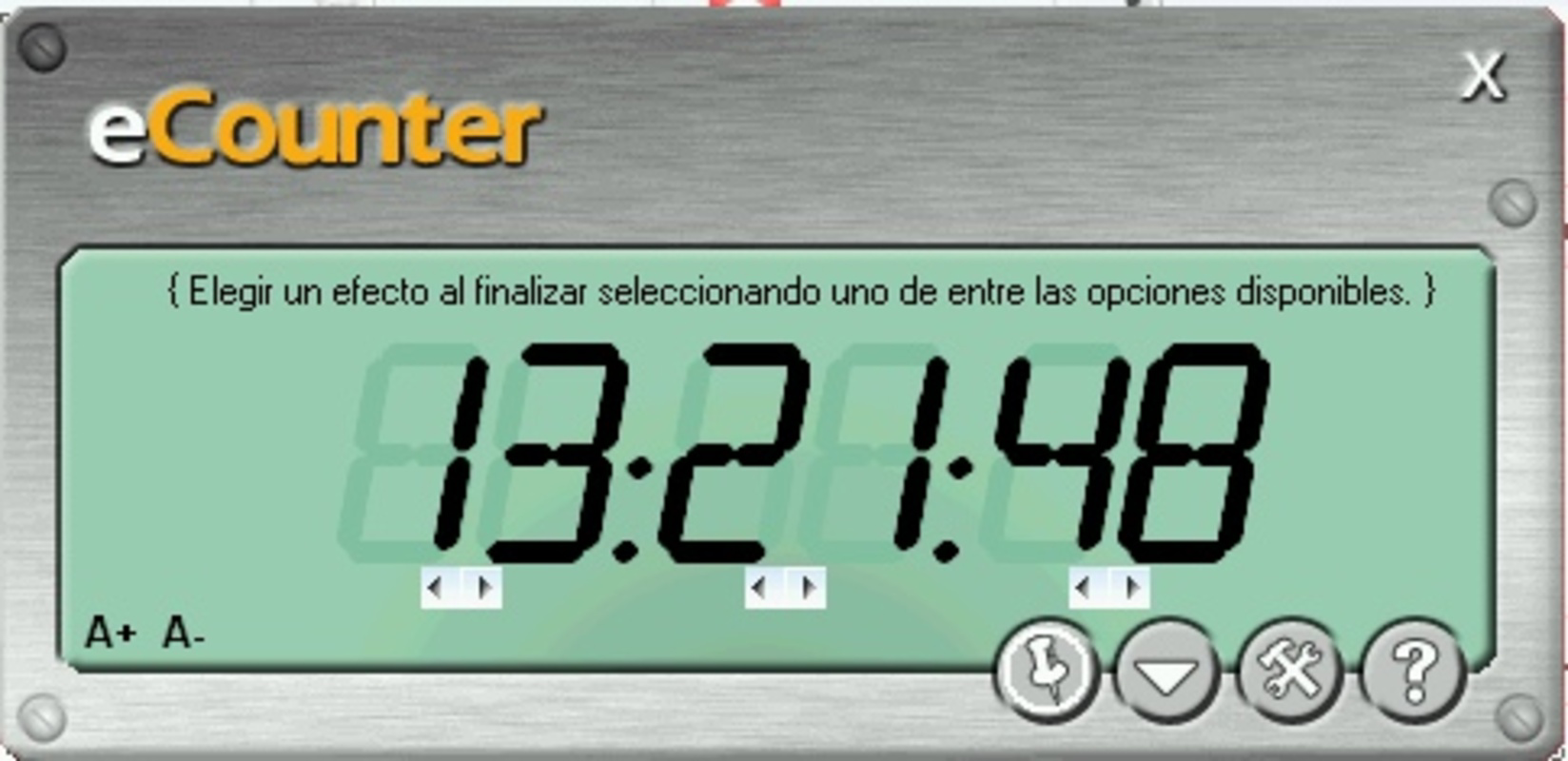
- Reduced View Functionality: A compact interface mode reduces the app’s screen footprint, allowing users to monitor time without visual interference during primary tasks.
- Multilingual Support: Available in multiple languages, including English and Spanish, e-Counter enhances accessibility for international users and supports diverse linguistic preferences.
For example, a student might use the app to set a 45-minute study timer with a sound alert and internet disable to avoid social media distractions. A professional could schedule a 1-hour meeting reminder with a visual countdown and automatic shutdown after completion. These use cases highlight how the app’s features translate into tangible benefits for real users seeking structure and focus.
Interface, UX & Performance
The user interface of e-Counter is described as compact and minimalistic, particularly in its reduced view mode. The layout prioritizes clarity and ease of use, with essential controls clearly visible. Visual elements are designed to be unobtrusive, aligning with the app’s focus on distraction-free productivity. Navigation is straightforward, relying on intuitive controls for setting timers, selecting alert types, and enabling system actions.
Although the developer did not list formal performance metrics, the app’s small file size of 2.1 MB suggests lightweight operation. It is expected to run efficiently on a wide range of Windows systems, including older or low-resource devices. Responsiveness is likely consistent, given the app’s simple functionality and long-standing presence. Stability appears reliable, considering its release date in 2009 and continued availability. Users can expect minimal lag or crashes during typical use. The app’s design supports smooth transitions between modes, including switching to and from reduced view. Overall, the UX is optimized for practicality, with minimal learning curve and immediate usability upon installation.
Platform Compatibility & Technical Requirements
e-Counter is available exclusively for the Windows platform. The current version is 1.0, with a file size of 2.1 MB. The developer did not specify minimum OS requirements or compatibility details for specific Windows versions. However, given the app’s release date in 2009 and lightweight footprint, it is likely compatible with most modern Windows systems, including Windows 7 and later. Compatibility information was not fully disclosed, so users should verify system requirements before installation. The app does not appear to require high-end hardware or extensive system resources, making it accessible for a broad range of users.
Pros and Cons
Pros
- Compact and minimalistic interface, ideal for distraction-free use
- Supports multiple languages, enhancing global accessibility
- Offers automated system actions such as shutdown and internet disable
- Customizable timers for flexible task management
- Lightweight file size ensures fast installation and low resource usage
Cons
- Platform limited to Windows; no availability on mobile or macOS
- Developer did not provide detailed system requirements
- Price point of $29.99 may be considered high for a single-purpose tool
- No information on update frequency or future development plans
- Interface may lack modern design aesthetics compared to newer apps
FAQ
Is e-Counter available for mobile devices?
Currently, e-Counter is only available for the Windows platform. There is no official version for Android or iOS devices.
Can I use e-Counter without enabling system automation features?
Yes. The app allows users to utilize the timer and alert functions without activating shutdown or internet disable options.
Is the app safe to install on my computer?
As a lightweight utility with a long-standing release history, e-Counter is considered secure. However, users should ensure they download it from official or trusted sources.
How often are updates released for e-Counter?
The developer did not disclose update frequency or release schedules. The current version is 1.0, released in 2009.
Can I change the alert sounds in e-Counter?
While specific details about sound customization were not provided, the app does offer multiple alert types, suggesting some level of user control over notification preferences.
Final Thoughts
e-Counter remains a reliable and focused tool for users who value disciplined time management and system control. Its unique blend of time tracking, customizable alerts, and automated system actions makes it a powerful ally in maintaining productivity. The reduced view and multilingual support further enhance usability across diverse environments. While its price may deter some users, the app’s longevity and functionality justify its cost for those seeking a no-frills, effective solution. The lack of mobile availability and limited update history are notable drawbacks, but the core features remain robust and relevant. For professionals, students, and self-disciplined users, e-Counter delivers tangible value in structuring daily tasks. Download e-Counter now


