
Download EasyFin – Secure AI Business Subscription Tool for Finance Teams
Overview & Key Features
EasyFin is a cloud‑native, AI‑enhanced financial management platform built by aoocode to help small‑to‑medium enterprises, freelancers, and growing corporations automate routine bookkeeping tasks. Launched in July 2025, the service is delivered as a subscription‑based web app, which means there is no heavy desktop client to install and updates are rolled out instantly across all users. The core promise of EasyFin is to replace fragmented spreadsheets, legacy accounting tools, and manual data‑entry processes with a single, intelligent dashboard that can be accessed from any modern browser.
The platform’s AI engine powers several high‑impact features. AI‑Powered Invoice Processing extracts line‑item data from PDFs or images, auto‑categorises expenses, and suggests ledger entries, dramatically cutting the time spent on manual entry. Predictive Cash‑Flow Forecasting analyses historic transactions and external market data to warn users of potential shortfalls weeks in advance, allowing proactive funding decisions. Real‑Time Dashboard offers drag‑and‑drop widgets for revenue trends, expense breakdowns, and key performance indicators, all of which can be filtered by date, department, or currency.
Additional capabilities include multi‑currency support for global operations, a robust Integration Hub that connects natively to SaaS tools such as Shopify, HubSpot, Xero, and Salesforce, and role‑based access controls that keep sensitive financial data visible only to authorised personnel. Security is baked into the service with TLS 1.3 encryption, AES‑256 data‑at‑rest protection, two‑factor authentication, and compliance with GDPR, ISO 27001, and SOC 2 standards. The combination of AI automation, seamless integrations, and enterprise‑grade security makes EasyFin a compelling choice for finance teams looking to modernise their workflows.
- AI Invoice Capture – auto‑extracts and validates invoice data.
- Cash‑Flow Prediction – forecasts liquidity with machine‑learning models.
- Customisable Dashboard – drag‑and‑drop widgets for instant insights.
- Multi‑Currency & Tax Support – handles 150+ currencies and regional tax rules.
- Integration Hub – native connectors for major e‑commerce and CRM platforms.
- Role‑Based Access – granular permission settings for accountants, auditors, and managers.
- Compliance Alerts – automated reminders for tax deadlines and regulatory changes.
- Mobile‑Responsive Design – full functionality on tablets and smartphones.
- 24/7 Support – live chat, ticketing, and a growing knowledge base.
Installation & Usage Guide
Getting Started – No Download Required
Because EasyFin is entirely web‑based, the onboarding process begins with a simple sign‑up at easyfin.aoocode.com. After selecting a subscription tier (Starter, Professional, or Enterprise) and entering billing details, users complete a two‑factor authentication step to secure their account. A 14‑day free trial is available for the Professional tier, allowing full access to AI modules without immediate commitment.
Once the account is verified, the platform prompts you to set up your company profile: legal name, tax identification, primary currency, and fiscal year. You can then invite team members by email and assign roles such as Admin, Accountant, or Viewer. The invitation system sends secure links that automatically configure each user’s permissions based on the selected role.
Navigating the Dashboard
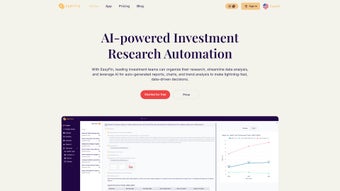
The main interface is divided into three zones: a left‑hand navigation pane, a central widget canvas, and a top‑right notifications bar. The navigation pane provides quick links to core modules – Invoices, Expenses, Reports, Settings, and Integrations. Drag‑and‑drop an invoice file into the Invoices area and the AI engine instantly parses the document, presenting a preview of the suggested ledger entry. Users can edit, approve, or reject the entry before it is saved to the cloud.
Widgets can be added or removed via the “+ Add Widget” button. Pre‑built visualisations include cash‑flow forecasts, revenue‑by‑region maps, and activity feeds. Each widget supports filters for date ranges, departments, and currencies, enabling granular analysis without leaving the page. The notifications bar surfaces compliance alerts, pending approvals, and system updates; clicking a notification opens a modal with actionable steps, such as generating a tax‑report ready for filing.
Because the service lives in the browser, updates are deployed automatically, eliminating the need for manual patches. The UI is designed to be intuitive for finance professionals while remaining approachable for non‑technical stakeholders, ensuring rapid adoption across the organisation.
Compatibility, Pros & Cons
Supported Operating Systems & Browsers
EasyFin runs completely in the browser, making it compatible with any operating system that supports modern web standards. Official documentation confirms full support for Microsoft Edge, Google Chrome, Mozilla Firefox, Apple Safari, and even legacy Internet Explorer 11. This broad compatibility ensures that mixed‑device environments – Windows PCs, macOS laptops, Linux workstations, and mobile tablets – can all access the platform without additional plugins or extensions.
Pros
- Zero‑Installation Model: Start using the tool instantly from any browser.
- AI‑Driven Automation: Reduces manual data entry and improves financial accuracy.
- Scalable Subscription Plans: Suitable for solo entrepreneurs up to large enterprises.
- Extensive Integration Hub: Connects with popular SaaS tools, eliminating data silos.
- Enterprise‑Grade Security & Compliance: TLS 1.3, AES‑256, 2FA, GDPR, ISO 27001, SOC 2.
- Responsive Design: Works equally well on desktops, tablets, and smartphones.
- Continuous Feature Updates: New AI models and enhancements roll out automatically.
Cons
- Internet Dependency: Full functionality requires a stable connection; offline access is limited to cached widgets.
- Recurring Subscription Costs: Ongoing fees may exceed the one‑time price of traditional desktop accounting software.
- Learning Curve for Advanced AI Features: Users may need training to fully leverage predictive analytics.
- No On‑Premise Option: Companies requiring self‑hosted solutions cannot use EasyFin.
- Potential Rendering Issues on Very Old Browsers: Legacy versions of Internet Explorer may experience visual glitches.
FAQ & Conclusion
Is there a free trial available for EasyFin?
Yes. aoocode offers a 14‑day free trial for the Professional tier, which includes all AI modules. A credit‑card is required for verification but you won’t be charged unless you choose to continue after the trial ends.
Can I export my data from EasyFin?
Absolutely. EasyFin supports CSV, Excel, and PDF exports for invoices, expense reports, and custom dashboards. Files can be downloaded directly from the web interface or emailed to designated recipients.
What security measures does EasyFin implement?
The platform uses TLS 1.3 for data in transit, AES‑256 encryption for data at rest, mandatory two‑factor authentication, regular security audits, and complies with GDPR, ISO 27001, and SOC 2 standards.
Does EasyFin support multiple currencies?
Yes. EasyFin handles over 150 currencies, provides automatic exchange‑rate updates, and offers multi‑currency reporting—ideal for businesses operating across borders.
Can I integrate EasyFin with my existing CRM or e‑commerce platform?
EasyFin includes native connectors for Salesforce, HubSpot, Shopify, WooCommerce, and many others. For custom needs, a RESTful API is available, allowing developers to push or pull data programmatically.
In summary, EasyFin delivers a modern, AI‑powered approach to financial management that eliminates the need for cumbersome desktop installations while providing powerful automation, real‑time insights, and robust security. Its cloud‑first architecture ensures that teams can collaborate from anywhere, and the extensive integration ecosystem reduces data silos across your tech stack. Although the subscription model introduces recurring costs and offline capability is limited, the time saved on manual entry, the predictive cash‑flow intelligence, and the peace of mind offered by enterprise‑grade compliance make EasyFin a strong contender for forward‑looking finance teams.
Ready to transform your bookkeeping? Click the button below to start your 14‑day free trial of EasyFin and experience AI‑driven finance management today.
Pros
- AI automation reduces manual entry.
- Real‑time dashboards and forecasts.
- Broad browser compatibility.
- Strong security and compliance.
- Scalable subscription tiers.
Cons
- Requires constant internet connection.
- Recurring subscription fees.
- Advanced AI features need training.



.png)




