
Download EasyTask Manager – GTD task manager, free, secure, Windows, Mac, Android, iOS
Overview – Why EasyTask Manager Stands Out in the GTD Landscape
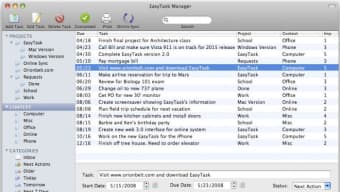
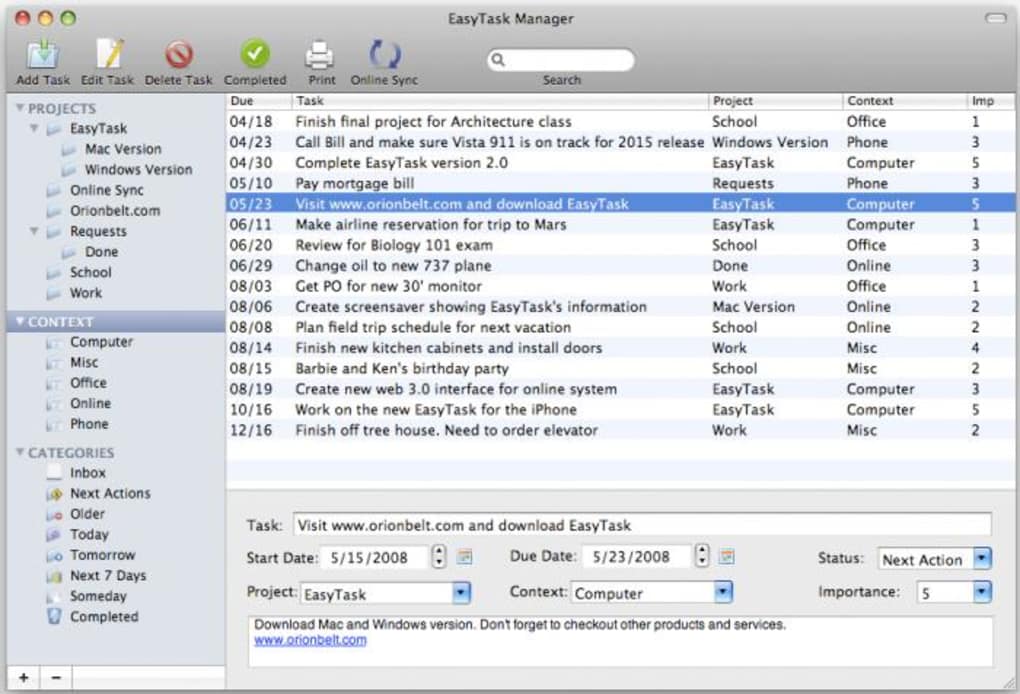
EasyTask Manager is a purpose‑built GTD (Getting Things Done) application that translates the timeless methodology of David Allen into a clean, cross‑platform digital experience. Whether you are a freelance designer juggling multiple client projects, a corporate professional juggling meetings and deliverables, or a student managing coursework and extracurriculars, EasyTask gives you a single, secure hub to capture, clarify, organize, reflect, and engage with every action item. The moment you launch the app you are greeted by a familiar GTD‑centric layout: an Inbox for raw captures, Next Actions for immediate work, Next Days for short‑term planning, and a Someday/Maybe folder for ideas that aren’t urgent. The software respects the original terminology, which makes the transition from paper‑based GTD to a digital workflow seamless.
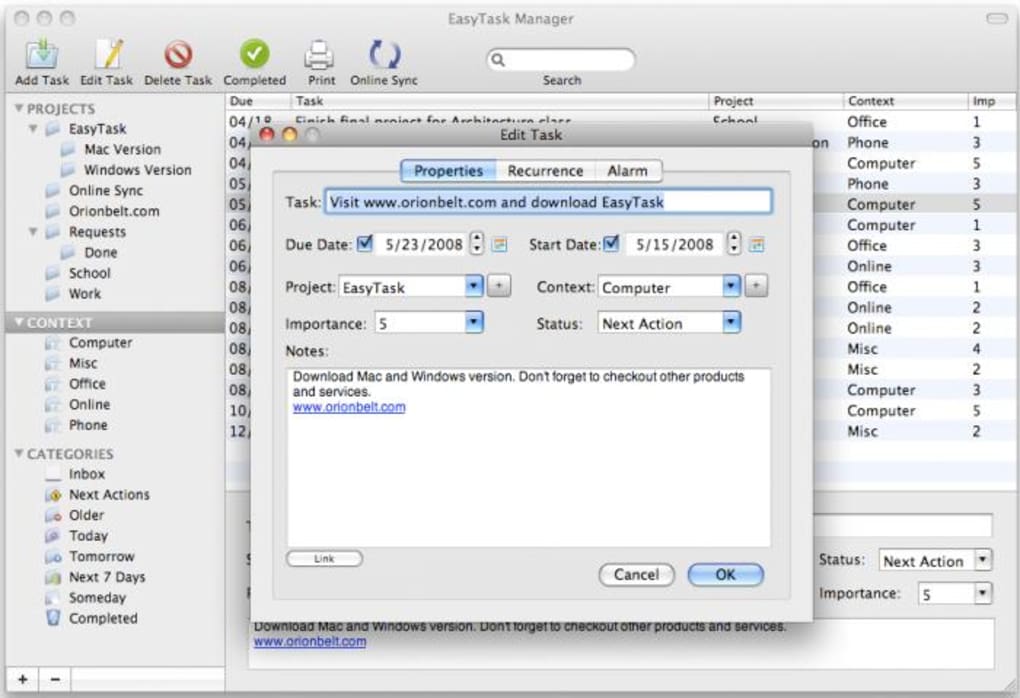
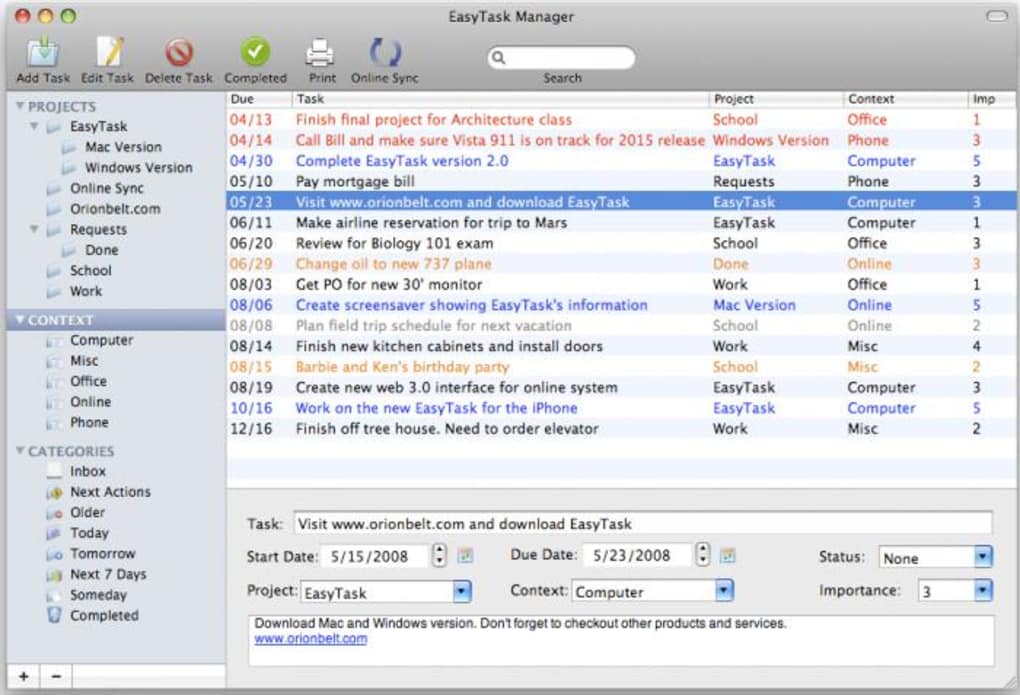
Beyond the core GTD folders, EasyTask Manager introduces a lightweight context system, allowing you to tag tasks with @Home, @Office, @Phone, or any custom label you prefer. You can assign an importance level (low, medium, high), set start dates, due dates, and even attach files or notes directly to each action. When a task is completed, a single click moves it to the Completed archive, keeping your active view uncluttered. The application also supports regular synchronization, so you can start a task on your desktop, continue it on your mobile device, and close it on the web without missing a beat.
One of the most compelling aspects of EasyTask Manager is its commitment to security and privacy. All data is stored locally by default, with optional encrypted cloud sync for users who need access across devices. The app is free to download, with optional premium upgrades that unlock advanced reporting and automation. While the interface may not be as polished as premium competitors like OmniFocus, its adherence to GTD principles, cross‑platform availability, and no‑cost entry point make it an attractive choice for anyone serious about mastering personal productivity.
Key Features of EasyTask Manager
- True GTD Structure: Inbox, Projects, Next Actions, Next Days, Someday/Maybe, and Completed folders follow the classic GTD workflow.
- Context Tagging: Unlimited custom tags (@Home, @Computer, @Calls) let you filter tasks by location, tool, or energy level.
- Priority & Scheduling: Set importance levels, start dates, and due dates to keep deadlines visible and actionable.
- File Attachments & Notes: Attach PDFs, images, or quick notes to any action without leaving the app.
- Two‑Way Sync: Secure, encrypted synchronization across Windows, macOS, Android, and iOS ensures your data is always up‑to‑date.
- Offline‑First Design: All features work offline; changes are queued and synced when you reconnect.
- Customizable Views: List, Kanban, and calendar views give you flexibility in how you visualize tasks.
- Search & Filter: Powerful search engine with Boolean operators helps you locate any task in seconds.
- Reminder Notifications: Push notifications for upcoming start dates and due dates keep you on track.
- Export & Reporting: Export tasks to CSV or PDF and generate weekly review reports to reflect on progress.
Installation, Setup, and Daily Usage – Getting Started Quickly
Downloading and installing EasyTask Manager is straightforward. For Windows users, visit the official website, click the Download for Windows button, and run the installer. macOS users receive a .dmg file that mounts like any other Mac application; drag the EasyTask icon to the Applications folder. Mobile users can find the app in the Google Play Store or Apple App Store by searching “EasyTask Manager”. The installation package is lightweight (under 50 MB) and includes all necessary runtime components, so you won’t need to install additional frameworks.
After installation, launch the app and you’ll be greeted by a brief onboarding wizard. The wizard walks you through creating your first project, adding actions, and assigning contexts. It also offers an optional tutorial on the GTD methodology for newcomers. Once the initial setup is complete, you’ll see the main dashboard with the classic GTD folders. To start a new project, click the + Project button, give it a clear name (e.g., “Website Redesign”), and press Create. Inside the project, hit + Action to add individual tasks such as “Draft wireframes” or “Contact client for feedback”. Assign a context, set a priority, and optionally add a start date.
Every day, the most efficient workflow is to begin with the Inbox. Capture anything that has entered your mind—ideas, emails, meeting notes—by dragging or typing directly into the Inbox. At the start of your workday, process the Inbox: decide whether each item is actionable, assign it to a project, or move it to Someday/Maybe if it’s not a current priority. Once processed, actions migrate to the Next Actions view where you can filter by context. From there, simply select a task, click Start, and begin working. When you finish, hit the Mark as Completed button, and the task disappears from your active list, preserving a clean workspace.
Syncing is controlled from the Settings menu. Enable “Cloud Sync” and sign in with your preferred provider (Google Drive, Dropbox, or the native EasyTask cloud). The app encrypts data locally before upload, ensuring that only you can read your tasks. Sync intervals are configurable—default is every five minutes, but you can set it to real‑time or manual if you prefer. For teams, the premium tier adds shared project folders, allowing multiple users to collaborate on a single GTD project while preserving individual contexts.
Compatibility, Pros & Cons, and Frequently Asked Questions
EasyTask Manager is built on a cross‑platform framework, making it compatible with the major operating systems used by productivity enthusiasts today. It runs natively on Windows 10 and later, macOS 10.13 (High Sierra) and later, Android 6.0 (Marshmallow) and later, as well as iOS 12 and later. The UI adapts to each platform’s design language, offering a familiar experience whether you’re on a desktop, tablet, or smartphone. Performance is smooth on low‑end devices because the app avoids heavy background processes; it relies on a local SQLite database that scales well even with thousands of tasks.
Pros
- Strict adherence to GTD terminology makes the learning curve gentle for GTD practitioners.
- Free core version with robust feature set; premium upgrades are optional.
- Secure, encrypted cloud sync across all major platforms.
- Offline‑first design ensures productivity without internet.
- Highly customizable contexts and tags.
- Export options for reporting and weekly reviews.
Cons
- Interface lacks the visual polish of high‑end competitors like OmniFocus.
- Advanced automation (e.g., scripting) is not yet supported.
- Limited built‑in calendar integration; you must use external calendar apps for full sync.
- Premium features (team sharing, advanced reporting) require a subscription.
Frequently Asked Questions
Can I use EasyTask Manager without an internet connection?
Yes. The app is designed as an offline‑first tool. All data is stored locally, and you can continue adding, editing, and completing tasks without any network. Sync occurs automatically when you reconnect.
Is my data encrypted during cloud synchronization?
Absolutely. EasyTask encrypts your task database on the device before uploading it to the cloud. Only your credentials can decrypt the data, ensuring privacy.
How many projects and tasks can I create in the free version?
There is no hard limit. The free version allows unlimited projects and tasks. Performance remains smooth even with several thousand entries.
Can I import tasks from other GTD tools like Todoist or OmniFocus?
Yes. EasyTask supports CSV import, which many GTD tools can export. Once you have a CSV file, use the Import function in Settings to bring your tasks into the appropriate folders.
Is there a way to share a project with teammates?
Project sharing is available in the premium subscription. You can invite teammates via email, and each member retains their own contexts while collaborating on shared actions.
EasyTask Manager delivers a solid, GTD‑focused experience that feels both familiar and modern. Its free tier provides everything a solo user needs, while the optional premium adds useful collaboration tools. The biggest drawback is the UI, which could benefit from a visual refresh, but the underlying functionality is robust and reliable.
Conclusion & Call to Action – Boost Your Productivity with EasyTask Manager
If you’ve been searching for a reliable, cross‑platform GTD companion that respects the original methodology without demanding a steep learning curve, EasyTask Manager is worth a try. Its free core version offers a full set of GTD folders, context tagging, secure sync, and offline capability—all the ingredients needed to turn a chaotic to‑do list into a well‑structured workflow. While power users may miss some high‑end visual polish and automation, the app’s stability and adherence to GTD principles make it an excellent choice for individuals and small teams alike.
Ready to take control of your tasks and projects? Download EasyTask Manager now and start your first 30‑day free trial of the premium features. Experience the confidence that comes from a clear, organized system, and watch your productivity soar.








