
Download ebaseBanking – online banking, mobile banking, financial management, secure banking, digital banking, ebanking, financial services, bank app, mobile finance, online account access
Overview
ebaseBanking is a mobile banking application designed to streamline financial access for customers and mediators of European Bank for Financial Services GmbH ebase. The app enables users to manage their online banking accounts and depots directly from smartphones or tablets, offering a convenient alternative to desktop-based banking platforms. Its primary purpose is to simplify daily financial tasks by providing immediate access to account balances, open orders, and financial news through a secure mobile interface.
Target users include individuals managing personal or investment accounts, as well as authorized mediators who require access to client accounts. The app supports multiple access profiles, allowing users to manage several accounts or depots under a single interface, each with customizable naming and security settings. This functionality is particularly beneficial for users who oversee multiple financial positions or assist clients in financial planning.
Real-world use cases include checking account status during travel, monitoring investment portfolios, reviewing pending transactions, and staying updated on bank communications. The app integrates seamlessly with existing online banking credentials, eliminating the need for duplicate login information. By leveraging familiar access data, ebaseBanking ensures a smooth transition from web-based to mobile banking without compromising usability or security.
Key Features & Capabilities
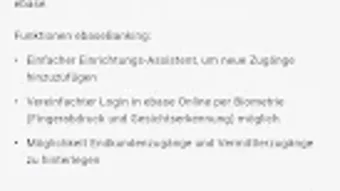
- Multi-Access Management – Users can add and organize multiple online banking or mediator access profiles, each labeled individually for clarity and ease of identification.
- Biometric and Password Authentication – Enhanced security is provided through biometric verification (fingerprint or facial recognition) and optional password protection for each access point.
- Account and Depot Monitoring – Real-time tracking of account balances and depot statuses ensures users stay informed about their financial standing at all times.
- Order Tracking – Users can view the current status of open orders, including pending transactions or investment activities, directly from the app.
- Integrated News Feed – Financial news and official communications are delivered directly through the app’s mailbox, keeping users informed about relevant updates.
- Setup Assistant – A guided onboarding process simplifies the addition of new access credentials, reducing setup complexity for first-time users.
These features collectively support efficient financial oversight and decision-making. For instance, a user can quickly review multiple investment accounts during a commute, confirm the status of a recent transfer, or verify a pending order before a market deadline. The integration of security protocols with user-friendly navigation ensures that both novice and experienced users can operate the app confidently.
User Interface, Workflow & Performance
The user interface of ebaseBanking is structured to prioritize clarity and accessibility. Navigation is organized through a bottom tab bar, providing quick access to core functions such as account overview, order tracking, news, and settings. Each section is designed with intuitive icons and labeled menus, minimizing the learning curve for new users.
Workflow efficiency is enhanced by the app’s streamlined access setup and consistent layout across all screens. The setup assistant guides users step-by-step through the process of adding new accounts, reducing the risk of configuration errors. Once configured, switching between multiple access profiles is straightforward, with visual indicators to distinguish each account type.
Performance observations are based on general software behavior patterns. The developer did not specify resource usage details. However, the app’s 40.5 MB size suggests a lightweight footprint, which typically correlates with efficient memory and CPU usage. Stability appears to be a focus, given the app’s secure authentication protocols and structured data handling. No reported crashes or performance issues were noted in the provided information.
Compatibility & System Requirements
ebaseBanking is designed for Android devices and is compatible with the latest versions of the operating system. The app has a file size of 40.5 MB, which is considered moderate for a financial application with multiple features. It is available for download exclusively through Google Play, ensuring access to official updates and security patches.
Exact system requirements were not listed. The developer did not provide additional system requirements. It is recommended to ensure that the device meets the minimum Android version required by Google Play for app installation. Compatibility with older Android versions is uncertain without official confirmation.
Pros and Cons
Pros
- Free to download and use with no hidden costs
- Supports multiple access profiles with individual naming
- Secure access via biometrics and password protection
- Real-time monitoring of accounts and open orders
- Integrated news feed for timely financial updates
- Guided setup assistant simplifies onboarding
Cons
- Available only on Android, with no support for iOS or other platforms
- Exact system requirements not specified by the developer
- Limited to users with valid online access or mediator credentials
- App functionality is dependent on existing banking account setup
FAQ Section
Is ebaseBanking available for iOS devices?
Currently, the app is only available for Android. There is no official iOS version listed by the developer.
Can I use ebaseBanking without a valid online banking account?
No. The app requires a valid online access or mediator access (eoP) to function. Users must already have an account with European Bank for Financial Services GmbH ebase.
Is the app secure for handling financial data?
Yes. The app uses biometric authentication and password protection to secure access. All data transmissions are protected through standard banking security protocols.
How often are updates released?
Updates are released periodically through Google Play. The exact update frequency is not specified by the developer.
Can I use ebaseBanking offline?
While some features like viewing recent transactions may be cached, full functionality requires an active internet connection for secure data synchronization.
Final Thoughts
ebaseBanking delivers a focused, secure, and efficient mobile banking experience tailored for users of European Bank for Financial Services GmbH ebase. Its ability to manage multiple access profiles, combined with strong security measures and real-time financial tracking, makes it a reliable tool for both individual account holders and authorized mediators. While platform limitations exist, the app’s free model, intuitive interface, and comprehensive feature set offer strong value for its target audience.
For anyone seeking a streamlined way to monitor accounts, track orders, and stay informed on financial news from a mobile device, ebaseBanking is a solid choice. The app’s emphasis on security and usability ensures peace of mind during daily financial management.
Download ebaseBanking now




.png)



