Fedora, GNOME, Linux

Flathub Experience: Adding an App

Flathub is a new distribution channel for Linux desktop apps. Truly distro-agnostic, unifying across abundance of Linux distributions. I was planning for a long time to add an application to Flathub and see what the experience is, especially compared to traditional distro packaging (I’m a Fedora packager). And I finally got to it this last week.

flathub

In Fedora I maintain PhotoQt, a very fast image viewer with very unorthodox UI. Its developer is very responsive and open to feedback. Already back in 2016 I suggested he provides PhotoQt as a flatpak. He did so and found making a flatpak really easy. However it was in the time before Flathub, so he had to host its own repo.

Last week I was notified about a new release of PhotoQt, so I prepared updates for Fedora and noticed that the Flatpak support became “Coming soon” again. So I was like “hey, let’s get it back and to Flathub”. I picked up the two-year-old flatpak manifest, and started rewriting it to successfully build with the latest Flatpak and meet Flathub requirements.

First I updated dependencies. You add dependencies to the manifest in a pretty elegant way, but what’s really time consuming is getting checksums of official archives. Most projects don’t offer them at all, so you have to download the archive and generate it yourself. And you have to do it with every update of that dependency. I’d love to see some repository of modules. Many apps share the same dependencies, so why to do the same work again and again with every manifest?

Need to bundle the latest LibRaw? Go to the repository and pick the module info for your manifest:

{
"name": "libraw",
"cmake": false,
"builddir": true,
"sources": [ { "type": "archive", "url": "https://www.libraw.org/data/LibRaw-0.18.8.tar.gz", "sha256":"56aca4fd97038923d57d2d17d90aa11d827f1f3d3f1d97e9f5a0d52ff87420e2" } ]
}

And on the top of such a repo you can actually build a really nice tooling. You can let the authors of apps add dependencies simply by picking them from the list and you can generate the starting manifest for them. And you could also check for dependency updates for them. LibRaw has a new version, wanna bundle it, and see how your app builds with it? And the LibRaw module section of your manifest would be replaced by the new one and a build triggered.

Of course such a repo of modules would have to be curated because one could easily sneak in a malicious module. But it would make writing manifests even easier.

Besides updating dependencies I also had to change the required runtime. Back in 2016 KDE only had a testing runtime without any versioning. Flathub now includes KDE runtime 5.10, so I used it. PhotoQt also uses “photoqt” in all file names and Flatpak/Flathub now requires it in the reverse-DNS format: org.qt.photoqt. Fortunately flatpak-builder can rename it for you, you just need to state it in the manifest:

"rename-desktop-file": "photoqt.desktop",
"rename-appdata-file": "photoqt.appdata.xml",
"rename-icon": "photoqt",

Once I was done with the manifest, I looked at the appdata file. PhotoQt has it in a pretty good shape. It was submitted by me when I packaged it for Fedora. But there were still a couple of things missing which are required by Flathub: OASR and release info. So I added it.

I proposed all the changes upstream and at this point PhotoQt was pretty much ready for submitting to Flathub. I never intended to maintain PhotoQt in Flathub myself. There should be a direct line between the app author and users, so apps should be maintained by app authors if possible. I knew that upstream was interested in adding PhotoQt to Flathub, so I contacted the upstream maintainer and asked him whether he wanted to pick it up and go through the Flathub review process himself or whether I should do it and then hand over the maintainership to him. He preferred the former.

The review was pretty quick and it only took 2 days between submitting the app and accepting it to Flathub. There were three minor issues: 1. the reviewer asked if it’s really necessary to give the app access to the whole host, 2. app-id didn’t match the app name in the manifest (case sensitivity), 3. by copy-pasting I added some spaces which broke the appdata file and of course I was too lazy to run validation before submitting it.

And that was it. Now PhotoQt is available in Flathub. I don’t remember how much time exactly it took me to get PhotoQt to Fedora, but I think it was definitely more and also the spec file is more complex than the flatpak manifest although I prefer the format of spec files to json.

Is not your favorite app available in Flathub? Just go ahead, flatpak it, and then talk to upstream, and try to hand the maintainership over to them.

Fedora, Linux

Flathub, Snap, Fedora: what is more up-to-date?

Yesterday I wondered how Flathub and Snap are doing in terms of proving up-to-date applications and how they compare to Fedora, a traditional and quite progressive Linux distribution.

The comparison is not extremely scientific. I picked (pretty much randomly) 16 apps which are in all three sources, looked up the available version and when it was updated. This subset is not very large. Flathub tends to have popular open source applications well known from Linux distributions. Snap lacks many of these, but has quite a few apps outside the traditional Linux desktop world. And at last Fedora doesn’t have many multimedia apps which include patent-protected codecs (VLC, Kdenlive, MPV,…).

To find out the app version and last update date I relied on Github repositories for Flathub, on uApp explorer for Snap, and on Fedora packages app for Fedora (27).

Looking at the table, you can see that the differences are not big. Flathub generally offers the most up-to-date apps having the latest versions of apps in the list except for missing one minor update for Eye of GNOME, it was also usually the first one to offer it.

The results of Fedora are pretty surprising to me. One of the biggest advantages of Flatpak and Snap they claim they have over traditional Linux distributions is that they ship the latest and greatest, but apparently at least in desktop apps Fedora is not behind and offers the latest versions as well (with two exceptions in this list) and often very close behind or sometimes even before the two competitors.

Of course a distribution model like Flatpak still keeps other advantages (and also disadvantages): sandboxing, you can run it on older distributions (e.g. RHEL 7) etc., but if you’re only after the latest versions Flathub and Snap don’t give you a big advantage over Fedora repositories. And if the Fedora Project offers a Flatpak repository built from Fedora packages as we plan, it can actually be a hit because it will be able to offer up-to-date applications and in a much larger number than current Flathub or Snap Store.

App Flathub Snap Fedora
Darktable 2.4.0, Dec 24 2.2.5, Oct 25 2.4.0, Jan 1
Blender 2.79, Sept 26 2.79, Sept 11 2.79, Sept 30
Corebird 1.7.3, Nov 19 1.7.3, Nov 20 1.7.3, Nov 28
GnuCach 2.6.19, Jan 5 2.6.19, Dec 18 2.6.18, Oct 30
Inkscape 0.92.2, Aug 9 0.92.2, Aug 19 0.92.2, Oct 1
LibreOffice 5.4.4, Dec 20 5.4.3.2, Dec 1 5.4.4.2, Dec 19
Nextcloud client 2.3.3, Nov 24 2.3.3, Dec 11 2.3.3, Oct 5
Picard 1.4.2, Sept 27 1.4.2, Oct 7 1.3.2, Jul 14
GNOME Calendar 3.26.2, Oct 5 3.26.0, Sept 22 3.26.2, Oct 11
Evince 3.26.0, Nov 9 3.26.0, Nov 29 3.26.0, Sept 18
Eye of GNOME 3.26.1, Nov 7 3.26.2, Nov 29 3.26.2, Nov 15
gedit 3.22.1, Jul 31 3.22.1, Nov 29 3.22.1, Aug 3
Glade 3.20.2, Dec 15 3.20.0, Nov 29 3.20.2, Dec 10
GNOME Characters 3.26.2, Nov 7 3.26.2, Nov 29 3.26.2, Nov 11
GIMP 2.8.22, Oct 17 2.8.22, Dec 11 2.8.22, Nov 11
HexChat 2.2.14, Apr 12 2.2.14, Feb 5 2.2.14, Dec 12 2016
Fedora, Linux

Fedora Media Writer Available in Flathub

Fedora Media Writer is the tool to create live USB flash drives with Fedora. You can also use dd or GNOME Disks, but Fedora Media Writer is the only graphical tool that is tested with Fedora ISOs (please don’t use UNetbootin and such because they really cause faulty Fedora installations).

Fedora Media Writer is available as an RPM package in Fedora repositories and we provide installation files for Windows and macOS. Those are actually offered to users with Windows and macOS as the default download options at getfedora.org. We’ve provided users of other Linux distributions with a flatpak, but it was hosted in its own repo. Recently we managed to get the flatpak to Flathub which many users have already enabled, so now it’s even easier and faster to install.

Snímek z 2017-11-29 13-12-31

Fedora, Linux

Attended Flock 2017

Two weeks ago, I had the pleasure to attend Flock 2017, the annual Fedora contributor conference. It moves between North America and Europe and after Krakow, Poland last year it took place in Hyannis, Massachussetts.

The conference started with the traditional keynote by Matthew Miller on the state of the Fedora Project. Matthew does a lot of data mining to create interesting statistics about how the project is doing. The keynote is an opportunity to share it with the public.

The Fedora user base is still growing as you can see on the chart of IP connections to Fedora update servers. Fedora 26 exceeded F25 just before Flock:

Snímek z 2017-09-12 16-58-50

Here are also geologic eras of Fedora as Matthew calls them. As you can see there is still a decent number of very old, unsupported Fedora installations which are still alive:

Snímek z 2017-09-12 17-03-29

It’s a pity that Matthew didn’t include the slide with ISO download shares of Fedora editions and spins. But last time he did Fedora Workstation amounted to ~80 % of all ISO downloads.

But by far the most popular part of the project is EPEL. Just look at its number of IP connections compared to all Fedora editions:

Snímek z 2017-09-12 17-08-50

Which brings me to another interesting talk I attended and that was EPEL State of the Union by a Fedora Project veteran Stephen Smoogen. As a Fedora packager I also maintain a couple of packages for EPEL, so it was interesting to hear how this successful sub-project is doing.

There were not many desktop-related talks this year. No “Status of Fedora Workstation” any more. It was very modularization and infrastructure focused. One of a few desktop talks was “Set up your own Atomic Workstation” by Owen Taylor, who is experimenting with distributing and running Fedora Workstation as an atomic OS, and Patrick Uiterwijk, who has been running it on his machine for a year or so (had a similar talk last year). Wanna try it yourself? Check out https://pagure.io/workstation-ostree-config

Although I didn’t attend the talk about secondary architectures by Dan Horák, we ended up talking and I was very happy to learn that the secondary arch team is doing automated builds of Firefox Nightly to catch problems early. That’s great news for us because with every major release of Firefox secondary architectures consumes a lot of our time. I asked Dan if they could do the same with WebKitGTK+ because it’s a very similar case and it looks like they will!

Several months ago David Labský created a device called Fedorator as his bachelor thesis supervised by a Fedora contributor and Fedora badge champion Miro Hrončok. The device lets you create a bootable USB stick with a Fedora edition of your choice. It’s Raspberry Pi-based, it has a touchscreen. The design is open source and you can assemble it yourself. Two months ago I got an idea to get David to Flock, buy components and assemble a dozen of fedorators which Fedora ambassadors can take home to use at local events. The result of it was a session at Flock where participants indeed assembled a dozen of fedorators. I only provided the idea and connected David with the right people. It wouldn’t have been possible without help of Brian Exelbierd, Paul Frields and others who arranged a budget, bought components etc.

photo_2017-08-30_01-45-54

I also did have a session, but unfortunately it was a complete failure 😦 I coordinate the Fedora Workstation User’s Guide project whose goal is to produce a printed guidebook for new users. We’ve had a Czech version for the last two years and we just finished the English one. I wanted to work on content changes for the next release and help people start versions translated into their languages. Unfortunately my session was scheduled at 6pm on the last day when everyone was ready for dinner or was even leaving the conference. It also overlapped with the docs session which people who I knew had been interested attended.

In the end, not a single person showed up at my session which is my new personal record. I’ve done dozens of talks and sessions at conferences, but zero audience was a new experience.

Anyway, if you’d like to produce a handbook in your language to use at booths and to spread the word about Fedora, check the project on Pagure. As I said the 2017 release is out and will only receive bug fixes, the content is final and thus it’s safe to translate.

Although my session was not really a success I’m still glad I could attend the conference. I had several hallway conversations about the project and countless other interesting conversations, learned new things, caught up with Fedora friends.

GNOME, Linux

ThunderBolt Security Levels and Linux desktop

Recently I got Dell XPS 13 as my new work laptop and I use it with the TB16 dock. This dock doesn’t seem to fully work with Linux, only monitors work. But if you go to BIOS settings and set the Thunderbolt Security level to “No security”. Then suddenly almost everything is working.

However, it’s not an ideal solution, especially if you’re at least a bit paranoid. External Thunderbolt devices may connect to the machine via PCI-Express which means they can potencially read your system memory. That’s why Thunderbolt comes with a security system.

There are 4 security levels:

  • none (legacy mode): no security, everything gets enabled.
  • dponly: no PCIe tunneling, only USB and DisplayPort.
  • user: ask the user if it is ok to connect the device.
  • secure: as “user” but also create and use a random key that later can be used on subsequent connects of the same device to ensure its identity.

Intel is already working on a Linux implementation of TB security. But the user and secure levels need user’s action, so there will have to be some support for it in the desktop. I discussed that with designers and they don’t really like the idea of poping up dialogs asking users if they trust the device. “Do I trust this projector? I’m not really sure, but since I’m plugging it in, I guess I do”.

I also checked how it works in Windows 10. And it works exactly that way. I plugged in the dock and I got a bunch of dialogs asking about every single plugged-in device. The experience is pretty terrible. And I have to agree with the designers, I’m not sure how this improves security.

On the other hand, I don’t think it’s a good idea to leave the Thunderbolt port completely unprotected. There is one relevant use case: you leave your computer unattanded and even though you locked your screen, someone can access your system through an unsecured TB3 port.

I wonder if it could be solved by automatically switching to a “reject everything” mode once you lock your screen. You lock your screen, leave your computer, and any device plugged into the TB3 port would be rejected. Once you come back and unlock your screen, it’s your responsibility what you plug in and any plugged device would be accepted.

I wonder if there is any relevant use case which would not be covered well by this policy. Any ideas?

Fedora, GNOME, Linux

Nextcloud & Linux Desktop

I’ve used different services for my personal agenda and I always valued if they could well integrate into my Fedora Workstation. Some did it well, some at least provided a desktop app, some only had a web client. That’s fine for many people, but not for me. Call me old-school, but I still prefer using desktop applications and especially those who look and behave natively.

Last summer, I decided to install Nextcloud on my VPS. Originally I was planning to replace Dropbox with it, but then I found out I could actually use it for many other things, for all my personal agenda. Shortly after that I realized that I’d found what I was always looking for in terms of integration into my desktop. Nextcloud apps use standard protocols and formats and integrate very well with the desktop apps I use.

nextcloud

Nextcloud/ownCloud is supported by GNOME Online Accounts, so I log in to my server and automagically get this:

Files – my Nextcloud appears in Nautilus as a remote disk. I like that it doesn’t work like the official desktop client of Nextcloud or Dropbox and doesn’t sync files to the local drive. If you work with small files and documents remotely, you can hardly notice lags and they don’t consume space on your hard drive. If I want to work with large files (e.g. video) or offline, I just download them.

Documents – documents that are stored on your Nextcloud server appear among documents in GNOME Documents. The app makes an abstraction layer over different file sources and the user can work with documents no matter where they come from. A nice thing, but I’m a bit conservative in this and prefer working with files and Nautilus.

Contacts – the Nextcloud app for contacts uses CardDAV, so after a login in GOA your contact list appears in all applications that are using the evolution-data-server backend. In my case it’s Evolution and GNOME Contacts. Evolution is still my daily driver at work while I use the specialized apps at home.

Calendars – the calendar app for Nextcloud uses CalDAV, so after a login in GOA you get the same automagic like with contacts, your calendars appear in all apps that are using evolution-data-server. Again in my case it’s Evolution and GNOME Calendar.

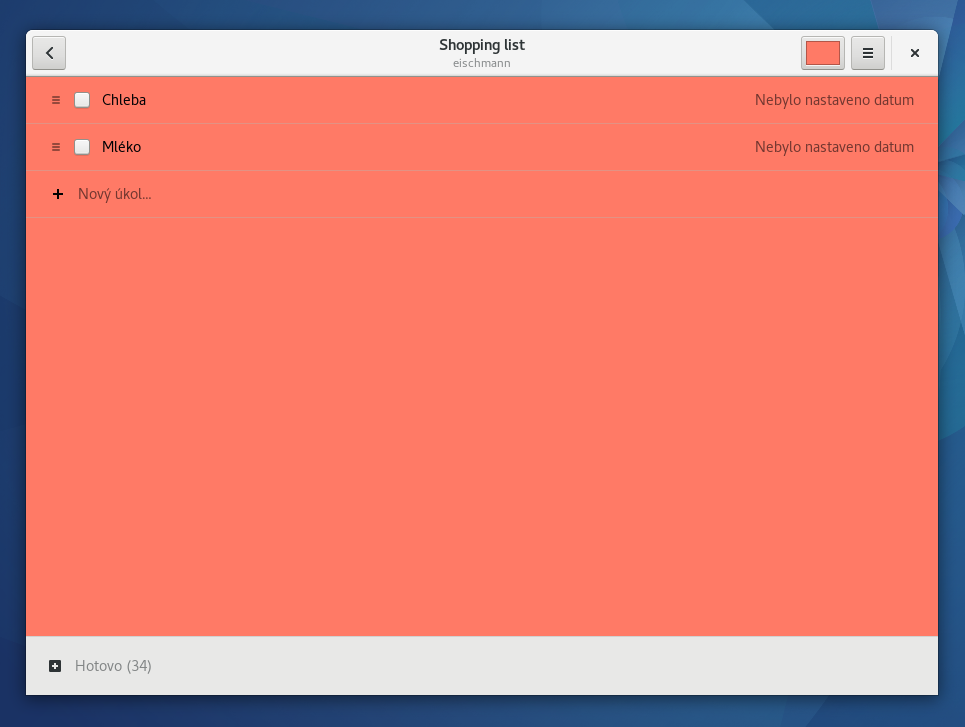
Tasks – CalDAV is also used for tasks in Nextcloud, so if you enable calendars in GOA, your task lists will also appear in Evolution or GNOME Todo.

snc3admek-z-2017-03-01-22-47-36
GNOME Todo

Notes – the same applies to notes, you will also be able to automagically access them in Evolution or GNOME Bijiben.

News – the only thing I had to set up separately is a news reader. I use FeedReader which (among other services) supports Nextcloud/ownCloud, too. So I could replace Feedly with it and get a native client as a bonus.

snc3admek-z-2017-03-01-22-34-49
FeedReader

What’s really great is that except for the RSS reader everything is set up with one login. I’m done with Feedly, Evernote, Wunderlist and all those services that each require another login and generally have poor desktop integration. Now I can use Nextcloud, have all my data under control and get great and super-easy-to-setup integration into my desktop.

I can imagine even more areas where Nextcloud can improve my desktop experience. For instance, it’d be great if my desktop user settings could be synced via Nextcloud or I could back them up there and then restore them on my new machine. Or it’d be great if the desktop keyring could work with Passman and sync your passwords.

BTW integration into my Android phone is equally important to me and Nextcloud doesn’t fail me there either although setting it up was not as easy as in my Fedora Workstation. I needed to install CalDAV-Sync and CardDAV-Sync apps (DAVdroid which is officially recommended by Nextcloud never worked for me, a while back it didn’t want to sync my contact list at all, now it does, but doesn’t import photos). Then my contacts and calendars were synced to the default apps. For tasks I use OpenTasks. For RSS ownCloud/Nextcloud Reader and for notes MyOwnNotes. To access files Nextcloud provides their own app.

And if I’m not around my PC or phone, I can always access all the services via the web interface which is pretty nice, too. So all in all I’ve been really satisfied with Nextcloud and am really happy how dynamically it’s developing.

Linux, Red Hat

Flatpak and Endless OS at InstallFest Prague

I spent the last weekend in Prague attending InstallFest 2017. The event is called InstallFest because many, many years ago it started as an event where students could come and get help with installations of various Linux distributions. Times of installfests are gone and this event has transitioned into an open source conference with more practical focus.

The event has moved to a new venue – Faculty of Electrical Engineering of Czech University of Technology. It’s where Red Hat recently started a new open source lab. The venue was larger than the one in previous years and hosted 3 tracks + a small booth area.

I came to talk on two things – Flatpak and Endless OS. My Flatpak talk was on Saturday and got a 55-minute slot which seemed like a lot of time, but if you want to cover all the specifics of the technology, even 55 minutes is not much. The room was pretty full and the topic apparently stirred some attention. There was even one person interested in porting Flatpak to another distribution.

c6fo3iawuain_sf
My talk on Flatpak

My talk on Endless OS was the first one of the second day. I only asked for a 25-minute slot which was just enough to make a brief introduction of the system. I also brought with me both Endless devices I have in possession – Endless One and Endless Mini. There were not as many people as at my Flatpak talk, but those who came seemed pretty interested. Almost none of them had ever heard of the OS and PCs before. They asked if they’d ever be available in Europe (which I couldn’t answer because I have no idea) or if you can connect extending hardware to the PCs just like to Raspberry.

As a side note, I was positively surprised how many people wore Fedora t-shirts at the conference.

c6jmrcqwmaadxej
Myself with the Endless PCs


Fedora, Linux

Firefox Developer Edition for Flatpak

Our team maintains Firefox RPMs for Fedora and RHEL and a lot of people have been asking us to provide Firefox for Flatpak as well. I’m finally happy to announce Firefox Developer Edition for Flatpak.

firefox_developer_edition_logo

We started with the Developer Edition because that’s something that is not easily available to Fedora users. Providing the standard Firefox wouldn’t bring a lot of benefit right now because it’s available very quickly after upstream releases via Fedora repositories. In the future, we’d like to add releases of the standard Firefox (nightly, stable, perhaps ESR).

Firefox DE for Flatpak is built on our internal build cluster and hosted on mojefedora.cz (mojefedora == myfedora in Czech) on OpenShift. It’s an unofficial build for testing purposes, not provided by Mozilla. We’d like to work with Mozilla, so that it can eventually be adopted by the Mozilla project and you can get Firefox flatpaks directly from the source.

Right now, Firefox DE is not sandboxed, it has full access to user’s home. In the near future, we’d like to start a devel branch in the flatpak repository where we will ship a sandboxed Firefox and experiment how well Firefox can handle sandboxing and what needs to be done to assure the expected user experience. A web browser is definitely the #1 candidate among desktop applications for sandboxing. If you’re interested in sandboxing Firefox on Linux via Flatpak, contact us (you’ll find Jan’s email on the website with installation instructions).

firefox-flatpak-fedora
Firefox Developer Edition for Flatpak running on Fedora

We’ve tested the FDE flatpak on Fedora 25, openSUSE Tumbleweed, and Ubuntu 16.10. You need flatpak 0.6.13 or newer for the installation commands to work. The repo should work with older versions as well, but there was a change in command syntax and the commands we use don’t work in older releases than 0.6.13. Fedora 25 has the newest release (0.8.0), openSUSE Tumbleweed has a new enough release (0.6.14), just for Ubuntu you’ll need to install the newest flatpak from a PPA.


firefox-flatpak-ubuntu
Firefox Developer Edition for Flatpak running on Ubuntu

GNOME Software in Fedora 25 also supports adding repos via .flatpakrepo files and installing apps via .flatpakref files, but it’s not reliable enough yet, so we only recommend you use the command line instructions. It’s just two commands (you only need the latter one on Fedora 25 with the newest flatpak).

There are also a couple of problems we haven’t quite figured out yet. In openSUSE and Ubuntu, the desktop file database is not refreshed after the installation, so the launcher doesn’t appear right away. You need to log out and log in to refresh it and make the launcher appear. In openSUSE Tumbleweed in KDE Plasma in a VM, I couldn’t start the app getting “no protocol specified, Error: cannot open display: :99.0”. We’re looking for hearing from you how it works on other distributions.

Although the repo is for testing purposes, we’re committed to updating it regularly until we announce otherwise on the website with the installation instructions. So you don’t have to worry that you’ll end up with a scratch build that will never get updated.

At last, I’d like to thank Vadim Rutkovsky who made the initial proof-of-concept Firefox build for Flatpak we built upon, and Jan Hořák who did most of the work on the current build and repo setup.

Fedora, GNOME, LibreOffice, Linux

Installing flatpaks gets easier in Fedora 25

A lot of users complained that installing flatpaks was too difficult. And they were right, just look at the installation instructions on the Flatpak download page at LibreOffice.org. But that was never meant to be the final user experience.

flatpak-logo

Richard Hughes integrated Flatpak support into GNOME Software and the Red Hat desktop apps team worked with him to make sure it works well with apps we’ve already packaged for Flatpak. And this is the result. As you can see installing LibreOffice for Flatpak is now a matter of a couple of clicks with GNOME Software 3.22.2 in Fedora 25:


Flatpak allows you to generate a .flatpak bundle which includes the app and all the necessary info for installation of the app and setting up its repo for future updates. You can also create a .flatpakref file which doesn’t contain the app, but all the installation info and the app is downloaded during the installation. This format is also supported by GNOME Software now. LibreOffice offers a .flatpak bundle because it’s more similar to what users are used to from Windows and macOS.

As you can see on the video, installing .flatpak bundles is a matter of downloading the file and opening it directly with GNOME Software or double-clicking it. There is one prerequisite though. You need to have a repo of the runtime the app requires enabled which I had because I had been using the GNOME runtime for other apps already. Installation of runtimes is being streamlined as well. As a runtime provider, you can ship .flatpakrepo file which includes necessary info for setting up the repo and is as easy to install as .flatpak and .flatpakref. For Fedora Workstation we’re currently considering to enable repos of most common runtimes by default, so users would not have to deal with them at all, the required runtimes would get installed automatically with the app.