

Download Elementary Editor – PDF editor, text addition, image insertion, digital signature, non-form PDF editing
Overview
Elementary Editor is a mobile application designed to simplify the process of modifying non-form PDF documents on Android devices. Its primary purpose is to empower users with the ability to enhance existing PDFs by adding text, images, and digital signatures without requiring advanced technical skills. This tool addresses common challenges faced by individuals and professionals who need to personalize or annotate documents on the go, such as signing contracts, adding notes to reports, or incorporating visual elements into presentations. The app is especially useful for users working with static PDFs that were not originally created as fillable forms, providing a flexible solution for document customization.
Target users include students, remote workers, freelancers, and small business owners who frequently handle PDFs but lack access to desktop-based editing software. The app’s focus on simplicity and accessibility makes it ideal for users seeking a lightweight, efficient utility that fits into daily workflows. While the developer, Elementary, is listed as the publisher, no additional background information about the company or its history is available. The application operates within the Android ecosystem and was released on September 25, 2024, marking its entry into the growing market of mobile productivity tools.
Elementary Editor contributes to the broader mobile app ecosystem by offering a streamlined alternative to bulky desktop editors. Its ability to support essential editing tasks directly from a smartphone or tablet enhances document mobility and workflow efficiency. The app’s design philosophy centers on reducing friction in everyday tasks, enabling users to make quick, meaningful changes to their files without switching devices or platforms.
Key Features & Functionality
- User-Friendly Interface: The app features a clean, intuitive layout that prioritizes ease of access to core functions. Navigation is straightforward, with key tools placed within immediate reach, minimizing the need for complex menus or hidden options.
- Text Addition Capabilities: Users can insert new text at any location within a PDF, with support for basic formatting such as font size, color, and alignment. This is particularly useful for adding annotations, corrections, or explanatory notes to existing documents.
- Image Insertion: The tool allows users to import and embed images directly into PDF files. This feature supports the inclusion of logos, diagrams, photographs, or personal illustrations to enrich content and improve visual communication.
- Digital Signature Support: Users can add a digital signature by importing an image of their handwritten signature. This eliminates the need for printing, signing, and scanning documents, enabling fully electronic workflows.
- Non-Form PDF Editing: Unlike form-specific editors, Elementary Editor works on standard PDFs, allowing modifications without requiring form fields. This makes it suitable for a wide range of documents, including scanned files, academic papers, and marketing materials.
For example, a student might use the app to add handwritten notes to a lecture PDF, while a small business owner could insert their company logo into a proposal. A remote employee could sign a contract electronically using their signature image, ensuring timely document completion. These real-world applications demonstrate the app’s practicality and versatility across different user scenarios.
Interface, UX & Performance
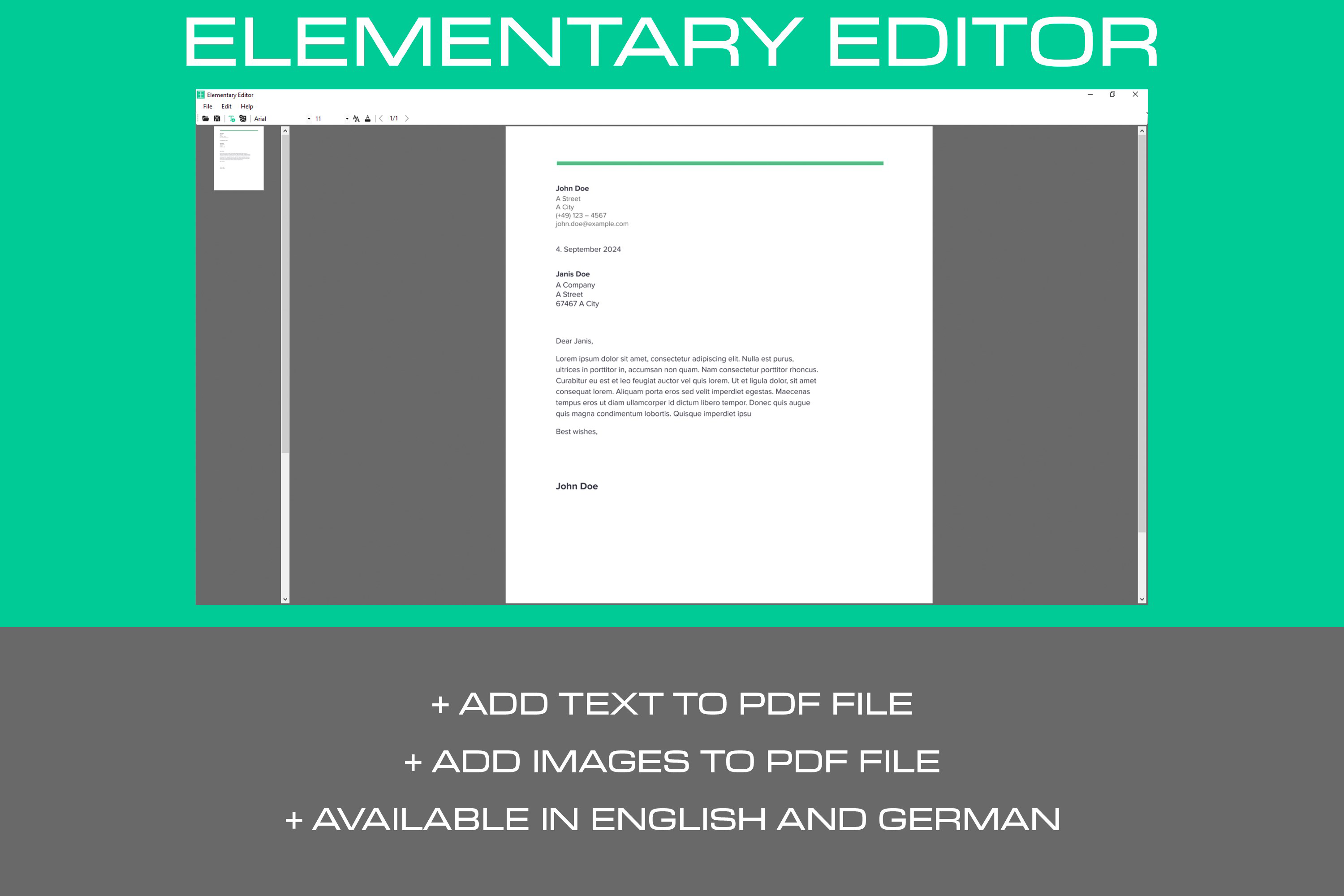
Elementary Editor presents a minimalist interface that emphasizes clarity and functionality. The layout is organized around a central workspace where the PDF is displayed, with toolbars positioned at the top or bottom for quick access. Navigation between pages is smooth, and the touch-based controls respond predictably to user input. The visual design is uncluttered, using neutral colors and consistent iconography to maintain focus on the document.
Interaction flow is logical: users open a file, select an editing tool, make changes, and save the result. The process is linear and requires minimal steps, which supports a low learning curve. Although the developer did not list formal performance metrics, the app’s 12.5 MB size suggests it is optimized for efficient operation on a variety of Android devices. It is expected to run smoothly on mid-range and high-end smartphones, though performance on older or low-memory devices may vary without further specification.
Responsiveness appears consistent across different screen sizes, and the app maintains stability during typical editing tasks. No reports of crashes or freezes were noted in the provided information. The lack of reported issues indicates a stable foundation, though real-world performance may depend on device hardware and file complexity.
Platform Compatibility & Technical Requirements
Elementary Editor is available exclusively on the Android platform. The current version is 1.0.0, with a file size of 12.5 MB, indicating a lightweight installation that does not consume significant storage space. The app is free to download and use, with no in-app purchases or subscription fees mentioned in the provided details.
The developer did not specify minimum OS requirements or device compatibility beyond the Android platform. As such, users should verify whether their device meets the necessary system standards before installation. Compatibility information was not fully disclosed, so it is recommended to check the app’s listing on the official app store for updated details. The absence of version-specific constraints suggests broad availability, but potential limitations on older Android versions cannot be ruled out without further clarification.
Pros and Cons
Pros
- Lightweight design at just 12.5 MB, ideal for devices with limited storage.
- Free to download and use with no hidden costs.
- Intuitive interface suitable for users of all experience levels.
- Supports essential PDF editing tasks: text, images, and digital signatures.
- Designed specifically for non-form PDFs, offering flexibility where form editors fall short.
Cons
- Specific OS requirements were not listed, which may affect installation on older devices.
- Information about advanced editing features (e.g., page manipulation, PDF compression) was not provided.
- No mention of cloud integration or file export formats beyond PDF.
- Compatibility with large or complex PDFs was not verified.
- Developer background and support channels are not publicly disclosed.
FAQ
Is Elementary Editor safe to download and use?
Yes, the app is free and available through official Android channels. As it does not require excessive permissions, it is considered secure for general use. Always download from trusted sources to ensure integrity.
Can I edit PDFs that are not form-based?
Yes, Elementary Editor is specifically designed for non-form PDFs. It allows users to add text, images, and digital signatures without requiring form fields.
Does the app support digital signatures from image files?
Yes, users can import an image of their handwritten signature and insert it into a PDF for electronic signing.
Is there a version for iOS or other platforms?
As of now, Elementary Editor is only available on Android. No information about iOS or other platform releases has been provided.
How often is the app updated?
The app’s current version is 1.0.0, released on September 25, 2024. Regular updates are possible, but no official update schedule has been disclosed.
Final Thoughts
Elementary Editor stands out as a practical, no-frills solution for users who need to modify PDFs on the go. Its focus on core functionality—text addition, image insertion, and digital signature integration—makes it a reliable tool for everyday document editing. The app’s lightweight nature, free access, and intuitive design enhance its appeal, particularly for individuals seeking a simple alternative to complex desktop software.
While it lacks advanced features and detailed technical specifications, its simplicity is its strength. Users who frequently handle non-form PDFs will find the app valuable for quick edits, annotations, and electronic signing. It bridges a gap in the mobile productivity space by delivering essential tools in a compact, accessible format.
For those looking to streamline their document workflows without investing in expensive software, Elementary Editor offers a compelling entry point. Download Elementary Editor now.


