
Download Elliott – AI‑Powered Shopify Product Description Generator
Overview
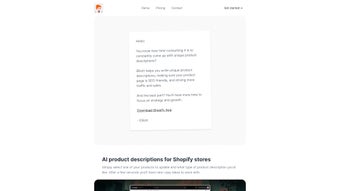
Elliott is a purpose‑built AI tool for Shopify merchants that transforms the often‑tedious task of writing product descriptions into a fast, reliable, and creative process. Available directly from the Shopify App Store, Elliott works as an on‑demand sidekick: you pick a product, choose the tone or style you need—whether it’s concise bullet points, storytelling copy, or SEO‑heavy phrasing—and the engine produces several unique drafts within seconds. The core promise of Elliott is to free store owners from repetitive writing so they can concentrate on strategy, inventory, and customer engagement. Because the generated copy is fresh every time, it helps avoid duplicate‑content penalties while naturally embedding high‑value keywords, boosting visibility on Google and within Shopify’s own search. Elliott’s UI is clean, web‑based, and requires no additional software installation, making it a secure and low‑maintenance addition to any e‑commerce workflow. Whether you run a boutique clothing shop, a tech gadget store, or a large multi‑category marketplace, Elliott scales to handle hundreds of SKUs and delivers a consistent brand voice across all listings. Its integration with Shopify’s product API ensures that generated text can be pushed directly into your catalog, cutting manual copy‑pasting time dramatically.
Key Features That Set Elliott Apart
- Instant Multi‑Draft Generation: Produce 3‑5 distinct description options in under 10 seconds per product.
- SEO‑Optimized Copy: Built‑in keyword analysis aligns each draft with your target search terms, improving organic traffic.
- Custom Tone & Style Controls: Choose from “Professional,” “Casual,” “Storytelling,” “Bullet‑Point,” or “Technical” modes to match your brand voice.
- One‑Click Shopify Sync: Directly push selected copy into Shopify’s product fields without leaving the app.
- Bulk Description Builder: Upload CSV of SKUs to generate descriptions for entire collections in batch mode.
- Plagiarism‑Free Assurance: AI model is trained to create original content, reducing the risk of duplicate‑content flags.
- Version History & Edit Tracker: Keep a log of all generated drafts, compare revisions, and revert if needed.
- Secure Cloud Processing: All data is encrypted in transit and at rest, complying with GDPR and CCPA standards.
- Free Tier with Unlimited Requests: The base plan lets you generate unlimited descriptions, with premium add‑ons for advanced analytics.
- Regular Model Updates: Elliott’s AI engine receives monthly updates to stay current with SEO best practices and language trends.
Each feature is designed with the Shopify ecosystem in mind. For example, the bulk description builder reads the same product metafields you already use for inventory management, so you never have to re‑enter data manually. The SEO‑optimized copy leverages an internal keyword library that can be customized per store, allowing you to prioritize high‑value search terms like “handmade leather wallet” or “wireless charging pad.” Moreover, Elliott’s version history ensures that teams can collaborate without fear of losing a great line of copy—every draft is timestamped, and you can revert to a previous version with a single click. The free tier’s unlimited requests are particularly valuable for growing stores that need to test many variations before settling on the most converting description. Overall, Elliott blends AI creativity with e‑commerce practicality, turning product pages into conversion‑focused assets.
Installation & Usage Guide – From App Store to First Description
Step 1: Add Elliott from the Shopify App Store
Visit the Shopify App Store and search for “Elliott – AI Product Descriptions.” Click “Add app,” then follow the standard OAuth flow to grant the app permission to read and write product data. Because Elliott runs as a web application, there’s no local installation—once authorized, you’ll be redirected to Elliott’s dashboard in a new browser tab.
Step 2: Set Up Your Brand Preferences
The first time you log in, Elliott prompts you to configure brand settings: choose your default tone, input primary keywords, and optionally upload a style guide (PDF or plain text). These preferences are stored in your account and applied automatically to every description you generate, ensuring consistency across all product listings.
Step 3: Generate a Single Description
From the dashboard, click “New Description.” A dropdown lists all products in your store; select the SKU you want to work on. Next, pick a description type (e.g., “SEO‑Focused,” “Storytelling,” “Bullet Points”). Hit “Generate,” and Elliott’s AI engine returns three ready‑to‑use drafts. Review each draft, edit inline if needed, and click “Apply to Product” to push the chosen copy directly into Shopify’s product description field.
Step 4: Bulk Generation for Large Catalogs
For stores with hundreds of items, navigate to the “Bulk Builder” tab. Upload a CSV file containing SKU, product name, and any custom attributes you want the AI to consider (e.g., material, size). Elliott processes the file in the cloud and returns a downloadable CSV with generated descriptions ready for import. You can also schedule a bulk update directly from the app, letting Shopify sync the new copy overnight.
Step 5: Monitor Performance and Iterate
After publishing new descriptions, Elliott’s analytics pane shows key metrics such as organic search ranking changes, click‑through rates, and conversion lift. Use these insights to tweak your keyword list or tone preferences. Because the AI model is updated monthly, revisit older products every few months to refresh stale copy and keep your catalog competitive.
The entire workflow is designed to be intuitive, requiring no technical expertise. Whether you are a solo entrepreneur or part of a larger marketing team, Elliott’s web‑based interface and direct Shopify integration streamline the content creation pipeline from start to finish.
Pros and Cons – A Balanced Look at Elliott
Pros
- Lightning‑fast generation saves hours of manual writing.
- Built‑in SEO optimization improves organic visibility.
- One‑click sync eliminates copy‑pasting errors.
- Free tier offers unlimited descriptions for budget‑conscious merchants.
- Customizable tone and keyword library keep brand voice consistent.
- Secure cloud processing meets data‑privacy regulations.
- Bulk upload feature scales to large inventories.
- Version history aids collaboration and rollback.
- Monthly AI updates keep the tool current with search trends.
- Responsive web UI works on Windows, macOS, Android, and iOS browsers.
Cons
- Advanced analytics are only available in paid plans.
- Customization of AI prompts is limited to preset tone options.
- Reliance on internet connectivity; offline work is not possible.
- Initial brand setup may require a few minutes of configuration.
- Complex product attributes sometimes need manual fine‑tuning after generation.
Elliott has dramatically cut the time my team spends on product copy. The SEO suggestions are spot‑on, and the bulk upload saved us weeks of work during a seasonal launch.
Frequently Asked Questions
Is Elliott free to use?
Yes, Elliott offers a free tier that allows unlimited description generation. Premium features such as advanced analytics, custom keyword libraries, and priority support are available via paid plans.
Can Elliott integrate with my existing Shopify theme?
Absolutely. Elliott pushes plain HTML into the product description field, which works with any Shopify theme. No code changes are required.
How does Elliott ensure the content is SEO‑friendly?
The AI model incorporates a real‑time keyword analysis engine. When you set your primary keywords, Elliott automatically weaves them into the copy at optimal density, adds relevant LSI terms, and respects character limits for meta descriptions.
Is my product data safe when using Elliott?
Yes. All data transmitted between Shopify and Elliott is encrypted via HTTPS, and the platform complies with GDPR and CCPA. No product data is stored longer than necessary for processing.
Can I edit the generated description before publishing?
You can edit any draft directly in Elliott’s editor. Changes are saved to the version history, and you can apply the edited version to your Shopify product with a single click.
Conclusion – Boost Your Shopify Store with Elliott Today
For Shopify merchants who want to stay ahead of the competition, Elliott offers a powerful blend of speed, SEO intelligence, and seamless integration. By automating the creation of unique, high‑performing product descriptions, the app frees you to focus on growth‑driving activities such as product sourcing, advertising, and customer service. Whether you are just launching a niche boutique or scaling a multi‑brand marketplace, Elliott’s free tier provides enough horsepower to test the concept, while the premium upgrades give you the analytics and customization you need for long‑term success. Don’t let bland copy hold back your visibility—download Elliott now, generate fresh descriptions in seconds, and watch your organic traffic and conversion rates climb.



.png)




