
Download Enji – AI‑Powered Marketing Suite for Small Business
Overview
Enji is a cloud‑based marketing platform built specifically for small‑business owners who need a fast, affordable, and secure way to create, organize, and launch promotional campaigns. The heart of Enji is its AI copywriter, which can spin up blog posts, social‑media captions, email newsletters, and ad copy in seconds—eliminating the endless back‑and‑forth that typically stalls content creation. Beyond writing, Enji bundles a full‑featured task manager that lets teams assign, prioritize, and track marketing activities, complete with automated reminders so deadlines are never missed. A dedicated brand library stores logos, color palettes, typography, and style guidelines, ensuring every piece of communication stays on‑brand without the hassle of hunting down assets. Collaboration tools enable seamless sharing with freelancers, agencies, or partners, while an intuitive dashboard educates users on best‑practice strategies, making the platform both a tool and a learning hub. In short, Enji consolidates the disparate pieces of a marketing stack into one secure, web‑based suite, helping small businesses save time, reduce costs, and boost their market presence.
Key Features
- AI Copywriter: Generates high‑quality marketing copy for blogs, ads, emails, and social posts in under a minute, with tone and style options tailored to your brand voice.
- Task Management System: Create, assign, and track marketing tasks; set due dates, attach files, and receive automated reminders to keep projects on schedule.
- Brand Library & Style Guide: Central repository for logos, color codes, fonts, and brand guidelines; drag‑and‑drop assets directly into content drafts.
- Collaboration Hub: Invite external partners, share drafts, comment in real time, and control permission levels to protect sensitive information.
- Marketing Education Center: Built‑in tutorials, webinars, and AI‑driven suggestions that teach users how to craft effective campaigns and measure results.
- Analytics Dashboard: Real‑time performance metrics for each piece of content, including engagement rates, click‑through, and conversion tracking.
- Secure Cloud Storage: All data is encrypted at rest and in transit, complying with GDPR and CCPA standards to protect your business information.
- Multi‑Platform Access: Accessible via any modern web browser on Windows, macOS, Linux, Android, and iOS devices—no desktop installation required.
- Automatic Updates: New features and security patches are pushed instantly, ensuring you always work with the latest version without manual effort.
- Integrations: Native connectors for popular email services, CRM tools, and social media platforms streamline publishing and lead capture.
Installation, Usage & Compatibility
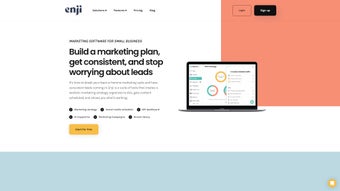
Because Enji is a web‑based solution, there is no traditional “installation” process—simply create an account, verify your email, and you’re ready to start. The onboarding wizard guides you through setting up your brand library, selecting preferred AI tone settings, and connecting external accounts (such as Mailchimp, HubSpot, or Facebook). Once logged in, the dashboard presents a clean, modular layout: the left sidebar houses navigation (Copywriter, Tasks, Brand, Analytics), while the main pane displays contextual workspaces.
**Step‑by‑step usage**:
- Sign up: Visit enji.com, click “Get Started Free,” and fill in basic business details.
- Configure Brand Assets: Upload logos, define color hex codes, and write a concise brand voice description. These inputs feed directly into the AI copywriter for consistent output.
- Create Content: Choose the “AI Copywriter” tab, select the content type (e.g., Instagram post), set the desired tone (friendly, professional, witty), and let the model generate three variations. Edit as needed and save to the task board.
- Assign Tasks: Drag the saved draft onto a new task, set a due date, assign it to a team member, and enable reminder notifications via email or push.
- Publish & Track: Connect your social or email accounts, schedule the content, and monitor performance on the analytics dashboard.
Compatibility: Enji runs on any device with a modern browser (Chrome, Firefox, Edge, Safari). It is fully responsive, providing a native‑like experience on Android and iOS tablets and phones. Because all processing occurs in the cloud, even low‑spec computers can handle AI generation without lag.
Security is handled at the platform level: two‑factor authentication (2FA) is optional but recommended, and all user data is stored on encrypted servers located in GDPR‑compliant data centers. Regular backups guarantee that your content and task history are never lost.
Pros and Cons
Pros
- Fast AI‑generated copy reduces writing time by up to 80%.
- All‑in‑one task manager eliminates the need for separate project‑management tools.
- Brand library ensures visual and tonal consistency across all assets.
- Secure, cloud‑based architecture means no local installation or updates.
- Scalable pricing – a free tier for startups and affordable paid plans for growing teams.
- Extensive integrations with email, CRM, and social platforms streamline publishing.
- Educational resources help novice marketers learn best practices.
Cons
- AI copywriter may produce generic phrasing; human editing is still recommended for high‑stakes campaigns.
- Advanced analytics are limited to paid plans; free users receive only basic metrics.
- Reliance on internet connectivity; offline work is not supported.
- Some users report a learning curve when customizing the brand style guide.
- While secure, data is stored off‑site, which may concern businesses with strict on‑premise policies.
Frequently Asked Questions
Is Enji free to use?
Enji offers a free tier that includes the AI copywriter, basic task management, and limited brand library storage. Paid plans start at $12 per user per month and unlock advanced analytics, higher storage limits, and priority support.
Can I export my content to other platforms?
Yes. All generated copy can be exported as plain text, PDF, or directly pushed to connected email and social‑media accounts. You can also download brand assets from the library in PNG, SVG, or JPEG formats.
How secure is my data on Enji?
Enji employs AES‑256 encryption for data at rest and TLS 1.3 for data in transit. The service complies with GDPR, CCPA, and ISO‑27001 standards, and offers optional two‑factor authentication for added protection.
Do I need any technical expertise to use Enji?
No. Enji’s interface is designed for non‑technical users. The onboarding wizard, video tutorials, and AI‑driven suggestions guide you through every step, from brand setup to content publishing.
What browsers are supported?
Enji works with the latest versions of Chrome, Firefox, Edge, and Safari. Mobile browsers on Android and iOS are fully supported, offering a consistent experience across devices.
Conclusion & Call to Action
For small businesses that juggle limited budgets, tight deadlines, and the constant pressure to stay on brand, Enji provides a compelling mix of AI creativity, organized workflow, and secure cloud storage—all wrapped in a user‑friendly interface. While the platform isn’t a complete replacement for a seasoned copywriter or a full‑scale marketing agency, it dramatically cuts the time required to produce polished content and keeps teams aligned on tasks and brand standards. If you’re ready to boost your marketing efficiency, reduce repetitive writing work, and centralize your brand assets, download Enji today and start the free trial. Experience the power of AI‑assisted copywriting and an integrated task manager designed to grow with your business.



.png)




