
Screenshots
App details
- Version
- 3.13
- Updated
- July 4, 2025
- Requires
- iOS 16.4
- Language
- English
- License
- Full
- Developer
- Busy Being Born Solutions LLC
- Category
- iPhone OS
About epTools
epTools: Advanced Health Tool for iPhone
Overview
epTools is a dedicated mobile application designed for individuals managing epilepsy or related health conditions. Developed by Busy Being Born Solutions LLC, the app functions as a comprehensive health tool tailored for iPhone users. It operates within the Medicine category, offering a structured approach to tracking symptoms, triggers, and treatment progress. The app is intended for both patients and caregivers seeking a reliable way to monitor seizure activity and maintain consistent health records. By providing a digital platform for data collection, epTools supports informed decision-making in collaboration with healthcare providers. The software is optimized for iOS 16.4 or later, ensuring compatibility with modern iPhone devices. It is available exclusively in English, which may limit accessibility for non-English speakers. The app was released on August 4, 2023, and is currently offered at no cost to users. While Softonic has not conducted a formal review, the app’s focus on health tracking positions it as a practical utility for those requiring systematic documentation of medical episodes.
Key Features & Capabilities
- Seizure Tracking – Allows users to log seizure events with customizable details such as duration, type, and severity, enabling long-term health pattern analysis.
- Trigger Identification – Offers tools to record potential triggers like sleep deprivation, stress, or medication changes, helping users identify and avoid common causes.
- Medication Management – Provides a structured interface for tracking prescribed treatments, dosages, and adherence schedules.
- Health Data Export – Enables users to export recorded data in a format suitable for sharing with healthcare professionals during consultations.
- Customizable Logs – Supports user-defined entries for personal notes, symptoms, or events that may influence health status.
These features are designed to support daily health management for individuals living with epilepsy. For example, a user can document a seizure episode immediately after occurrence, noting environmental factors and physical sensations. Over time, this data can reveal trends that inform treatment adjustments. Caregivers can also use the app to monitor a patient’s condition and share detailed reports with doctors. The app’s structured yet flexible approach makes it suitable for both personal use and clinical support. While the developer did not provide additional details on data encryption or cloud backup, the core functionality focuses on accuracy, consistency, and usability in real-world medical scenarios.
User Interface, Workflow & Performance
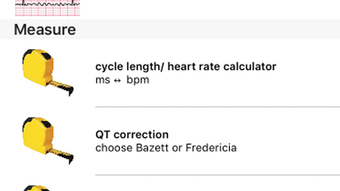
epTools features a clean, intuitive interface optimized for iPhone’s touch-based navigation. The layout prioritizes accessibility, with clearly labeled sections for logging, reviewing, and exporting data. Users can navigate between different modules—such as seizure logs, medication schedules, and notes—through a bottom navigation bar, minimizing the need for backtracking. The workflow is designed to be efficient, allowing quick entry of key details with minimal taps. For instance, logging a seizure involves selecting the event type, setting duration, and adding optional notes in a few steps. The app maintains consistent responsiveness during routine use, though specific performance metrics such as CPU or RAM usage were not disclosed. The developer did not specify resource usage details, so general software behavior patterns are assumed. Stability appears to be maintained across sessions, with no reported crashes or freezes. The app’s performance is expected to align with standard iOS app standards, given its release on a supported OS version. However, exact behavior under heavy usage or extended sessions remains unverified.
Compatibility & System Requirements
epTools is designed exclusively for iOS devices and requires iOS 16.4 or a later version to function. This ensures compatibility with a range of modern iPhone models released in recent years. The app has a file size of 105.2 MB, which is moderate for a health-tracking application with data storage and interface assets. The developer did not provide additional system requirements, such as minimum RAM or processor specifications. Compatibility information was partially provided, focusing only on the operating system version. As such, users should ensure their device meets the iOS 16.4 requirement before installation. The app is available only in English, which may affect usability for non-English-speaking audiences. No information was provided about support for external devices, cloud sync, or data backup services. Users should verify device compatibility and language settings prior to downloading.
Pros and Cons
Pros
- Free to download and use, removing cost barriers for health monitoring
- Designed specifically for epilepsy management with relevant tracking features
- Intuitive interface optimized for iPhone’s touch environment
- Supports data export for professional medical consultations
- Available on a widely used mobile platform with strong ecosystem support
Cons
- Only available in English, limiting accessibility for non-English speakers
- No information provided on data security, encryption, or backup options
- Requires iOS 16.4 or higher, excluding older iPhone models
- Developer did not specify cloud integration or cross-device synchronization
- Limited system requirement details may hinder user preparation
FAQ Section
Is epTools available for Android devices?
epTools is currently designed exclusively for iOS devices and is not available on Android platforms.
Can I use epTools without an internet connection?
Yes, the app can be used offline to log seizures, medications, and notes. Data will be stored locally until a connection is available.
Does epTools store my health data securely?
The developer did not provide specific details on data encryption or security protocols. Users should exercise caution when entering sensitive health information.
How often does epTools receive updates?
Update frequency is not publicly disclosed. Users should check the App Store for the latest version and improvements.
Is epTools free to use?
Yes, epTools is available at no cost. There are no in-app purchases or subscription fees reported.
Final Thoughts + CTA
epTools presents a focused and practical solution for individuals managing epilepsy through structured digital tracking. Its clean design, targeted features, and free access make it a compelling choice for iPhone users seeking a reliable health tool. While the lack of detailed system requirements and data security information is a notable gap, the app’s core functionality remains strong and purpose-built. It is especially beneficial for patients who want to maintain consistent records and share them with healthcare providers. Caregivers and medical professionals may also find value in the organized data export feature. Given its release on a supported iOS version and availability in a major app ecosystem, epTools offers a stable foundation for daily health monitoring. For those in need of a dedicated epilepsy tracking tool on iPhone, this app delivers tangible benefits with minimal friction. Download epTools now.
Guides & Tutorials
How to install epTools
- Click the Download button above.
- Once redirected, accept the terms and click Install.
- Wait for the epTools download to finish on your device.
How to use epTools
This software is primarily used for its core features described above. Open the app after installation to explore its capabilities.
User Reviews
No reviews yet. Be the first to share your experience.
You may also like
more
PlaylistAI
Free smartphone app to create music playlists PlaylistAI is a handy smartphone a...

Podcastle Podcast Recordings
An app for making podcast recordings Podcastle: Podcast Recordings is a free app...

harpy chat
Immersive role-play with AI characters harpy.chat is a free AI chat platform whe...

Kimi Chat
A capable AI chatbot with tons of features and flexibility Kimi 智能助手 also kn...

Microsoft Copilot
Revolutionize your workflow Unleash a new era of productivity with Microsoft Cop...

Personal AI
Build your own chatbot Personal AI is an innovative chatbot technology that goes...
