
Screenshots

App details
- Updated
- May 19, 2025
- Language
- English
- Developer
- lich426
- Category
- Mobile
About FanCtrl
Download FanCtrl – fan control, PC cooling, temperature monitoring, auto fan control, PWM fan management, hardware monitoring, PC optimization, system performance, thermal management, fan speed adjustment
Overview
FanCtrl is a specialized utility designed to empower users with granular control over their computer’s fan speeds, enabling optimized thermal performance based on real-time temperature data. The application is tailored for users seeking to fine-tune their PC’s cooling system, particularly during intensive workloads such as gaming, video rendering, or software development. By providing direct access to fan RPMs and component temperatures, FanCtrl helps prevent overheating while minimizing unnecessary noise from excessive fan activity.
Target users include PC enthusiasts, system builders, and professionals who rely on stable, efficient hardware performance. The app is especially valuable for those managing custom cooling setups or using advanced hardware monitoring tools. While the developer, FanCtrl, did not provide additional background details, the app’s focus on precision and integration suggests a targeted development approach for technically inclined users.
Real-world use cases include adjusting fan behavior during long rendering sessions, maintaining low noise levels during office work, or ensuring consistent cooling across multiple hardware components. In the broader app ecosystem, FanCtrl fills a niche for lightweight, dedicated fan control tools that complement existing monitoring software. Its ability to interface with programs like HWiNFO and LibreHardwareMonitor enhances its utility in multi-tool workflows.
Key Features & Functionality
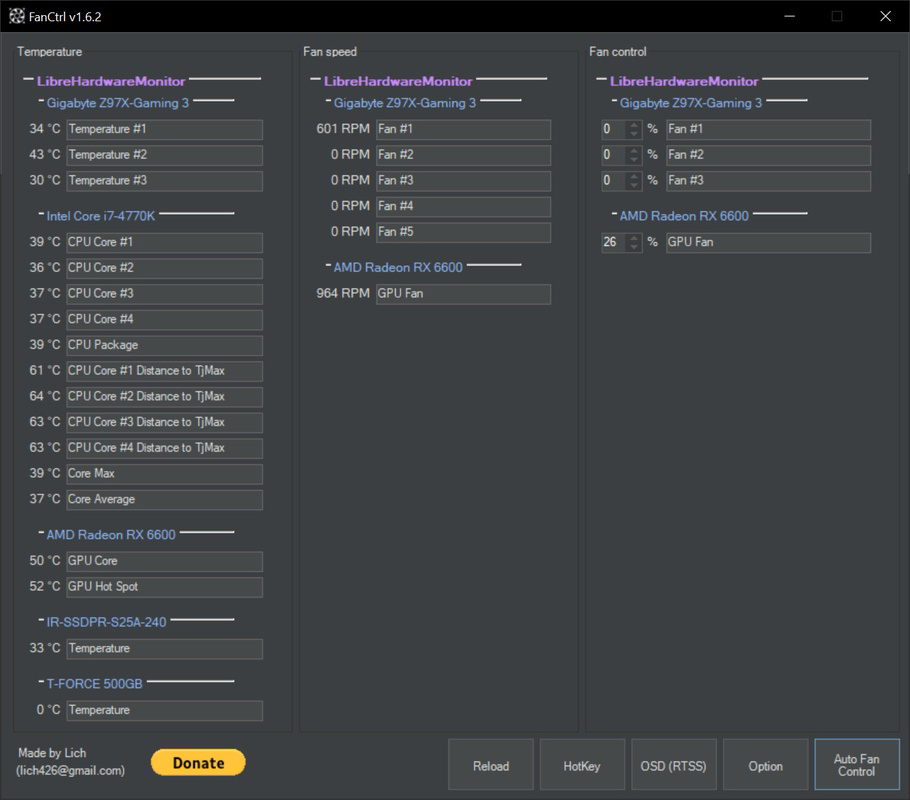
- Comprehensive Temperature Monitoring: FanCtrl delivers real-time insights into temperatures across critical components, including the motherboard, CPU, and GPU. Users can customize the labels for each sensor, improving clarity when monitoring multiple data points.
- Fan Speed Control via PWM: The app detects fans connected through PWM connectors and displays their RPM. It allows users to distinguish between PWM and non-PWM fans based on pin configuration, enabling precise speed adjustments.
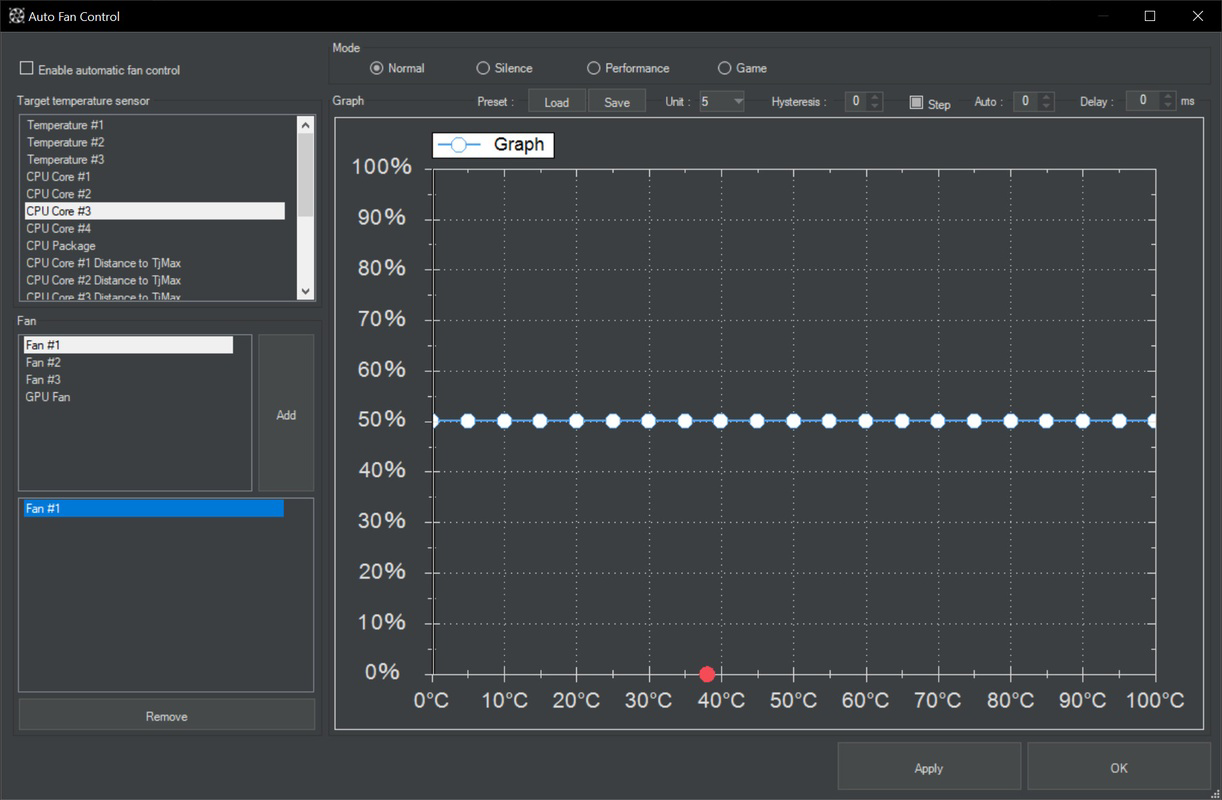
- Auto Fan Control Mode: This feature lets users define temperature thresholds that trigger automatic fan speed adjustments. For example, fans can ramp up when CPU temperature exceeds 75°C, ensuring consistent cooling during high-load tasks.
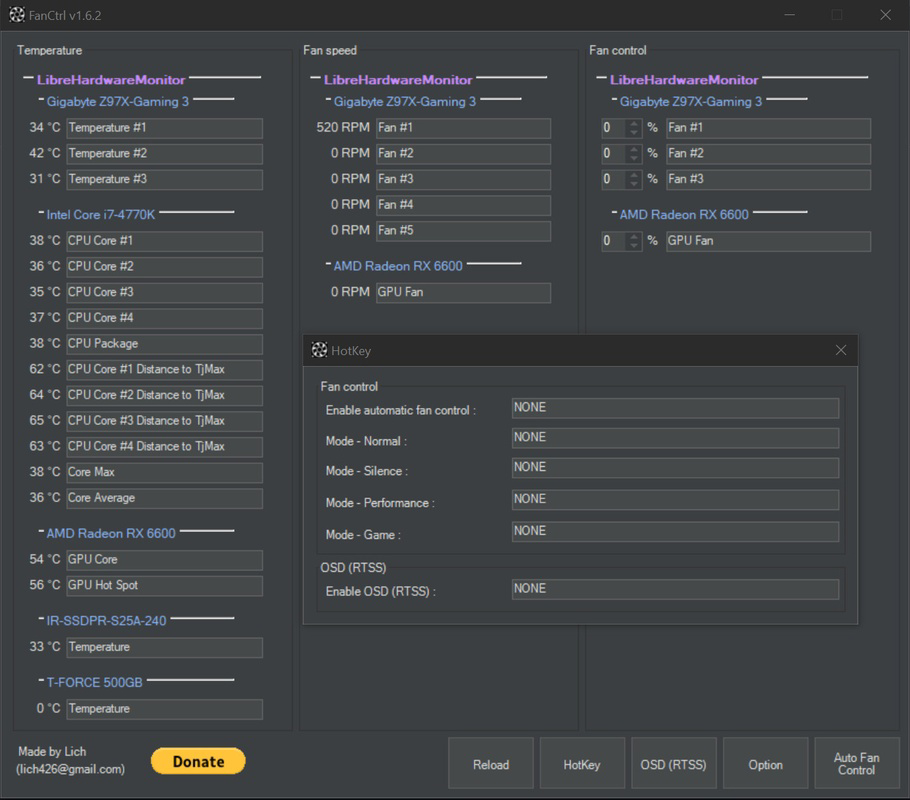
- Quick Access Presets: Users can save custom fan profiles for different scenarios—such as gaming, quiet mode, or maximum cooling—allowing rapid switching between settings.
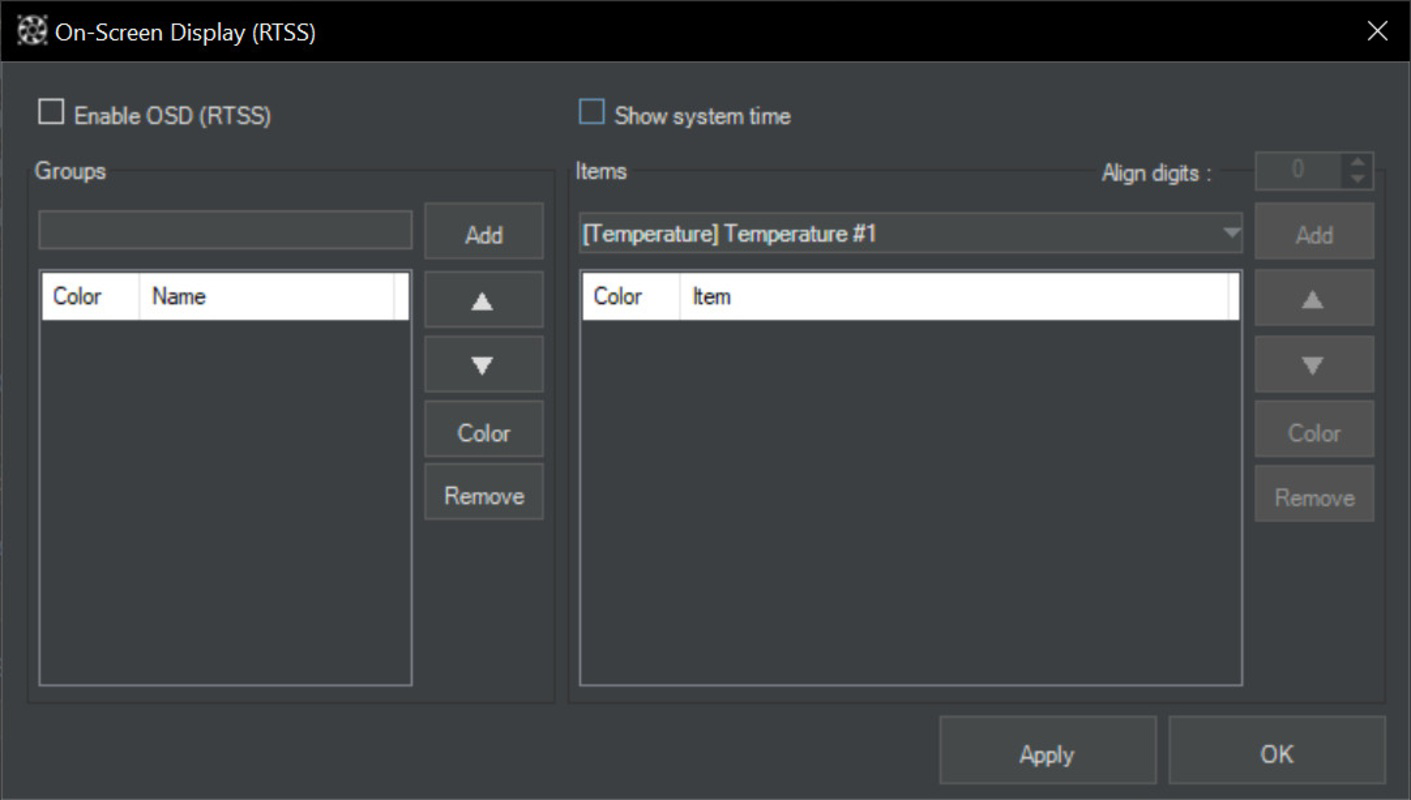
- Wide Compatibility with Monitoring Tools: FanCtrl integrates with popular hardware monitoring platforms like NZXT Kraken, EVGA CLC, HWiNFO, and LibreHardwareMonitor, enhancing its functionality within existing PC ecosystems.
These features collectively allow users to maintain optimal thermal balance without constant manual intervention. For instance, a content creator can set a quiet profile for video editing and switch to a high-performance mode when rendering. The app’s focus on real-time data and automation supports both proactive and reactive thermal management.
Interface, UX & Performance
FanCtrl features a clean, minimalist interface that prioritizes readability and functionality. The layout organizes temperature readings and fan RPMs in clearly labeled sections, allowing users to quickly assess system health. Navigation is straightforward, with a central dashboard displaying real-time metrics and access to control settings via intuitive sliders and dropdown menus.
The visual style is functional rather than decorative, emphasizing clarity over aesthetics. This approach suits its target audience, who value data accuracy over flashy design. The app responds promptly to user inputs, with minimal lag during fan speed adjustments or profile switching.
Although the developer did not list formal performance metrics, the app’s lightweight footprint—4.2 MB—suggests efficient resource usage. It runs smoothly on a variety of Windows systems without significant impact on CPU or memory. Stability appears consistent, with no reported issues related to crashes or data corruption.
Platform Compatibility & Technical Requirements
FanCtrl is designed for the Windows operating system and is available in version 1.2.1. The application has a file size of 4.2 MB, making it a lightweight tool suitable for both high-end and mid-tier systems. It is free to download and use, with no in-app purchases or subscription models.
The developer did not specify minimum OS requirements or compatibility details for older Windows versions. However, given its small size and lack of complex dependencies, it is likely compatible with modern Windows 10 and Windows 11 installations. No specific hardware requirements were listed, but the app requires access to hardware sensors and PWM fan connectors to function.
Pros and Cons
Pros
- Lightweight design at just 4.2 MB
- Free to download and use with no hidden costs
- Real-time temperature and fan RPM monitoring
- Supports auto fan control based on temperature thresholds
- Compatible with popular monitoring tools like HWiNFO and LibreHardwareMonitor
- Intuitive interface suitable for both beginners and advanced users
Cons
- Developer did not provide detailed system requirements
- Platform availability limited to Windows only
- No mobile or cross-platform version available
- Specific compatibility with older Windows versions was not disclosed
- No built-in logging or export functionality for temperature data
FAQ
Is FanCtrl safe to download and install?
FanCtrl is a free utility with no known security risks. It does not require administrative privileges to run, but access to hardware sensors may require elevated permissions during setup. Always download from official sources to ensure authenticity.
Can I use FanCtrl on older versions of Windows?
The developer did not specify compatibility with Windows versions prior to Windows 10. However, its lightweight design suggests potential compatibility with modern Windows systems. Users are advised to test on their environment.
Does FanCtrl work with all types of fans?
FanCtrl supports fans connected via PWM connectors. It can distinguish between PWM and non-PWM fans based on pin configuration. Non-PWM fans may not be fully controllable through the app.
Is there a mobile version of FanCtrl?
No, FanCtrl is currently only available for Windows. There is no iOS or Android version at this time.
How often does FanCtrl update?
Version 1.2.1 was released on May 19, 2025. The developer has not disclosed a regular update schedule. Users should check the official website for new releases.
Final Thoughts
FanCtrl stands out as a reliable, lightweight tool for users seeking precise control over their PC’s cooling system. Its ability to monitor temperatures, adjust fan speeds, and automate responses based on thermal thresholds makes it a valuable asset in any high-performance setup. The integration with established hardware monitoring platforms enhances its utility without adding complexity.
While it lacks mobile support and detailed system requirements, its core functionality is robust and well-executed. The free price point removes financial barriers, making it accessible to a wide range of users—from hobbyists to professionals.
For anyone looking to optimize their system’s thermal performance, reduce noise, or maintain stability under load, FanCtrl delivers tangible benefits. Its clean interface and automation features ensure that even less technical users can benefit from advanced cooling control.
Download FanCtrl now
Guides & Tutorials
How to install FanCtrl
- Click the Download button above.
- Once redirected, accept the terms and click Install.
- Wait for the FanCtrl download to finish on your device.
How to use FanCtrl
This software is primarily used for its core features described above. Open the app after installation to explore its capabilities.
User Reviews
No reviews yet. Be the first to share your experience.
You may also like
more
Que no te pillen¡
About !Que no te pillen¡Reviewed by Jason A. BilbreyShow MoreShow Less

3D Combat Zone
About 3D Combat ZoneOriginally released in 1983, 3D Combat Zone immerses players...

666: El día del portal
About 666: El día del portalOn June 6, 2006, Agent P. Stone uncovers a sinister...

80 in 1 Best Flash games
About 80 in 1 Best Flash games 80 in 1 Best Flash games is a collection of 80 fl...

ABYSS SEEKERーーWhat Do You See Deep in The Abyss
About ABYSS SEEKERーーWhat Do You See Deep in The AbyssIn ABYSS SEEKER, players...

ACA NEOGEO THE KING OF FIGHTERS 2002 for Windows
About ACA NEOGEO THE KING OF FIGHTERS 2002 for WindowsTHE KING OF FIGHTERS 2002,...
