
Download Fast Dial – Fast, Customizable Thumbnail Bookmarks for Firefox
Overview
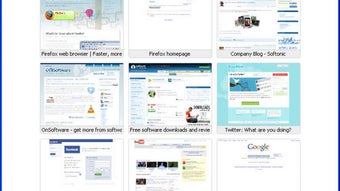
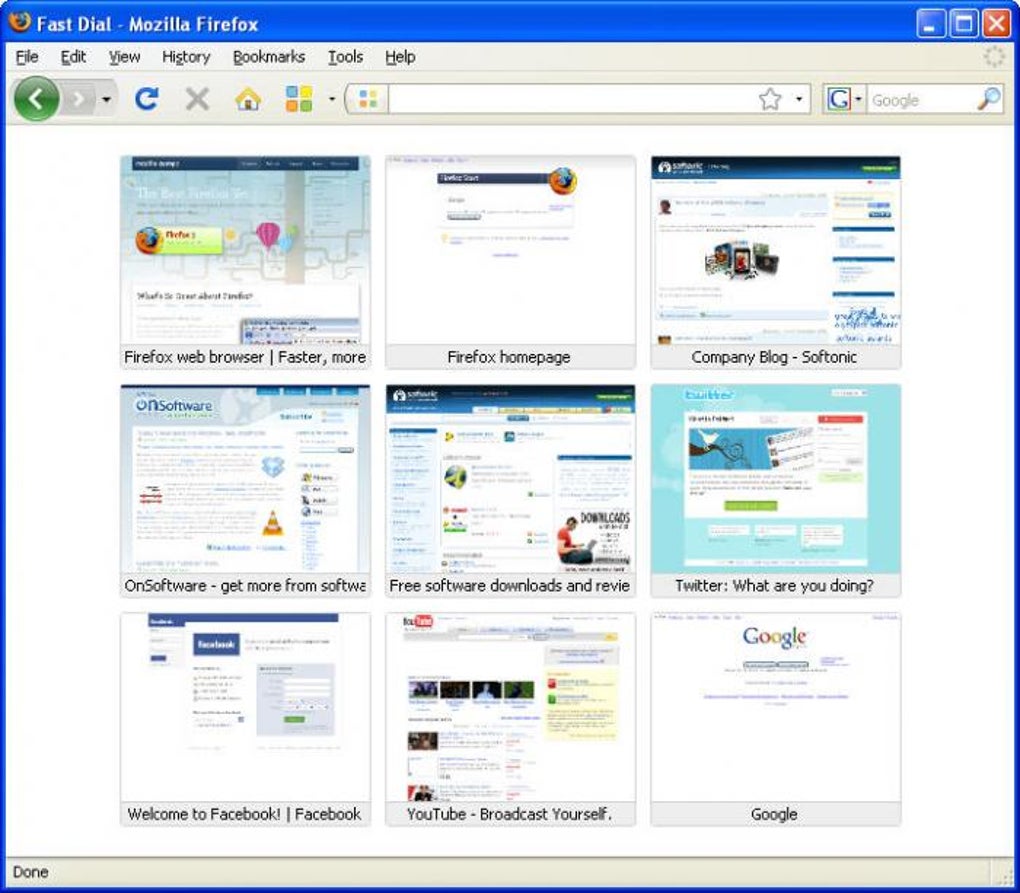
Fast Dial transforms the way you start your browsing sessions by replacing traditional text‑based bookmarks with a sleek, visual gallery of thumbnails. Developed as a Firefox add‑on, Fast Dial creates a local HTML page that showcases the sites you visit most, letting you set that page as your homepage or open it from a toolbar button. The result is an instantly recognizable “dial” of your favorite destinations, each represented by a custom‑sized image, colour theme, and even a dedicated keyboard shortcut. Because the gallery lives locally, you retain full control over privacy and speed—no external servers are queried to render your start page. The add‑on shines brightest in its deep customization options: you can decide how many thumbnails appear per row, adjust the colour palette, choose the size of each icon, and enable a preview mode that shows a larger view when you hover over a thumbnail. While Fast Dial occasionally exhibits layout glitches—such as thumbnails shifting or disappearing—these issues are generally resolved in newer releases, and the developer continues to polish the experience. Whether you are a power user who craves visual shortcuts or a casual surfer who simply wants a more appealing start page, Fast Dial offers a free, secure, and highly personal way to launch the web.
Key Features & Customization Options
- Thumbnail Gallery Homepage – Replace the default Firefox start page with a visual grid of your most visited sites.
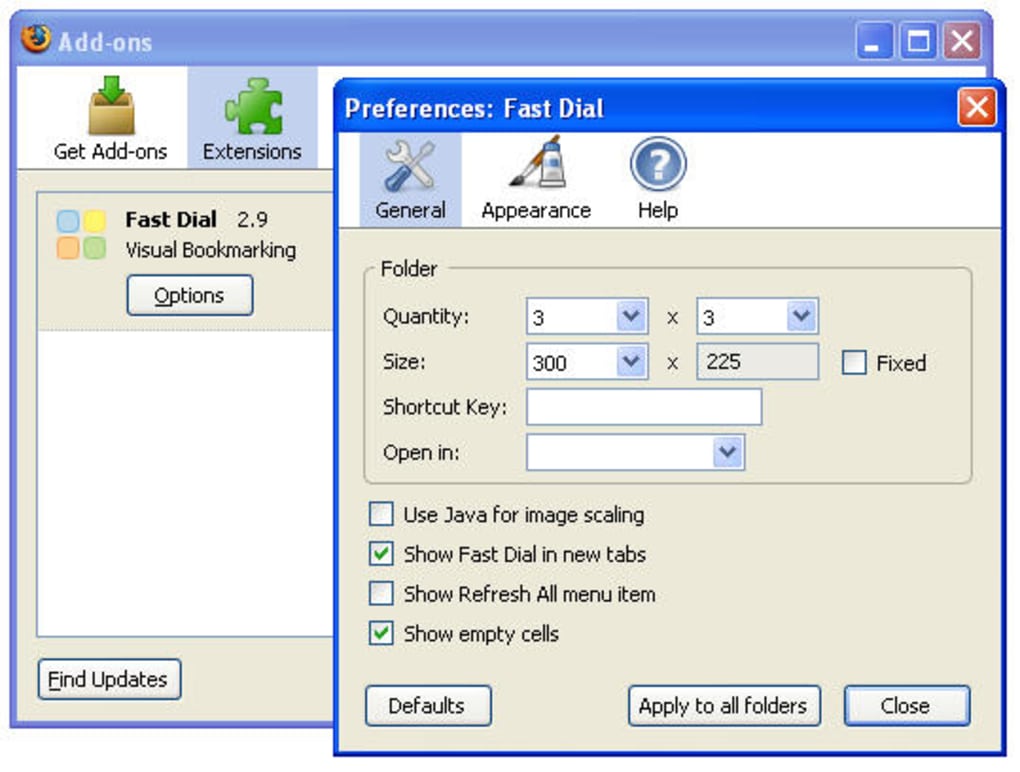
- Full‑Page Customization – Adjust the number of rows, columns, thumbnail dimensions, and background colours from a single preferences pane.
- Keyboard Shortcuts – Assign a unique shortcut to each thumbnail for instant navigation without leaving the keyboard.
- Drag‑and‑Drop Reordering – Rearrange thumbnails effortlessly; changes are saved automatically.
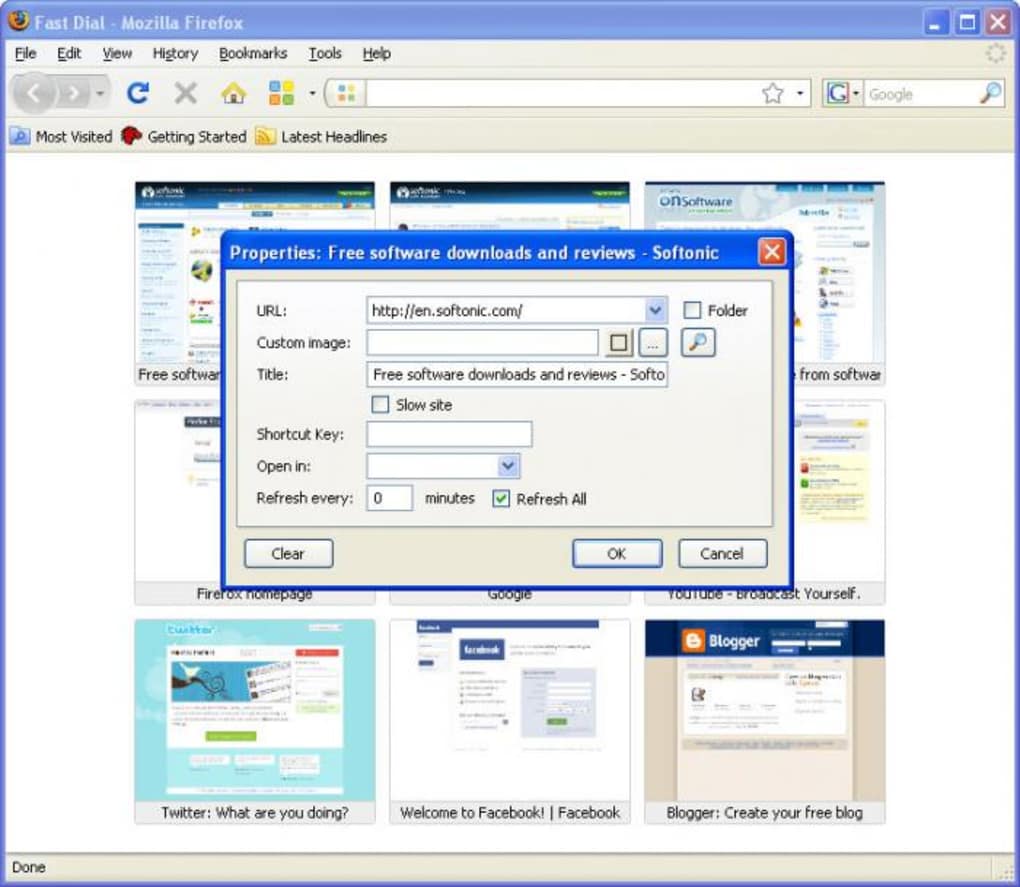
- Preview (Zoom) Mode – Enable a preview checkbox in thumbnail properties; hold left‑click to see a larger view before opening the site.
- Themes & Colour Schemes – Choose from built‑in themes or create custom colour palettes to match your desktop environment.
- Hide Back Links – Optionally conceal the “Back” navigation link to keep the interface clean.
- Secure Local Storage – All settings and thumbnail data are stored locally, ensuring privacy and fast load times.
- Lightweight & Fast – Minimal impact on browser performance; the add‑on loads in milliseconds.
- Future‑Proof Updates – Regular updates remove deprecated code (e.g., eval()), improve stability, and add new visual effects.
These features combine to make Fast Dial not just a bookmark manager, but a personal launchpad that mirrors the look and feel of your operating system. The ability to hide back links, for instance, eliminates clutter for users who prefer a pure thumbnail experience, while the preview function adds a layer of safety by allowing you to verify a site before committing to a click. The add‑on’s architecture avoids heavy scripting, relying on standard HTML and CSS, which translates into a smoother, more reliable experience across Firefox versions. For users who love to tweak UI elements, the “General Preferences” page consolidates all options in one convenient location, making it simple to experiment with layout changes without digging through multiple menus. Overall, Fast Dial’s feature set is designed for both aesthetic pleasure and functional efficiency, catering to a broad spectrum of Firefox users.
Installation & Step‑by‑Step Usage Guide
Getting Fast Dial up and running is straightforward, even for users who are new to Firefox add‑ons. Follow these steps to download, install, and start customizing your thumbnail start page:
- Visit the Add‑on Page – Open Firefox and navigate to the official Fast Dial page on the Mozilla Add‑ons Marketplace.
- Click “Add to Firefox” – The browser will prompt you to confirm the installation. Review the permissions (local storage only) and click “Add”.
- Restart Firefox (if required) – Some versions may ask for a quick restart to finalize the integration.
- Open the Fast Dial Toolbar Button – A new icon appears on the toolbar. Click it to launch the default thumbnail gallery.
- Add Your First Sites – Right‑click an empty thumbnail slot and select “Properties”. Enter the URL, choose an image (or let Fast Dial fetch the favicon), and optionally assign a shortcut key.
- Customize Appearance – Go to Preferences > General from the Fast Dial menu. Here you can set the number of rows/columns, thumbnail size, background colour, and enable the preview mode.
- Set as Homepage (Optional) – Navigate to Firefox Settings > Home. Under “Homepage and new windows”, select “Custom URLs” and paste the local Fast Dial page URL (usually
chrome://fastdial/content/home.html). - Save and Enjoy – All changes are saved automatically. The next time you open Firefox or click the Fast Dial button, you’ll see your personalized thumbnail dashboard.
Updating Fast Dial follows the same pathway: Firefox will automatically notify you of new releases, and a simple click will download and apply the update. Because the add‑on stores its data locally, updates never overwrite your custom thumbnail selections. If you ever need to reset the gallery, the “Reset to Defaults” button in the Preferences pane clears the layout while preserving your saved URLs, allowing you to start fresh without losing your favourite links. This blend of easy installation, intuitive configuration, and seamless updating makes Fast Dial a low‑maintenance yet powerful tool for anyone looking to improve their browsing workflow.
Compatibility, Performance, and Real‑World Pros & Cons
Fast Dial is built specifically for the Mozilla Firefox browser and runs on any operating system that supports Firefox, including Windows 10/11, macOS (Catalina and newer), Linux distributions, and even Firefox for Android (though the add‑on UI is currently desktop‑only). The add‑on leverages standard web technologies (HTML5, CSS3, and vanilla JavaScript), meaning it does not depend on proprietary APIs that could break with future browser updates. As a result, users enjoy a stable, fast experience across all supported platforms, with the only limitation being the lack of a native mobile interface at this time.
Pros
- Visually engaging thumbnail start page replaces cluttered text bookmarks.
- Highly customizable layout, colour scheme, and thumbnail size.
- Keyboard shortcuts for instant site access improve productivity.
- Local storage ensures privacy and rapid loading.
- Drag‑and‑drop reordering makes organization intuitive.
- Preview mode reduces accidental clicks on unwanted sites.
- Free to download and regularly updated by the developer.
- Works seamlessly on Windows, macOS, and Linux via Firefox.
Cons
- Occasional layout glitches where thumbnails shift or disappear (usually fixed in newer releases).
- No dedicated mobile version; the add‑on is limited to desktop Firefox.
- Requires manual configuration for advanced users who want deep theme tweaks.
- Dependent on Firefox – not compatible with Chrome, Edge, or Safari.
- Limited integration with third‑party password managers (requires manual login on each site).
In practice, the pros far outweigh the cons for most users. The occasional visual hiccup is mitigated by the add‑on’s automatic backup of your thumbnail configuration, allowing you to revert to a previous state if needed. Moreover, the developer’s commitment to removing deprecated code (such as the eval() function) and adding performance‑friendly features like the animated throbber clock image demonstrates a focus on long‑term stability. For those on platforms where Firefox is already the primary browser, Fast Dial offers a compelling blend of aesthetics and functionality that can dramatically streamline daily web navigation.
Frequently Asked Questions
Is Fast Dial completely free to use?
Yes, Fast Dial is a free Firefox add‑on. You can download, install, and use all of its features without any payment or subscription.
Can I import bookmarks from my existing Firefox bookmark library?
Fast Dial does not automatically import bookmarks, but you can quickly add existing bookmarks by right‑clicking a thumbnail slot, selecting “Properties”, and pasting the URL. This manual step ensures you only add the sites you truly want on your start page.
Does Fast Dial work on Firefox for Android?
Currently, Fast Dial is designed for the desktop version of Firefox. While the add‑on can be installed on Firefox for Android, the thumbnail UI is not optimized for small screens, so it is recommended for desktop use only.
How secure is my data when using Fast Dial?
All configuration data and thumbnail information are stored locally on your device. No external servers are contacted, which means your browsing habits remain private and secure.
Can I set a custom background image for the Fast Dial page?
Yes. Within the General preferences, you can specify a custom background colour or upload an image URL that will be displayed behind your thumbnail grid.
Conclusion – Give Fast Dial a Try Today!
If you spend a lot of time jumping between favourite sites, Fast Dial offers a fast, secure, and visually pleasing solution that turns your Firefox start page into a personalized launchpad. Its extensive customization options, keyboard shortcuts, and preview feature make daily browsing more efficient, while the local‑only storage guarantees privacy. Despite a few minor stability quirks, the active development cycle means improvements are on the horizon. Download Fast Dial now, set it as your homepage, and experience a smoother, more organized web workflow with just a few clicks.








