
Download Feedback Wizard – AI‑Powered Figma Feedback Tool for UX & UI
Overview
Feedback Wizard is a sophisticated Figma plugin that embeds a cutting‑edge artificial‑intelligence engine directly into the design canvas, delivering instant, context‑aware feedback on both user experience (UX) and user interface (UI) elements. The plugin works by analyzing the visual hierarchy, interaction flows, color contrast, typography, accessibility compliance, and even brand‑specific guidelines that you provide. Whether you are a solo freelancer polishing a mobile prototype, a design agency handling a multi‑page web dashboard, or a product team iterating on a complex SaaS interface, Feedback Wizard offers a single source of truth for design quality. Its AI model has been trained on thousands of real‑world design systems, industry best practices, and accessibility standards, allowing it to surface recommendations that feel both data‑driven and creatively relevant. The free tier grants a limited number of feedback requests each month, giving users a risk‑free opportunity to evaluate the accuracy of the insights before upgrading. Once you switch to the Pro plan, you unlock unlimited feedback, priority email support, early access to new AI model releases, and the ability to generate detailed PDF or CSV reports for stakeholder communication. By catching usability pain points early, reducing the back‑and‑forth of manual reviews, and ensuring visual consistency across screens, Feedback Wizard shortens iteration cycles and helps teams ship products that feel intuitive, inclusive, and aesthetically pleasing.
Key Features of Feedback Wizard
- AI‑Driven UX Review: Analyzes navigation flow, information architecture, and accessibility compliance, offering concrete recommendations to improve usability and reduce friction.
- AI‑Powered UI Critique: Examines visual components such as color contrast, spacing, typography consistency, and iconography, delivering design‑centric advice to boost aesthetic appeal.
- Contextual Customization: Users can input project details—target device, brand guidelines, user personas—to receive feedback that aligns with specific project goals.
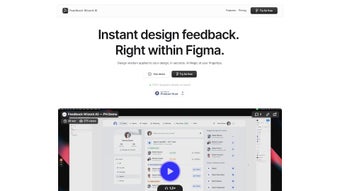
- Instant In‑Plugin Results: Feedback appears directly within the Figma canvas, eliminating the need to switch between tools or wait for manual reviews.
- Collaboration Friendly: Generates shareable reports that teammates can comment on, fostering transparent design discussions and faster consensus.
- Free Trial & Pro Subscription: Limited free tier for testing, with a Pro plan offering unlimited feedback requests, priority email support, and early access to new AI models.
- Regular Updates & Roadmap Transparency: The development team publishes quarterly update notes, ensuring designers stay ahead of emerging design standards.
- Export Options: Export feedback as PDF or CSV for offline review, archival, or integration into project management tools.
- Multi‑Language Support: The UI and AI explanations are available in English, Spanish, German, and French, making the tool accessible to global teams.
- Performance Dashboard: A built‑in analytics view shows trends across multiple feedback sessions, highlighting recurring issues and improvement rates.
Installation & Usage Instructions
Step‑by‑Step Installation
Getting Feedback Wizard up and running in Figma is straightforward. Open the Figma Community tab, type “Feedback Wizard” into the search bar, and click the Install button. The plugin will be added to your personal plugins list instantly. For design teams, administrators can deploy the plugin organization‑wide through the Figma Admin console, ensuring every team member has immediate access without individual installations. After installation, a new icon appears in the right‑hand plugins panel. Clicking the icon launches a modal window where you can configure your first feedback request.
Running Your First Review
Select the frame or component you want evaluated, then open Feedback Wizard. The modal is divided into three sections: Project Context, Feedback Type, and Request Limits. In Project Context, specify the target platform (iOS, Android, Web), user persona (e.g., “tech‑savvy millennials”), and any brand constraints (such as mandatory color palettes). Under Feedback Type, choose “UX,” “UI,” or “UX + UI” depending on the depth of analysis you need. Finally, set the request limit—free users receive up to ten requests per month, while Pro users have no caps.
Press Generate Feedback. The AI processes the selected layers in the cloud and returns a structured list of observations. Each observation includes a brief description, a severity rating (low, medium, high), and a suggested remediation step. Clicking an item highlights the corresponding element on the canvas, enabling you to apply the recommendation instantly. For larger projects, you can export the entire feedback set as a PDF or CSV file, which is ideal for sharing with product managers, developers, or external stakeholders.
Tips for Maximizing Value
- Iterate Frequently: Run the plugin after each major design iteration to catch regressions early and keep the feedback loop tight.
- Provide Rich Context: The more detailed your project description, the more precise the AI suggestions become.
- Blend Human Insight: Use Feedback Wizard as a first line of defense, then complement it with peer reviews for nuanced storytelling or brand voice concerns.
- Track Changes Over Time: Record feedback sessions in the Performance Dashboard to monitor improvement trends and demonstrate ROI to stakeholders.
- Leverage Export Formats: PDFs are great for presentations, while CSVs can be imported into issue‑tracking tools like Jira or Asana.
Compatibility, Pros & Cons, and Frequently Asked Questions
Feedback Wizard runs natively inside Figma, making it compatible with any operating system that supports the Figma desktop or web application, including Windows 10/11, macOS 10.15+, Chrome OS, and Linux browsers. Because the plugin is cloud‑based, the only requirement beyond a functional Figma account is an active internet connection for AI processing.
Pros
- Instant AI feedback without leaving the design environment.
- Dual focus on UX usability and UI visual quality.
- Highly customizable context settings for tailored suggestions.
- Free trial allows risk‑free evaluation.
- Collaboration‑ready reports improve team communication.
- Exportable PDF/CSV formats for offline review and documentation.
- Quarterly AI model updates keep the tool aligned with emerging standards.
Cons
- Requires an internet connection; offline use is not supported.
- AI may occasionally miss subtle brand storytelling nuances that a human reviewer would catch.
- Free tier limits the number of feedback requests per month.
- Current availability is limited to Figma; designers using Sketch or Adobe XD must wait for future expansions.
FAQ – Frequently Asked Questions
How many free feedback requests does the trial include?
The free trial grants 10 AI‑generated feedback requests per month, which is sufficient for small projects or for testing the accuracy of the recommendations before upgrading.
Can I use Feedback Wizard with other design tools besides Figma?
Currently, Feedback Wizard is built exclusively as a Figma plugin. The development team has expressed interest in expanding to Sketch and Adobe XD, but no official release dates have been announced.
Is the AI model updated regularly?
Yes, the plugin receives quarterly AI model updates that incorporate the latest design standards, accessibility guidelines, and emerging UI trends.
How does the Pro subscription pricing work?
The Pro plan costs $19.99 per month or $199 per year (10% discount). It includes unlimited feedback requests, priority email support, and early access to new AI features.
Can I export feedback for offline review?
Yes, after a feedback session you can export the results as a PDF or CSV file, making it easy to archive, share with stakeholders, or reference during offline design sprints.
Conclusion & Call to Action
Feedback Wizard bridges the gap between creative intuition and data‑driven design validation. By delivering AI‑generated UX and UI critiques instantly within Figma, it empowers designers to iterate faster, catch usability blind spots early, and maintain visual consistency across projects. The free trial offers a low‑risk way to experience the value of AI‑assisted design, while the affordable Pro plan scales effortlessly for larger teams and more demanding workflows. If you’re looking to streamline your design reviews, reduce reliance on lengthy manual critiques, and keep your projects aligned with best‑practice standards, downloading Feedback Wizard today is a strategic move.
Ready to elevate your design workflow? Download Feedback Wizard now and start your free trial. Experience instant, contextual feedback that transforms good designs into great user experiences.
Our Review
Feedback Wizard impresses with its speed, relevance, and seamless integration into Figma. The AI’s ability to differentiate between UX and UI concerns and to adapt suggestions based on project context sets it apart from generic linting tools. While offline usage is not possible and the free tier limits monthly requests, the Pro plan’s pricing is competitive for the value delivered.



.png)




