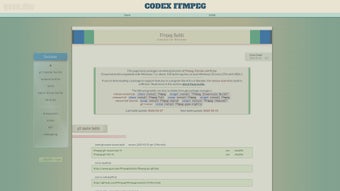

Download FFmpeg – Free, Secure, Open‑Source Multimedia Converter
Overview
FFmpeg is a comprehensive, open‑source multimedia management tool that has become the de‑facto standard for audio and video processing on macOS, Windows, Linux, Android, and iOS. Built around a powerful command‑line interface, FFmpeg lets users encode, decode, transcode, filter, and play virtually any media format without the need for expensive commercial software. Despite its reputation for being a developer‑oriented utility, FFmpeg’s syntax is intentionally straightforward: a single line such as ffmpeg -i input.avi output.mp4 can convert an AVI file to MP4 in seconds. The project ships with an auxiliary player, **ffplay**, which is perfect for quick playback, API testing, or debugging streams directly from the terminal. Comprehensive documentation, community‑driven tutorials, and a vibrant ecosystem of filters make FFmpeg both approachable for beginners and extensible for power users. Whether you need to compress a video for web delivery, extract audio tracks, or batch‑process a library of files, FFmpeg provides a secure, constantly updated solution that runs on virtually any platform.
Core Features
- Universal format support – handles more than 400 codecs and containers, from MP4, MKV, and MOV to obscure formats like FLV or WebM.
- High‑performance transcoding – leverages multi‑core CPUs and GPU acceleration (via NVENC, QSV, and VAAPI) for faster conversions.
- Powerful filtering engine – apply video filters (scale, crop, deinterlace) and audio filters (equalizer, volume, tempo) in a single command.
- Stream copying – re‑package media without re‑encoding, preserving original quality while changing containers.
- Batch processing – combine FFmpeg with shell scripts or batch files to automate large‑scale conversions.
- Integrated media player (ffplay) – test streams, preview filters, or simply watch videos from the command line.
- Customizable bitrate and quality controls – fine‑tune output using CRF, VBR, or constant bitrate settings.
- Extensive documentation and community support – official wiki, forums, and third‑party tutorials.
- Cross‑platform compatibility – native binaries for macOS, Windows, Linux, Android, and iOS.
- Open‑source licensing (LGPL/GPL) – free to download, modify, and redistribute without hidden costs.
Installation, Usage & Compatibility
Installing FFmpeg is straightforward on all major operating systems. For macOS users, the most popular method is via Homebrew:
brew install ffmpeg
Windows users can download a pre‑compiled static build from the official FFmpeg download page. After extracting the zip file, add the bin folder to the system PATH variable to run FFmpeg from any command prompt. Linux distributions typically include FFmpeg in their repositories:
sudo apt‑get install ffmpeg   # Debian/Ubuntu
sudo dnf install ffmpeg       # Fedora
pacman -S ffmpeg              # Arch Linux
On Android and iOS, FFmpeg can be bundled into native apps using libraries such as FFmpegKit or MobileFFmpeg, providing the same command‑line power inside mobile environments.
Supported operating systems: macOS 10.12+, Windows 7+, Linux (kernel 3.10+), Android 5.0+, iOS 11+.
Once installed, basic usage follows a simple pattern: ffmpeg -i [options] . For example, to convert an AVI video to MP4 with a target bitrate of 2 Mbps:
ffmpeg -i source.avi -b:v 2M -c:a aac -b:a 128k output.mp4
Advanced users can chain multiple filters: ffmpeg -i input.mp4 -vf "scale=1280:720,eq=contrast=1.2:brightness=0.05" -c:a copy output.mp4. The ffplay utility mirrors the same syntax for playback: ffplay output.mp4. Because FFmpeg is command‑driven, it integrates easily with automation tools like cron, Task Scheduler, or CI/CD pipelines, making it a versatile choice for both personal and enterprise workflows.
Pros & Cons, FAQ, and Conclusion
Pros
- Free & open source: No licensing fees, with full source code access.
- Extensive codec support: Handles virtually every audio/video format.
- High performance: Multi‑threaded processing and GPU acceleration.
- Cross‑platform: Consistent behavior on macOS, Windows, Linux, Android, and iOS.
- Powerful filtering: Advanced video/audio manipulation in a single command.
- Strong community: Active forums, tutorials, and frequent updates.
Cons
- Command‑line learning curve: Users unfamiliar with terminal commands may need time to adapt.
- Limited GUI options: Officially, FFmpeg does not provide a native graphical interface (though third‑party GUIs exist).
- Documentation depth: While comprehensive, the sheer volume can be overwhelming for beginners.
- Potential licensing complexity: Some codecs are under patents; commercial redistribution may require additional licensing.
FAQ
Is FFmpeg really free to use for commercial projects?
Yes. FFmpeg is released under the LGPL/GPL licenses, which allow free use, modification, and distribution, even in commercial applications. However, if you embed patented codecs (e.g., H.264, AAC) you may need to obtain separate licenses for those patents.
Can I use FFmpeg on a Windows machine without admin rights?
Yes. Download a static build, extract it to a user‑writable folder, and add that folder to your user‑level PATH variable. No installation or admin privileges are required.
What’s the difference between ffmpeg and ffplay?
ffmpeg is the conversion engine that processes media files, while ffplay is a lightweight media player built on the same libraries. Use ffplay for quick playback or testing filter chains without creating output files.
How do I update FFmpeg to the latest version?
On macOS, run brew upgrade ffmpeg. On Windows, download the newest static build and replace the old binaries. Linux users can use their package manager’s update command or compile from source for the absolute latest features.
Can FFmpeg handle subtitle streams?
Absolutely. FFmpeg can extract, burn‑in, or convert subtitle tracks (SRT, ASS, VTT, etc.) using options like -c:s mov_text for MP4 or -vf subtitles=file.srt to hardcode subtitles onto video.
Conclusion & Call‑to‑Action
FFmpeg stands out as the most versatile, reliable, and future‑proof multimedia toolkit available today. Its zero‑cost model, extensive codec library, and powerful command‑line interface make it ideal for everyone—from hobbyist video editors to large‑scale media production pipelines. If you need to convert, compress, stream, or simply play media files, FFmpeg delivers a secure, regularly updated solution that works on any platform you choose.
Ready to take control of your media workflow? Download FFmpeg now, follow the quick installation guide above, and start converting files in seconds. Join the global community of developers and creators who trust FFmpeg for their audio‑video needs—your next project is just a command away.








