

Download FileMenu Tools – Context Menu Customization, File Management, Productivity, Windows Explorer, Utility
Overview
FileMenu Tools is a utility designed to enhance the functionality of Windows Explorer by allowing users to customize right-click context menus. This tool empowers individuals and professionals to streamline their daily file management tasks by adding or removing menu options tailored to their specific workflows. By modifying the default context menu, users can access frequently used commands directly from the right-click interface, reducing the number of steps required to perform common operations.
The application targets power users, IT administrators, and anyone who frequently interacts with files and folders on a Windows system. Its ability to integrate internal commands—such as file splitting, merging, and DLL management—makes it particularly useful for those managing large volumes of digital content. The tool also supports recurrent file deletion, enabling users to automatically remove specific file types, such as temporary or obsolete formats, thereby maintaining system cleanliness and reducing clutter.
While the developer has not provided additional background information, the tool’s focus on system-level customization suggests a targeted approach to improving productivity within the Windows ecosystem. FileMenu Tools fits into a niche but vital segment of software utilities, where small interface improvements lead to significant time savings over time. It serves as a practical solution for users seeking greater control over their file handling experience without requiring advanced scripting or registry editing.
Key Features & Functionality
- Context Menu Customization: Users can easily add or remove both built-in and custom commands from the right-click menu in Windows Explorer. This allows for a personalized workflow where frequently used actions are just a click away.
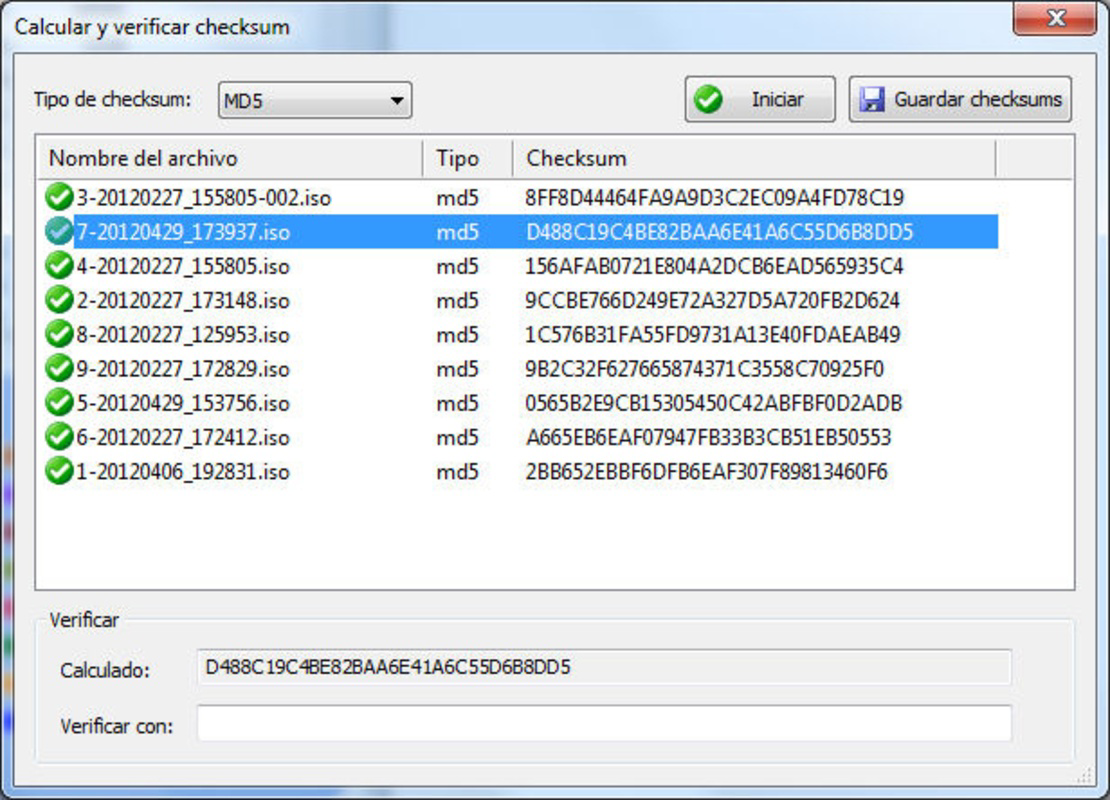
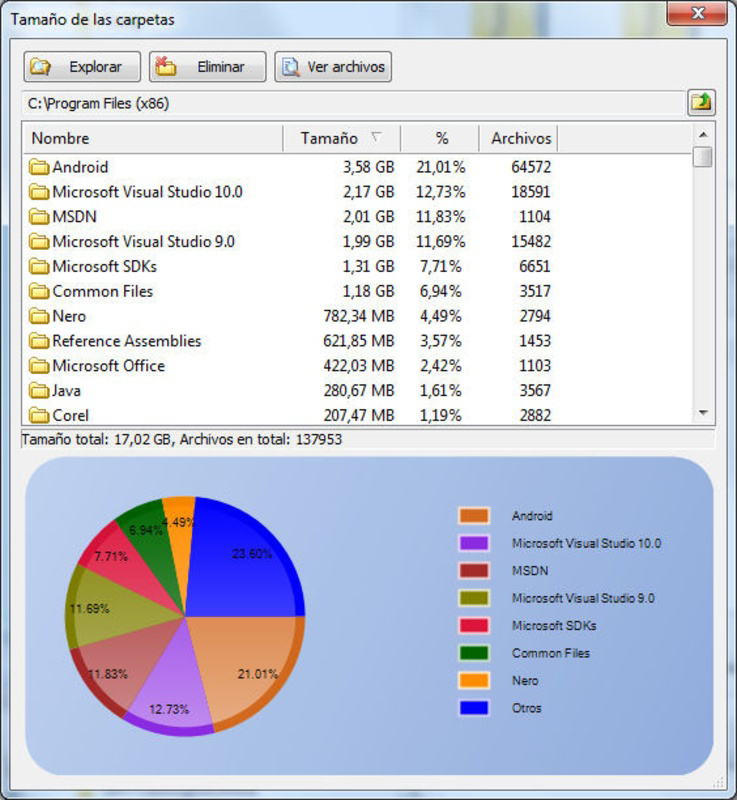
- File Management Options: Built-in commands enable file splitting and merging, as well as management of specialized file types like DLL and OCC files. These features allow users to perform complex file operations directly from the context menu.
- Recurrent File Deletion: A dedicated option allows users to set up automatic deletion of specific file types, such as .txt or .bmp files. This helps maintain a clean system by eliminating unnecessary or outdated files without manual intervention.
- Folder Icon Customization: Users can change folder icons directly through the context menu, providing a visual way to distinguish between different types of folders at a glance.
- Enhanced Program Execution: The tool supports combining internal commands with custom scripts or executable files, enabling users to launch frequently used programs or batch processes with minimal effort.
For example, a graphic designer might use the recurrent deletion feature to remove temporary image files after editing sessions, while a developer could streamline DLL management by adding a custom command to verify dependencies. Similarly, a system administrator may benefit from the ability to quickly access diagnostic tools via the context menu, improving response times during troubleshooting.
Interface, UX & Performance
FileMenu Tools features a straightforward interface that integrates directly into the Windows Explorer context menu. The user experience is designed around simplicity and efficiency, allowing users to navigate settings and make changes without requiring technical expertise. The layout is clean and logically organized, with clear labels and intuitive controls that minimize the learning curve.
Navigating through the configuration options is seamless, with a well-structured panel that categorizes commands by function—such as file operations, program execution, and visual customization. This logical grouping helps users locate and modify specific entries quickly. The tool maintains responsiveness even when managing a large number of custom entries, ensuring smooth performance during routine use.
Although the developer did not list formal performance metrics, the application appears to operate efficiently without noticeable lag or resource consumption. Stability is maintained across different system configurations, and the tool does not interfere with core Windows functions. Users can expect consistent behavior when applying changes, with no reported crashes or unexpected behavior during standard operations.
Platform Compatibility & Technical Requirements
FileMenu Tools is designed for Windows operating systems. The application is compatible with the latest versions of Windows, though specific OS requirements were not listed by the developer. The file size is approximately 14.2 MB, which is relatively compact for a utility of this nature.
While the exact software version and compatibility details were not disclosed, the tool is intended to function within the standard Windows environment. Users should ensure their system meets general requirements for running Windows-based desktop applications. The developer did not specify minimum OS requirements, so installation on older systems may be possible but not guaranteed.
Pros and Cons
Pros
- Efficient customization of Windows Explorer context menus
- Streamlines repetitive file management tasks
- Supports both built-in and custom command integration
- Offers visual customization through folder icon changes
- Lightweight and low system resource usage
Cons
- Developer did not provide detailed technical specifications
- Compatibility with older Windows versions not confirmed
- Interface may feel basic to advanced users seeking deeper customization
- Updates and support channels not publicly disclosed
- Requires administrative privileges for full functionality
FAQ
Is FileMenu Tools safe to install?
Yes, the tool is designed to modify system context menus safely. However, users should ensure they download it from an official source to avoid potential risks.
Can I undo changes made by FileMenu Tools?
Yes, the application includes an option to restore default context menu settings, allowing users to revert changes if needed.
Does FileMenu Tools work on all versions of Windows?
The developer did not specify full compatibility details. It is intended for modern Windows systems, but performance on older versions may vary.
Do I need administrator rights to use this tool?
Yes, administrative privileges are required to modify system-level context menus and apply changes.
How often should I update FileMenu Tools?
Regular updates are recommended to maintain compatibility and security. However, the update frequency was not disclosed by the developer.
Final Thoughts
FileMenu Tools delivers a focused, effective solution for users seeking greater control over their Windows file management experience. By enabling deep customization of context menus, it transforms a standard interface into a powerful productivity hub. The ability to automate repetitive tasks—such as file deletion, merging, and program execution—makes it a valuable asset for professionals and power users alike.
While the tool lacks detailed documentation and transparency around updates, its core functionality is robust and well-executed. For anyone looking to reduce mouse clicks, improve workflow efficiency, and personalize their Windows environment, FileMenu Tools offers tangible benefits. It stands out in a crowded market of utilities by delivering targeted improvements with minimal overhead.
Download FileMenu Tools now


