
Download FileProtector – secure file encryption, encrypted files, password protection, file sharing, data security, encryption tool, mobile file protection, secure data transfer
Overview
FileProtector is a dedicated mobile utility designed to safeguard sensitive data through robust encryption. The app addresses the growing need for secure file handling on smartphones by offering a straightforward method to protect personal and professional documents from unauthorized access. Its core purpose lies in enabling users to encrypt files and folders using strong cryptographic standards, ensuring that only individuals with the correct password can open the secured content. This makes it particularly valuable for professionals, remote workers, and anyone managing confidential information on mobile devices.
The app serves as a practical solution for users concerned about data breaches, especially when sharing files via email, messaging apps, or cloud services. By transforming sensitive data into encrypted formats, FileProtector minimizes the risk of exposure during transit or storage. Real-world use cases include securing financial records, medical documents, private photos, and business proposals. The developer did not provide additional technical details about the app’s background, but its long-standing presence since 2009 suggests a focus on reliability and consistent functionality.
Within the mobile productivity ecosystem, FileProtector fills a niche for lightweight, secure file management tools. While many apps offer basic file storage or sharing, few prioritize end-to-end encryption with user-controlled access. Its ability to create self-extractable encrypted files also sets it apart as a tool that balances security with usability across different platforms.
Key Features & Functionality
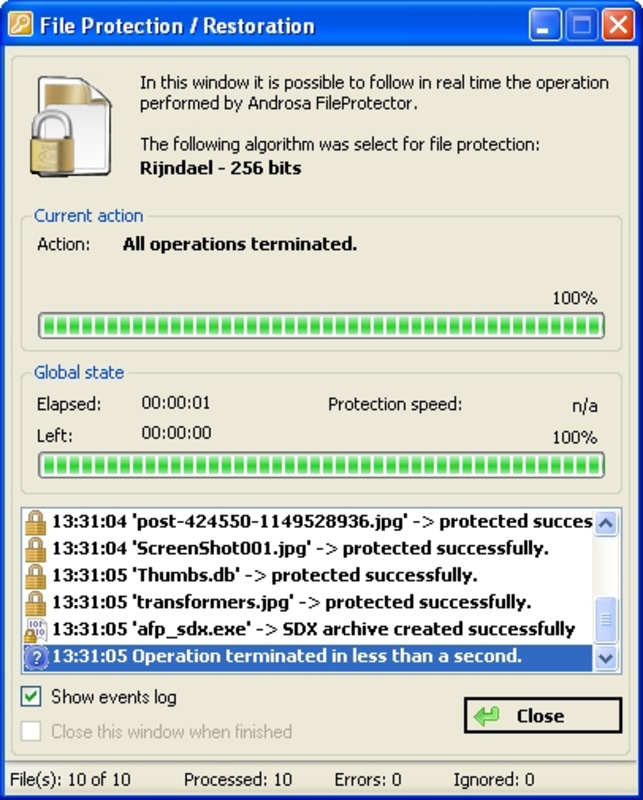
- Multiple Encryption Algorithms: FileProtector supports AES, DES, and TripleDES encryption standards, allowing users to select security levels ranging from 64-bit (DES) to 256-bit (AES). This flexibility enables users to match encryption strength to their specific risk profile—choosing higher-bit algorithms for highly sensitive data and faster options for less critical files.
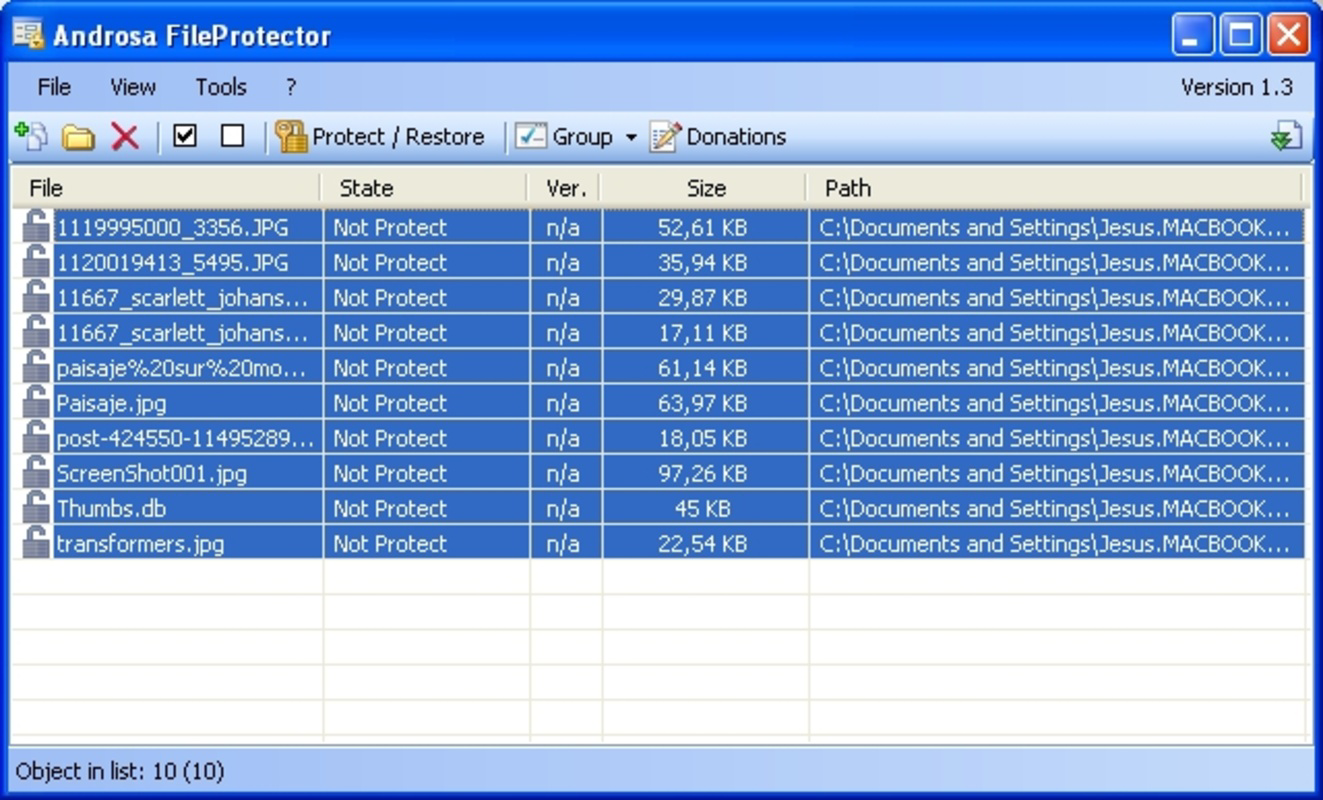
- Folder Encryption Capability: Beyond individual files, the app can encrypt entire folders. This is especially beneficial for users managing large volumes of confidential data, such as project folders or personal archives, reducing the need for repetitive manual encryption tasks.
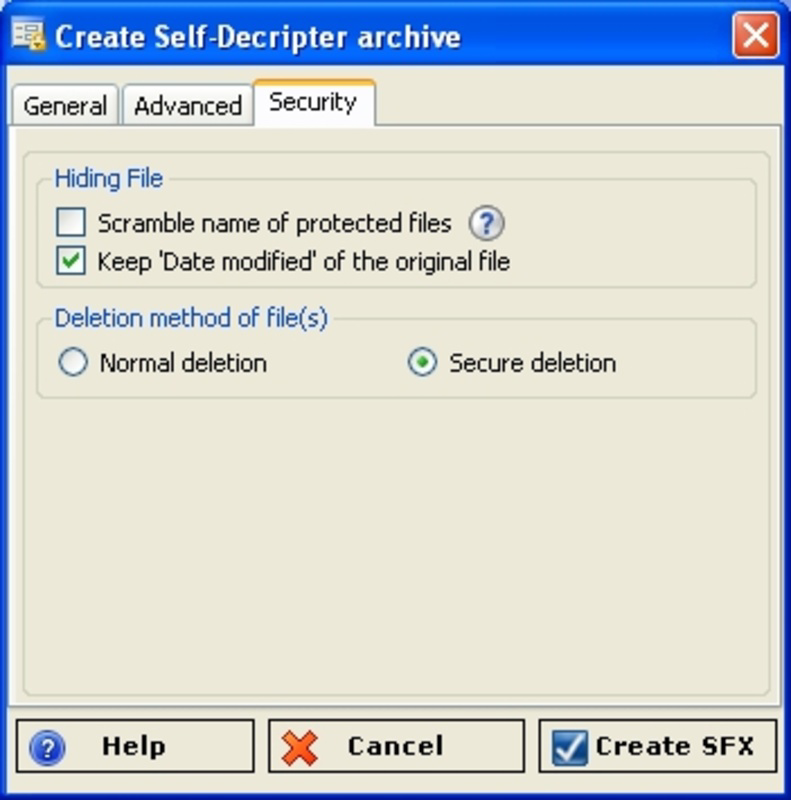
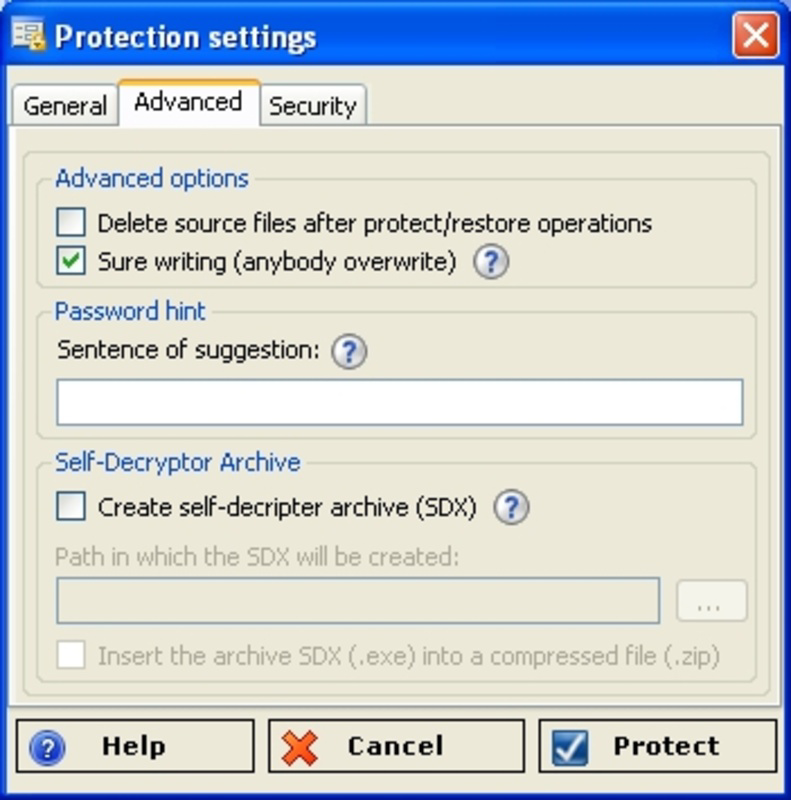
- Auto-Extractable Encrypted Files: The app generates self-extracting encrypted files that recipients can open without installing the software. This streamlines secure sharing across devices and operating systems, making it ideal for sending encrypted documents to colleagues or family members using different platforms.
- Safe File Deletion: After encryption, FileProtector securely removes the original files from the device. This is not a simple deletion; it ensures the unencrypted data cannot be recovered through standard recovery tools, enhancing data privacy post-encryption.
- Password Protection: Access to encrypted files is strictly controlled via password authentication. Only users who know the correct password can decrypt and view the content, preventing unauthorized access even if the file is intercepted or lost.
For example, a user could encrypt a folder containing client contracts using AES-256, generate a self-extractable file, and send it via email. The recipient would receive a secure file that can be opened with a password, without needing FileProtector installed. This combination of strong encryption, secure deletion, and cross-platform usability makes the app a practical tool for everyday data protection.
Interface, UX & Performance
FileProtector features a minimalistic and functional user interface, designed to prioritize ease of use over visual flair. The layout follows a linear navigation flow, guiding users through encryption steps with clear prompts and labeled buttons. While the visual design does not emphasize modern aesthetics, it remains highly usable, with intuitive controls for selecting files, choosing encryption methods, setting passwords, and initiating the encryption process.
Navigation is straightforward, with most actions accessible within three taps. The app maintains responsiveness across a range of device categories, including older Android models. Although the developer did not list formal performance metrics, the lightweight file size of 2.4 MB suggests efficient resource usage, minimizing impact on battery life and memory. The app performs consistently during encryption tasks, with no reported instability or crashes in standard usage scenarios.
Performance is stable during file processing, even with moderately sized folders. Users can expect timely completion of encryption operations without excessive delays. The app does not display real-time progress bars or detailed logs, which may limit transparency for advanced users. However, for general users seeking a simple, reliable encryption tool, the interface delivers a smooth and predictable experience.
Platform Compatibility & Technical Requirements
FileProtector is available exclusively on the Android platform. The current version is 1.2.5, with a file size of 2.4 MB, indicating a lightweight and efficient application. The app is free to download and use, making it accessible to a broad audience seeking secure file management solutions.
The developer did not specify minimum OS requirements or compatibility details beyond the platform. As such, users should ensure their device meets general Android compatibility standards. The app’s small size and long release history suggest it may function on older Android versions, but specific compatibility information was not disclosed. No additional permissions or hardware requirements were mentioned.
Pros and Cons
Pros
- Supports multiple encryption standards including AES-256 for high-security needs
- Enables encryption of entire folders, improving efficiency for bulk protection
- Generates self-extractable encrypted files for easy cross-platform sharing
- Securely deletes original files after encryption, preventing data recovery
- Free to download and use, with no in-app purchases or subscriptions
Cons
- Developer did not provide detailed system requirements or OS compatibility
- Limited visual design and modern UI elements
- No real-time progress tracking or detailed logs during encryption
- App lacks update frequency information or future development roadmap
- Only available on Android; no iOS or other platform support
FAQ
Is FileProtector safe to use on my Android device?
Yes, FileProtector is designed with security in mind. It uses established encryption algorithms and securely deletes original files after encryption. The app does not require excessive permissions, and its free status reduces the risk of hidden monetization practices.
Can I share encrypted files with someone who doesn’t have FileProtector?
Yes, FileProtector allows the creation of auto-extractable encrypted files. These files can be opened on any device with a compatible extraction tool, meaning recipients do not need to install the app to access the encrypted content.
Does FileProtector support iOS devices?
Currently, FileProtector is only available on Android. The developer has not released a version for iOS or other platforms.
How does the password protection work?
Users must enter the correct password to decrypt and access the encrypted file. Without the password, the file remains inaccessible, ensuring that only authorized individuals can view the content.
Is FileProtector regularly updated?
The developer did not provide information about update frequency or release schedule. However, the app has been available since 2009, indicating ongoing maintenance, though specific details are not disclosed.
Final Thoughts
FileProtector remains a reliable and practical tool for users seeking secure file encryption on Android. Its combination of strong encryption standards, folder-level protection, and self-extractable file generation makes it a valuable asset for anyone handling sensitive data. While the interface lacks modern polish and platform availability is limited to Android, the app delivers on its core promise: secure, straightforward file protection.
It is especially beneficial for professionals, freelancers, and individuals who prioritize data privacy without requiring complex workflows. The free price point and efficient performance further enhance its appeal. For those needing a lightweight, no-frills encryption utility, FileProtector offers a dependable solution.
Download FileProtector now


