
Download FirePanel XP – Free Security Tool for Windows with Firewall & Network Monitoring
FirePanel XP is a lightweight, trial version security software designed exclusively for Windows users, particularly those still running older systems like Windows XP and earlier. Developed by Router19, this tool offers a comprehensive suite of network protection features, making it a reliable option for users seeking a simple yet effective firewall solution. With its clean interface and real-time monitoring capabilities, FirePanel XP helps safeguard your system from unauthorized access and potential threats. Though no longer actively updated since 2006, it remains a popular choice among legacy system users who value stability and minimal resource usage. The latest version, 2.1.0.0, was released on March 17, 2006, and has been downloaded over 1,100 times since its inclusion in our software library in 2005. Despite its age, FirePanel XP continues to deliver solid performance, especially on low-spec machines. It’s a secure, free-to-trial software that’s easy to install and use, making it ideal for users who need basic firewall protection without the complexity of modern security suites.
Key Features of FirePanel XP
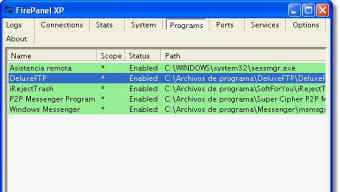
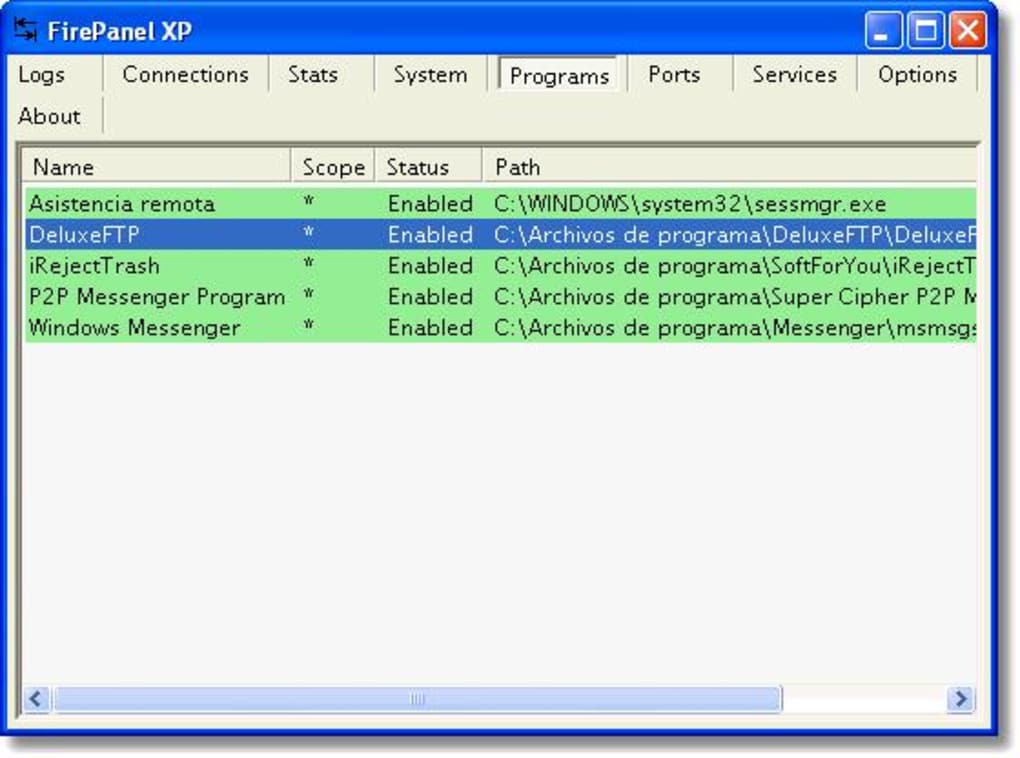
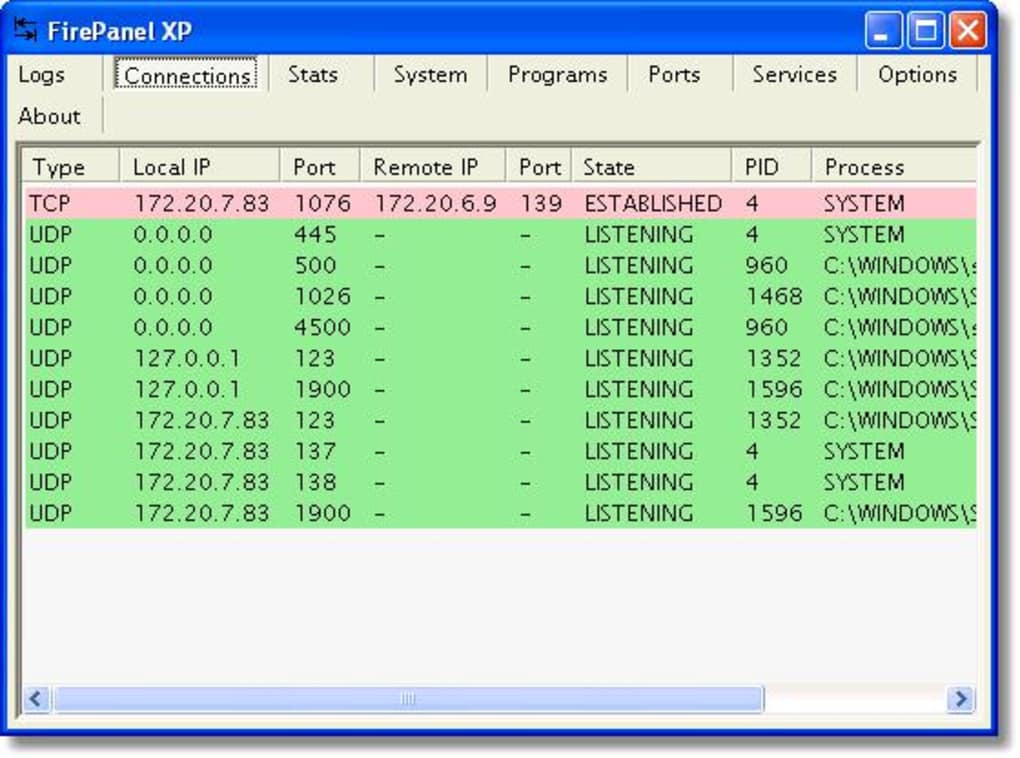
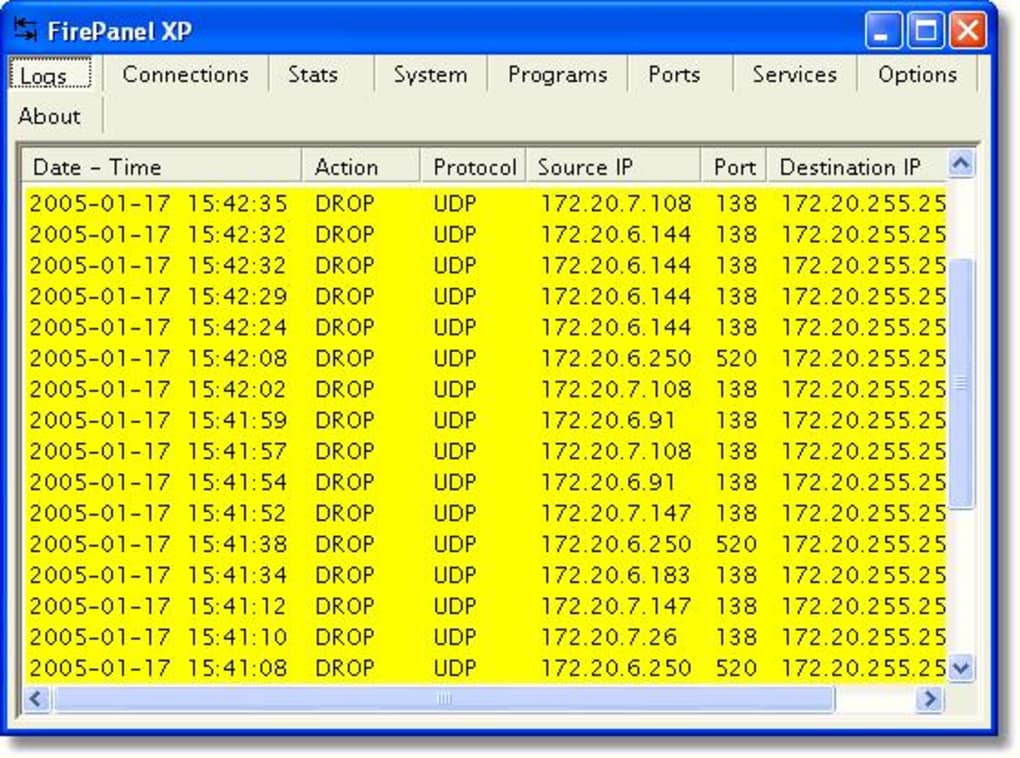
FirePanel XP stands out in the world of legacy security tools thanks to its well-organized feature set and focus on usability. The software is built around a modular tab-based interface, allowing users to access various security and diagnostic tools with ease. One of the most notable additions in version 2.1.0.0 is the "System" tab, which replaces the outdated "Systeminfo" tab and provides detailed real-time data on CPU usage, RAM consumption, and network activity. This feature is particularly useful for users monitoring system performance on older hardware. The "Network" tab offers live network connection monitoring, displaying active connections, local and remote IP addresses, and bandwidth usage—perfect for spotting suspicious activity. The "Firewall" tab is the core of the application, where users can create, edit, and manage firewall rules to control inbound and outbound traffic. This level of customization is rare in lightweight tools and makes FirePanel XP a powerful choice for advanced users. The "Tools" tab includes essential utilities like ping, traceroute, and port scanning, which are invaluable for troubleshooting network issues. Meanwhile, the "Log" tab keeps a detailed record of all firewall events and blocked attempts, helping users track potential threats. Additional features include a streamlined GUI, improved interface design with new icons, and the removal of unnecessary splash screens and themes for faster startup. Overall, FirePanel XP combines practicality with performance, offering a secure, lightweight, and efficient way to manage system security on older Windows platforms.
Installation & Usage Guide
Installing FirePanel XP is a straightforward process, especially for users familiar with older Windows environments. Since the software is designed for Windows XP and earlier versions, compatibility is not an issue for legacy systems. To begin, download the installer from a trusted source—ideally a reputable software archive that verifies file integrity. Once downloaded, double-click the executable file to launch the setup wizard. The installation process is quick, requiring minimal user input. You’ll be prompted to choose a destination folder, but the default location is usually sufficient. After installation, FirePanel XP will launch automatically, presenting a clean, tabbed interface. The first-time setup is simple: you can adjust preferences via the "Settings" tab, including options for startup behavior, notification alerts, and logging levels. It’s recommended to review the default firewall rules and customize them based on your network environment. For example, if you’re using a home network, you may want to block all unknown outbound connections. The "System" and "Network" tabs provide real-time insights, so you can monitor traffic patterns and system health instantly. Users can also access the "Tools" tab to run diagnostics like ping or traceroute, which are useful for checking internet connectivity. The "Log" tab is essential for reviewing past firewall events—simply click on an entry to view details such as source IP, protocol, and action taken. Overall, FirePanel XP is designed for both beginners and intermediate users, with a learning curve that’s gentle yet powerful enough for advanced users who need granular control.
Compatibility & System Requirements
FirePanel XP is specifically built for older Windows operating systems, making it a go-to choice for users still relying on legacy platforms. It is fully compatible with Windows XP, Windows 2000, and Windows ME, ensuring broad accessibility across outdated but still functional machines. Due to its lightweight design, the software requires minimal system resources—typically less than 10 MB of RAM and a few MB of disk space—making it ideal for low-end hardware. This efficiency is one of its biggest advantages, especially when compared to modern antivirus suites that demand high processing power and memory. The application does not require .NET Framework or other heavy runtime environments, which further enhances its compatibility. However, it is important to note that FirePanel XP is not compatible with Windows 7, 8, 10, or 11, nor does it support Mac, Android, or iOS. This limitation is due to its age and the underlying architecture of the software. For users on modern systems, alternative solutions like Windows Defender or third-party firewalls (e.g., GlassWire, Little Snitch) are recommended. Nevertheless, for those maintaining older systems—such as in industrial environments, educational labs, or retro computing setups—FirePanel XP remains a secure and reliable option. Its continued availability and stability, despite being over 18 years old, speak volumes about its reliability. If you're running an older Windows machine and need a lightweight, free firewall tool, FirePanel XP is a safe and effective choice.
Pros & Cons Overview
- Pros:
- Lightweight and fast—uses minimal system resources
- Free to download and use in trial mode
- Real-time network monitoring with live connection tracking
- Comprehensive firewall rule management
- Includes useful diagnostic tools (ping, traceroute)
- Simple, intuitive interface with tab-based navigation
- Stable and reliable for older Windows systems
- Cons:
- Not compatible with modern Windows versions (7 and above)
- No longer actively updated or supported
- Limited to Windows only—no Mac, Android, or iOS versions
- Outdated design by modern standards
- Security updates are no longer provided
Frequently Asked Questions (FAQ)
Is FirePanel XP safe to download and use?
Yes, FirePanel XP is safe to download and use, provided you obtain it from a trusted source. Since its last update in 2006, the software has not been flagged for malware or security vulnerabilities. However, because it is no longer maintained, it does not receive security patches for emerging threats. For users on legacy systems, it remains a secure option as long as it's used in a controlled environment.
Can I use FirePanel XP on Windows 10 or Windows 11?
No, FirePanel XP is not compatible with Windows 10 or Windows 11. It was designed for Windows XP and earlier versions. Attempting to install it on newer systems will likely result in errors or crashes. For modern Windows users, consider using built-in tools like Windows Defender Firewall or third-party apps such as GlassWire or Windows Firewall Control.
What makes FirePanel XP different from other firewalls?
FirePanel XP stands out due to its lightweight nature, tab-based interface, and built-in network diagnostic tools. Unlike many modern firewalls, it combines firewall management with system monitoring, ping, and traceroute utilities—all in one compact application. Its focus on simplicity and performance makes it ideal for older hardware and users who prefer minimal overhead.
How often is FirePanel XP updated?
The last official update was on March 17, 2006. Since then, no new versions or security patches have been released. While the software remains functional, users should be aware that it does not receive updates for new threats or compatibility improvements.
Is there a full version of FirePanel XP, or is it only a trial?
FirePanel XP is distributed as a free trial version with full functionality. There is no paid or full version—users can use all features indefinitely without restrictions. However, since it's no longer updated, long-term use on active networks is not recommended.
Final Verdict & Call to Action
FirePanel XP remains a niche but valuable tool for users maintaining older Windows systems. While it may not be suitable for modern computing environments, its lightweight design, real-time monitoring, and built-in network tools make it a solid choice for legacy setups. If you're running Windows XP or 2000 and need a reliable, free firewall with minimal system impact, FirePanel XP is worth downloading. It’s a secure, stable, and efficient solution that delivers on its core promise: protecting your system with simplicity. However, always use it with caution on active networks and avoid exposing it to the internet without additional safeguards. For those in need of a lightweight, no-frills security tool for older machines, download FirePanel XP today and experience the power of a well-designed firewall from the early 2000s.








