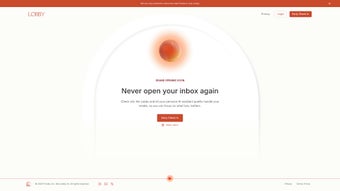

Download Floode – AI‑Powered Email Assistant for Seamless Inbox Management
Overview
Floode is a groundbreaking AI executive assistant that reimagines how we interact with email. Unlike traditional inboxes that drown users in a sea of messages, Floode replaces the conventional folder structure with a dynamic, intelligent workspace that automatically sorts, categorizes, and prioritizes every incoming mail. By leveraging state‑of‑the‑art natural language processing and machine‑learning algorithms, Floode learns your communication patterns, identifies high‑value conversations, and surfaces them at the right moment. The platform doesn’t stop at sorting; it automates repetitive tasks such as drafting replies, setting reminders, and even scheduling meetings directly from the email thread. This eliminates the need to switch between multiple productivity tools, allowing you to focus on strategic work rather than administrative overhead. Whether you are a busy executive, a remote team member, or anyone looking to regain control over their digital correspondence, Floode offers a secure, cloud‑based solution that integrates with major email providers, calendar apps, and collaboration suites. Its intuitive web interface works on any device, ensuring that you stay organized whether you’re on a Windows laptop, a macOS desktop, an Android phone, or an iOS tablet. In short, Floode transforms email from a time‑consuming chore into a streamlined, intelligent assistant that works 24/7 to keep your inbox clean, your schedule aligned, and your productivity at its peak.
Core Features That Set Floode Apart
- AI‑Driven Sorting & Prioritization: Floode automatically groups emails into categories like “Action Required,” “Read Later,” “Meetings,” and “Newsletters,” using contextual cues and your historical behavior.
- Smart Reply Suggestions: Powered by GPT‑4‑level language models, Floode proposes concise reply drafts, which you can send with a single click or edit to add a personal touch.
- Calendar Sync & Meeting Scheduling: Detects meeting requests, proposes time slots based on your calendar availability, and sends calendar invites without leaving the email view.
- Task & Reminder Automation: Converts actionable items in emails into to‑do list entries or reminders, syncing with popular task managers like Todoist and Microsoft To Do.
- Privacy‑First Architecture: All email content is processed using end‑to‑end encryption; Floode never stores raw messages on its servers, ensuring compliance with GDPR and CCPA.
- Cross‑Platform Web App: Accessible via any modern browser, Floode works on Windows, macOS, Linux, Android, and iOS without the need for native installations.
- Customizable Workflow Rules: Users can create personal rules (e.g., “Move all newsletters from a specific sender to Read Later after 5 pm”) through a simple drag‑and‑drop interface.
- Continuous Learning Engine: The AI refines its sorting logic weekly based on feedback you provide, making the assistant increasingly accurate over time.
Beyond the bullet‑pointed capabilities, Floode’s architecture is built to scale. The platform processes millions of emails daily, yet each user experiences near‑real‑time categorization thanks to edge computing nodes located globally. The AI models are continuously updated, meaning you benefit from the latest advances in language understanding without having to download patches. Moreover, the integration layer supports major email services—Gmail, Outlook, Yahoo, and enterprise Exchange—through secure OAuth connections, eliminating the need for password storage. For teams, Floode offers shared inboxes where AI can tag emails for specific members, ensuring accountability while preserving individual privacy. The combination of intelligent automation, robust security, and universal accessibility makes Floode a compelling choice for anyone looking to elevate their email workflow.
Installation, Usage Instructions & Compatibility
Getting Started in Minutes
Because Floode is a cloud‑native web application, the installation process is virtually frictionless. Begin by navigating to floode.com and clicking the “Get Started Free” button. You’ll be prompted to sign in with your existing email account using OAuth; this step grants Floode read‑only access to your inbox while keeping your credentials encrypted and never stored on Floode’s servers. After authentication, the platform initiates an initial scan of your mailbox, which typically takes 2‑3 minutes for an average user. During this scan, Floode builds a baseline model of your email habits, identifies frequent contacts, and creates the first set of dynamic categories.
How to Use Floode Effectively
Once the onboarding is complete, you’ll be presented with the Floode dashboard. The central view displays the AI‑generated categories on the left sidebar and the email thread preview on the right. To interact with an email, simply click on it; a contextual toolbar appears offering actions such as “Reply with Suggestion,” “Add to Calendar,” “Create Task,” or “Mark as Done.” You can also drag an email into a custom folder if you prefer manual organization. For recurring tasks, enable “Auto‑Process” in settings; this tells Floode to automatically apply your chosen actions (e.g., archiving newsletters after reading) without prompting you each time. The “Learning Feedback” button lets you rate the AI’s decisions, feeding data back into the model to improve future accuracy.
Compatibility Across Devices
Floode’s responsive design ensures a consistent experience on desktops, laptops, tablets, and smartphones. The web app complies with HTML5, CSS3, and modern JavaScript standards, making it compatible with the latest versions of Chrome, Edge, Firefox, Safari, and Opera. On mobile devices, Floode detects touch gestures, allowing you to swipe left to archive or right to snooze an email—mirroring native mail app behavior. Because no native client is required, you avoid the overhead of regular updates; all enhancements are delivered server‑side. Whether you work from a Windows 11 PC, a macOS Ventura laptop, an Android 14 phone, or an iPad running iOS 17, Floode delivers identical functionality, security, and speed.
Pros, Cons, Frequently Asked Questions & Final Thoughts
Pros & Cons
- Pros:
- AI‑powered email sorting eliminates manual folder management.
- Smart reply and meeting scheduling save hours each week.
- End‑to‑end encryption protects sensitive communications.
- Works on any operating system via a web browser.
- Free tier available with optional premium features.
- Continuous learning adapts to evolving user habits.
- Cons:
- Initial AI training may take a few days to reach peak accuracy.
- Advanced automation rules are limited to premium subscribers.
- Reliance on internet connectivity; offline access is not supported.
- Complex enterprise integrations require additional configuration.
Frequently Asked Questions
Is Floode really free to use?
Floode offers a fully functional free tier that includes AI sorting, smart replies, and basic calendar sync. Premium features such as advanced workflow automation, priority support, and multi‑account management are available via a paid subscription.
How does Floode ensure my privacy?
All email content is processed using end‑to‑end encryption. Floode never stores raw messages; it only retains metadata and AI model weights. The service complies with GDPR, CCPA, and ISO 27001 standards.
Can I integrate Floode with my existing task manager?
Yes. Floode provides native integrations with Todoist, Microsoft To Do, Asana, and Trello. You can enable these connections in the Settings → Integrations panel.
What email providers does Floode support?
Floode works with Gmail, Google Workspace, Outlook.com, Microsoft 365/Exchange, Yahoo Mail, and any IMAP‑compatible service that supports OAuth authentication.
Is there a mobile app for Floode?
Currently Floode is a web‑only solution, but its responsive design ensures full functionality on mobile browsers. A native iOS/Android app is planned for future releases.
Conclusion – Should You Download Floode?
In an era where email overload is a leading cause of productivity loss, Floode emerges as a smart, secure, and versatile assistant that does more than just tidy up your inbox. Its AI engine not only categorizes messages with uncanny accuracy but also turns routine email actions into automated workflows—drafting replies, setting reminders, and booking meetings without any manual overhead. For professionals who juggle multiple projects, the time reclaimed through Floode’s automation can translate into tangible business value, whether that means faster client responses, fewer missed deadlines, or a clearer mental space for strategic thinking.
Because Floode is delivered as a web app, you bypass the hassles of software updates and platform‑specific bugs. Whether you’re on a Windows workstation, a MacBook, an Android phone, or an iPad, the experience remains consistent and secure. The free tier provides enough power for most individual users, while the premium plan unlocks advanced customization for power users and teams. The only notable drawbacks are the brief learning curve during the initial AI training phase and the lack of offline access, which may be a consideration for users with intermittent connectivity.
Overall, Floode stands out as a forward‑thinking solution that aligns with modern work habits. If you’re ready to replace the endless scroll of an overloaded inbox with a proactive, AI‑driven assistant, click the download link below, set up your account in minutes, and let Floode start streamlining your email workflow today.



.png)




