

Download Flowstate – Focus‑Boosting Writing App for Windows, macOS, Android & iOS
Overview
Flowstate is a minimalist, high‑stakes writing tool designed specifically for fiction writers who struggle with interruptions. The app forces you to commit to a continuous writing session by setting a timer and deleting everything you’ve typed if you pause for more than five seconds. This radical “punishment” model eliminates the temptation to check emails, scroll social media, or answer a phone call while you’re in the creative zone. Because the loss is irreversible, Flowstate turns every keystroke into a deliberate act, encouraging a flow‑state mindset that many authors describe as “writing on autopilot.” While the concept may feel extreme, the app’s clean interface, cross‑platform availability, and zero‑cost entry make it an intriguing experiment for writers who want to break procrastination cycles and produce raw drafts quickly. Flowstate is not intended for researchers or writers who need to intersperse extensive fact‑checking, but for those who thrive on uninterrupted momentum, it can be a powerful catalyst for productivity.
Core Features & How It Works
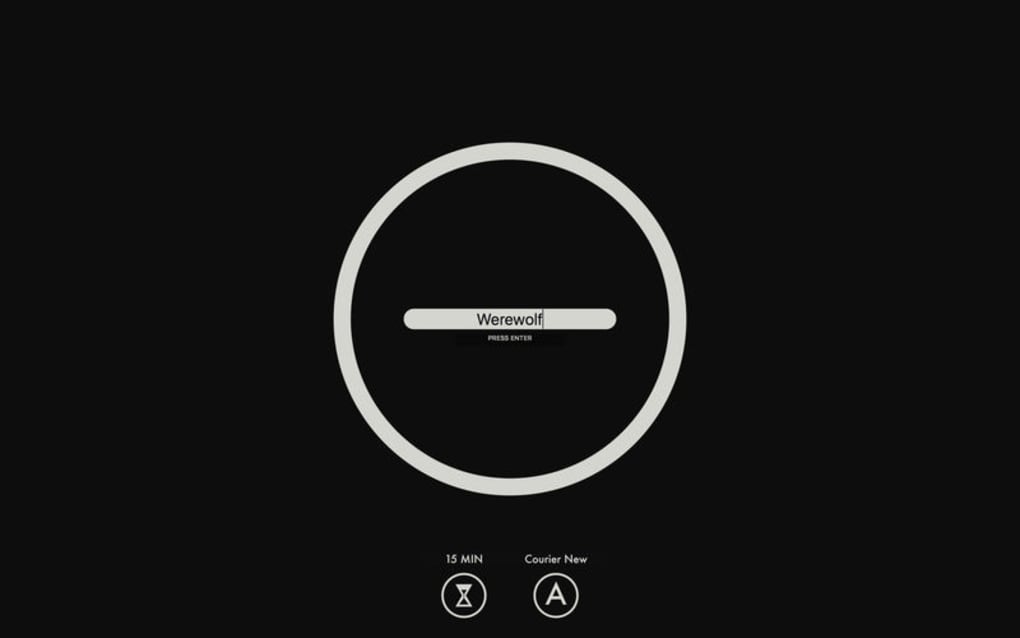
- Timed Writing Sessions: Choose a duration from 5 minutes up to 2 hours. The timer starts as soon as you begin typing.
- Five‑Second Grace Period: If you stop typing for longer than five seconds, the app automatically wipes the current document.
- Zero‑Save Mode: There is no autosave or backup while the timer is active; the only way to keep work is to finish the session uninterrupted.
- Cross‑Platform Sync: Available on Windows, macOS, Android, and iOS, allowing you to switch devices without losing the rule set.
- Customizable Distraction Alerts: Optional sound or vibration cues remind you when you’re approaching the five‑second limit.
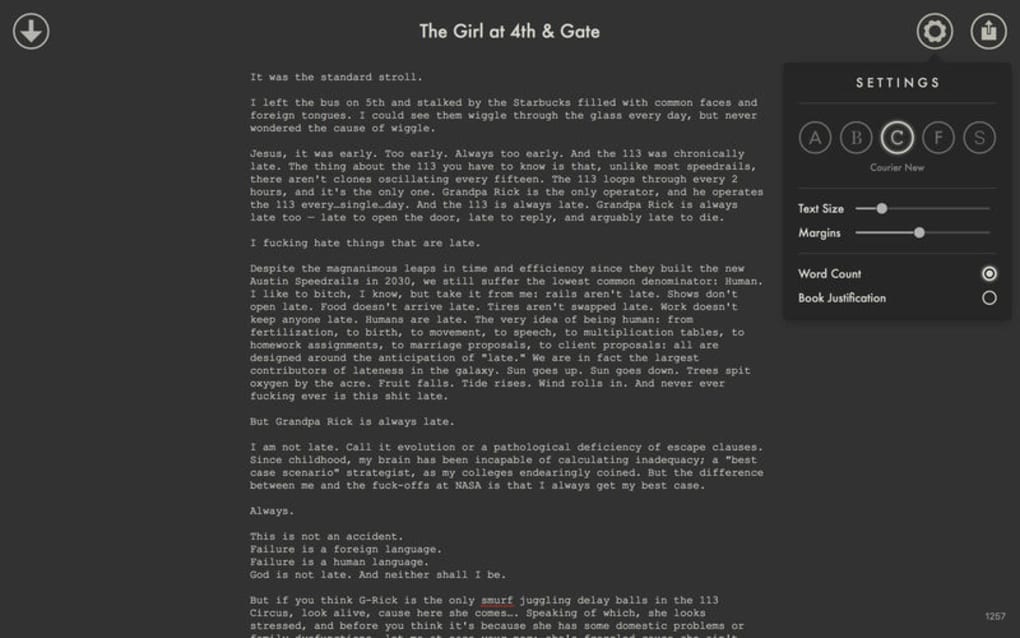
- Minimalist UI: A full‑screen, distraction‑free workspace that hides menus, toolbars, and system notifications.
- Export on Completion: When the timer finishes successfully, you can export your text as .txt, .docx, or copy it to the clipboard.
Using Flowstate Effectively
To get the most out of Flowstate, start by planning a short writing sprint—perhaps 20 minutes for a scene or 45 minutes for a chapter draft. Before you launch the app, close all other programs, mute notifications, and set your phone to “Do Not Disturb.” Once you hit “Start,” focus solely on the story; the five‑second rule will keep you honest. If you need to pause for a legitimate interruption (e.g., a phone call), be prepared to lose the session’s work and start a new timer. Many writers report that the fear of losing their text creates a heightened sense of urgency that pushes them past self‑editing, resulting in raw, authentic prose. After a successful session, export the content, back it up, and then review it later with a critical eye. This workflow mirrors the classic “write first, edit later” philosophy, but with an added layer of accountability that can dramatically reduce procrastination.
Installation, Compatibility & System Requirements
Flowstate is distributed as a free download from the official website and major app stores. The installation process is straightforward:
- Visit flowstateapp.com/download or your device’s app store.
- Select the appropriate version (Windows, macOS, Android, or iOS).
- Click “Download” and run the installer (Windows/macOS) or tap “Install” (mobile).
- Follow the on‑screen prompts to grant permissions for notifications and storage.
- Launch Flowstate, set your timer, and begin writing.
Supported Operating Systems:
- Windows 10 and later (64‑bit)
- macOS 11 (Big Sur) and later
- Android 8.0 Oreo and later
- iOS 13 and later (iPhone & iPad)
Pros & Cons
- Pros:
- Highly effective at eliminating distractions.
- Free to use with no hidden fees.
- Cross‑platform availability ensures flexibility.
- Minimalist design keeps the focus on writing.
- Encourages rapid drafting and “first‑draft” momentum.
- Cons:
- All‑or‑nothing approach can be stressful for beginners.
- No built‑in backup; accidental pauses result in total loss.
- Unsuitable for research‑heavy projects that require frequent reference checks.
- Limited customization beyond timer length and alert sounds.
- Potential data loss if a phone call or system alert interrupts the session.
Frequently Asked Questions
Can I recover my text after a five‑second pause?
No. Flowstate’s core premise is that the work is permanently deleted after the grace period. The only way to keep your text is to finish the timer without interruption.
Is Flowstate completely free?
Yes. The app is free to download and use on all supported platforms. There are no premium tiers or in‑app purchases.
Can I adjust the five‑second grace period?
The grace period is fixed at five seconds to maintain the app’s high‑stakes nature. However, you can control the total session length and enable optional alert sounds.
Does Flowstate sync my drafts across devices?
Sync is limited to the final exported file after a successful session. During a timer, the content lives only on the local device to preserve the “no‑save” rule.
Is the app suitable for academic writing or research‑intensive projects?
Because any pause longer than five seconds erases your work, Flowstate is best suited for creative drafting rather than research‑heavy writing that requires frequent reference checks.
Conclusion & Call to Action
Flowstate offers a daring, no‑compromise approach to writing that can transform how fiction authors tackle procrastination. By turning distraction into a tangible risk, the app forces you to enter a deep focus zone that many traditional editors only wish they could replicate. While the high‑stakes nature isn’t for everyone, the free, cross‑platform availability means you can test the concept without financial commitment. If you’re ready to break the habit of endless revisions and want to produce raw, unfiltered drafts, download Flowstate today and experience the adrenaline of writing under pressure. Remember: the only way to keep your work is to keep typing—so set your timer, mute the world, and let the story flow.
Pros: Eliminates distractions, free, cross‑platform, simple UI.
Cons: No backup, stressful for beginners, not ideal for research.








