Screenshots


App details
- Version
- 2.3
- Size
- 3.91 MB
- Updated
- July 11, 2023
- Requires
- Mac OS X
- Language
- English
- License
- Trial version
- Developer
- Yellowmug
- Category
- Mac OS
About FolderBrander
Download FolderBrander – free Mac folder icon customizer
Overview
FolderBrander is a lightweight Mac utility that lets you personalize the look of any folder with a custom icon in just a few clicks. First introduced in 2007, the trial version has already amassed more than 1,300 downloads, with a steady interest from French users who value its simplicity and speed. The current release, version 2.3, was last updated on 4 September 2009 and runs on Mac OS X as well as earlier Mac operating systems. Unlike many icon‑theming tools that require bulky installations, FolderBrander occupies a tiny amount of disk space and launches instantly, making it ideal for both casual users who want a quick visual refresh and power users who manage dozens of project folders. Its English‑language interface guides you through the process of selecting an image, adjusting its size, and applying it to any folder without altering the underlying file structure. Because it works at the system level, the changes persist across reboots and are recognized by Finder, Spotlight, and other native macOS utilities. Whether you are a designer looking to showcase branding, a student organizing coursework, or simply someone who enjoys a tidy desktop, FolderBrander offers a secure, no‑frills solution that eliminates the need for complex graphic‑editing software.
Key Features & Benefits
- One‑click folder icon replacement – choose an image and apply it instantly.
- Support for PNG, JPG, GIF, and ICNS formats, with automatic conversion to Mac‑compatible icons.
- Batch processing – customize multiple folders in a single operation.
- Preview window that shows how the new icon will appear in Finder.
- Rollback option – restore the original system icons with a single click.
- Minimal system footprint – less than 5 MB of disk space.
- Fully compatible with Mac OS X 10.2 and later, including older PowerPC builds.
- Secure, trial‑only version that never writes data to external servers.
Why FolderBrander Stands Out
While many Mac customization apps focus on themes or require extensive configuration files, FolderBrander zeroes in on the most visible element of a workspace: the folder icon. Its intuitive drag‑and‑drop interface means you don’t need to be a graphic designer to achieve a professional look. The batch processing feature is especially valuable for teams that need to brand dozens of project directories quickly, saving hours of manual work. Because the software runs locally, there are no privacy concerns—your images never leave your computer. The built‑in preview lets you experiment with different icon sizes, ensuring crisp results on Retina displays. Finally, the rollback function provides peace of mind; if an icon doesn’t turn out as expected, you can revert with a single click, preserving the original system aesthetics.
Installation, Usage & Compatibility
Installing FolderBrander is straightforward. After downloading the DMG file from the official site, double‑click to mount the disk image, then drag the FolderBrander icon into your Applications folder. Because the program is signed for macOS, you’ll receive a standard security prompt; simply click “Open” to proceed. No additional libraries or runtimes are required, and the installer cleans up after itself, leaving only the application bundle.
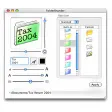
Once installed, launch FolderBrander from the Applications folder or via Spotlight. The main window presents a clean three‑panel layout: the left panel lists your current folders, the middle panel displays the selected folder’s existing icon, and the right panel houses the image picker. To change an icon, click “Browse,” locate an image on your hard drive, adjust the scaling slider if needed, and press “Apply.” The change appears instantly in Finder, and you can repeat the process for as many folders as you like.
FolderBrander is compatible with Mac OS X 10.2 (Jaguar) through the latest macOS releases that still support 32‑bit applications. Users running macOS Catalina or later should run the app in compatibility mode, as newer versions of macOS have tightened permissions around system folder modifications. The trial version is free to download, but it limits the number of batch operations per session to ten—enough for casual use while encouraging professionals to consider the full license.
For best results, use high‑resolution PNG files (at least 512 × 512 px). The program automatically generates the required ICNS file, preserving transparency and ensuring sharpness on Retina displays. If you encounter permission errors, grant FolderBrander Full Disk Access in System Preferences → Security & Privacy → Privacy tab. After this one‑time adjustment, the app runs smoothly without further prompts.
Pros, Cons, FAQ & Conclusion
Pros
- Extremely easy to use – perfect for beginners.
- Very small footprint; runs quickly on any Mac.
- Supports batch processing, saving time on large projects.
- Secure, local‑only operation protects privacy.
- Rollback feature prevents accidental visual mishaps.
Cons
- Trial version limits batch operations to ten per session.
- Last official update was in 2009, so UI feels dated.
- No native support for macOS 11+ System Integrity Protection without manual permission tweaks.
Frequently Asked Questions
Can I use FolderBrander on macOS Big Sur or Monterey?
Yes, but you must grant the app Full Disk Access in System Preferences. Once permission is granted, FolderBrander works as expected on newer macOS versions.
Is the trial version truly free?
The trial is free to download and use, though it limits batch processing to ten folders per session. Purchasing the full license removes this restriction.
What image formats are supported?
FolderBrander accepts PNG, JPG, GIF, and ICNS files. PNG is recommended for the best transparency and quality.
Will changing an icon affect the folder’s contents?
No. FolderBrander only modifies the visual icon metadata; all files inside the folder remain untouched.
How do I revert to the original system icons?
Use the built‑in “Rollback” button in the application. It restores the default macOS icons for any folder you have customized.
Conclusion & Call to Action
FolderBrander delivers exactly what its name promises: a fast, reliable way to brand your Mac folders without the bloat of larger customization suites. Its straightforward interface, tiny footprint, and secure local processing make it a solid choice for anyone looking to add a personal touch to their desktop. While the UI could benefit from a modern refresh and the trial’s batch limit may feel restrictive for heavy users, the core functionality remains robust and dependable. If you’re ready to give your folders a fresh look, download the free trial today, test the one‑click icon swap, and decide whether the full version fits your workflow. A more organized, visually appealing Mac experience is just a few clicks away.
Guides & Tutorials
How to install FolderBrander
- Click the Download button above.
- Once redirected, accept the terms and click Install.
- Wait for the FolderBrander download to finish on your device.
How to use FolderBrander
This software is primarily used for its core features described above. Open the app after installation to explore its capabilities.
User Reviews
No reviews yet. Be the first to share your experience.
You may also like
more
DiffusionBee
Generate unique art with this app DiffusionBee is a free and accessible artifici...

Excire Foto Light
Organize your snapshots Excire Foto Light is a free-to-download AI -powered phot...

Topaz Photo AI
Photo enhancement tool with AI Topaz Photo AI is a premium AI image editor for P...

anonymoX
Surf anonymously with Firefox anonymoX for Firefox is an add-on that gives you f...

DownThemAll
Download Them All! Downloading anything or everything on a webpage can be a labo...
.webp)
DuckDuckGo Privacy Essentials
A free program for Mac, by DuckDuckGo, Inc.. DuckDuckGo Privacy Essentials is a...
