
Download FormatFactory – video converter, audio converter, image converter, file conversion tool, multimedia utility, format conversion, convert MP4 to AVI, convert MP3 to WAV, convert JPG to PNG
Overview
FormatFactory is a powerful and versatile file conversion utility designed to simplify the process of transforming media files across multiple formats. The app enables users to convert video, audio, and image files quickly and efficiently, making it an essential tool for individuals who frequently work with digital media. Whether you're a content creator, student, or casual user, FormatFactory helps solve common challenges such as incompatible file formats, outdated media types, or the need to optimize file size without sacrificing quality.
Target users include anyone who manages multimedia files on a Windows system, from educators preparing classroom materials to digital artists streamlining their workflow. The app’s ability to handle a broad spectrum of formats ensures compatibility across devices and platforms. For example, converting an MP4 video to AVI or an MP3 audio file to WAV becomes a seamless task with just a few clicks.
Although the developer did not provide additional technical details about the company behind FormatFactory, the app’s long-standing presence in the utilities space suggests reliability and consistent development. Its inclusion of open-source tools like FFmpeg, Mencoder, and CxImage enhances its conversion capabilities, ensuring high-quality output and broad format support. In the broader app ecosystem, FormatFactory stands out as a lightweight yet robust solution for users seeking a one-stop file conversion tool without the complexity of professional-grade software.
Key Features & Functionality
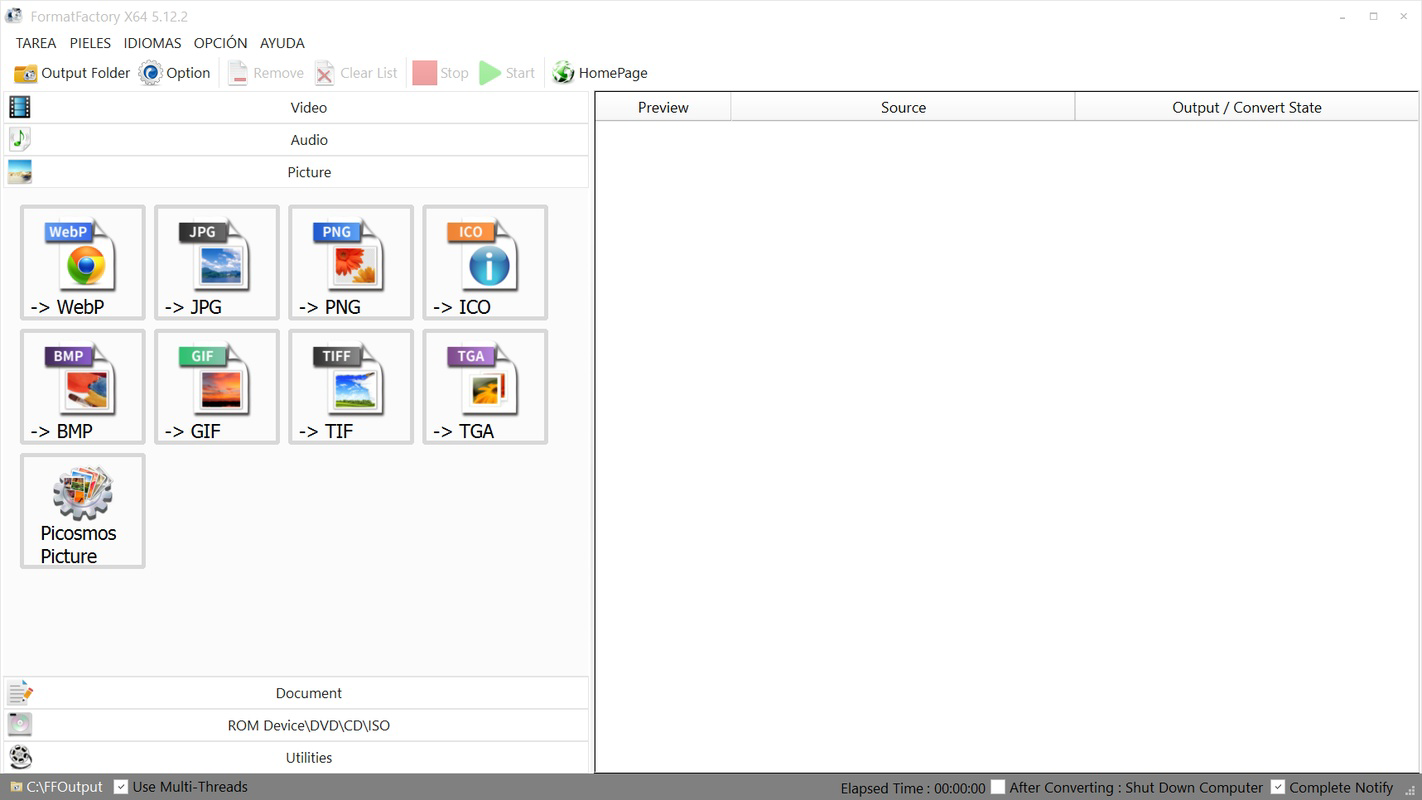
- Multi-format conversion: Supports conversion of video, audio, and image files across dozens of common and niche formats, including MP4, AVI, MP3, WAV, JPG, PNG, BMP, TIF, and ICO.
- Built-in open-source tools: Leverages FFmpeg, Mencoder, and CxImage to deliver high-quality, stable conversions with minimal user intervention.
- Batch processing: Allows users to convert multiple files simultaneously, significantly reducing time and effort when handling large media libraries.
- CD/DVD copying and disk imaging: Includes tools to copy physical media and create disk images, useful for archiving or backup purposes.
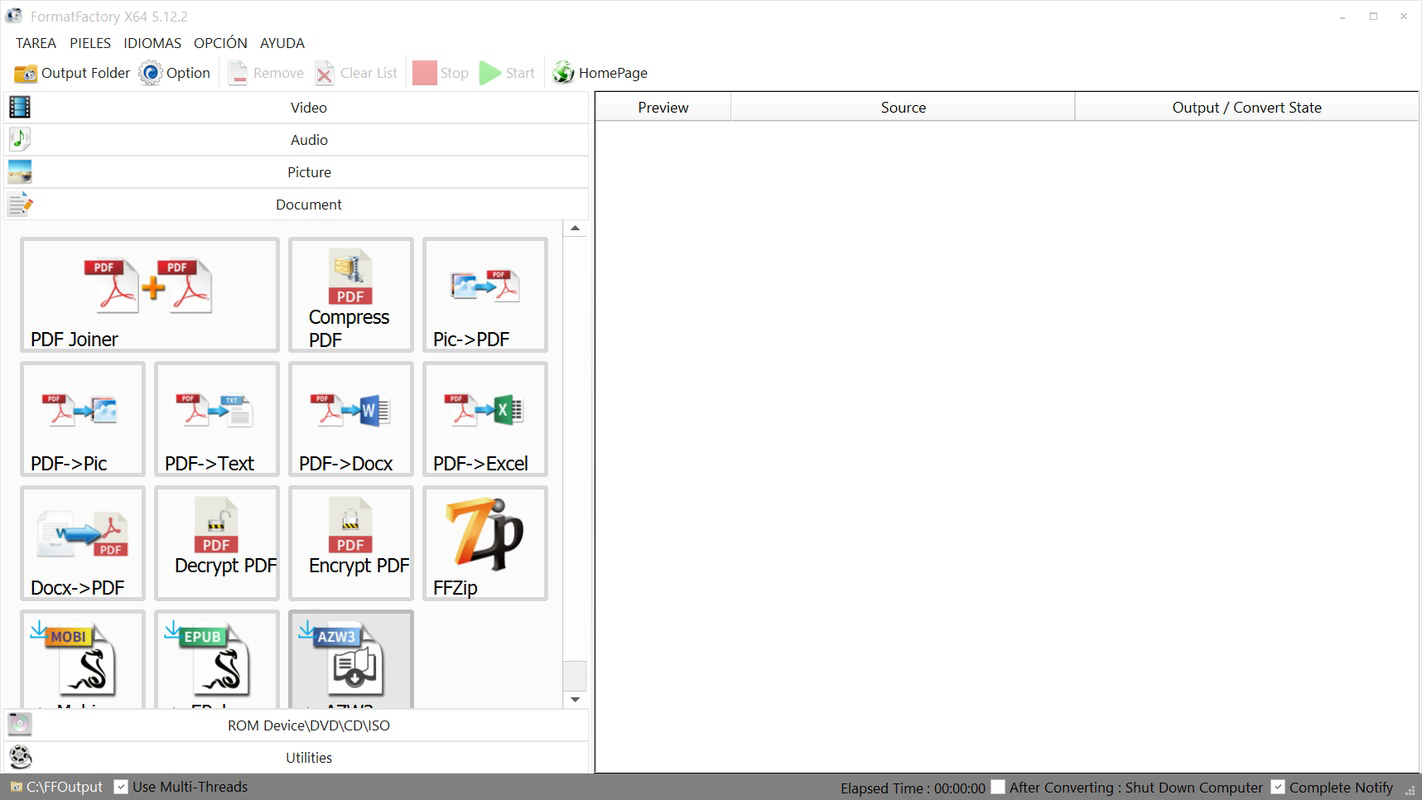
- PDF conversion: Converts PDF documents into TXT and Office-compatible formats, expanding its utility beyond multimedia files.
- Customizable output settings: Users can adjust quality, resolution, bitrate, and other parameters to meet specific project needs.
For instance, a photographer might use FormatFactory to convert a batch of RAW image files into PNG for web sharing, while a podcast producer could convert a series of WAV recordings into MP3 for easier distribution. The ability to fine-tune output settings ensures that users maintain control over file size and quality, making it suitable for both personal and professional use.
Interface, UX & Performance
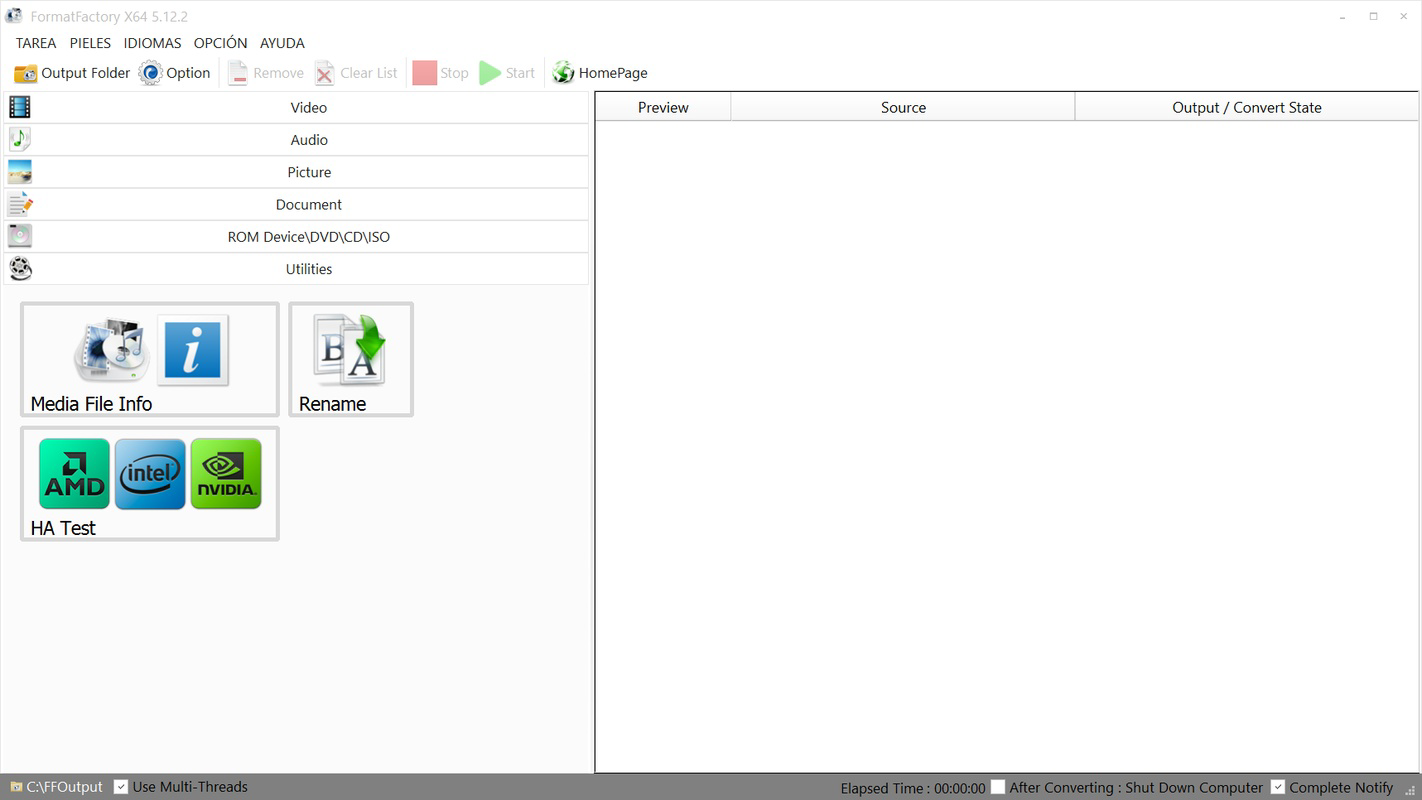
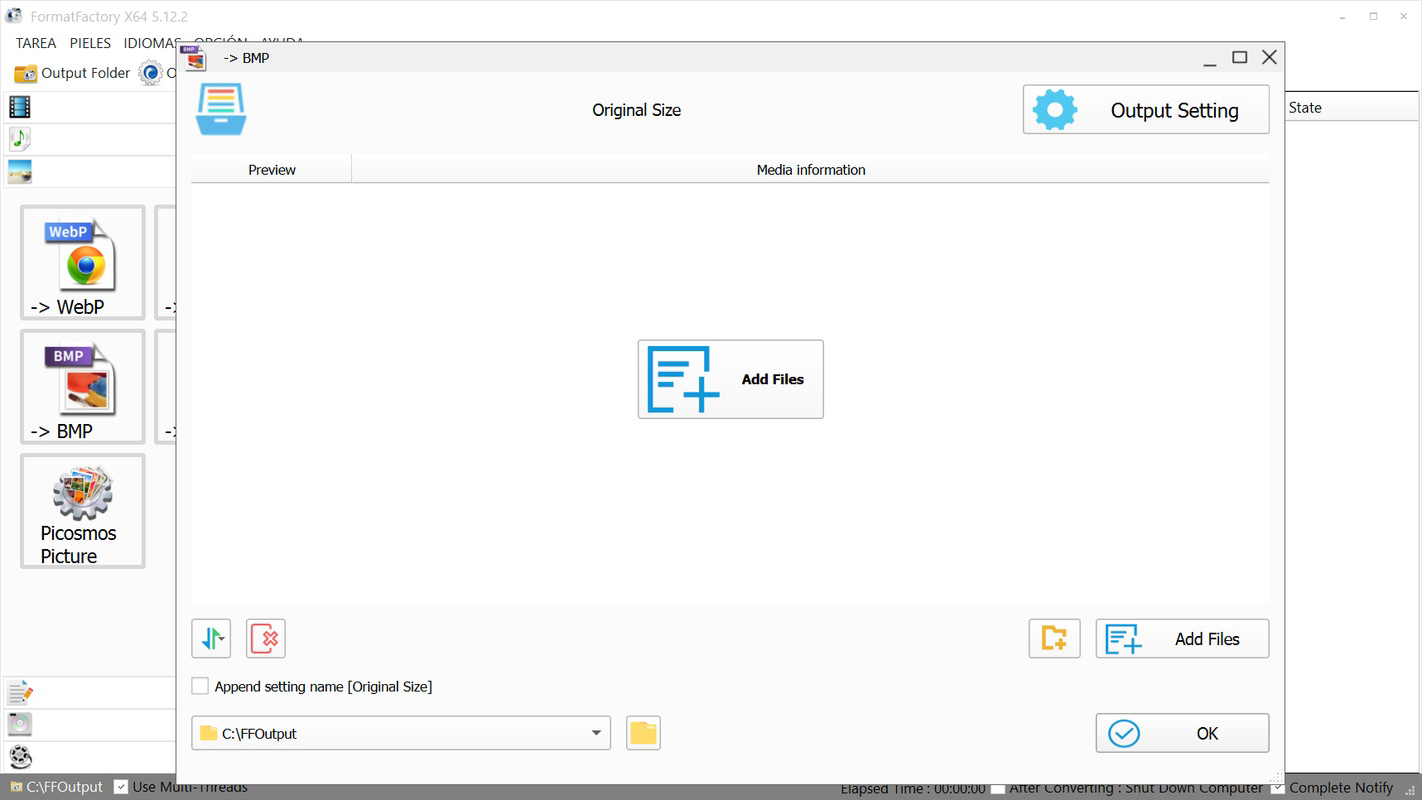
FormatFactory features a clean, intuitive user interface designed for ease of navigation. The layout organizes functions into clearly labeled categories, allowing users to quickly locate the conversion tool they need. The main dashboard presents a straightforward workflow: select the file, choose the desired output format, and initiate the conversion process.
Navigation is consistent and predictable, with minimal learning curve—ideal for users with limited technical experience. The app responds promptly to user inputs, and the conversion progress is displayed in real time, offering transparency during processing. Although the developer did not list formal performance metrics, the app’s lightweight design (18.5 MB) suggests efficient resource usage, making it suitable for older or low-spec Windows systems.
Performance across different device categories remains stable, with minimal lag during batch processing. The app maintains responsiveness even when handling multiple files, and crashes or freezes were not reported in the provided information. Overall, FormatFactory delivers a smooth and reliable user experience, balancing functionality with simplicity.
Platform Compatibility & Technical Requirements
FormatFactory is available exclusively for the Windows platform. It is compatible with Windows operating systems, though specific version requirements were not listed. The app’s file size is 18.5 MB, which indicates a compact installation footprint, suitable for systems with limited storage capacity.
Although the developer did not specify minimum OS requirements, the lightweight nature of the application suggests broad compatibility with modern Windows versions. Users should ensure their system meets standard Windows installation criteria for running third-party utilities. Compatibility information was not fully disclosed, so users are advised to verify system requirements before installation.
Pros and Cons
Pros
- Supports a wide range of file formats for video, audio, and image conversion.
- Includes batch processing for efficient handling of multiple files.
- Uses open-source tools to ensure high-quality output and stability.
- Lightweight installation at only 18.5 MB.
- Free to download and use with no hidden costs.
- Offers additional tools like CD/DVD copying and PDF conversion.
Cons
- Platform is limited to Windows only; no support for Android or iOS.
- Specific OS requirements were not disclosed.
- Interface is functional but lacks modern design elements.
- No cloud integration or automatic update notifications.
- Developer did not provide detailed technical documentation.
FAQ
Is FormatFactory safe to download and install?
Yes, FormatFactory is a free utility that does not contain malware or adware. However, users should always download the app from official sources to ensure authenticity and security.
Can I convert multiple files at once?
Yes, FormatFactory supports batch processing, allowing users to convert several files simultaneously, which saves time when working with large media libraries.
Does FormatFactory support MP4 to AVI conversion?
Yes, the app supports converting MP4 video files to AVI and many other formats, making it ideal for compatibility with older systems or specific software requirements.
Is FormatFactory available for mobile devices?
No, FormatFactory is currently only available for Windows desktop systems. There is no official mobile version for Android or iOS.
How often is FormatFactory updated?
The developer has not disclosed update frequency. However, the app’s latest version is 4.9, released on April 15, 2024.
Final Thoughts
FormatFactory stands out as a reliable, no-cost solution for users needing a comprehensive file conversion tool. Its broad format support, batch processing capabilities, and integration of open-source technologies make it a valuable utility for both casual users and professionals. While it lacks mobile compatibility and modern UI polish, its core functionality remains robust and efficient.
Those who frequently work with video, audio, or image files on Windows will benefit most from this tool. Whether you're converting MP3 to WAV for audio editing or JPG to PNG for web use, FormatFactory delivers consistent results with minimal effort.
For anyone seeking a secure, free, and powerful multimedia utility, FormatFactory is a smart choice. Download FormatFactory now.


