

Description
Combine blocks into a group wrapped with an hyperlink (<a>).
After inserting a Hyperlink Group Block, a Block inserter icon will be displayed to allow you to add new Blocks inside that Hyperlink Group Block.
Tip Top Press
We’re Tip Top Press and create Gutenberg Blocks for WordPress. If you want to know about what we’re working on and you are interested in backgrounds then you can read all newes storys on our blog.
Grouper des blocs existants
It’s also possible to group existing Blocks.
Select the Blocks which should be grouped with a Hyperlink. The Block Toolbar will appear. Click on the Block icon and select the Hyperlink Block to transform the selected Blocks to an Hyperlink Block with some InnerBlocks.
Avancé
On the Advanced Tab set the link’s rel, title and aria-label attributes.
Fonctionnalités
- Encapsulez des blocs avec un lien hypertexte
- Use link from Query Loop Block
- Transforme des blocs en un groupe encapsuleur doté d’une balise HTML ancre (<a>)
- Set the link href attribute
- Set rel, title and aria-label attributes
- Option open in a new window
- Set hover background color
- Inner anchor elements are automatically deleted
Contribuez
While using this plugin if you find any bug or any conflict, please submit an issue at Github (If possible with a pull request).
Captures d’écrans
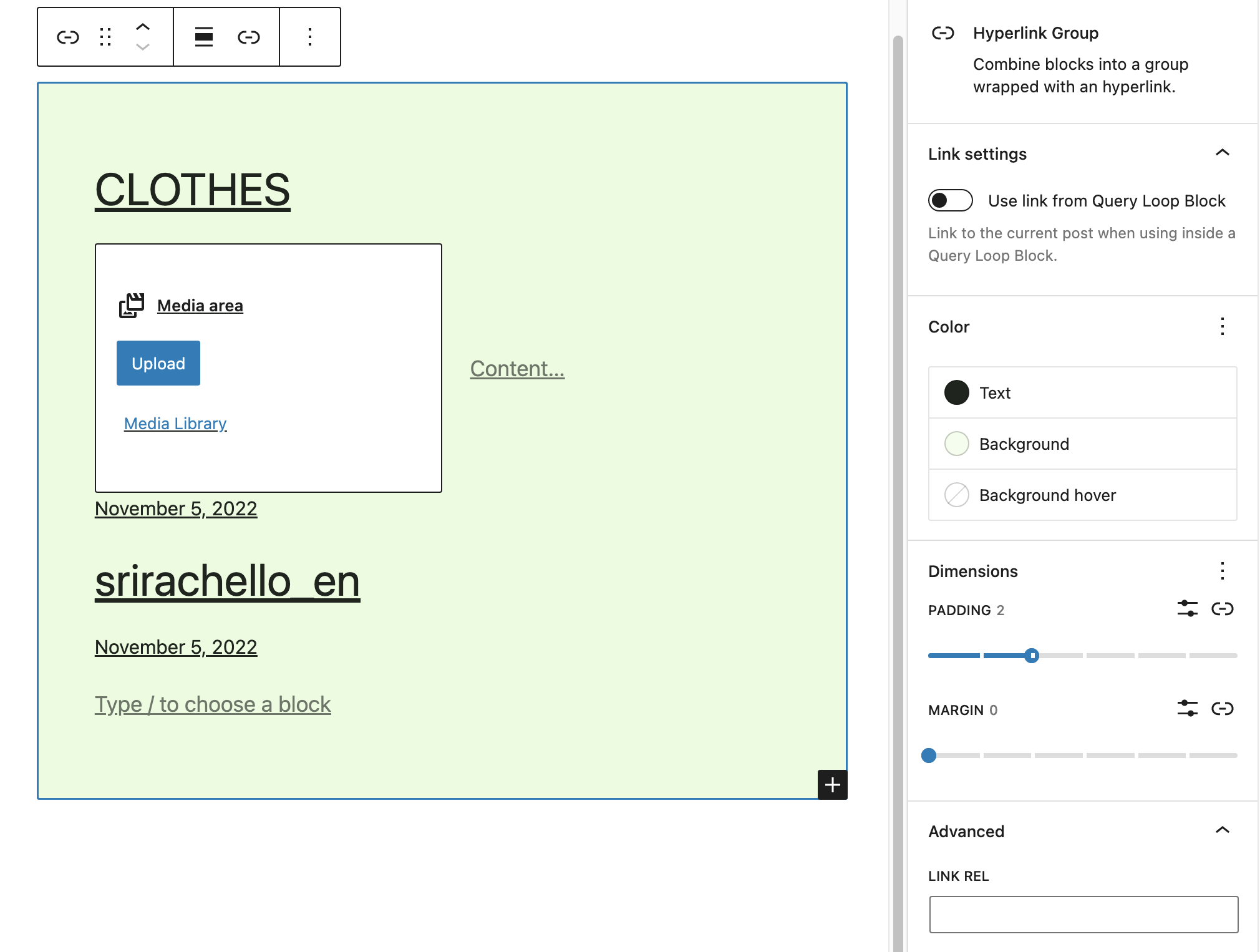
Hyperlink Group Block pour grouper des blocs avec un hyperlien. 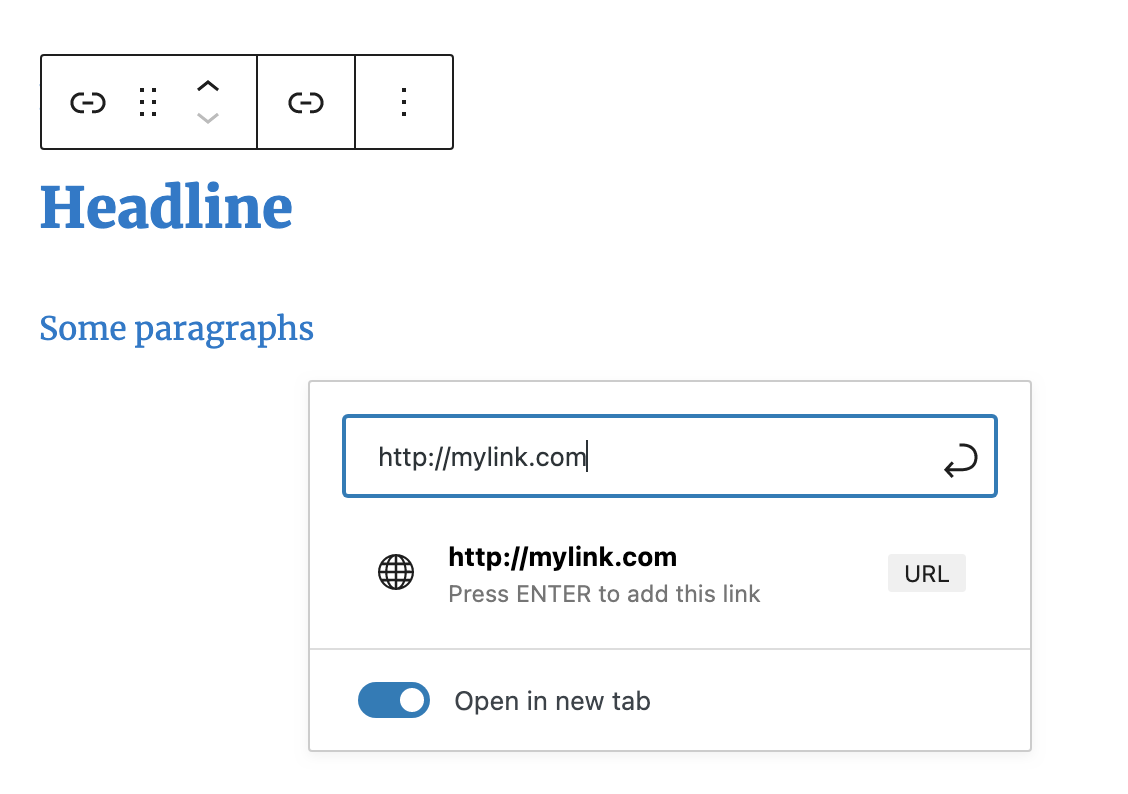
Encapsulez des blocs avec un lien. 
Code HTML généré. 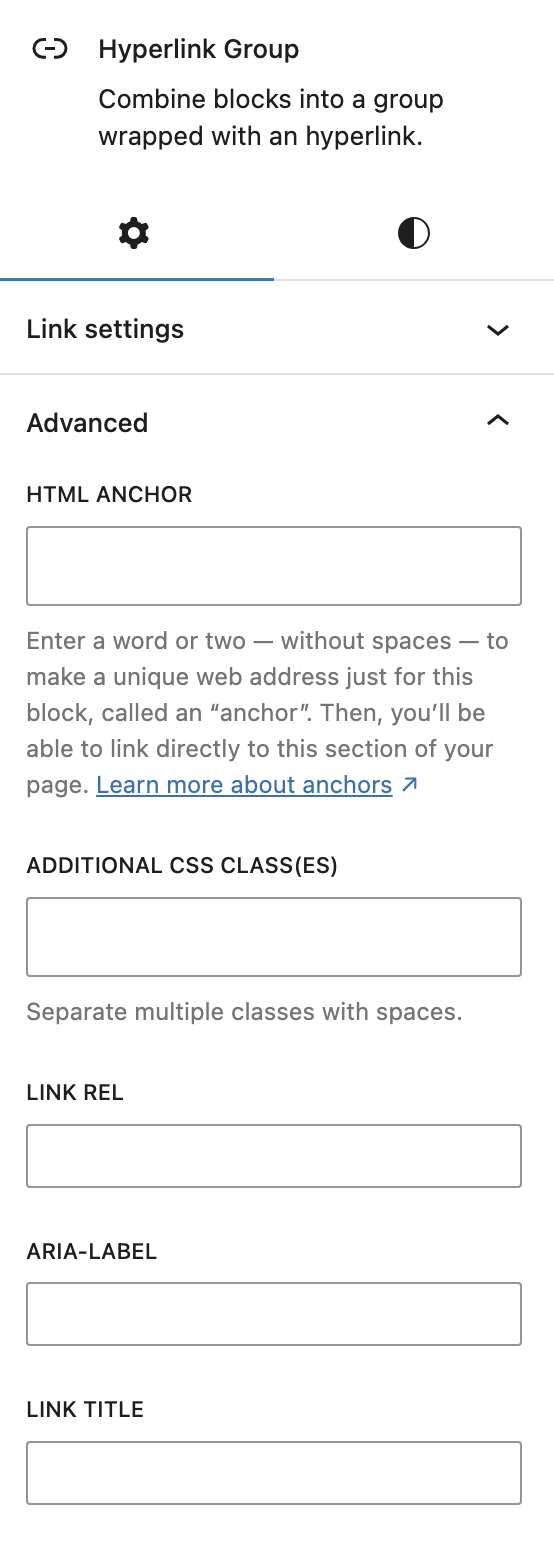
Réglages avancés pour les attributs rel, title et aria-label. 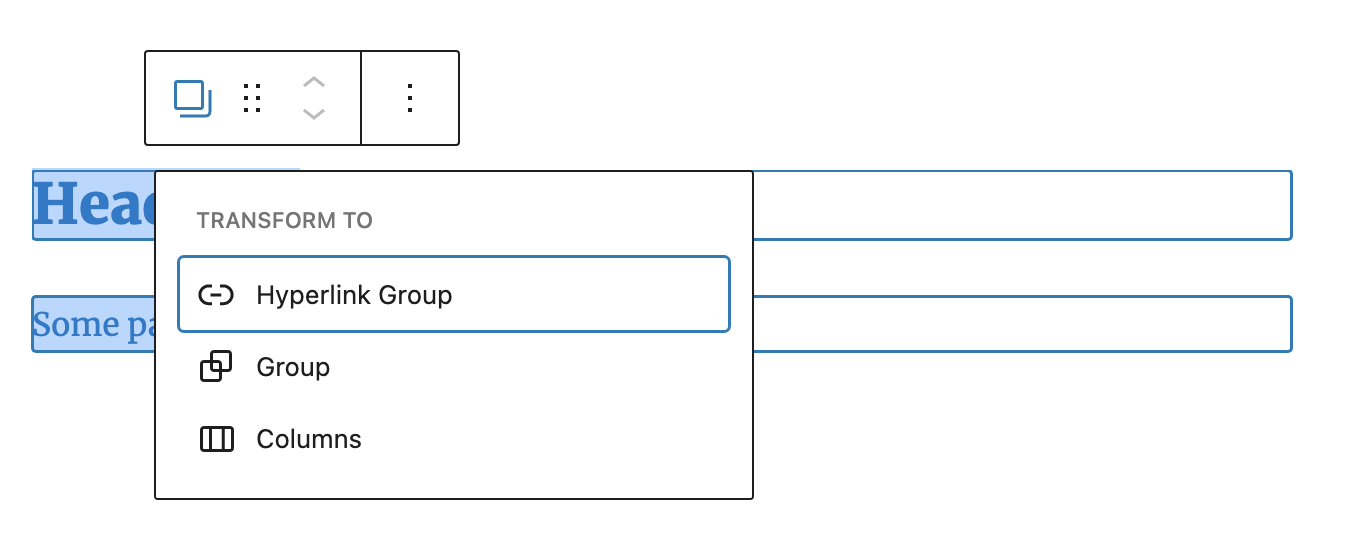
Transformez des blocs en un groupe encapsuleur avec une balise ancre.


Blocs
Cette extension fournit 1 bloc.
- Hyperlink Group
Installation
This section describes how to install the plugin and get it working.
par exemple
- Upload the plugin files to the
/wp-content/plugins/hyperlink-group-blockdirectory, or install the plugin through the WordPress plugins screen directly. - Activate the plugin through the ‘Plugins’ screen in WordPress
FAQ
-
WPML support (translate the anchor)
-
There are two kinds for WPML translation.
Translate with « WordPress Editor », not with « WPML Translation Editor »:
WPML > Settings > Translation Editor > Classic Translation Editor
or
Your site in admin / gutenberg mode > right sidebar / Page > language > Translations > WordPress EditorOther option but there is a bug, it doesn’t work for us?
wpml.org/faq / FAQ > How-To > « How can I translate links and HTML attributes in the Advanced Translation Editor? »
Search content: « http » YouTube -
Puis-je utiliser des liens dans un bloc Groupe hyperlien ?
-
Non, c’est illégal et provoque des erreurs dans le code HTML généré.
Avis


Contributeurs/contributrices & développeurs/développeuses
« Hyperlink Group Block » est un logiciel libre. Les personnes suivantes ont contribué à cette extension.
Contributeurs
“Hyperlink Group Block” a été traduit dans 1 locale. Remerciez l’équipe de traduction pour ses contributions.
Traduisez « Hyperlink Group Block » dans votre langue.
Le développement vous intéresse ?
Parcourir le code, consulter le SVN dépôt, ou s’inscrire au journal de développement par RSS.
Journal des modifications
2.0.4 – August 05th 2025
- Update block.json’s API version
2.0.3 – June 20th 2025
- Replace classnames with clsx
2.0.2 – May 11th 2025
- Bugfix Escaping data
2.0.1 – Jan 13th 2025
- Support disable Force page reload with Query Loop
2.0.0 – Nov 05th 2024
- Title attribute
1.17.6 – Oct 24th 2024
- Bugfix Nested anchors
- Escape output
1.17.5 – April 5th 2024
- Bugfix Extra quotes
1.17.4 – April 3rd 2024
- Bugfix Don’t render unless HTML
1.17.3 – April 2nd 2024
- Bugfix Delete deprecated
1.17.2 – April 1st 2024
- Aria-label
1.17.1 – April 25th 2023
- Bugfix No content
1.1.6 – April 23th 2023
- Bugfix Deprecated
1.1.5 – April 19th 2023
- Bugfix Styles don’t work
1.1.4 – April 12th 2023
- Bugfix Selector priority
1.1.3 – April 12th 2023
- Bugfix No CSS class
1.1.2 – April 10th 2023
- Bugfix Delete test code
1.1.1 – April 06th 2023
- Option Background Color onhover
1.0.9 – March 24th 2023
- Use link from Query Loop Block
1.0.8 – August 20th 2022
- Render CSS classes
1.0.7 – August 20th 2022
- No saving when adding CSS classes
1.0.6 – March 07th 2022
- Markup migration code
1.0.5 – March 06th 2022
- Backward compatible experimental flag usage
1.0.4 – February 13th 2022
- Delete inner anchor elements
1.0.3 – February 04th 2022
- Bugfix Disable focus if link picker is open
- Bugfix Set color
1.0.2 – February 04th 2022
- Bugfix __experimental code deleted in Gutenberg 12.5
1.0.1 – July 07th 2021
- Transforms
0.9.1 – July 06th 2021
- Release
