Screenshots

App details
- Version
- 1.1.5 | 1.1.3 | 1.0.26 | 1.0.24 | 1.0.23...
- Size
- 23.10 MB
- Updated
- May 24, 2023
- Requires
- Windows 7
- Language
- English | Arabic | Czech | Danish | Germ...
- License
- Free
- Developer
- the fre:ac project
- Category
- Windows OS
About freac
Download fre:ac – Free Audio Converter, CD Ripper & Format Converter
Overview & Core Features
fre:ac (Free Audio Converter) is a fully‑featured, open‑source multimedia tool that lets you convert audio files between almost any format you can think of, and it does so without charging a single cent. First released in 2005, the project has grown into one of the most trusted free audio converters on the market. Whether you need to rip a classic CD, batch‑convert a music library, or simply change a WAV file into a space‑saving OGG, fre:ac delivers reliable results on Windows, macOS and Linux. What sets the application apart from other free converters is its integrated CD‑ripping engine, which not only extracts tracks but also queries the freedb and CDBC databases for accurate artist, album and track metadata. This means your ripped files are automatically tagged, saving you the tedious manual editing most tools require. In addition to its ripping capabilities, fre:ac includes multi‑core optimized encoders that can harness modern CPUs to speed up conversion times dramatically. The software also offers granular control over bitrate, sample rate, and quality settings, letting power users fine‑tune output to match specific playback devices or streaming services. While the UI retains a classic Windows‑style look that may feel dated to some, the underlying engine is robust, regularly updated, and completely free of adware or hidden fees. For anyone looking for a trustworthy, no‑cost solution that balances breadth of format support with professional‑grade customization, fre:ac remains a top contender.
- Supports over 30 audio formats, including MP3, AAC, WAV, FLAC, OGG, WMA, AIFF, and obscure codecs like BONK and VORBIS.
- Integrated CD ripper with automatic metadata lookup via freedb and CDBC databases.
- Multi‑core optimized encoders for faster batch conversions on modern CPUs.
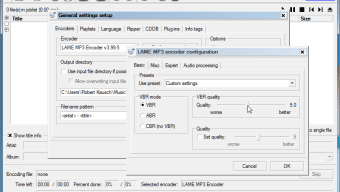
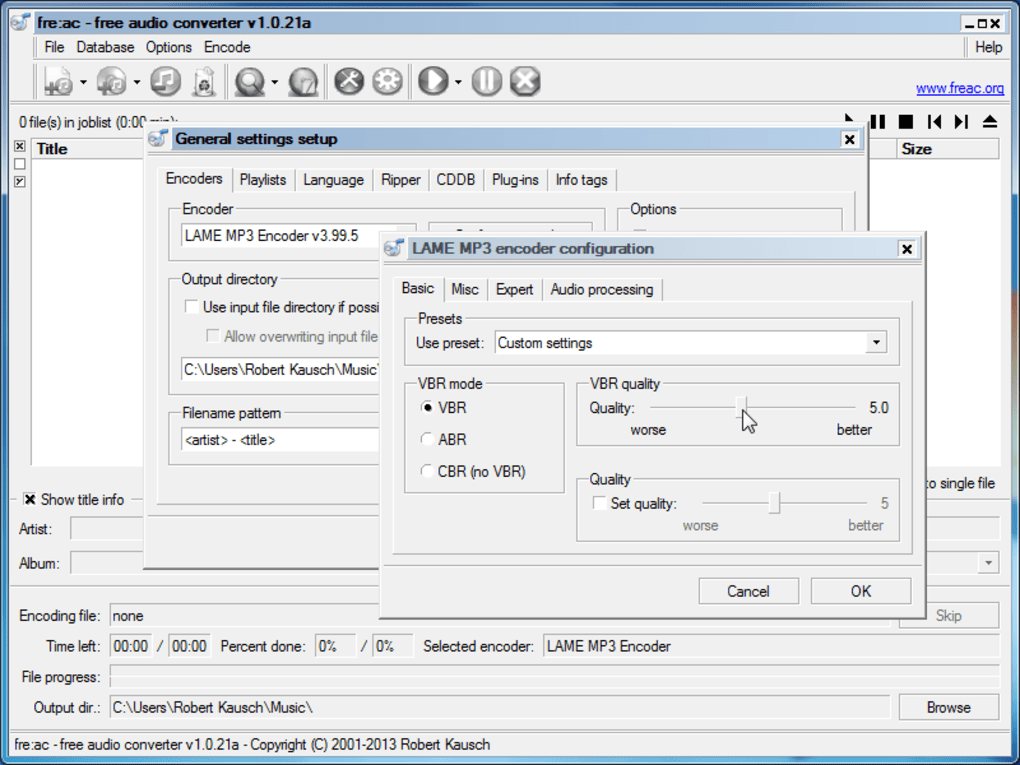
- Full control over bitrate, sample rate, channel mode, and quality presets.
- Batch processing with drag‑and‑drop support and queue management.
- Tag editor that preserves or updates ID3, Vorbis, and FLAC metadata.
- Portable version available – run the app from a USB stick without installation.
- Open‑source license (GPL) ensures transparency and community‑driven improvements.
Installation, Usage & Compatibility
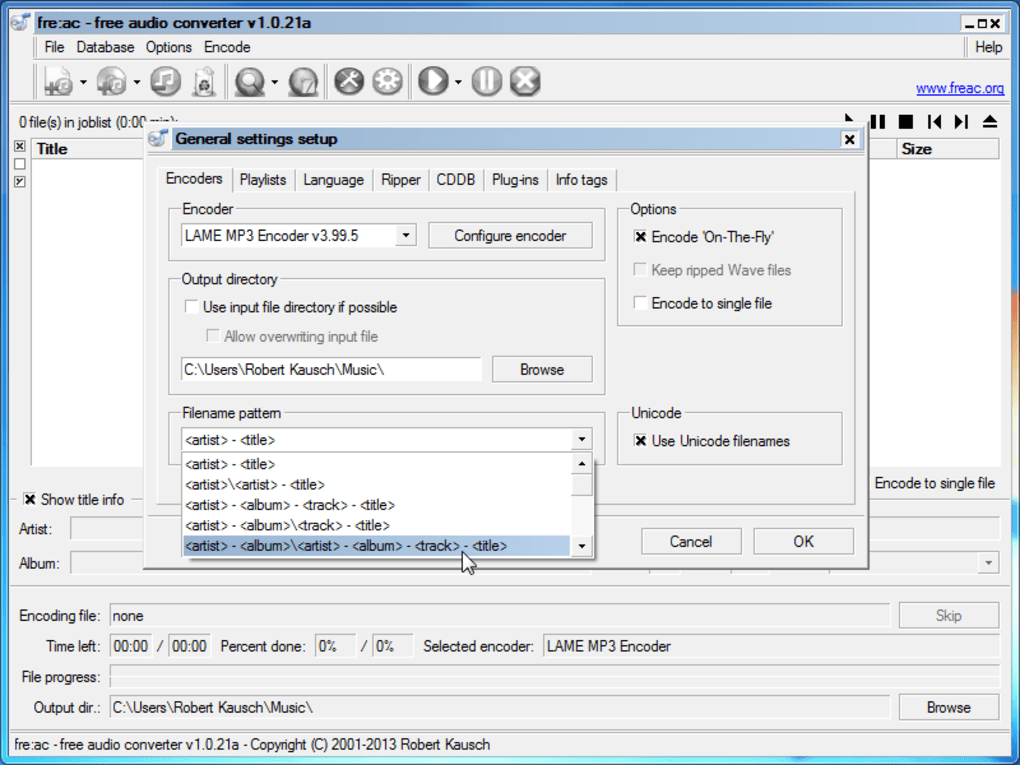
Getting started with fre:ac is straightforward, regardless of whether you’re on a Windows PC, a macOS laptop, or a Linux desktop. Download the installer from the official website (https://www.freac.org) and choose the appropriate package: an .exe for Windows, a .dmg for macOS, or a .tar.gz for Linux. The Windows installer includes a wizard that guides you through standard steps – accept the license, choose an installation folder, and decide whether to create a desktop shortcut. macOS users simply drag the fre:ac icon into the Applications folder, while Linux users can extract the archive, run the included install script, or use a distribution’s package manager if a repository is available (e.g., `sudo apt-get install freac` on Debian‑based systems). Once installed, launch the program; the main window presents a classic file‑list layout with menus for “Add Files,” “Add Folder,” and “Rip CD.” To convert a file, click “Add Files,” select the source audio, then choose an output format from the drop‑down menu at the bottom. Advanced users can click the “Encoder Settings” button to tweak bitrate, VBR/CBR options, and quality levels. For CD ripping, insert the disc, hit the “Rip CD” button, and let fre:ac query the online databases – the results appear automatically in the tag fields, which you can edit before confirming the rip. The program respects your operating system’s default audio codecs, but it also bundles its own encoders, ensuring consistent output across platforms. Because fre:ac is lightweight (under 30 MB) and does not require additional runtime frameworks, it runs smoothly even on older hardware, making it an ideal choice for both home users and professionals who need a reliable, cross‑platform audio conversion toolkit.
Compatible Operating Systems: Windows 7/8/10/11, macOS 10.12 and newer, Linux (any distribution with glibc 2.17+)
Pros, Cons & Frequently Asked Questions
Pros
- Completely free with no hidden fees or advertisements.
- Extensive format support, covering both popular and niche codecs.
- Integrated CD ripper with automatic metadata fetching.
- Multi‑core encoding speeds up large batch conversions.
- Highly customizable output settings for audiophiles.
- Cross‑platform availability (Windows, macOS, Linux).
Cons
- User interface looks dated and may feel less intuitive for beginners.
- No built‑in audio preview – you must rely on external players.
- Lack of a native mobile app for iOS or Android.
- Occasional minor glitches when ripping copy‑protected CDs.
FAQ
Is fre:ac truly free, or does it contain hidden costs?
fre:ac is released under the GPL license, which means the software is 100 % free to download, use, and redistribute. There are no hidden fees, trial periods, or advertising bundles bundled with the installer.
Can I use fre:ac to convert video audio tracks?
fre:ac focuses exclusively on audio files. To extract audio from video, you’ll need a separate tool (such as HandBrake or FFmpeg) to first separate the audio track, then feed that file into fre:ac for conversion.
How does the CD‑ripping quality compare to commercial tools?
The ripping engine in fre:ac uses accurate extraction and can output lossless formats like FLAC or WAV, delivering CD‑perfect quality. When converting to lossy formats, the quality depends on the bitrate you select, which can be set to match or exceed most commercial solutions.
Is there a portable version that runs from a USB stick?
Yes. fre:ac offers a portable ZIP package that contains all necessary binaries. Simply extract it onto a USB drive, run the executable, and you have a fully functional converter without installing anything on the host PC.
Does fre:ac support batch processing of large music libraries?
Absolutely. You can add entire folders to the queue, arrange the order, and let fre:ac process hundreds of files automatically. The multi‑core encoder will utilize all available CPU cores to keep the conversion time as short as possible.
Conclusion & Call to Action
In a landscape crowded with paid audio converters that promise “one‑click” magic, fre:ac proves that a free, open‑source solution can still deliver professional‑grade performance. Its expansive format list, powerful CD‑ripping engine, and deep customization options make it a compelling choice for both casual listeners who simply want to compress a few songs and power users managing massive music collections. The only real drawback is its dated interface, which may require a short learning curve for newcomers. However, once you become familiar with the layout, the speed and reliability of the conversion process quickly outweigh the aesthetic concerns. If you need a trustworthy tool that won’t cost you a penny, respects your privacy, and runs on all major operating systems, fre:ac should sit at the top of your download list. Click the button below to download the latest version and start converting your audio library today.
fre:ac delivers a rare blend of breadth and depth for a free audio converter. While the UI could use a modern facelift, its feature set, speed, and zero‑cost model earn it a solid 4.5‑star rating.
Guides & Tutorials
How to install freac
- Click the Download button above.
- Once redirected, accept the terms and click Install.
- Wait for the freac download to finish on your device.
How to use freac
This software is primarily used for its core features described above. Open the app after installation to explore its capabilities.
User Reviews
No reviews yet. Be the first to share your experience.
You may also like
more
Llama 2
Free-to-use large language model As the new addition to Meta’s arsenal of langua...

NotebookLM
Revolutionizing the note-taking and idea-generation process NotebookLM is an exp...

Github co pilot
AI-inspired software development and coding platform GitHub Copilot is a browser...

Google Gemma
Google’s lightweight AI models Introducing Google Gemma , a family of cutting-ed...

AI Image Enlarger
A free app for Windows, by ai-image-larger. AI Image Enlarger is a free software...

DALL E
AI-driven text-to-image transformation engine DALL·E is a free graphic and desig...
