
Download FTPie – FTP client, SFTP client, WebDAV, NAS, cloud storage, file transfer, file management, file explorer, drag and drop, copy paste, file viewer, ZIP preview, Google Docs, Microsoft 365, remote file access, desktop app
Overview
FTPie is a sleek and powerful desktop application designed for efficient management of FTP, SFTP, WebDAV, NAS, and popular cloud storage services. It serves as a centralized tool for users who require reliable and seamless access to remote file systems from their Windows devices. The app bridges the gap between local and remote file management, enabling users to organize, transfer, and preview files across multiple platforms with minimal friction. Its core purpose lies in streamlining workflows for professionals and power users who rely on consistent access to remote servers and cloud environments.
Target users include web developers, IT administrators, digital content creators, and remote teams managing distributed assets. These individuals often face challenges related to fragmented file access, slow transfer speeds, and limited preview capabilities. FTPie addresses these pain points by offering a unified interface that supports multiple protocols and integrates with widely used productivity tools. The app is particularly valuable in environments where frequent file synchronization, secure transfers, and real-time document editing are essential.
Although the developer did not provide additional technical details about their background, FTPie’s feature set suggests a focus on usability and performance. Real-world use cases include managing website assets, backing up project files to remote servers, and collaborating on documents stored in cloud repositories. In the broader app ecosystem, FTPie fills a niche for robust, secure, and intuitive file management tools tailored to advanced users seeking a desktop alternative to web-based clients.
Key Features & Functionality
- Smooth Drag-and-Drop Interface: Users can transfer files between FTPie and Windows Explorer with a simple drag-and-drop motion, reducing the need for manual navigation and enhancing workflow efficiency.
- Copy-Paste Integration: The app supports native copy-paste functionality, allowing users to copy files within FTPie and paste them directly into local folders or other applications without intermediate steps.
- Built-In File Viewers: FTPie includes viewers for images, videos, PDFs, and text/code files, enabling quick previews and edits without launching external programs.
- ZIP Archive Previews: Users can inspect the contents of ZIP files directly within the app without downloading them, saving time and disk space during file assessment.
- Seamless Document Integration: Native integration with Google Docs and Microsoft 365 allows for direct editing of documents stored on remote servers, with automatic sync upon saving changes.
These features collectively enhance productivity by minimizing context switching and reducing dependency on third-party software. For example, a web developer can preview a CSS file, make edits in-place, and upload changes—all within FTPie—without opening a separate code editor. Similarly, a content manager can review a video file stored on a NAS server and confirm its integrity before publishing, all without downloading the full file.
Interface, UX & Performance
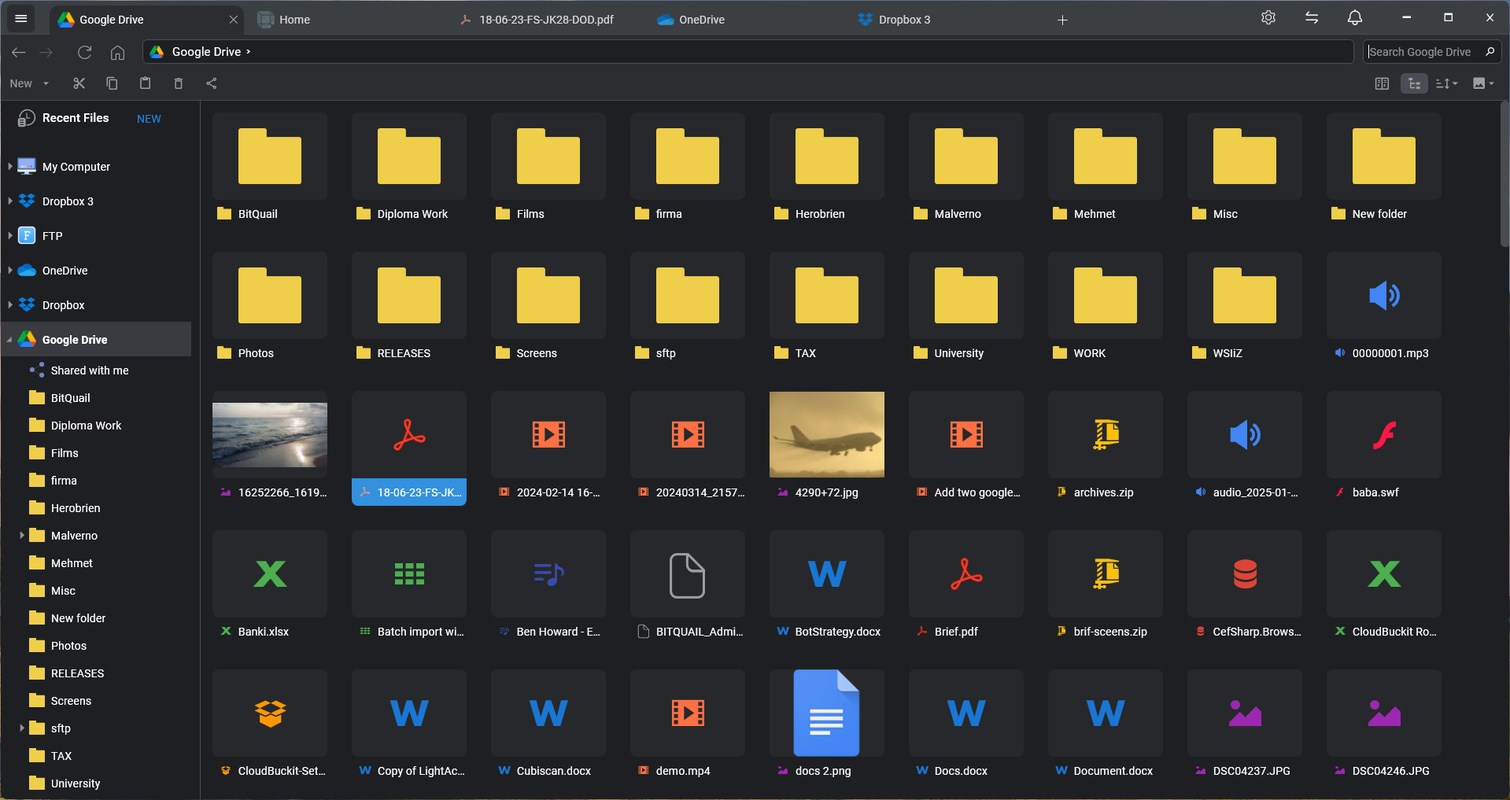
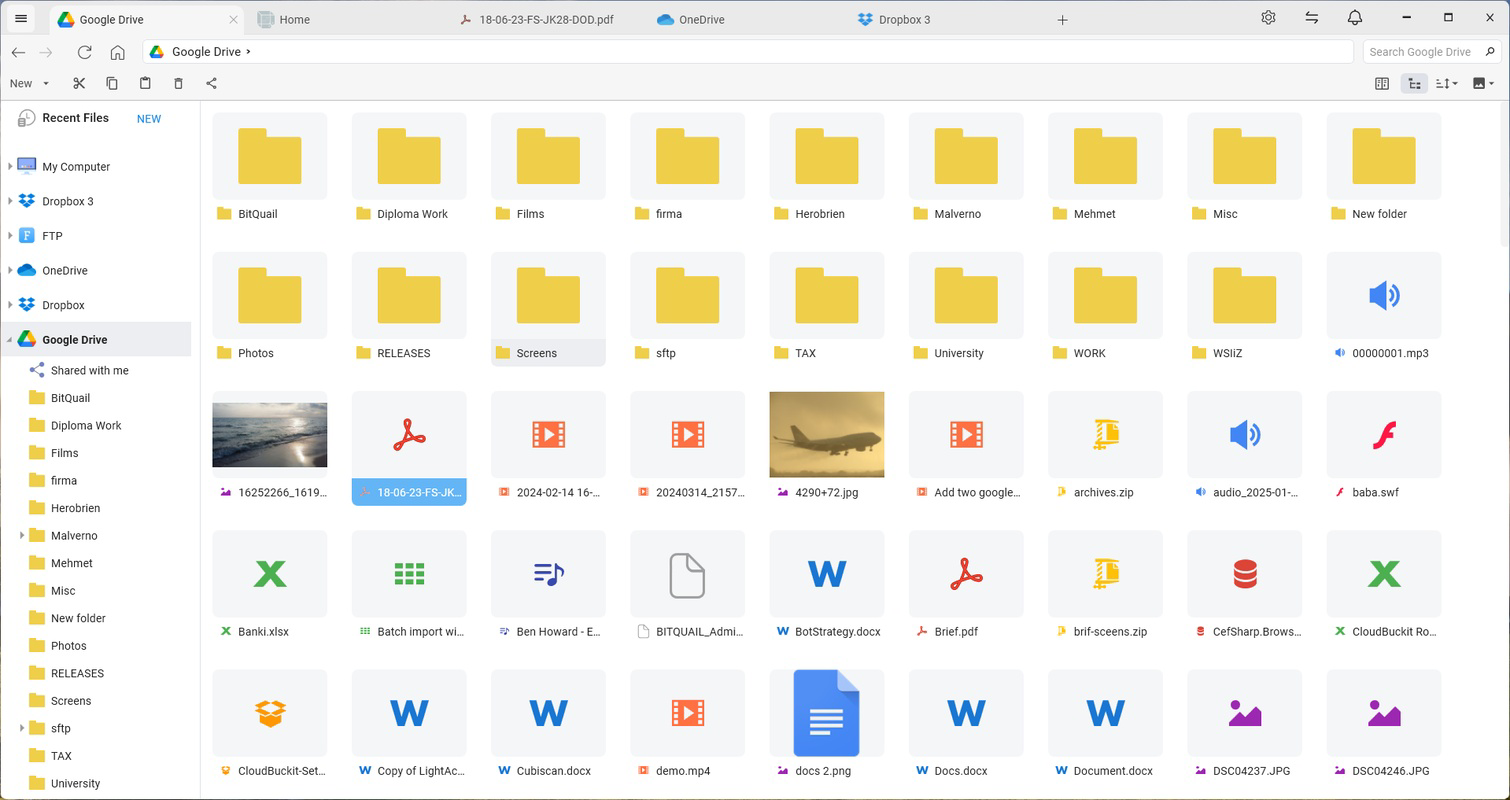
FTPie presents a modern, clean interface designed with usability in mind. The layout emphasizes clarity and accessibility, with clearly labeled panels for local and remote file systems, a central workspace, and contextual menus for common actions. Navigation is intuitive, allowing users to switch between connections and folders with minimal effort. The visual style is consistent with contemporary Windows applications, featuring a dark mode option and responsive layout elements.
Performance is optimized for responsiveness during file transfers and previews. Although the developer did not list formal performance metrics, the app’s design suggests efficient handling of multiple simultaneous connections and large file operations. Stability appears strong, particularly in scenarios involving frequent file browsing and remote access. Users can expect consistent behavior across different device categories, including desktops and high-resolution monitors, though specific hardware requirements were not disclosed.
Platform Compatibility & Technical Requirements
FTPie is available exclusively for the Windows platform. The current version is 1.0.4, with a file size of 47.2 MB. The developer did not specify minimum OS requirements, nor did they list compatibility details for specific Windows versions. As such, users should ensure their system meets general Windows 10 or 11 standards to run the application smoothly. No additional dependencies or external libraries were mentioned in the release notes.
Given the app’s focus on file transfer and remote access, it is likely optimized for systems with stable network connectivity and sufficient RAM for handling large files. However, specific technical specifications were not provided, and compatibility information was not fully disclosed.
Pros and Cons
Pros
- Intuitive drag-and-drop and copy-paste file management
- Support for multiple protocols including FTP, SFTP, WebDAV, and NAS
- Built-in viewers for common file types, reducing app dependency
- ZIP archive preview without full download
- Integration with Google Docs and Microsoft 365 for real-time editing
Cons
- Platform limited to Windows; no availability on macOS or Linux
- Price point of $19.99 may be high for casual users
- No public information on update frequency or support channels
- Developer did not provide detailed technical requirements
- Missing mobile or cross-platform sync capabilities
FAQ
Is FTPie available for macOS or Linux?
As of now, FTPie is only available for the Windows platform. The developer has not announced plans for macOS or Linux versions.
Can I use FTPie without an internet connection?
FTPie requires an active internet connection to access remote servers, cloud storage, and online services like Google Docs and Microsoft 365. It cannot function fully in offline mode.
Does FTPie support automatic backups?
While FTPie enables efficient file transfers and remote access, it does not include built-in automated backup features. Users must manually initiate transfers or use external tools for backup automation.
Is FTPie secure for handling sensitive files?
FTPie supports secure protocols such as SFTP and HTTPS for encrypted transfers. However, the developer did not provide specific details about data encryption at rest or session security.
How often are updates released for FTPie?
The developer did not disclose the update schedule. The latest version available is 1.0.4, released on August 6, 2025.
Final Thoughts
FTPie stands out as a well-designed, feature-rich desktop application tailored for users who demand reliable and efficient remote file management. Its combination of protocol support, seamless integration with cloud services, and built-in preview tools makes it a compelling choice for professionals in web development, IT operations, and digital content management. While its Windows-only availability and one-time purchase model may limit its appeal to some, the app delivers strong value for power users who prioritize performance and workflow efficiency.
For those managing files across multiple servers and cloud platforms, FTPie offers a streamlined, secure, and intuitive solution. Its ability to preview files without downloading, edit documents in place, and move data effortlessly enhances productivity significantly.
Download FTPie now


