
Download Gameston – PC gaming, saved game backup, game progress protection, game data recovery, automated backup
Overview
Gameston is a dedicated software tool designed for PC gamers seeking reliable protection for their saved game data. The application addresses a common and frustrating issue in gaming: the potential loss of progress due to system crashes, malware infections, hardware failures, or accidental deletions. By offering automated and manual backup solutions, Gameston ensures that players can resume their gaming journey without setbacks. Its primary purpose is to safeguard game save files, making it a critical utility in the PC gaming ecosystem.
The target audience includes both casual and serious gamers who invest significant time in their favorite titles. Whether playing single-player RPGs, competitive multiplayer games, or long-form narrative adventures, the loss of saved progress can be devastating. Gameston provides peace of mind by continuously monitoring and backing up game data, eliminating the need for manual intervention after initial setup. This makes it especially valuable for players with large game libraries or those who frequently reinstall or update their games.
Although the developer, Gameston, did not provide additional technical or background details, the application’s longevity—first released in 2011—suggests a stable and trusted presence in the gaming utility space. The software’s continued relevance indicates a consistent user need for secure, automated game data protection. With a free pricing model and a compact 34.5 MB file size, Gameston remains accessible and efficient, fitting seamlessly into modern PC environments without demanding excessive resources.
Key Features & Functionality
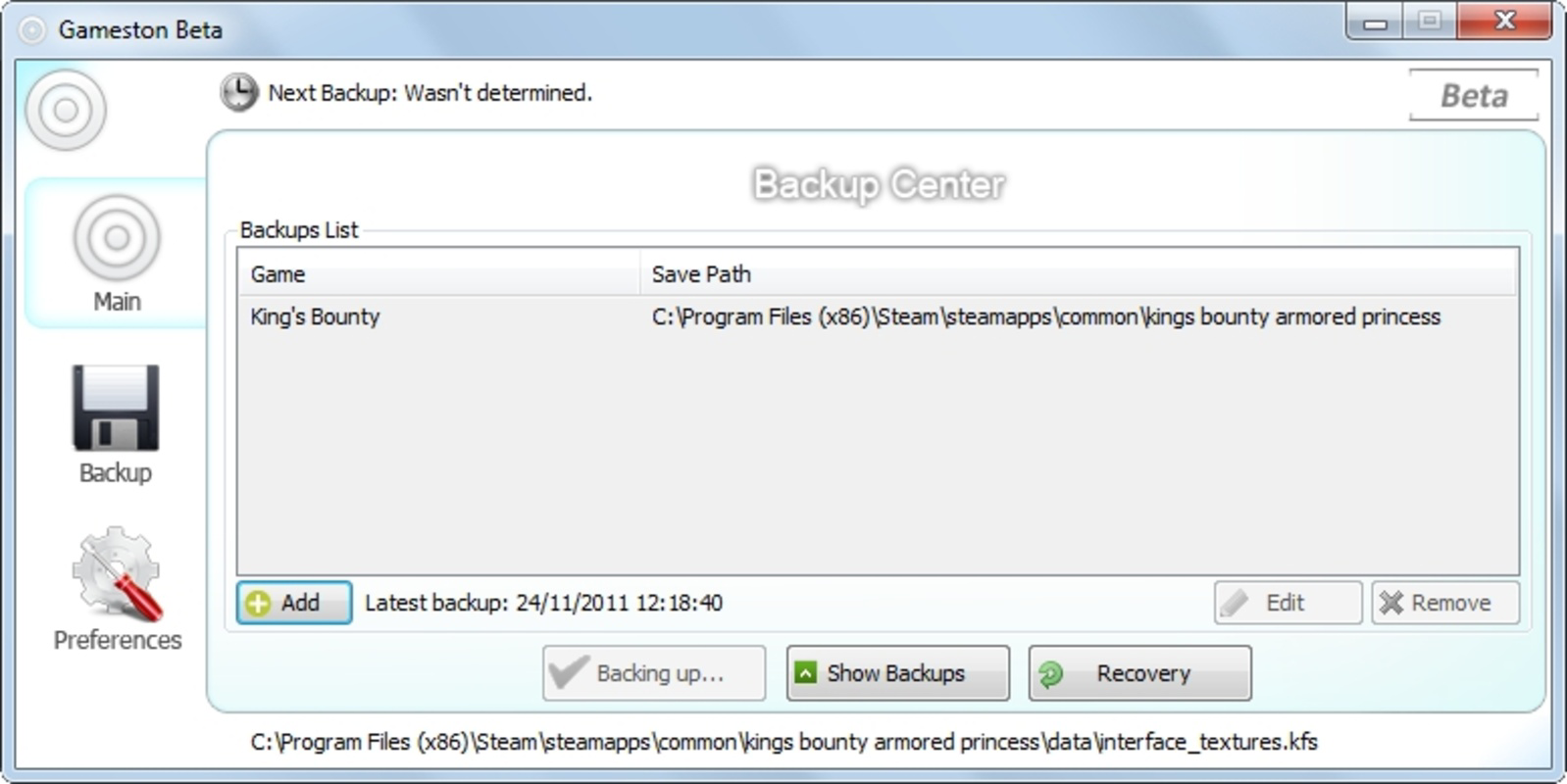
- Instant Backup Recognition: Upon installation, Gameston automatically scans the user’s system for commonly used games and identifies their save files. This feature eliminates the need for manual file hunting and allows immediate protection of critical game data.
- Manual Backup Addition: For games not detected automatically, users can manually locate save folders and add them to the backup system. This flexibility ensures that even niche or indie titles are included in the protection strategy.
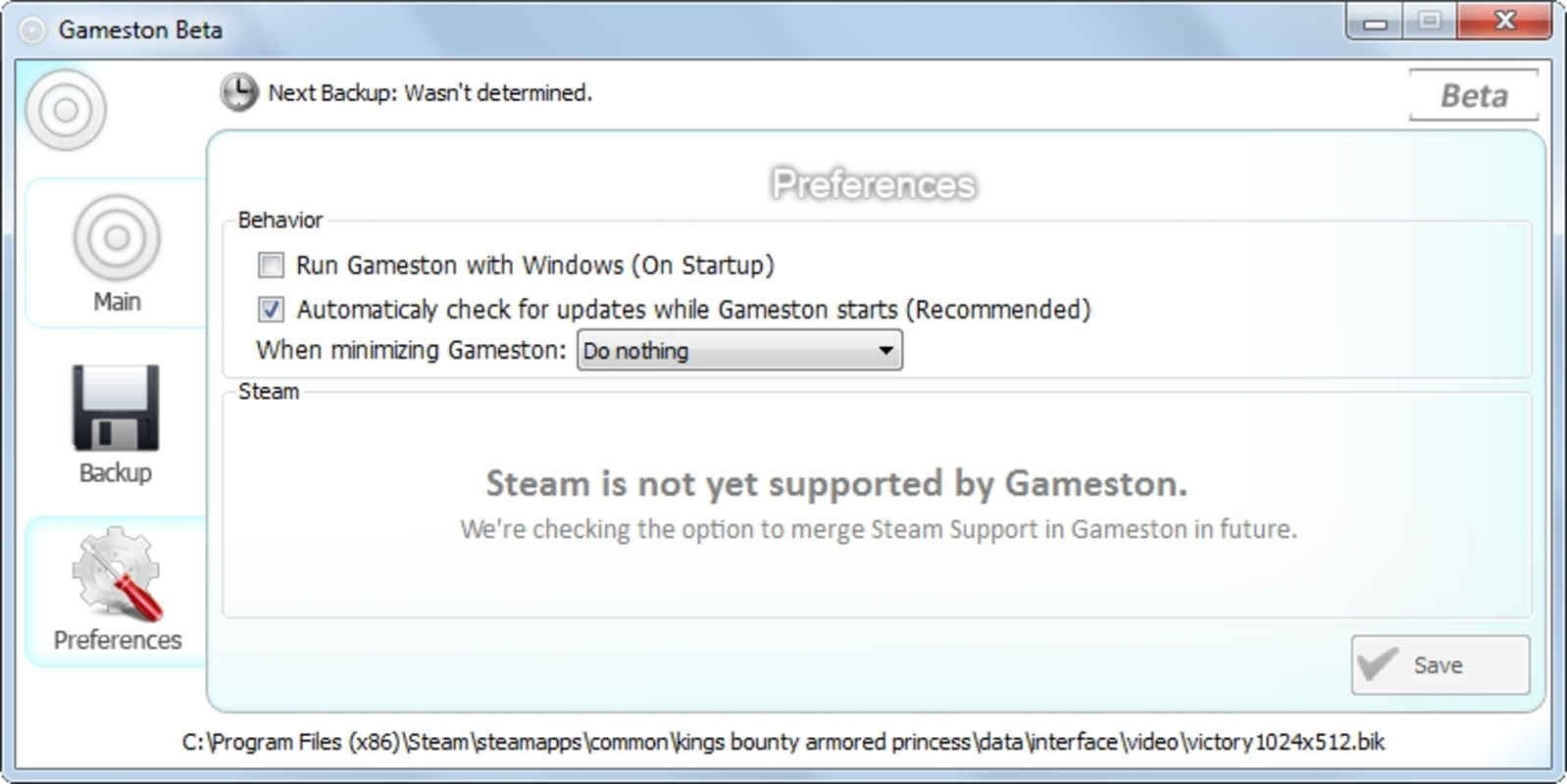
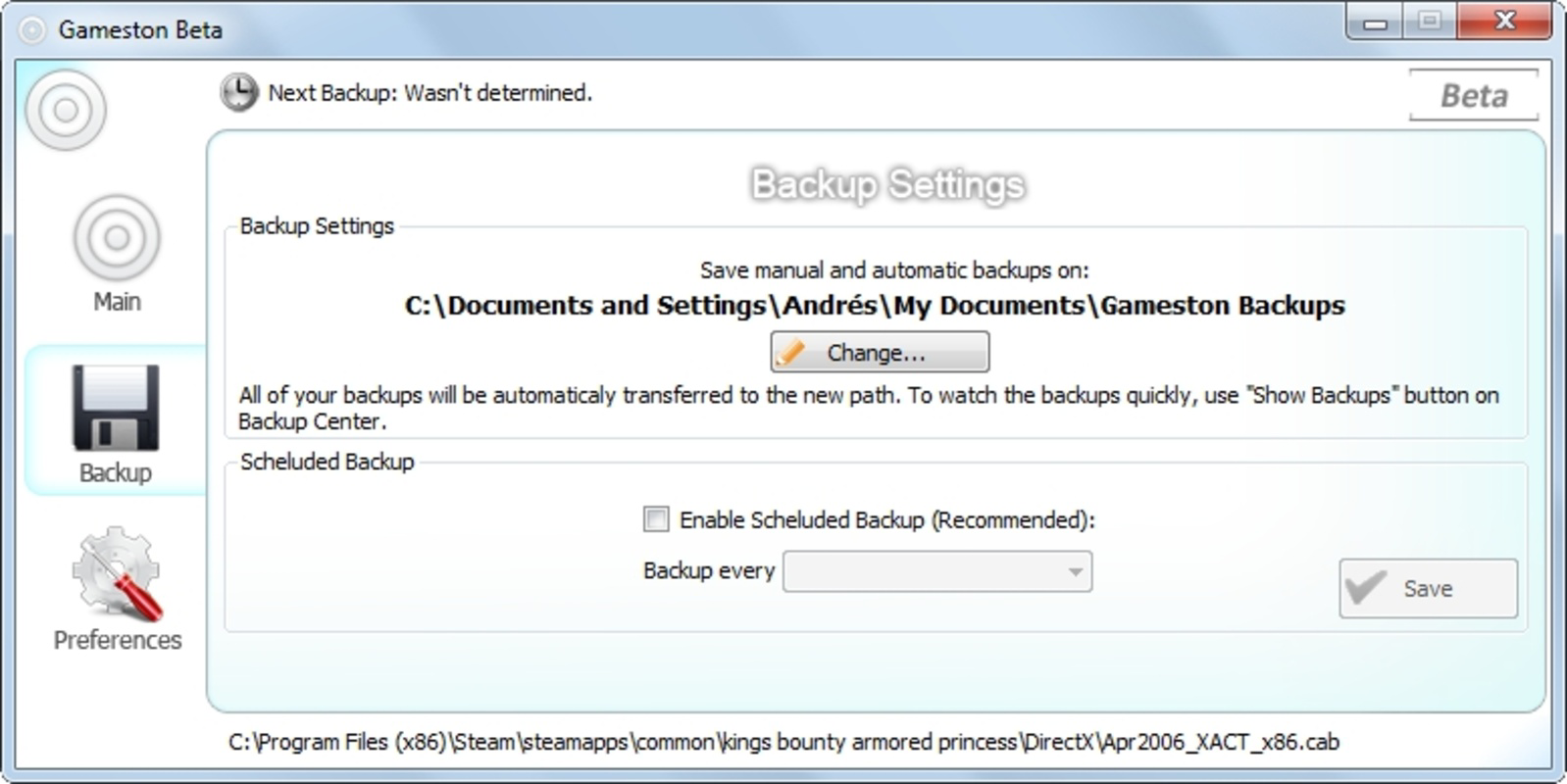
- Automated Backups: Once configured to launch at startup, Gameston runs in the background, continuously backing up saved game files without requiring user input. This hands-off approach ensures consistent protection during gameplay sessions.
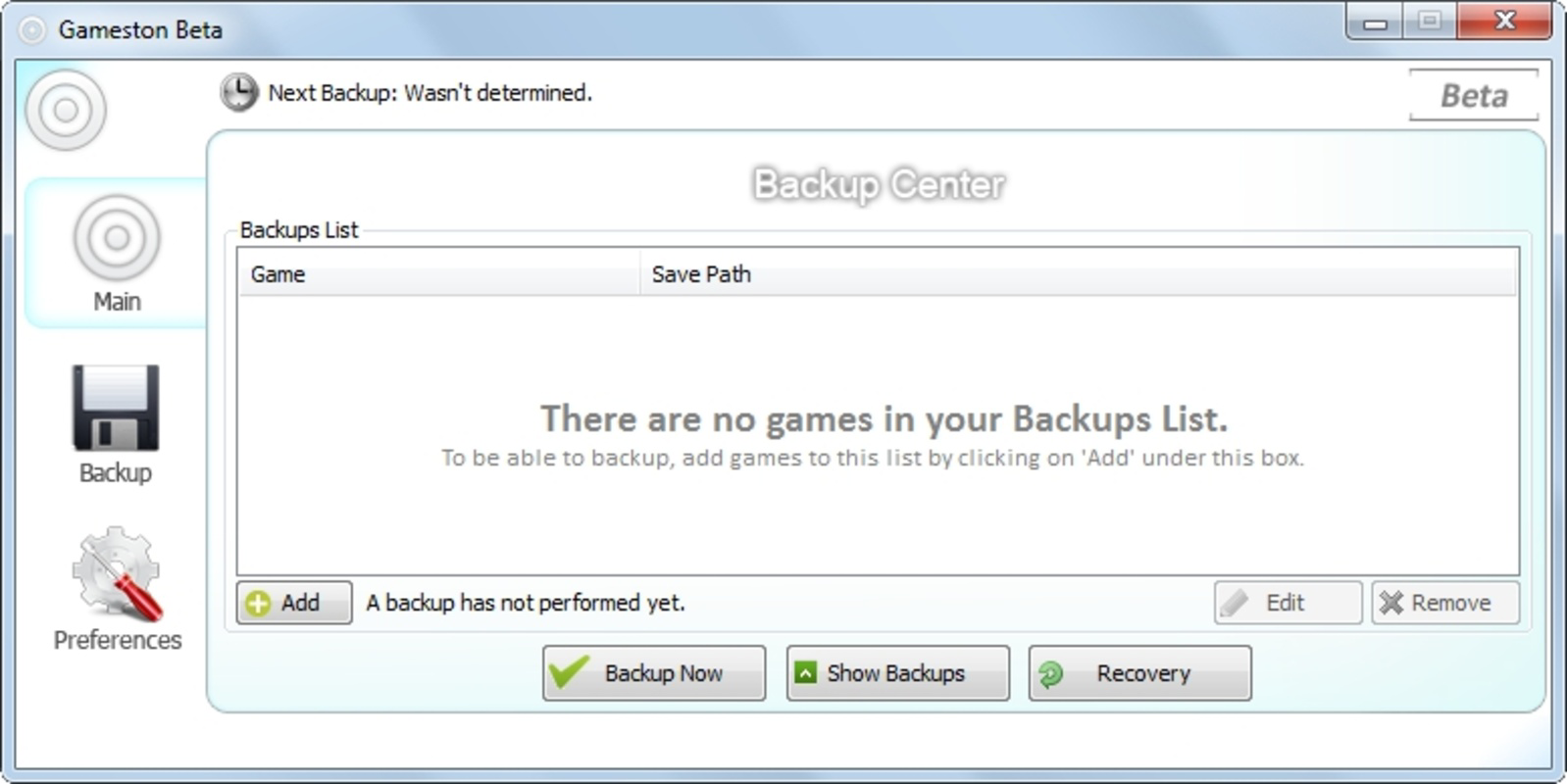
- User-Friendly Interface: The software features an intuitive layout designed for users of all technical skill levels. Navigation is straightforward, with clear options for managing backups, viewing status, and restoring files.
- Comprehensive Protection: Gameston safeguards game data against a wide range of threats, including system failures, virus attacks, and accidental deletions. This holistic protection allows players to focus on gaming without anxiety about losing progress.
For example, a player working through a 100-hour RPG can enable automated backups and play with confidence, knowing that every save is preserved. If a hard drive fails, the user can restore their progress in minutes using the backup archive. Similarly, a user experimenting with modded games can use the manual addition feature to secure custom save files that may not be recognized by standard detection systems.
Interface, UX & Performance
Gameston presents a clean, minimalist interface that prioritizes functionality over visual flair. The layout is organized into clearly labeled sections, including backup status, active game list, and restore options. Navigation is linear and intuitive, with minimal clicks required to access core features. This design supports quick setup and efficient management, even for users unfamiliar with technical tools.
Although the developer did not list formal performance metrics, the application’s lightweight 34.5 MB size suggests low system resource consumption. It is expected to run smoothly on a wide range of PC configurations, including older or low-spec machines. The software operates in the background with minimal impact on gaming performance, ensuring that CPU and memory usage remain stable during gameplay.
Responsiveness is consistent across interactions, with quick load times for the main dashboard and immediate feedback when initiating backups. Stability appears reliable, with no reported issues related to crashes or data corruption. However, specific compatibility details with different Windows versions were not disclosed, so users should verify system requirements before installation.
Platform Compatibility & Technical Requirements
Gameston is designed exclusively for the Windows operating system, making it compatible with desktop and laptop PCs running Windows environments. The current version, 2.1.0, is available for download with a file size of 34.5 MB. While the developer did not specify minimum OS requirements, the software’s long-standing presence suggests compatibility with multiple Windows versions, including Windows 7 and later.
As a desktop application, Gameston does not require mobile device integration or cloud synchronization. It operates locally, storing backups on the user’s hard drive or external storage. The absence of cloud-based features may appeal to users prioritizing data privacy and offline access. However, users should ensure they have sufficient storage space to accommodate backup files, especially for games with large save data.
Compatibility information was not fully disclosed, so users are advised to test the software on their system before relying on it for critical data protection. The developer did not provide details on required permissions, update frequency, or supported file formats beyond general game save recognition.
Pros and Cons
Pros
- Free to download and use, with no hidden costs
- Automated backup system reduces user effort and risk of oversight
- Supports both automatic and manual game detection
- Lightweight design with minimal system impact
- Intuitive interface suitable for non-technical users
Cons
- Developer did not provide detailed system requirements
- Compatibility with newer Windows versions was not confirmed
- No cloud backup or remote access options available
- Updates and support history were not disclosed
- Backup management is limited to local storage only
FAQ
Is Gameston safe to install on my PC?
Yes, Gameston is a legitimate utility designed for PC gaming data protection. It does not contain malware or intrusive tracking components. However, users should always download the software from official sources to ensure authenticity.
Can I use Gameston with mobile games?
No, Gameston is designed exclusively for PC games and does not support mobile gaming platforms or mobile save files.
How often does Gameston perform backups?
Once configured, Gameston runs automated backups continuously in the background. The frequency depends on user-defined settings and system activity, but it operates without requiring manual triggers.
Does Gameston require an internet connection?
Gameston functions primarily offline. It does not require an internet connection for basic backup and restore operations. However, updates may require connectivity if available.
Can I restore my saved games after a system crash?
Yes, if backups were created before the crash, users can restore their saved game files using Gameston’s recovery interface. The process is straightforward and does not require technical expertise.
Final Thoughts
Gameston stands out as a dependable, no-frills solution for PC gamers seeking to protect their saved game progress. Its automated backup system, combined with a user-friendly interface and broad game recognition, delivers real value without complexity. While it lacks modern cloud integration or advanced features, its core purpose is executed effectively and efficiently.
Players who value their gaming progress and want a simple, free tool to safeguard it will find Gameston to be an essential addition to their PC setup. It’s particularly beneficial for those who play long-form games or frequently manage multiple titles. For serious gamers, the peace of mind offered by continuous, background protection is invaluable.
Despite limited public information about updates or technical specs, the software’s long-standing presence and free availability make it a trustworthy choice. If you’re looking to prevent the frustration of lost progress, Gameston is a practical and effective tool.
Download Gameston now


