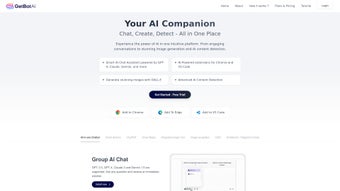

Download GetBot – AI Chat Extension for Chrome, Fast Secure Browsing
Overview
GetBot is a modern browser extension that embeds OpenAI’s powerful language model directly into Google Chrome. By placing an intelligent chat assistant at the edge of every web page, GetBot eliminates the need to toggle between tabs, search engines, and separate AI platforms. Whether you are a student drafting an essay, a marketer crafting ad copy, a developer debugging code, or simply a curious reader looking for quick facts, GetBot delivers concise, context‑aware responses within seconds. The extension works by analyzing the content you are viewing, extracting key topics, and then generating relevant answers or suggestions that can be inserted straight into the active text field. This workflow dramatically reduces the time spent copying, pasting, and re‑formatting information, allowing you to stay focused on higher‑order tasks. In addition to answering questions, GetBot can summarize long articles, translate passages into multiple languages, generate bullet‑point outlines, and even suggest improvements to written content. All interactions are processed through secure TLS‑encrypted channels, and the service does not retain personal query data beyond anonymized usage metrics. Subscribing unlocks unlimited queries, priority response queues, and early access to beta features, making GetBot a scalable solution for both occasional users and power professionals. By turning the browser into an AI‑enhanced research companion, GetBot reshapes the traditional search‑and‑copy paradigm into a fluid, conversational experience that adapts to the user's workflow in real time.
Key Features
GetBot’s feature set is designed around productivity, security, and flexibility. The extension continuously evolves through monthly updates that introduce new language capabilities, performance optimizations, and UI refinements. Below is a comprehensive list of the core functionalities that set GetBot apart from generic AI chat tools and make it a valuable addition to any Chrome‑based workflow.
- Unlimited AI Queries: A single subscription grants unrestricted access to the latest OpenAI model, removing any caps on the number of questions you can ask each day.
- Contextual Answer Engine: GetBot reads the current webpage, extracts relevant keywords, and tailors responses that directly address the surrounding content.
- One‑Click Text Insertion: Generated paragraphs, code snippets, or lists can be injected into any active input field with a single click, eliminating manual copy‑paste steps.
- Cross‑Tab Conversation Persistence: Your chat history remains intact as you move between tabs, ensuring continuity even during extensive research sessions.
- Secure Data Handling: All communications are encrypted with TLS 1.3, and personal queries are never stored on GetBot’s servers.
- Multi‑Language Support: The AI understands and replies in dozens of languages, supporting global teams and multilingual research.
- Custom Prompt Templates: Save frequently used prompts for instant reuse, streamlining repetitive tasks such as email drafting or code generation.
- Keyboard Shortcuts: Launch the chat pane instantly with Ctrl+Shift+G (Windows/Linux) or ⌘+Shift+G (macOS) for a truly hands‑free experience.
- Dark Mode & UI Customization: Adjust the appearance of the chat window to match your preferred theme, reducing eye strain during late‑night sessions.
- Monthly Feature Updates: Regular releases add new AI capabilities, performance boosts, and interface enhancements based on user feedback.
By bundling these capabilities into a lightweight Chrome extension, GetBot offers a seamless blend of AI intelligence and everyday browsing, turning any web page into an interactive knowledge hub.
Installation, Usage & Compatibility
Getting GetBot up and running is intentionally simple, allowing users of any technical level to start benefiting from AI assistance within minutes. Begin by navigating to the Chrome Web Store, searching for “GetBot AI Chat Extension,” or following the direct link provided on the official website. Click “Add to Chrome,” review the permission request—which includes read and change access to visited sites—and confirm the installation. Once the extension icon appears next to the address bar, click it to launch the onboarding wizard. Here you can either create a new GetBot account or log in with existing subscription credentials. After signing in, you’ll be prompted to select a subscription tier; both the monthly ($9.99) and annual ($99.99) plans provide unlimited queries, while the annual option includes two months free and priority processing.
With the account active, using GetBot is as intuitive as chatting in any messenger app. Click the icon to open the chat pane, type your question, and receive an answer in seconds. For context‑specific help, simply highlight any text on a page, right‑click, and choose “Ask GetBot.” The extension will generate a response that references the highlighted material, making research on dense articles or technical documentation far more efficient. When the AI returns a paragraph, code block, or list you wish to keep, press the “Insert” button to paste the content directly into the active field—whether it’s an email draft, a Google Docs document, a GitHub issue, or a web‑based IDE.
GetBot is compatible with Chrome on Windows, macOS, and Linux, as well as Chromium‑based browsers such as Microsoft Edge. The tag reflects this cross‑platform support. While a native mobile version is not currently offered, the extension functions flawlessly on any desktop environment that runs a supported Chrome build. Regular automatic updates ensure you always have the latest security patches and feature enhancements without manual intervention. For power users, the keyboard shortcut Ctrl+Shift+G (or ⌘+Shift+G on macOS) opens the chat pane instantly, keeping your hands on the keyboard and preserving workflow momentum. Overall, the installation process, day‑to‑day usage, and broad OS compatibility combine to make GetBot a frictionless addition to any Chrome‑centric productivity stack.
Pros, Cons, FAQ & Final Verdict
Pros
- Unlimited AI queries with fast, reliable response times.
- Deep contextual integration eliminates tab‑switching fatigue.
- Secure, encrypted communication protects user privacy.
- One‑click text insertion saves time on repetitive copy‑paste tasks.
- Monthly updates keep the tool aligned with the latest AI advancements.
- Multi‑language support accommodates global teams.
- Custom prompt templates streamline routine workflows.
- Keyboard shortcuts enable hands‑free operation.
Cons
- Requires a paid subscription; no completely free tier.
- Currently limited to Chrome and Chromium‑based browsers.
- Dependent on an active internet connection; offline use is not supported.
- Initial learning curve for users unfamiliar with AI‑assisted writing.
- Extension permissions may raise concerns for highly security‑sensitive environments.
Frequently Asked Questions
Is GetBot available for browsers other than Chrome?
At present GetBot works exclusively with Google Chrome and other Chromium‑based browsers such as Microsoft Edge. Development for Firefox, Safari, and mobile platforms is planned for future releases.
How does GetBot ensure my data remains private?
All data transmitted between the extension and OpenAI’s servers is encrypted with TLS 1.3. GetBot does not store personal queries; only anonymized usage statistics are retained to improve the service.
Can I use GetBot for programming assistance?
Yes. The underlying language model is proficient in many programming languages. You can request code snippets, debugging tips, or algorithm explanations directly within the chat pane, and then insert the generated code into your IDE.
What subscription options are offered?
GetBot provides a monthly plan at $9.99 and an annual plan at $99.99 (equivalent to two months free). Both plans include unlimited queries, priority processing, and access to all premium features. A 14‑day free trial is also available for new users.
How frequently are updates released?
The development team delivers updates roughly once a month. Updates may contain performance improvements, new AI capabilities, UI tweaks, and security patches. Users receive automatic notifications and can apply updates with a single click.
Final Verdict
GetBot transforms the traditional browsing experience by embedding a powerful AI assistant directly into Chrome. Its unlimited query model, contextual awareness, and one‑click insertion feature deliver measurable productivity gains for anyone who spends considerable time researching, writing, or coding online. While the subscription cost and Chrome‑only availability may deter casual users, the security guarantees, multilingual support, and regular feature rollouts provide strong value for professionals, students, and remote teams. If you are looking for a secure, fast, and continuously improving tool that eliminates the repetitive cycle of searching, copying, and pasting, GetBot is a compelling choice. Click “Add to Chrome” now, start the free trial, and experience a smarter, more efficient way to browse and create.
Overall Rating: 4.5 / 5
Pros: Unlimited queries, fast contextual answers, secure data handling, powerful text insertion.
Cons: No free tier, Chrome‑only, requires internet connectivity.



.png)




