
Screenshots

App details
- Version
- varies-with-device
- Updated
- May 16, 2025
- Requires
- Firefox
- Language
- English
- License
- Free
- Developer
- getresponse
- Category
- Web Apps
About GetResponse
Download GetResponse – Professional Email Marketing & Webinar Tool
Overview of GetResponse
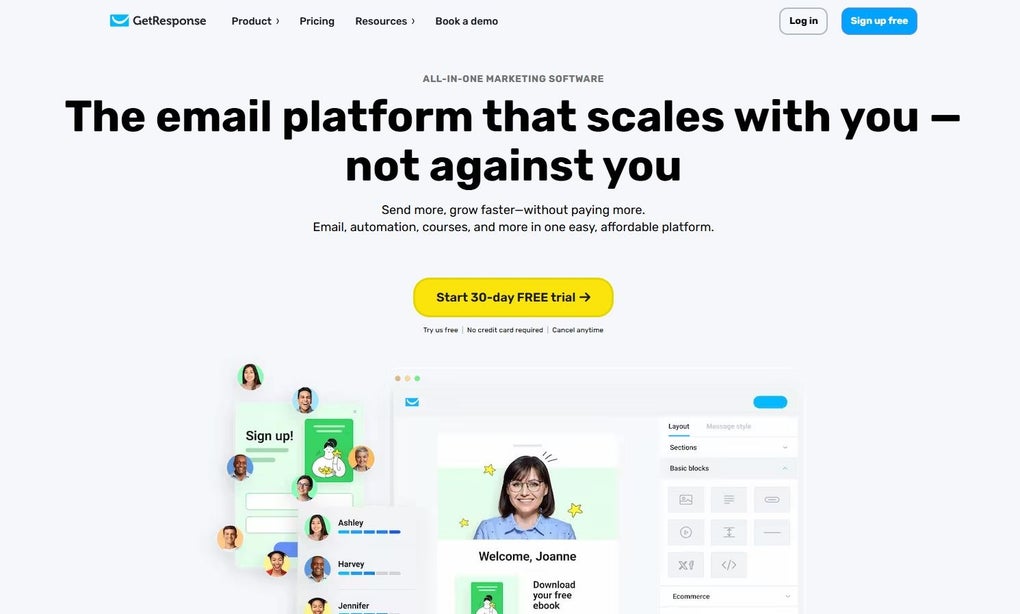
GetResponse positions itself as an all‑in‑one marketing platform that blends powerful email‑campaign creation with live‑webinar capabilities. Whether you are a small‑business owner looking to launch your first newsletter or a seasoned marketer aiming to run sophisticated drip sequences, GetResponse provides a drag‑and‑drop editor, a library of thousands of stock images, and a suite of analytics that turn raw data into actionable insights. After sending an email, the platform records opens, click‑through rates, and the exact time each recipient engages, allowing you to fine‑tune subject lines and content with A/B testing. The premium tier unlocks webinar hosting, enabling live presentations, paid or free sessions, interactive chat, polls, and on‑screen sharing—all from the same dashboard you use for email. The service also offers a knowledge base, marketing automation workflows, and integration points for popular CRMs, e‑commerce platforms, and social networks. While the pricing can be higher than some niche email‑only tools, the added webinar functionality and deep reporting often justify the investment for growth‑focused teams. A 30‑day free trial lets you explore the interface without commitment, after which you can select a plan that matches your contact‑list size and feature needs. In short, GetResponse is a secure, regularly updated solution that consolidates two critical inbound‑marketing channels—email and webinars—into a single, user‑friendly app.
Core Features That Set GetResponse Apart
Feature List
- Drag‑and‑drop email builder with over 500 pre‑designed templates.
- Integrated webinar studio supporting live, on‑demand, and automated webinars.
- Advanced A/B testing for subject lines, content blocks, and send times.
- Real‑time analytics dashboard showing opens, clicks, conversion paths, and heat‑maps.
- Marketing automation workflows with conditional branching and tagging.
- CRM integration (Salesforce, HubSpot, Zoho) and e‑commerce connectors (Shopify, WooCommerce).
- Responsive landing page creator with SEO‑friendly URL structures.
- Subscriber segmentation based on behavior, demographics, and engagement history.
- Secure GDPR‑compliant data handling and two‑factor authentication.
- Multi‑language support and RTL (right‑to‑left) layout options.
Beyond the list, GetResponse shines in its ability to combine these tools into cohesive campaigns. For example, you can invite webinar registrants directly from an email, automatically add attendees to a follow‑up drip sequence, and score leads based on interaction depth. The platform’s “Smart Automation” engine uses visual flowcharts, making complex journeys accessible to non‑technical users. Moreover, the built‑in stock photo library removes the need for external design subscriptions, while the branding options let you enforce corporate colors, logos, and fonts across every touchpoint. The analytics suite goes beyond simple metrics; it provides cohort analysis, revenue attribution, and device‑breakdown reports, helping you allocate budget to the channels that truly move the needle. Finally, GetResponse’s customer support includes live chat, email assistance, and a library of video tutorials—essential for teams transitioning from older email tools.
Installation, Usage & Compatibility
Getting Started: Installation Steps
Because GetResponse is a cloud‑based SaaS, there is no traditional software download for desktop operating systems. Instead, you create an account on the web and access the full suite through any modern browser (Chrome, Firefox, Edge, Safari). For mobile users, the company offers native apps for both Android and iOS, allowing you to monitor campaigns, respond to webinar chat, and view analytics on the go. Here’s a quick start guide:
- Visit GetResponse.com and click “Start Free Trial”.
- Enter your email address, create a password, and confirm your account via the verification link.
- Complete the onboarding questionnaire to set your default sender domain and upload your contact list.
- Navigate to the “Email Marketing” tab and launch the drag‑and‑drop editor to build your first campaign.
- If you plan to host webinars, enable the “Webinar” module from the “Tools” menu and follow the on‑screen wizard to configure video settings.
Operating System Compatibility
The web interface works on Windows 10/11, macOS Ventura and later, and Linux distributions with a modern browser. Mobile apps are compatible with Android 7.0+ and iOS 13+. Because all data is stored in the cloud, you benefit from automatic updates, security patches, and feature rollouts without manual installation.
Practical Usage Tips
To make the most of GetResponse, start by segmenting your list based on engagement level—this improves deliverability and opens the door for targeted A/B tests. Use the “Automation” tab to set up a welcome series that triggers when a new subscriber joins via a landing page. For webinars, schedule a reminder email 24 hours before the event and a follow‑up “Thank You” email with a replay link. Leverage the built‑in heat‑map reports to see which parts of your email attract the most clicks, then iterate on layout and CTA placement. Finally, take advantage of the integration marketplace: connecting your e‑commerce platform lets you send post‑purchase emails that include product recommendations, driving repeat sales without extra effort.
Pros and Cons – Frequently Asked Questions
Pros
- All‑in‑one platform: Combines email marketing, automation, and webinars, reducing the need for multiple subscriptions.
- User‑friendly editor: Drag‑and‑drop interface plus thousands of templates speed up campaign creation.
- Robust analytics: Real‑time dashboards, heat‑maps, and revenue attribution help optimize ROI.
- Scalable pricing: Plans grow with your contact list, making it suitable for startups and enterprises.
- Secure & compliant: GDPR‑ready data handling, two‑factor authentication, and regular security updates.
Cons
- Higher price point compared to basic email‑only services, especially when adding webinar seats.
- Learning curve for advanced automation workflows can be steep for beginners.
- Some users report occasional latency in the webinar studio during peak traffic.
- Limited template customization beyond the visual editor for highly branded designs.
- Customer support response time may vary during weekends.
FAQ
Is there a free version of GetResponse?
GetResponse offers a 30‑day free trial with full access to all features. After the trial, you must choose a paid plan; there is no permanently free tier.
Can I host paid webinars with GetResponse?
Yes. The premium subscription includes a paid‑webinar module that lets you set ticket prices, collect payments, and issue automatic receipts.
How does GetResponse handle GDPR compliance?
The platform provides built‑in consent checkboxes, data‑export tools, and the ability to delete subscriber records on request, meeting GDPR requirements.
What integrations are available out of the box?
GetResponse integrates with major CRMs (Salesforce, HubSpot, Zoho), e‑commerce platforms (Shopify, WooCommerce, Magento), and social tools (Facebook, Instagram, LinkedIn). Custom API access is also provided.
Is there a mobile app for managing campaigns?
Yes. GetResponse offers native iOS and Android apps that let you create emails, monitor webinar attendance, and view key metrics from your smartphone.
Conclusion – Should You Download GetResponse?
For marketers who need more than a simple newsletter tool, GetResponse delivers a secure, feature‑rich environment that blends email automation with live‑streaming webinars. Its intuitive drag‑and‑drop editor, extensive template library, and deep analytics empower both novices and seasoned professionals to craft campaigns that convert. While the price may be higher than basic competitors, the added value of webinar hosting, robust automation, and seamless integrations often outweighs the cost for growth‑focused businesses. If you’re ready to centralize your inbound marketing efforts, improve deliverability, and gain insight into subscriber behavior, start the 30‑day free trial today and experience the platform’s full capabilities. Download GetResponse now, build your first campaign, and watch your audience engagement soar.
Guides & Tutorials
How to install GetResponse
- Click the Download button above.
- Once redirected, accept the terms and click Install.
- Wait for the GetResponse download to finish on your device.
How to use GetResponse
This software is primarily used for its core features described above. Open the app after installation to explore its capabilities.
User Reviews
No reviews yet. Be the first to share your experience.
You may also like
more
3D AI Studio
3D AI Studio Overview 3D AI Studio is a web-based AI-powered tool developed by S...

3D textures by Polycam
Generate Realistic 3D Textures Effortlessly 3D Textures by Polycam is an innovat...

3DAiLY
Customizable 3D Modeling Tool: 3DAiLY 3DAiLY is an online platform that harnesse...

3DFY
Revolutionizing 3D Model Creation: 3DFY Review 3DFY is an AI-powered service, de...

AI Dungeon
AI Dungeon: Deep Learning Text Adventure AI Dungeon is an artificial intelligenc...

Alpha3D
A subscription-based program for Web apps, by alpha3d. Alpha3D is a subscription...
