This repository contains our submission for UOFTHacks 13, where we placed 2nd overall in the challenge “Hack the Human-Robot Experience”, hosted by LeLamp (by Human Computer Lab).
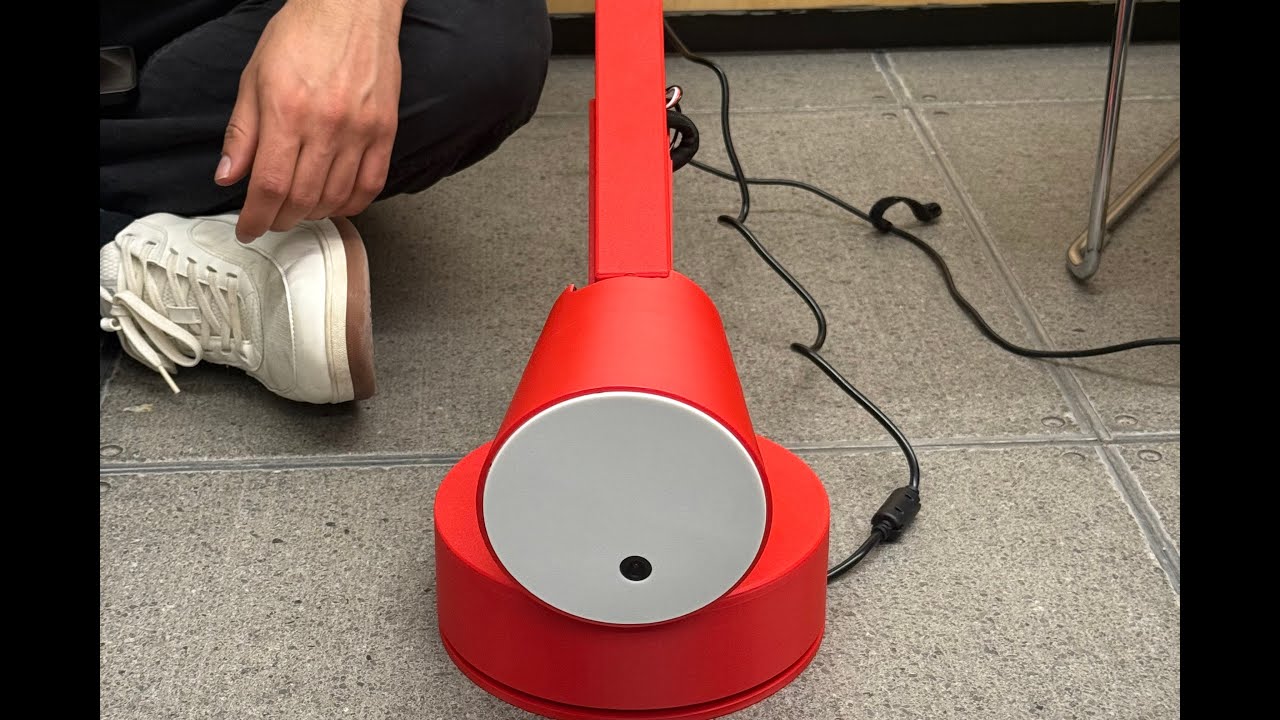

This repository holds the code for controlling LeLamp. The 12V Runtime-Agent edition is a major architectural upgrade that transforms LeLamp from a basic robot control system into a sophisticated agentic workflow platform with enterprise-grade features including workflow automation, advanced audio capabilities, sleep/wake management, and comprehensive state persistence.
LeLamp is an open source robot lamp based on Apple's Elegnt, made by [Human Computer Lab]
LeLamp Runtime is a Python-based control system that interfaces with the hardware components of LeLamp including:
- Servo motors for articulated movement with enhanced animation system
- Audio system (microphone, speaker, and sound effects library)
- RGB LED lighting with advanced sequences
- Camera system with vision integration
- Voice interaction with personality system
- Workflow execution engine for complex multi-step autonomous tasks
- Sleep/wake modes with local wake word detection
- SQLite database for state persistence and monitoring
- Timer and alarm system with workflow integration
lelamp_runtime/
├── main.py                     # Main runtime entry point with workflow integration
├── config.yaml                 # Comprehensive configuration (personality, vision, webui, etc.)
├── pyproject.toml             # Project configuration and dependencies
├── lelamp.db                  # SQLite database for persistence (auto-created)
├── lelamp/                    # Core package
│   ├── globals.py             # Global service registry for cross-module access
│   ├── setup_motors.py        # Motor configuration and setup
│   ├── calibrate.py           # Motor calibration utilities
│   ├── list_recordings.py     # List all recorded motor movements
│   ├── record.py              # Movement recording functionality
│   ├── replay.py              # Movement replay functionality
│   ├── functions/             # NEW: Modular function tool system (mixins)
│   │   ├── motor_functions.py
│   │   ├── rgb_functions.py
│   │   ├── animation_functions.py
│   │   ├── audio_functions.py
│   │   ├── timer_functions.py
│   │   ├── workflow_functions.py
│   │   ├── sensor_functions.py
│   │   └── sleep_functions.py
│   ├── personality/           # NEW: Personality system
│   │   └── instructions.txt   # Character definition and behavior rules
│   ├── workflows/             # NEW: Pre-built workflow definitions
│   │   ├── bedside_alarm/     # Smart alarm with vision & snooze
│   │   ├── wake_up/           # Calendar-integrated wake routine
│   │   ├── focus_session/     # Focused work session manager
│   │   └── dancing/           # Dancing choreography
│   ├── service/               # Service modules
│   │   ├── workflows/         # NEW: Workflow execution engine
│   │   │   ├── workflow_service.py  # Orchestration & state management
│   │   │   ├── workflow.py          # Graph-based workflow structures
│   │   │   └── db_manager.py        # SQLite persistence layer
│   │   ├── audio/             # NEW: Audio management system
│   │   │   └── audio_service.py     # Sound effects library & playback
│   │   ├── motors/
│   │   │   └── animation_service.py # Enhanced with sleep mode
│   │   ├── rgb/
│   │   │   ├── rgb_service.py       # Enhanced LED control
│   │   │   └── sequences/
│   │   │       ├── alarm.py         # NEW: Urgent flash sequence
│   │   │       ├── count.py         # NEW: Sequential LED demo
│   │   │       ├── burst.py
│   │   │       ├── ripple.py
│   │   │       └── ...
│   │   ├── vision/            # Vision and face tracking
│   │   ├── timer_service.py   # Enhanced timer/alarm system
│   │   └── wake_word_service.py  # Local wake word detection
│   ├── follower/              # Follower mode functionality
│   ├── leader/                # Leader mode functionality
│   └── test/                  # Hardware testing modules
├── system/                    # System integration files
│   ├── service/
│   │   └── lelamp.service     # Systemd service configuration
│   ├── udev/                  # Udev rules for hardware
│   │   ├── 99-gpio.rules      # GPIO permissions
│   │   ├── 99-lelamp.rules    # USB serial symlink
│   │   └── 99-usb-cameras.rules
│   └── asound/                # ALSA audio configurations
│       ├── asound-seeed2micvoicec.conf
│       └── asound-halox.conf
└── uv.lock                    # Dependency lock file
This branch introduces major architectural improvements and new capabilities:
- Graph-based workflow engine with conditional branching and state management
- 4 pre-built workflows: bedside_alarm, wake_up, focus_session, dancing
- SQLite persistence for workflow runs, steps, errors, and performance metrics
- Dynamic tool loading: Workflows can define custom tools loaded at runtime
- Trigger system: Time-based and keyword-based workflow progression
- Categorized error tracking: System, LLM, Vision, Network, State, Tool, Human, Unexpected
- go_to_sleep(): Full sleep sequence with motor disable, LED off, volume mute
- Local wake word detection: Runs local Whisper model without cloud connectivity (cost-free)
- wake_up(): Full restoration with animations and service reconnection
- Timer/alarm integration: Alarms trigger wake-up automatically
- Energy saving: Disables motor torque during sleep
- Auto-discovery system: Scans
assets/AudioFX/directory recursively - 160KB sound database with categorized effects
- Non-blocking playback with queue system
- Agent integration:
play_sound_effect(),search_sounds(),list_available_sounds() - Volume control:
set_volume()function
- Modular mixin system for clean code organization
- 9 function modules: Motor, RGB, Animation, Audio, Timer, Workflow, Sensor, Sleep functions
- Enhanced capabilities:
- Weather and news integration (
get_weather(),get_news()) - Advanced timer/alarm system with labels and repeat patterns
- Workflow management functions
- System shutdown controls
- Weather and news integration (
- instructions.txt: Comprehensive personality definition
- Character: "Slightly clumsy, extremely sarcastic, endlessly curious robot lamp"
- Behavior rules for sleep mode, workflows, sound effects, animations
- Company background and creator information
- Global service registry: Cross-module service access via
lelamp/globals.py - Proper lifecycle management: Start/stop/cleanup for all services
- Signal handling: Graceful shutdown on SIGINT/SIGTERM
- Background tasks: Idle timeout, workflow progression checks
- Thread-safe operations: Proper asyncio and threading integration
- SQLite database (
lelamp.db) with comprehensive schema - Workflow tracking: Metadata, runs, steps, errors, state, triggers, stats
- Timer persistence: Timers survive restarts
- Alarm management: Recurring alarms with enable/disable
- FastAPI-based web interface
- Real-time stats via WebSocket
- Video feed endpoint for vision
- Motor control API
- Face tracking toggle
- Status and configuration endpoints
- config.yaml: Centralized configuration for all services
- Personality settings: Name, description, instructions file path
- Vision settings: Enable/disable, frame rate, max size
- WebUI settings: Port configuration with auto-fallback
- Endpointing tuning: Speech delay parameters
- RGB settings: Idle timeout, default colors, ring definitions
- system/service/lelamp.service: Auto-start on boot with systemd
- system/udev/: Udev rules for GPIO, USB serial, and cameras
- system/asound/: ALSA configurations for different audio setups
- Restart policy: Automatic restart with 30s delay
- Proper working directory and user configuration
- Easy enable/disable/status commands
For manufacturing or provisioning multiple devices, use the OEM install script. This script automates the complete setup of a fresh Raspberry Pi:
curl -sSL https://raw.githubusercontent.com/humancomputerlab/lelampv2/main/oem_install.sh | bashWith remote access (Tailscale + Raspberry Pi Connect):
TAILSCALE_AUTH_KEY=tskey-xxx RPI_CONNECT_KEY=xxx curl -sSL https://raw.githubusercontent.com/humancomputerlab/lelampv2/main/oem_install.sh | bash- Creates
lelampuser with default password (lelamp) - Reads device serial number from hardware
- Sets hostname to
lelamp-SERIAL(last 8 chars of serial) - Enables SSH access
- Configures WiFi regulatory country
- Sets up WiFi AP mode for first-time setup (
lelamp_SERIAL/lelamp123) - Installs Tailscale for remote VPN access (if key provided)
- Installs Raspberry Pi Connect for remote desktop (if key provided)
- Runs the full LeLamp component installation
- Installs Piper TTS and Ollama for local AI
- Registers device with Hub server (if configured)
- Reboots into setup mode
| Variable | Description |
|---|---|
TAILSCALE_AUTH_KEY |
Tailscale authentication key for VPN access |
RPI_CONNECT_KEY |
Raspberry Pi Connect key for remote desktop |
HUB_URL |
LeLamp Hub server URL for device registration |
SKIP_REBOOT |
Set to true to skip final reboot |
SKIP_AP |
Set to true to skip WiFi AP setup |
SKIP_USER |
Set to true to skip lelamp user creation |
WIFI_COUNTRY |
WiFi regulatory country code (default: CA) |
LOCAL_AI |
Set to false to skip Piper/Ollama installation |
REPO_URL |
Custom repository URL |
REPO_BRANCH |
Repository branch to clone (default: main) |
Once the device reboots:
- With AP mode: Connect to WiFi
lelamp_XXXXXXXX, then openhttp://192.168.4.1 - With Tailscale: Access via
lelamp-XXXXXXXXon your Tailnet - With RPI Connect: Access via Raspberry Pi Connect dashboard
- Local network: Access via
http://lelamp-XXXXXXXX.local
Run this one-liner on your Raspberry Pi to install everything:
curl -fsSL https://raw.githubusercontent.com/humancomputerlab/boxbots_lelampruntime/12Vruntime-agent/install.sh | bashThis interactive script will:
- Detect your Raspberry Pi model
- Install all system dependencies (UV, LiveKit CLI, audio tools)
- Optionally install Raspotify for Spotify Connect
- Clone the repository and install Python dependencies
- Set up udev rules for USB serial and GPIO
- Configure user groups and permissions
- Optionally set up motors, environment variables, and systemd service
If you prefer to install components individually instead of using the quick install script:
git clone -b 12Vruntime-agent https://github.com/humancomputerlab/boxbots_lelampruntime.git
cd boxbots_lelampruntime
If you have Git LFS problems, use this instead:
GIT_LFS_SKIP_SMUDGE=1 git clone -b 12Vruntime-agent https://github.com/humancomputerlab/boxbots_lelampruntime.git
cd boxbots_lelampruntimeEach component has its own installer script in the install/ directory:
# System dependencies (portaudio, sox, git, etc.)
./install/install_dependencies.sh

# UV package manager (installs to /usr/local/bin)
./install/install_uv.sh

# Python dependencies
./install/install_python.sh

# Audio hardware (ReSpeaker HAT, custom devices)
./install/install_audio.sh

# GPIO permissions for RGB LEDs
./install/install_gpio.sh

# Udev rules for USB devices (motors, camera)
./install/install_udev.sh

# Motor setup and ID configuration
./install/install_motors.sh

# LiveKit CLI
./install/install_livekit.sh

# Raspotify (Spotify Connect) - optional
./install/install_raspotify.sh

# MediaPipe for advanced face tracking - optional
./install/install_mediapipe.sh

# Environment variables (.env file)
./install/install_env.sh

# Systemd service for auto-start
./install/install_service.sh
Each script supports --help for usage information and -y for non-interactive mode.
The runtime includes several key dependencies:
Core Control:
- feetech-servo-sdk: Servo motor control
- lerobot: Robotics framework integration
- numpy: Mathematical operations
Voice & Audio:
- livekit-agents: Real-time voice interaction
- openai: LLM integration for agent intelligence
- sounddevice: Audio input/output
- pydub: Audio manipulation and playback
Hardware (Raspberry Pi):
- adafruit-circuitpython-neopixel: RGB LED control
- rpi-ws281x: Raspberry Pi LED control
New in 12V Runtime-Agent:
- fastapi: Web UI server
- uvicorn: ASGI server for WebUI
- aiosqlite: Async SQLite database operations
- pyyaml: Configuration file parsing
- python-dateutil: Date/time manipulation for timers/alarms
- feedparser: RSS news feed parsing
Prior to following the instructions here, you should have an overview of how to control LeLamp through this tutorial.
- Find the servo driver port:
This command finds the port your motor driver is connected to.
uv run lerobot-find-port- Setup motors with unique IDs:
This command set up each motor of LeLamp with an unique ID.
./install/install_motors.sh- Calibrate motors:
This command calibrates your motors. Make sure to run this after motor setup!
uv run -m lelamp.calibrate --port /dev/lelampThe calibration process will:
- Calibrate both follower and leader modes
- Ensure proper servo positioning and response
- Set baseline positions for accurate movement
The runtime includes comprehensive testing modules to verify all hardware components:
uv run -m lelamp.test.test_rgbuv run -m lelamp.test.test_audiouv run -m lelamp.test.test_motors --port /dev/lelampOne of LeLamp's key features is the ability to record and replay movement sequences:
To record a movement sequence:
uv run -m lelamp.record --port /dev/lelamp --name movement_sequence_nameThis will:
- Put the lamp in recording mode
- Allow you to manually manipulate the lamp
- Save the movement data to a CSV file
To replay a recorded movement:
uv run -m lelamp.replay --port /dev/lelamp --name movement_sequence_nameThe replay system will:
- Load the movement data from the CSV file
- Execute the recorded movements with proper timing
- Reproduce the original motion sequence
To view all recordings for a specific lamp:
uv run -m lelamp.list_recordingsThis will display:
- All available recordings for the specified lamp
- File information including row count
- Recording names that can be used for replay
Recorded movements are saved as CSV files with the naming convention:
{sequence_name}.csv
If you want to start LeLamp's voice app upon booting, a systemd service file is included at system/service/lelamp.service.
Option 1: Use the install script (recommended)
The install.sh script includes a systemd service installation step that will:
- Auto-detect your UV path and working directory
- Install the service to
/etc/systemd/system/ - Optionally enable and start the service
./install.sh
# Follow the prompts when it asks about systemd service installation
Option 2: Use the included service file
# Copy the service file to systemd directory
sudo cp system/service/lelamp.service /etc/systemd/system/

# Reload systemd to recognize the new service
sudo systemctl daemon-reload

# Enable and start the service
sudo systemctl enable lelamp.service
sudo systemctl start lelamp.service
Option 3: Manually create the service file
sudo nano /etc/systemd/system/lelamp.serviceAdd this content (update paths if needed):
[Unit]
Description=LeLamp Runtime Service
After=network.target sound.target

[Service]
Type=simple
User=your_username
WorkingDirectory=/home/your_username/lelamp-runtime
ExecStart=/home/your_username/.local/bin/uv run python main.py console
Restart=always
RestartSec=30
Environment=HOME=/home/your_username

[Install]
WantedBy=multi-user.target
Then enable and start:
sudo systemctl daemon-reload
sudo systemctl enable lelamp.service
sudo systemctl start lelamp.service
Service controls:
# Check service status
sudo systemctl status lelamp.service

# View live logs
sudo journalctl -u lelamp.service -f

# Stop the service
sudo systemctl stop lelamp.service

# Disable from starting on boot
sudo systemctl disable lelamp.service

# Restart the service
sudo systemctl restart lelamp.service
Notes:
- Boot time might vary with each run
- Extended usage (>1 hour) can heat the motors - consider using sleep mode for idle periods
- The service will automatically restart if it crashes (30s delay)
The 12V Runtime-Agent edition includes a sophisticated voice agent with workflow support, sleep mode, sound effects, and comprehensive automation capabilities.
Create a .env file in the root directory with the following content:
OPENAI_API_KEY=your_openai_api_key
LIVEKIT_URL=your_livekit_url
LIVEKIT_API_KEY=your_livekit_api_key
LIVEKIT_API_SECRET=your_livekit_api_secret
Getting LiveKit credentials:
Refer to LiveKit's guide. Install LiveKit CLI, then:
lk app env -w
cat .env.local
This creates an .env.local file with all LiveKit secrets.
Getting OpenAI credentials:
Follow this FAQ.
# Download required files (only needed once)
uv run main.py download-files

# Start the agent with all features
uv run main.py consoleEdit config.yaml to customize:
personality:
  name: LeLamp
  instructions_file: lelamp/personality/instructions.txt

vision:
  enabled: false  # Set to true for vision capabilities

webui:
  enabled: false  # Set to true for web interface
  port: 80        # Auto-falls back to 8080 if 80 unavailable

rgb:
  idle_timeout_seconds: 30
  default_color: [0, 0, 150]
Changing Lamp ID
If your lamp ID is not lelamp, update it in main.py:
async def entrypoint(ctx: agents.JobContext):
agent = LeLamp(lamp_id="your_lamp_name") # <- Change thisThe agent now supports:
- Workflows: "Start bedside alarm", "Begin focus session"
- Sleep mode: "Go to sleep", "Wake up"
- Sound effects: "Play a happy sound", "Search for celebration sounds"
- Timers/Alarms: "Set a 5 minute timer", "Set alarm for 7am tomorrow"
- Weather/News: "What's the weather?", "Tell me the news"
- Animations: curious, excited, happy_wiggle, wake_up, nod, sad, dancing, thinking, idle, sleep
- RGB control: Change colors, patterns, and sequences
- System control: "Shutdown system"
User: "Go to sleep"
→ LeLamp enters sleep mode (motors off, LEDs off, local wake word only)

User: "Hey LeLamp" (while sleeping)
→ LeLamp wakes up with animation

User: "Set alarm for 7am tomorrow with bedside alarm workflow"
→ Creates alarm that will trigger the multi-step wake routine

User: "Play a happy sound"
→ Searches and plays a sound effect from the library

User: "Start focus session"
→ Begins the focus_session workflow with energy tracking

User: "What's the weather?"
→ Reports current weather for configured location
The workflow system enables complex multi-step autonomous behaviors. Each workflow is a directed graph with conditional branching based on state.
-
bedside_alarm (214 lines, 14 steps)
- Smart alarm clock with vision-based sleep detection
- Multi-step wake-up routine with conditional logic
- Snooze handling with 5-minute timer re-trigger
- Phone usage detection
- Weather and news integration
- State-driven routing based on sleeping/awake status
-
wake_up (74 lines)
- Calendar-integrated wake-up routine
- Gentle wake sequence with animations
- Morning briefing
-
focus_session (105 lines)
- Focused work session manager
- Energy-based routing
- Break reminders
- Session tracking
-
dancing (55 lines)
- Fun dancing choreography
- Synchronized LED and motor animations
Each workflow in lelamp/workflows/{workflow_name}/ contains:
-
workflow.json: Directed graph definition
- Nodes: Individual steps with instructions
- Edges: Conditional transitions based on state
- State schema: Typed variables (boolean, integer, string, object)
- Entry points: Different start nodes based on trigger type
-
tools.py: Custom workflow-specific tools
- Dynamically loaded/unloaded at runtime
- Available only during workflow execution
Via Voice Agent:
"Start bedside alarm"
"Begin focus session"
"Let's dance"
Via Function Calls:
# List available workflows
get_available_workflows()

# Start a workflow
start_workflow("bedside_alarm")

# Get current step
get_next_step()

# Complete step and advance
complete_step({"is_sleeping": False, "energy_level": 8})

# Check workflow status
get_workflow_status()Workflows can be triggered by:
- Voice command: User says "Start [workflow_name]"
- Alarm: Set alarm with workflow name attached
- Keyword: Specific phrases trigger workflow start
- Time interval: Workflow progresses automatically after time delay
All workflow execution is tracked in lelamp.db:
- workflow_runs: Each execution instance
- workflow_steps: Step-by-step execution log
- workflow_errors: Categorized error tracking
- workflow_state: State variable snapshots
- workflow_stats: Performance metrics
View workflow history:
sqlite3 lelamp.db "SELECT * FROM workflow_runs ORDER BY started_at DESC LIMIT 10"Enable the web interface in config.yaml:
webui:
  enabled: true
  port: 80  # Falls back to 8080 if unavailable
Features:
- Real-time stats via WebSocket
- Video feed endpoint for vision
- Motor control API
- Face tracking toggle
- Status and configuration endpoints
Access at: http://<raspberry-pi-ip>:80
- Extended usage (>1 hour) can heat the motors
- Use sleep mode to disable motor torque when idle: "Go to sleep"
- Adjust idle timeout in
config.yamlto automatically switch to default animation
- Stop any running instances:
sudo systemctl stop lelamp.service - Check for zombie processes:
ps aux | grep main.py - Kill if needed:
sudo killall -9 python
- Check ALSA configuration:
cat /proc/asound/cards - Test audio device:
uv run -m lelamp.test.test_audio - Verify volume:
alsamixer - Check sound library loaded: Look for "Loaded X sounds" in logs
- Check logs:
sudo journalctl -u lelamp.service -n 50 - Verify paths in service file match your installation
- Ensure UV is installed for the correct user
- Test manually:
uv run main.py console
- Check database for errors:
sqlite3 lelamp.db "SELECT * FROM workflow_errors" - Verify workflow status:
sqlite3 lelamp.db "SELECT * FROM workflow_runs WHERE status='running'" - Check logs for workflow service messages
- Ensure workflow tools are loading correctly
- Verify local Whisper model downloaded
- Check microphone permissions
- Test with: "Hey LeLamp" (default wake phrase)
- Check logs for wake word service messages
The 12V Runtime-Agent branch represents a professional-grade upgrade from a basic robot control system to an enterprise agentic platform:
- Global service registry (
lelamp/globals.py) for cross-module access - Proper lifecycle management: Start/stop/cleanup for all services
- Signal handling: Graceful shutdown on SIGINT/SIGTERM with cleanup
- Thread-safe operations: Proper asyncio and threading integration
- Background tasks: Idle timeout monitoring, workflow progression checks
- Categorized error classes: System, LLM, Vision, Network, State, Tool, Human, Unexpected
- Stack trace logging with full context
- Recoverable vs fatal error distinction
- Database error tracking for post-mortem analysis
- SQLite persistence for all critical state
- Workflow state snapshots at each step
- Timer/alarm persistence across restarts
- Performance metrics and statistics tracking
- Function mixin system for clean separation of concerns
- Dynamic tool loading for workflow-specific capabilities
- Service isolation with well-defined interfaces
- Configuration-driven behavior via
config.yaml
- Non-blocking audio playback with queue system
- Efficient RGB updates with idle timeout management
- Local wake word detection for cost-free sleep mode
- Resource cleanup to prevent memory leaks
This is an open-source project by Human Computer Lab. Contributions are welcome through the GitHub repository.
- Branch: 12Vruntime-agent
- Base: LeLamp Runtime with 12V motor support
- Key Features: Workflow engine, sleep/wake management, sound effects library, database persistence
- Status: Production-ready for advanced autonomous behaviors
Check the main LeLamp repository for licensing information.
