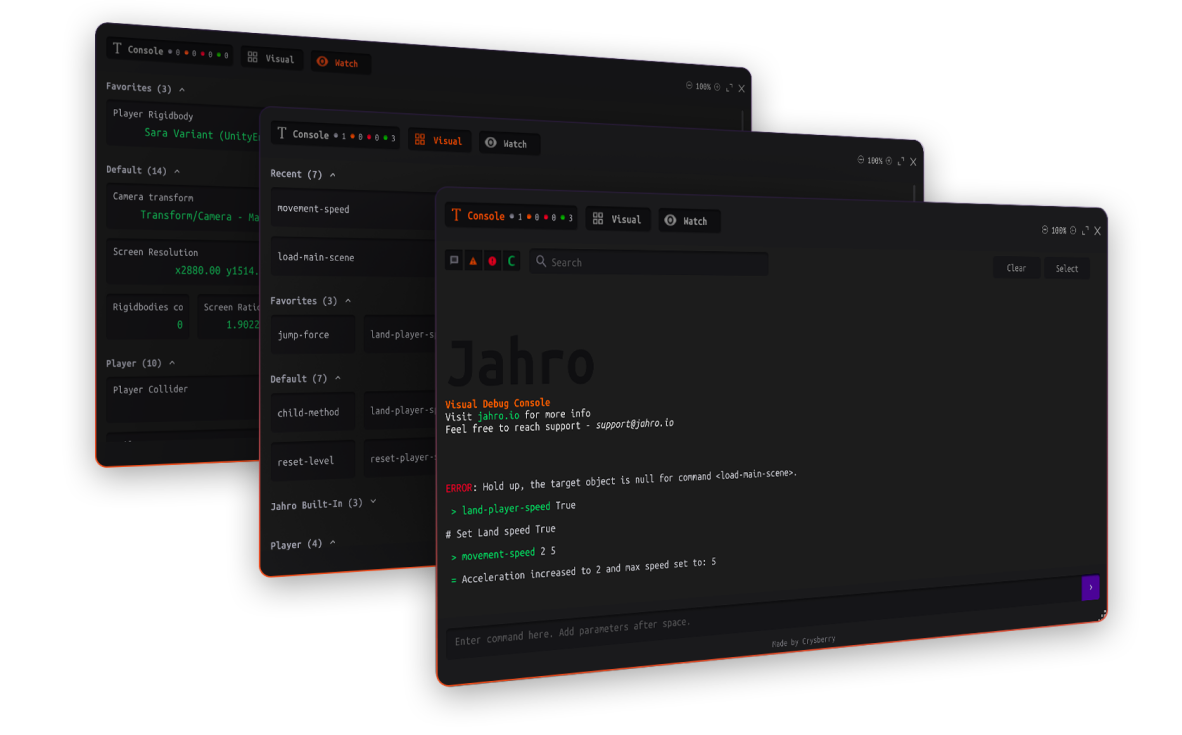
One-tap snapshots with logs, screenshots, and device info — shareable instantly.


Getting Started • Website • Documentation • Web Console • Discord
- The Problem
- The Solution
- Core Features
- Who Is This For?
- Quick Start
- Key Features at a Glance
- Documentation & Resources
- Community & Support
- Requirements
- License
For Developers: Tired of chasing QA for logs and reproduction steps? Spending hours debugging mobile-specific issues that "work in Editor"?
For QA: Bugs dismissed as "can't reproduce"? No way to capture logs without cables, ADB, or asking devs for help?
The reality: 50-70% of bug reports lack sufficient context on first report. The average "can't reproduce" bug wastes 2-4 hours of developer time.
Jahro helps Unity game teams fix bugs faster by enabling anyone to capture complete debug context — logs, screenshots, device info — directly on mobile devices and share it instantly with developers.
No cables. No ADB. No back-and-forth.
| Jahro | SRDebugger & Lunar | Sentry & Crashlytics | |
|---|---|---|---|
| On-device logs | ✅ | ✅ | ❌ |
| Cloud sharing | ✅ | ❌ | ✅ (crashes only) |
| QA-friendly (no cables) | ✅ | ❌ | |
| Runtime commands | ✅ | ✅ | ❌ |
| Real-time debugging | ✅ | ✅ | ❌ |
| Shareable web links | ✅ | ❌ | ✅ |
The key difference: Jahro is the only tool that bridges QA bug discovery and developer reproduction with shareable, complete context.
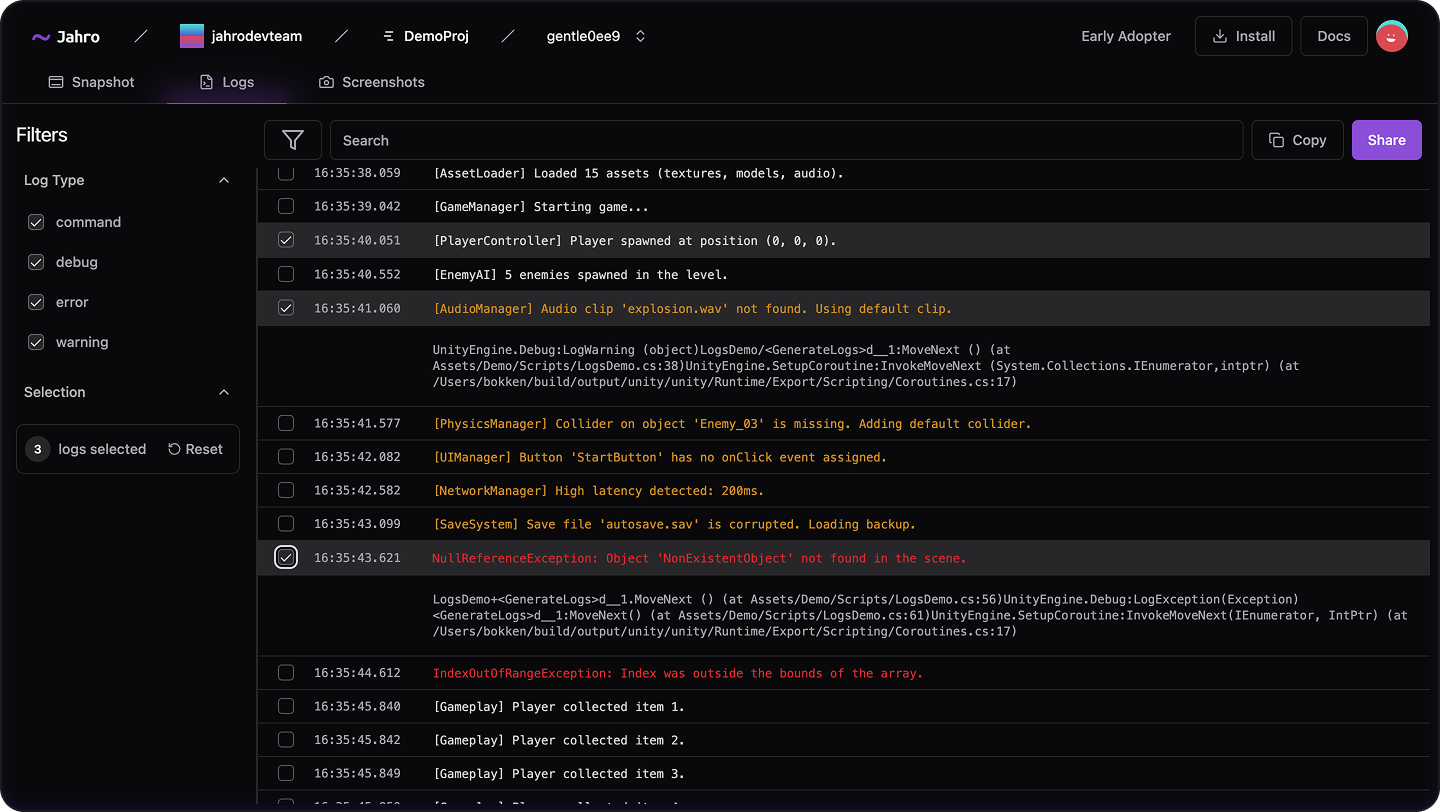
Capture full device logs (with stack traces), screenshots, and device metadata in a session. Share a web link instantly.
Two modes:
- Recording Mode: Capture locally, upload when ready
- Streaming Mode: Real-time log streaming (~5-second intervals) — watch QA reproduce the bug live
"The tester says that the game is broken and sends a snapshot. You can finish your task and calmly review what went wrong with ALL logs in hands." — Andriy, Unity Developer
Why this matters: No more "can you send logs?" messages. QA captures everything in one tap. Dev opens link and sees full context. Bug gets fixed instead of dismissed.
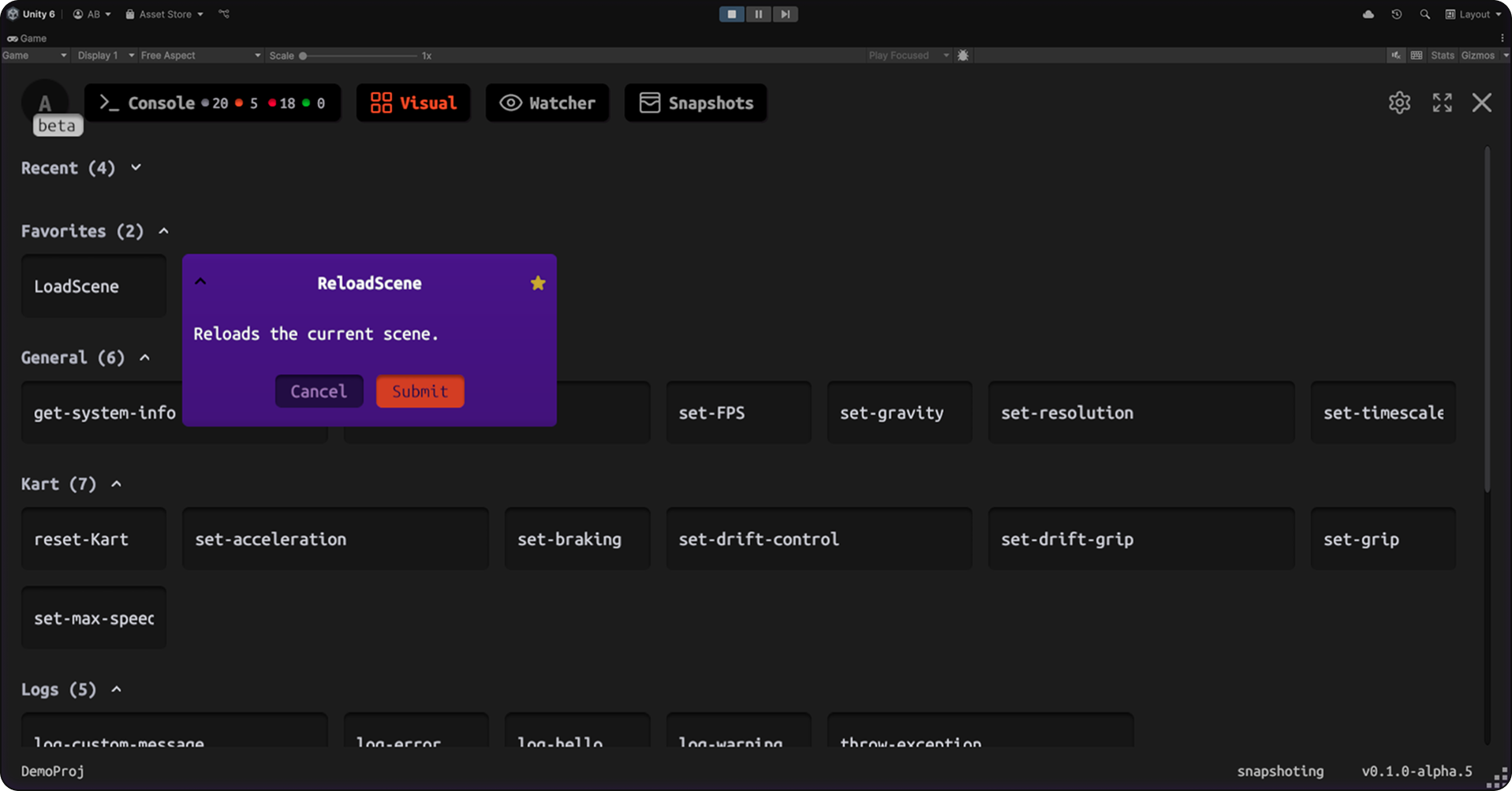
Execute C# methods at runtime through visual UI or text commands. Change game parameters, skip levels, grant items, trigger events — without waiting for rebuilds.
[JahroCommand]
public void AddGold(int amount) {
    playerInventory.gold += amount;
}
Visual Mode: Button-based interface — perfect for QA and designers. No memorization required.
Text Mode: CLI with autocomplete — for power users who want speed.
Why this matters: Stop wasting 5-15 minutes per rebuild when testing balance changes. Iterate instantly on any device.
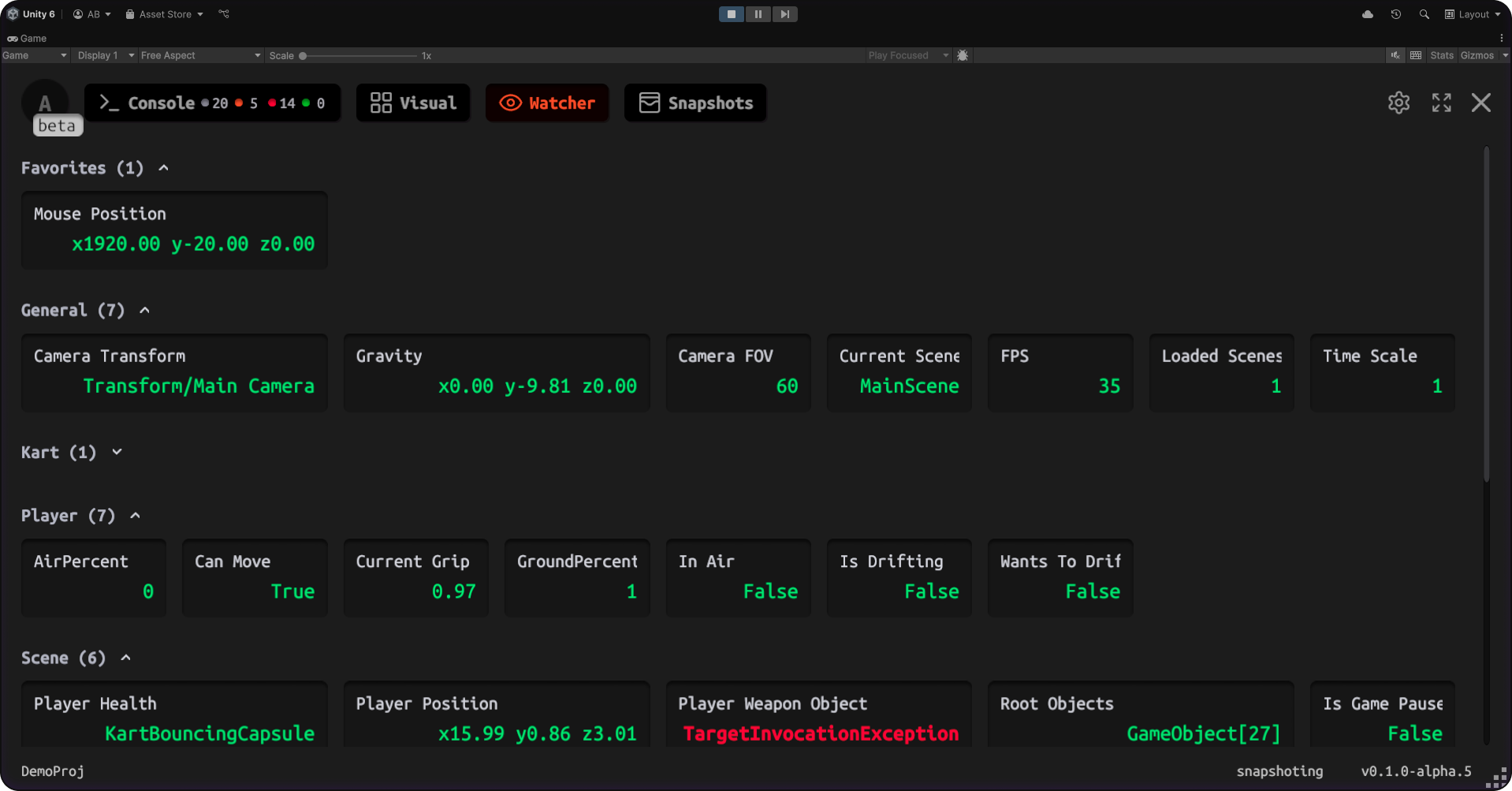
Monitor variable values in real-time without polluting logs with Debug.Log statements.
[JahroWatch]
public int PlayerHealth { get; set; }
Why this matters: Track values frame-by-frame without performance impact or log spam. Perfect for tuning gameplay mechanics.
Stop spending hours debugging mobile-specific issues. See exactly what happened on any device without cables or ADB.
- ✅ Reproduce bugs in minutes instead of hours
- ✅ Get complete context from QA automatically
- ✅ Review bugs async — no interruptions to your flow
- ✅ Debug on any device
Send complete bug reports in one tap. No more "can't reproduce" — devs get all logs, screenshots, and device info automatically.
- ✅ Capture everything developers need without technical knowledge or ADB/Xcode
- ✅ Triple-tap to open, tap to capture, share link — done
- ✅ Your bugs get believed and fixed faster
- ✅ Work independently without asking devs for setup help
Standardize debugging across all projects. Stop rebuilding debug tools from scratch.
- ✅ Faster bug resolution = more stable releases
- ✅ QA works independently = devs focus on features
- ✅ Clear ROI: Save 10-15 hours/week per developer
Change game parameters at runtime without asking devs to rebuild.
- ✅ Test balance changes instantly
- ✅ Iterate independently without blocking developers
- ✅ Visual command interface — no coding required
- ✅ See key values realtime directly inside Game view
-
Add Package via Unity Package Manager
https://github.com/jahro-console/unity-package.git -
Get Your API Key
- Register at jahro.io
- Create a project and copy your API key
-
Configure in Unity
- Go to Tools > Jahro Settings
- Paste your API key
-
Add Your First Command
[JahroCommand]
public void GiveCoins(int amount) {
    coins += amount;
}
-
Build & Test
- Build to your device or enter Play Mode in Unity
- Triple-tap the screen to open Jahro
- Execute your command or capture a snapshot
- ✅ Snapshots — One-tap capture of logs + screenshots + device metadata
- ✅ Shareable Web Links — QA sends link, dev reviews in browser
- ✅ Runtime Commands — Execute C# methods with visual or text interface
- ✅ Variable Watcher — Monitor values in real-time without Debug.Log spam
- ✅ Recording & Streaming Modes — Capture locally or stream live to team
- ✅ Cross-Platform — iOS, Android (works on low-end devices)
- ✅ Minimal Integration — Attribute-based API
- ✅ Production-Safe — Auto-disable in production builds
- ✅ Team Collaboration — Projects, members, roles, shared sessions
- 📖 Full Documentation — Complete guides and API reference
- 🚀 Getting Started Guide — Step-by-step installation
- 📚 Snapshots Guide — Learn snapshot workflows
- ⚡ Commands Guide — Runtime commands deep-dive
- 👁️ Watcher Guide — Variable watching tutorial
- 🖥️ Web Console — Review snapshots in browser
- 🗺️ Roadmap — See what's coming next

- 💬 Discord Community — Chat with other users and the team
- 🐛 GitHub Issues — Report bugs or request features
- 📧 Email Support — Direct support for Pro users
Unity Version:
- Unity 2021.3 LTS or later
- Unity 6 (recommended)
Account:
- Free account at jahro.io for cloud features
This plugin is distributed under a custom license.
© 2026 Oleksii Bulat. All rights reserved.
