Most detailed Activity Log with User Tracking, Immediate Logout and Activity Control based on specific criteria, lock, block, email alert, hide etc.
How to Install?
Go to your WP Dashboard -> Plugins -> Add New -> Search for "WinterLock"
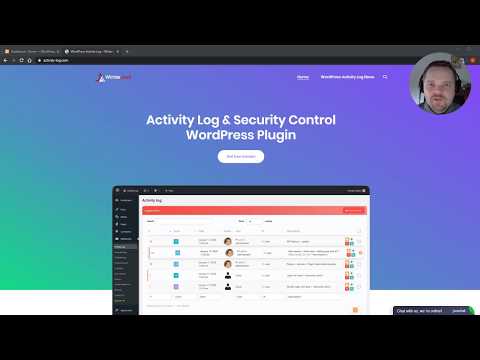
New most detailed WordPress User Tracking, Control and Activity Logging Plugin.
You will see very detailed report what people or even other plugins are doing on your site, then block or be alerted on such activity or even logout user immediately.
Detect any activity, log and control based on specific criteria, lock, block, email alert, hide etc.
Working based on low level logging, can log any user request. This may help you to monitor any user, any plugin and investigate possible problems.
Plugin is made with performance in mind, build on optimized custom tables.
Just install it and everything will work without any special setup.
If you have any trouble or suggestion feel free to contact us, we always looking for improvements: support@swit.hr
Now we have also official website: https://activity-log.com/
- Very detailed activity log
- Detail Search Filters
- User Steps Behaviour Tracking
- Works with all plugins
- Track specific user activity history
- Hide logs by criteria
- General Search Filter
- Detail Search Filters
- Fast pagination with Ajax
- Disable User Sessions/Logout user
- User Login Time and Session Time in WordPress
- See Logged Users
- Favorite / Save Logs for later usage
- Retroactive History Activity Log Before Plugin is installed
- Retroactive History Activity Log Export
- View changes in posts revision
- Will log all activities in any plugin
- All level logs
- Email Notifications
- Block Activity
- Unlimited days logging
- Block users on fail login attemps
- Log reports and exports
- Automated Reports by Email
- Automated Events by SMS
- Login alert by SMS, WhatsApp or Email
- Live Monitoring
- Cloud integration
- Priority Support
- Log By User Role
- Sessions CSV Export
- Automatically disable brute force attack on login forms
- Export User Login Time and Session Time in WordPress
- Visit 'Plugins > Add New'
- Search for 'WinterLock Activity Log'
- Install and activate the WinterLock plugin
- Go to Dashboard, Update
= What does this plugin do better then other? =
You can control user activity by specific criteria
Much faster and free filtering options
Manage User Sessions and Logout users even in free version
Can log any activity even if you have level 0 enabled any request
Not related to other plugin, because logging in low level under WordPress
And much more...
How to hide specific requests
Click on WinterLock->Activity Log->Click on Eye icon for wanted log->Define rules and click save
How to detect changes in files
Activity Log will detect all file changes inside WordPress in WinterLock->Activity Log, clicking on view you can see user posted file data in parameters
How to detect who deactivate which plugin
Activity Log will detect all plugin activations and deactivations inside WordPress in WinterLock->Activity Log, clicking on view you can see user and plugi nrelated data in parameters
You need support?
Inside Activity Log plugin, so clicking on WinterLock->Contact you can ask for support or
If you have any trouble or suggestion feel free to contact us, we always looking for improvements: support@swit.hr
Will be logs stored in my database?
Yes all Activity logs will be stored in optimized custom tables, with performance in mind
In premium version you can also export, report or store in Cloud
Are there any issues installing this plugin?
No, we don't know for any issue right now, but if you found any, please inform us immediately, we will do our best to solve it as soon possible
= 1.0.10 =
- Fix with date fields in report
- Fix support for trial mode
- Improvements on retroactive history analyze
- Timezone fix in Sessions
= 1.0.9 =
- Predefine rules for specific actions
- Retroactive History Activity Log before plugin is installed
- Small fixes related to new PHP version
- Updating mechanism troubles solved
= 1.0.8 =
- Hotfix, for path issue on linux from version 1.0.7
= 1.0.7 =
- Popup for log details on activity log
- In cloud integration, added feature to save into external database
- Disable block your own username in sessions
- Log by specific user role settings and control alerts fixes
- Wordfence Login Security 2FA compatibility added
- Character limit now supports also array POST vars
- Export/Generate Report button added on activity log
- Review reminder after 2 weeks of usage
= 1.0.6 =
- Datepicker for dates in filter
- In user sessions added button to show all activities related to user
- SMS notifications alerts with Clickatell services API
- WhatsApp notifications alerts with Clickatell services API
- SMS notifications alerts with smsapi.com services API
- SMS notifications alerts with sms.to services API
- In settings add option to hide widget in dash
- Log by specific user role settings
- Sessions CSV Export
= 1.0.5 =
- Save Filters feature
- Session block username
- Cloud integration testing page
- Unblock link now possible to download directly
- Levels description on reports and cloud
- Save as Favourite better description
- Mod php sockets better description
- Search placeholder
- Translation for Croatian
- Level description on view logs
- Link on log description while track user
- Dash widget fix
- Block user login by username in sessions
- Layout fixes
- fix function wmvc_show_data on array
= 1.0.4 =
- Checkbox for disable hints/questions/videos in settings
- Roles added and possible to select more roles with access in settings
- Session time calculation fix
= 1.0.3 =
- Add videos in WordPress Dashboard
- Reports improvement search by description
- Session export and session time added for client
- Some fixes related to cloud log and reports
- Reduce size
- Layout improvements
- Log Filtering more intuitive
= 1.0.2 =
- Custom design added to Activity Log Plugin related pages, nice table, button colors and layout improvements
- Also possible to enable this custom design in complete WordPress dash
- Buttons for hide/block/favourites/remove Activity Log now added also to Activity Log edit page
- We started official website https://activity-log.com/ , Facebook Group and Twitter
= 1.0.1 =
- Activation issue on some servers
= 1.0.0 =
- Init release
