
Screenshots
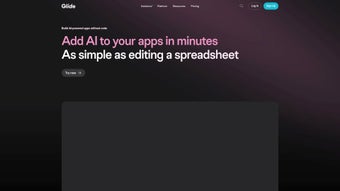
App details
- Updated
- May 12, 2025
- Requires
- Chrome
- License
- Subscription
- Developer
- glideapps
- Category
- Web Apps
About Glide Apps
Download Glide Apps – AI‑Powered No‑Code App Builder for Windows, Mac, Android & iOS
Overview: What Is Glide Apps?
Glide Apps is a cloud‑based, no‑code platform that lets anyone turn spreadsheets, databases, or simple ideas into fully functional, AI‑enhanced mobile and web applications. Built around a drag‑and‑drop interface, Glide removes the need for traditional programming languages while still delivering sophisticated features such as text generation, image‑to‑text extraction, and audio‑to‑text transcription. The service automatically selects the most suitable large‑language model or vision model for each task, so users get optimal performance without worrying about model licensing or infrastructure costs. Glide’s “AI building blocks” act like pre‑packaged widgets that can be dropped into a project, enabling developers to embed natural‑language processing, computer vision, or speech‑to‑text capabilities with a single click. The platform also includes a library of ready‑made templates—from inventory trackers to customer‑support bots—so businesses of any size can launch a prototype in minutes and scale it to a production‑grade solution. By caching frequent requests and intelligently routing calls, Glide keeps operational expenses low while delivering fast response times. Whether you’re a solo entrepreneur, a marketing team, or an enterprise IT department, Glide Apps provides a secure, collaborative environment where ideas move from concept to deployment without the typical bottlenecks of software development. The intuitive UI, combined with built‑in analytics, lets you monitor usage, model costs, and user engagement in real time, making it easy to iterate quickly and stay within budget. Overall, Glide Apps bridges the gap between powerful AI services and everyday users, democratizing the creation of intelligent applications across all major operating systems.
Core Features & AI Building Blocks
Feature List
- Drag‑and‑drop visual editor with live preview.
- AI‑powered text generation (GPT‑style) for content creation.
- Image‑to‑text extraction using OCR and vision models.
- Audio‑to‑text transcription with multilingual support.
- Auto‑model selection and cost‑effective caching layer.
- Seamless integration with Google Sheets, Airtable, MySQL, and REST APIs.
- Pre‑built industry templates (e‑commerce, CRM, event management).
- Real‑time collaboration and role‑based access controls.
- One‑click publishing to web, Android, and iOS.
- Extensive documentation, tutorial videos, and community forums.
Glide’s architecture is designed around modular AI components that can be combined like LEGO bricks. For example, the “Smart Form” widget can automatically summarize user input, suggest next steps, or even generate follow‑up emails based on a single line of text. The “Vision Scan” block extracts tables, barcodes, or handwritten notes from photos, turning visual data into structured records without manual entry. Audio recordings captured via the mobile app are instantly sent to a transcription engine that supports over 30 languages, enabling global teams to capture meeting minutes or customer feedback on the fly. All AI services are delivered through secure HTTPS endpoints, and Glide adheres to GDPR and CCPA standards, ensuring that data remains private and encrypted at rest and in transit. In addition, the platform offers a “Usage Dashboard” where you can monitor API calls, model costs, and latency, giving you full transparency and control over your budget. Advanced users can extend functionality with custom JavaScript snippets or by calling external APIs through the “Custom API” block, while beginners can rely entirely on the pre‑built AI blocks. This flexibility means that whether you’re building a simple inventory tracker or a complex, multi‑modal chatbot, Glide provides the right tools to get the job done quickly and securely.
Installation, Setup, and Compatibility Across Devices
Getting Started – No Download Required
Because Glide Apps is entirely web‑based, there is no traditional installer. Users simply navigate to glideapps.com, sign up with an email or Google account, and are greeted by a guided onboarding wizard. The wizard walks you through connecting a data source—most commonly a Google Sheet—then prompts you to select a template or start from a blank canvas. Within minutes you can publish a prototype to a public URL, share a QR code, or generate native app bundles for Android (APK) and iOS (IPA) through Glide’s build service. The entire workflow runs inside the browser, so you can start building from a Windows PC, a macOS laptop, or even a Linux workstation without installing anything extra.
Step‑by‑Step Setup
- Create an account: Choose a free plan or enter payment details for Pro features.
- Link a data source: Connect Google Sheets, Airtable, MySQL, or upload a CSV file.
- Select a template: Browse the template gallery or start from scratch.
- Drag AI blocks: Add “Text Generator,” “Image OCR,” or “Audio Transcribe” widgets.
- Customize UI: Adjust colors, fonts, and layout using the visual editor.
- Test live preview: Use the built‑in emulator to simulate mobile and desktop experiences.
- Publish: Click “Deploy,” then share the link or generate native app packages for Android and iOS.
- Monitor & iterate: Open the Usage Dashboard to track AI calls, performance, and user feedback.
Operating System Support
Glide Apps runs on any modern web browser, making it compatible with Windows 10/11, macOS Monterey and later, Chrome OS, as well as Linux distributions that support Chrome or Edge. The generated applications are native to Android 6.0+ and iOS 13+, ensuring that end‑users can install the app directly from the Play Store or TestFlight, or use the web version on any device.
Because the platform is cloud‑first, updates are pushed automatically. Users never need to download patches; new AI models, UI components, or security fixes appear instantly across all projects. This continuous‑delivery model reduces maintenance overhead and guarantees that every Glide app stays current with the latest AI capabilities. For teams that require on‑premise compliance, Glide offers a private‑cloud option (available on higher‑tier plans) that isolates data within a dedicated VPC while preserving the same drag‑and‑drop experience.
Pros, Cons, Frequently Asked Questions, and Final Verdict
Pros & Cons
- Pros:
- Zero‑code development – perfect for non‑technical users.
- Built‑in AI blocks eliminate the need for external APIs.
- Fast prototyping with one‑click publishing.
- Cross‑platform compatibility (web, Android, iOS).
- Transparent usage dashboard helps control costs.
- Secure, GDPR‑compliant data handling.
- Extensive template library accelerates time‑to‑market.
- Real‑time collaboration supports distributed teams.
- Cons:
- Advanced custom logic may require the “Custom Code” add‑on (paid).
- Heavy reliance on internet connectivity; offline mode is limited.
- Free tier imposes a cap on monthly AI calls.
- Exporting raw source code is not supported.
- Complex data relationships sometimes need external databases.
FAQ – Your Glide Apps Questions Answered
Can I integrate my own AI model?
Yes. Glide offers a “Custom API” block where you can call external endpoints, including self‑hosted models, as long as they return JSON in the expected format.
Is there a limit to the number of apps I can create?
The free plan allows up to three published apps. Paid plans provide unlimited apps and additional storage.
How does Glide handle data privacy?
All data is encrypted in transit (TLS 1.2) and at rest (AES‑256). Glide is certified under GDPR and CCPA, and you can enable region‑specific data residency in the admin console.
Can I export my app’s source code?
Glide does not provide raw source code because the app runs on its proprietary runtime. However, you can export the underlying data and recreate the logic in another platform if needed.
What support options are available?
All users get access to a knowledge base and community forum. Paid subscribers enjoy priority email support and live chat during business hours.
Conclusion & Call to Action
Glide Apps stands out as a powerful bridge between the growing demand for AI‑enhanced applications and the scarcity of development resources. By abstracting complex model selection, scaling, and deployment into intuitive UI blocks, Glide empowers marketers, product managers, and small business owners to launch intelligent solutions in hours instead of months. While power users may eventually crave deeper customization, the platform’s roadmap—including upcoming offline capabilities and an expanded model marketplace—suggests that Glide is positioning itself as a long‑term staple in the no‑code ecosystem. If you’re looking to prototype an AI‑driven workflow, test a customer‑support chatbot, or simply give your spreadsheet a mobile front‑end, Glide Apps offers a secure, cost‑transparent, and remarkably quick path to production.
Download Glide Apps today, start with a free template, and experience how effortless AI app development can be.
Guides & Tutorials
How to install Glide Apps
- Click the Download button above.
- Once redirected, accept the terms and click Install.
- Wait for the Glide Apps download to finish on your device.
How to use Glide Apps
This software is primarily used for its core features described above. Open the app after installation to explore its capabilities.
User Reviews
No reviews yet. Be the first to share your experience.
You may also like
more
3D AI Studio
3D AI Studio Overview 3D AI Studio is a web-based AI-powered tool developed by S...

3D textures by Polycam
Generate Realistic 3D Textures Effortlessly 3D Textures by Polycam is an innovat...

3DAiLY
Customizable 3D Modeling Tool: 3DAiLY 3DAiLY is an online platform that harnesse...

3DFY
Revolutionizing 3D Model Creation: 3DFY Review 3DFY is an AI-powered service, de...

AI Dungeon
AI Dungeon: Deep Learning Text Adventure AI Dungeon is an artificial intelligenc...

Alpha3D
A subscription-based program for Web apps, by alpha3d. Alpha3D is a subscription...
