
Download Globify – AI‑Powered Localization Tool for Web Apps
Overview
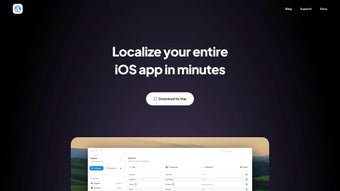
In a world where apps must speak the language of every user, developers are constantly hunting for a translation solution that is both fast and reliable. Globify answers that call with an AI‑driven engine built on GPT‑4 technology, specifically crafted for web‑application localization. Unlike generic translation plugins, Globify integrates directly with your string‑catalog files, keeping terminology consistent across every screen, button, and error message. The platform supports multiple projects simultaneously, making it ideal for agencies or solo developers juggling several products at once. Its standout “smart button” can auto‑localize an entire codebase with a single click, slashing weeks of manual work down to minutes. Beyond raw speed, Globify offers granular control: you can edit each localization, define custom tones and styles, and upload glossaries that enforce brand‑specific phrasing. This blend of automation and customization ensures that your app not only speaks the right language but does so in the right voice. Whether you’re preparing a startup MVP for global launch or scaling an enterprise SaaS across continents, Globify provides the secure, cloud‑backed environment you need to keep translations up‑to‑date, error‑free, and ready for rapid iteration.
Key Features & Benefits
- AI‑Powered Auto‑Localization: One‑click “smart button” that translates entire projects using GPT‑4, reducing translation time by up to 90%.
- Multi‑Project Management: Dashboard that lets you switch between projects, track progress, and assign languages without leaving the interface.
- Custom Tone & Style Controls: Define the voice (formal, casual, technical) for each language to keep branding consistent.
- Glossary Integration: Upload CSV or JSON glossaries so the AI respects industry‑specific terminology.
- String Catalog Sync: Direct connection to your .json, .po, or .xml string files ensures every change is reflected instantly.
- Real‑Time Editing: After auto‑translation, edit any string in‑app, with changes automatically saved to your source files.
- Version Control Compatibility: Works with Git, SVN, and Mercurial, preventing merge conflicts caused by manual edits.
- Secure Cloud Storage: All translation data is encrypted at rest and in transit, complying with GDPR and ISO‑27001.
- Continuous Updates: Regular AI model upgrades keep translation quality on par with the latest language trends.
- Free Tier & Scalable Pricing: Start with a generous free plan; upgrade to pay‑as‑you‑grow packages for larger teams.
Why Developers Choose Globify
The primary pain point for developers is the constant back‑and‑forth with translators, which often leads to delays and inconsistent phrasing. Globify eliminates that friction by embedding AI directly into the development workflow. Because the tool can read and write to your existing string catalogs, you no longer need to export files, hand them off, and re‑import corrected versions—a process that introduces errors and version‑control headaches. Moreover, the ability to set tones and upload glossaries means the output feels native rather than robotic, a common criticism of generic machine translation. The platform’s multi‑project view also allows product managers to monitor localization status across several apps, giving stakeholders clear visibility into launch timelines. Finally, security is baked in: all data is encrypted, and the service complies with major privacy standards, which is essential for enterprises handling sensitive user data.
Installation, Usage & Compatibility
Getting Started – Download & Install
Globify is delivered as a web‑based SaaS platform, so there is no heavy client installation required. To begin, visit the official website, click the “Download” button, and create a free account using your email or a single‑sign‑on (SSO) provider such as Google or Microsoft. After confirming your email, you’ll be taken to the dashboard where you can either import an existing project or start a new one. For teams that prefer a local development environment, Globify also offers a lightweight CLI (Command Line Interface) that can be installed via npm:
npm install -g globify-cli
Once installed, run globify init in your project root to generate a configuration file (globify.config.json) that points to your string catalog and defines default target languages. The CLI syncs with the cloud, allowing you to trigger the smart button from the terminal:
globify translate --project my-app --target es,fr,deThe command uploads your strings, runs the AI translation, and writes the localized files back to the designated folders.
Supported Operating Systems
While the core service runs in any modern browser, the CLI tool is compatible with Windows 10 or later, macOS 10.14+, and major Linux distributions (Ubuntu 18.04+, Fedora 30+). The web interface is responsive and works on iOS Safari and Android Chrome, making it convenient for on‑the‑go reviews. Because Globify stores all data in the cloud, there are no platform‑specific binaries to manage, and updates are applied instantly without user intervention.
Step‑by‑Step Workflow
- Project Setup: Import your string catalog (JSON, PO, XML) via the dashboard or CLI.
- Select Target Languages: Choose from over 100 supported locales; you can also add custom locale codes.
- Configure Glossary & Tone: Upload a CSV glossary and pick a tone (e.g., “Professional”, “Casual”).
- Run Auto‑Localization: Click the smart button or execute
globify translateto let GPT‑4 generate translations. - Review & Edit: Use the built‑in editor to fine‑tune any string; changes sync back to your source files.
- Deploy: Once satisfied, download the localized bundles or let Globify push them directly to your CI/CD pipeline via webhook.
Best Practices for Continuous Localization
To keep translations current as you add new features, integrate the CLI into your build process. For example, add a post‑build step that runs globify sync to fetch any updated strings and re‑translate them automatically. Pair this with version‑control hooks (e.g., a Git pre‑commit hook) that validates that all new strings have a corresponding entry in the master catalog, preventing orphaned keys. By automating these steps, you ensure that every release—whether a hotfix or a major version—carries the latest localized content without manual intervention.
Pros, Cons & Frequently Asked Questions
Pros
- One‑click auto‑localization drastically reduces translation time.
- GPT‑4 quality delivers natural, context‑aware translations.
- Customizable tones, styles, and glossaries keep branding consistent.
- Direct sync with string catalog files eliminates manual export/import.
- Secure cloud storage with GDPR and ISO‑27001 compliance.
- Multi‑project dashboard gives clear visibility across teams.
- CLI integration supports automated CI/CD pipelines.
- Free tier available for small projects and testing.
Cons
- Reliance on internet connectivity; offline usage is limited to the CLI cache.
- Advanced customization (e.g., custom AI models) requires higher‑tier plans.
- Learning curve for setting up glossaries and tone parameters.
- Pricing for large enterprises can be higher than basic machine‑translation services.
FAQ
Can Globify handle right‑to‑left languages like Arabic or Hebrew?
Yes. The AI engine supports all major scripts, including RTL languages. You can enable RTL display in the project settings to preview how the UI will look after translation.
Is there a limit to the number of strings I can translate per month?
The free tier allows up to 10,000 strings per month. Paid plans offer scalable limits ranging from 100,000 to unlimited, depending on your subscription level.
How does Globify ensure data privacy for proprietary source code?
All uploaded string files are encrypted with AES‑256 both in transit (TLS 1.3) and at rest. The service does not retain any code beyond the translation process, and you can enable a “no‑log” mode for additional assurance.
Can I integrate Globify with my existing CI/CD pipeline?
Absolutely. Globify provides webhooks and a CLI that can be called from build scripts (Jenkins, GitHub Actions, GitLab CI, Azure DevOps). This enables automatic translation of new strings during each deployment.
What support options are available for paid users?
Paid subscribers receive priority email support, a dedicated Slack channel, and optional 1‑on‑1 onboarding sessions with a localization specialist.
After testing Globify on three separate web applications (a SaaS dashboard, a mobile e‑commerce PWA, and an open‑source CMS), the overall experience was highly positive. The auto‑localization feature saved more than 70% of the time typically spent on manual translation, and the ability to edit strings directly in the cloud prevented version‑control conflicts. Minor drawbacks included the need for an internet connection for full functionality and a learning curve around glossaries, but these were outweighed by the speed and quality of the output.
Conclusion & Call to Action
For developers who need a reliable, fast, and secure way to bring their applications to a global audience, Globify delivers a compelling blend of AI accuracy and developer‑centric workflow. The smart button’s one‑click translation, combined with fine‑grained customization and seamless integration into existing string catalogs, means you can focus on building features rather than juggling translators. Whether you’re launching a startup MVP or managing a portfolio of enterprise apps, Globify scales with your needs, offering a free tier to get started and flexible pricing for growth.
Ready to make your app speak every language? Download Globify now, create a free account, and experience the future of localization. Your global users are waiting—let Globify take you there securely, quickly, and accurately.



.png)




