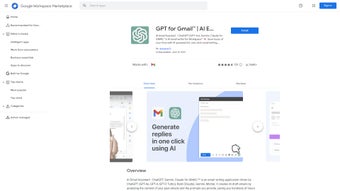

Download GmailGPT – AI Email Writing Assistant for Google Workspace
Why GmailGPT is the Next‑Generation Email Companion
In today’s fast‑paced business environment, every second saved on routine tasks translates into higher productivity and better results. GmailGPT steps into this gap as a powerful, AI‑driven email writing assistant that lives inside Google Workspace. By leveraging the latest large‑language models from OpenAI’s ChatGPT and Google’s Bard, GmailGPT can understand the context of your past correspondence, interpret natural‑language prompts, and generate polished drafts with a single click. Whether you are a sales executive juggling dozens of outreach emails, a support agent handling customer tickets, or a non‑native English speaker striving for clarity, GmailGPT offers a secure, seamless, and multilingual solution that fits directly into the Gmail interface you already know. This introductory section outlines the philosophy behind GmailGPT, the problems it solves, and why it has quickly become a must‑have tool for busy professionals looking to streamline their inbox workflow.
Overview and Core Features of GmailGPT
GmailGPT is an AI‑powered email writing assistant designed exclusively for Google Workspace users. It analyzes your historical email data and user‑provided prompts to generate contextually relevant drafts, dramatically cutting down the time spent on composing messages. The tool offers a one‑click solution for drafting, translating, rephrasing, and summarizing emails, supporting over 40 languages and dialects. With built‑in summarization, it also helps you quickly grasp lengthy threads, making it ideal for customer support teams, executives, and anyone who needs to stay on top of high‑volume communication.
Feature List
- One‑click email drafting powered by ChatGPT and Bard.
- Context‑aware suggestions that learn from your previous emails.
- Instant translation in more than 40 languages and dialects.
- Smart rephrasing for tone adjustment and clarity improvement.
- Automatic email summarization for long conversation threads.
- Seamless integration with Gmail UI – no separate window needed.
- Secure data handling compliant with Google Workspace security standards.
- Custom prompt library for frequently used email patterns.
- Real‑time collaboration for teams sharing drafts within Google Drive.
- Regular AI model updates ensuring the latest language capabilities.
Installation, Usage Instructions, and Compatibility
Getting started with GmailGPT is intentionally straightforward. The extension is distributed through the Google Workspace Marketplace, allowing administrators to deploy it organization‑wide or let individual users install it on demand. Follow these steps to begin harnessing AI‑assisted email composition:
- Visit the Google Workspace Marketplace and search for “GmailGPT”.
- Click “Install” and grant the required permissions, which include read/write access to your Gmail and Drive for contextual analysis.
- Once installed, a new “GPT” icon appears in the Gmail compose toolbar.
- To draft an email, click the icon, type a brief prompt (e.g., “Follow‑up on the project proposal”), and let the AI generate a full draft.
- Use the “Translate” button to switch the draft into any supported language, or select “Rephrase” to adjust tone (formal, friendly, concise).
- For summarizing long threads, open the email chain, click the “Summarize” option, and receive a concise bullet‑point overview within seconds.
The tool works across all major platforms that support Gmail, ensuring a consistent experience whether you are on a desktop, laptop, or mobile device.
Supported Operating Systems
- Windows 10 and later (via Chrome, Edge, or any Chromium‑based browser).
- macOS 10.14+ (Safari, Chrome, or Firefox).
- Linux distributions with modern browsers.
- Android 8.0+ (Gmail app with integrated add‑on support).
- iOS 13+ (Gmail app, limited to web‑based interactions).
Because GmailGPT runs as a browser extension, it does not require separate installations on mobile operating systems; the AI features are accessed directly from the Gmail app’s compose window once the user signs into their Google Workspace account.
Pros, Cons, and Frequently Asked Questions
Pros
- Significant time savings – drafts are generated in seconds.
- High accuracy thanks to dual AI models (ChatGPT + Bard).
- Robust multilingual support for global teams.
- Native Gmail integration eliminates context switching.
- Secure, enterprise‑grade permission handling.
Cons
- Requires an active internet connection for AI processing.
- Advanced features (e.g., bulk summarization) are behind a premium tier.
- Initial permission grant may raise concerns for highly regulated industries.
Frequently Asked Questions
Is GmailGPT free to use?
GmailGPT offers a free tier with basic drafting, translation, and rephrasing capabilities. Advanced features such as bulk summarization and team collaboration tools are available through a paid subscription.
How does GmailGPT protect my data?
All data processing occurs over encrypted HTTPS connections, and the extension adheres to Google Workspace’s security standards. Email content is not stored long‑term; it is only used transiently to generate drafts.
Can I customize the tone of generated emails?
Yes. After a draft is generated, you can click the “Rephrase” button and select a tone option (formal, friendly, concise, persuasive) to automatically adjust the language.
Does GmailGPT work with personal Gmail accounts?
The extension is optimized for Google Workspace (business) accounts, but it can also be installed on personal Gmail accounts via the marketplace. Some enterprise‑level features may be limited.
How often is the AI model updated?
GmailGPT receives monthly model updates, ensuring it benefits from the latest language improvements and security patches released by OpenAI and Google.
Overall Verdict: GmailGPT blends powerful AI with the familiarity of Gmail, delivering a compelling productivity boost for professionals. Its multilingual capabilities and seamless integration outweigh the modest learning curve and reliance on an internet connection.
Conclusion – Boost Your Inbox Efficiency Today
If you spend a significant portion of your day crafting emails, GmailGPT offers a secure, AI‑enhanced shortcut that can transform how you communicate. The one‑click drafting, real‑time translation, and intelligent summarization features align perfectly with the needs of modern teams that value speed without sacrificing professionalism. While a premium subscription unlocks the full suite of collaborative tools, the free tier already provides enough value to justify immediate adoption. Ready to experience faster email composition and clearer global communication? Download GmailGPT now and let AI do the heavy lifting for your inbox.



.png)




