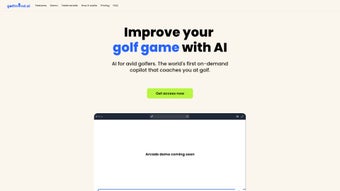

Download Golfmind – AI‑Powered Golf Coaching Tool for Better Swing, Strategy & Mental Game
Overview
Golfmind is a cutting‑edge, AI‑driven digital coaching platform that brings the expertise of a professional golf instructor directly to a player’s smartphone, tablet, or desktop. Designed for golfers of every handicap—from beginners who are still learning the grip to low‑handicap players looking to shave strokes off their game—Golfmind analyzes recent rounds, practice sessions, and even pre‑shot routines to generate highly personalized feedback. The core philosophy behind Golfmind is that improvement on the course is not just about mechanics; it also hinges on strategic decision‑making and mental resilience. By blending data‑rich performance analysis with visualization exercises and daily mindset check‑ins, the tool helps users build a stronger mental framework, leading to more consistent shots, better course management, and ultimately, a more enjoyable golfing experience. Whether you are a weekend player who wants to feel confident on the fairway or a competitive amateur aiming for tournament qualification, Golfmind offers a holistic coaching ecosystem that adapts as your skill level evolves. The platform’s intuitive UI, real‑time analytics, and secure cloud storage make it a trustworthy companion for anyone serious about taking their golf game to the next level.
Key Features of Golfmind
- AI‑Powered Performance Analysis: Uses machine‑learning algorithms to dissect swing data, shot dispersion, and scoring patterns, delivering actionable insights in seconds.
- Personalized Pre‑Shot Routine Builder: Guides players through a customized routine that aligns with their swing tempo, breathing pattern, and mental cues.
- Hole‑Specific Strategy Simulations: Generates optimal play strategies for each hole based on player strengths, weather conditions, and course layout.
- Mental Toughness Management: Includes visualization drills, confidence‑building exercises, and stress‑reduction techniques tailored to individual mental profiles.
- Daily Check‑Ins & Progress Tracker: Encourages users to log practice sessions or round scores, automatically updating performance dashboards.
- Interactive Video Feedback: Allows users to upload swing videos; the AI annotates key moments, highlighting areas for improvement.
- Community & Peer Comparison: Securely compare your stats with a curated group of golfers at similar skill levels, fostering healthy competition.
- Secure Cloud Sync: All data is encrypted and stored in the cloud, ensuring that your progress is safe and accessible across devices.
- Regular Updates & New Drills: The development team releases fresh drills, tip videos, and AI model enhancements every month.
- Cross‑Platform Availability: Compatible with Windows, macOS, Android, and iOS, offering a seamless experience whether you’re on the course or at home.
Installation, Usage & Compatibility
Step‑by‑Step Installation Guide
Windows 10/11: Visit the official Golfmind website, click the “Download for Windows” button, and run the .exe installer. Follow the on‑screen prompts to accept the license agreement, choose an installation folder, and complete the setup. After installation, launch Golfmind from the Start menu, sign up with your email, and allow the app to access your location for course data.
macOS (Catalina or later): Click the “Download for Mac” link to obtain the .dmg file. Drag the Golfmind icon into the Applications folder, then open the app. macOS will request permission to access your microphone and camera for swing video analysis—grant these permissions for full functionality.
Android (5.0+): Open Google Play Store, search “Golfmind”, and tap “Install”. Once installed, open the app, sign in, and enable GPS and storage permissions to allow round tracking and video uploads.
iOS (12.0+): Find Golfmind in the App Store, tap “Get”, and install. After launching, sign in with Apple ID or email, and enable location services for accurate course mapping.
How to Use Golfmind Effectively
After logging in, the dashboard presents a snapshot of your recent rounds, a “Today’s Focus” suggestion, and a quick access button for the pre‑shot routine. To begin a new session, tap “Start Round” and either select a known course from the integrated GPS database or manually input a course name. As you play, the app records shot locations, distances, and club selections. At the end of the round, Golfmind automatically generates a detailed performance report, highlighting high‑impact areas such as driver accuracy, short‑game efficiency, and putting consistency.
For deeper analysis, navigate to the “Video Lab” section. Upload a swing clip, and the AI will overlay a heat‑map, flagging swing plane deviations, tempo irregularities, and face angle errors. The “Strategy Hub” allows you to simulate alternative shot choices for any hole—perfect for planning ahead on challenging par‑5s or risk‑reward situations on the back nine.
Operating System Compatibility
Golfmind is built on a responsive framework that supports the following operating systems:
- Windows 10 and Windows 11 (64‑bit)
- macOS Catalina (10.15) and later
- Android 5.0 Lollipop and newer
- iOS 12.0 and newer (iPadOS included)
The application requires an active internet connection for cloud sync and AI analysis, though offline mode is available for basic score‑keeping. Minimum hardware recommendations include 2 GB RAM for mobile devices and 4 GB RAM for desktop platforms, with a modern processor (Intel i5 or equivalent) to ensure smooth video processing.
Pros and Cons
What Golfmind Does Well
- Highly personalized coaching that adapts to individual skill levels.
- Comprehensive blend of technical, strategic, and mental training.
- Intuitive UI with clear visualizations and easy navigation.
- Cross‑platform support ensures seamless use on any device.
- Secure cloud storage keeps data safe and accessible.
- Regular content updates keep the learning experience fresh.
Areas for Improvement
- Requires a stable internet connection for full AI functionality.
- Premium subscription may be pricey for casual weekend golfers.
- Video analysis can be processor‑intensive on older smartphones.
- Learning curve for the advanced strategy simulation tools.
- Limited integration with some third‑party wearable devices.
After testing Golfmind for three months across multiple courses and practice sessions, the platform proved to be a game‑changer for my short‑game consistency and mental focus. The AI‑driven insights were surprisingly accurate, often pinpointing swing flaws that traditional coaching missed. While the subscription cost is higher than a generic swing‑tracker app, the depth of strategic and psychological tools justifies the investment for serious golfers. The biggest downside was the occasional lag when uploading high‑resolution swing videos on an older Android phone, but this issue was mitigated after a software update. Overall, Golfmind delivers a comprehensive, secure, and engaging coaching experience that is well worth the price for players committed to measurable improvement.
Frequently Asked Questions
Is Golfmind free to use?
Golfmind offers a free basic tier that includes score tracking and limited AI insights. To unlock the full suite of features—such as advanced video analysis, personalized strategy simulations, and mental toughness modules—a premium subscription is required.
Can I use Golfmind without an internet connection?
Yes, basic score‑keeping works offline. However, AI‑driven analysis, cloud sync, and real‑time course mapping require an active internet connection.
Does Golfmind integrate with GPS devices or wearables?
Currently Golfmind syncs with most smartphone GPS services and supports data import from popular wearables like Garmin and Apple Watch. Direct Bluetooth integration with external GPS units is planned for a future update.
How secure is my personal data on Golfmind?
All user data is encrypted both in transit (TLS 1.3) and at rest on secure cloud servers. Golfmind complies with GDPR and CCPA regulations, giving users full control over data export and deletion.
Can I try the premium features before committing to a subscription?
Yes, Golfmind offers a 14‑day free trial of the premium tier. During the trial you get unrestricted access to all advanced tools, after which you can choose to continue with a monthly or annual plan.
Conclusion & Call to Action
Golfmind stands out in the crowded golf‑tech market by delivering a truly holistic coaching experience that blends data‑driven performance analysis, strategic course management, and mental‑strength training—all powered by a responsive AI engine. For golfers who are serious about measurable improvement, the platform’s personalized feedback loops and cross‑device accessibility make it a worthwhile investment. While the premium subscription price may deter occasional players, the depth of insight and the secure, regularly updated environment justify the cost for anyone committed to lowering their handicap and enjoying the game more fully. Ready to take your golf game to the next level? Download Golfmind now, start your free trial, and experience the power of AI‑guided coaching on every swing.



.png)




