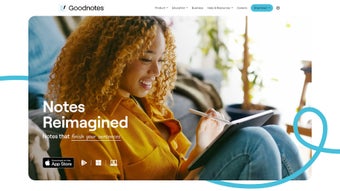

Download Goodnotes – AI‑Powered Handwriting, Secure Sync & Multi‑Platform Note‑Taking
Overview
Goodnotes is a cutting‑edge, AI‑enhanced note‑taking application that brings the fluidity of digital ink to every device you own. Built around Goodnotes’ proprietary Digital Ink technology, the app delivers a natural handwriting experience that feels as smooth as pen on paper while adding the power of artificial intelligence. Spell‑check, word completion, and intelligent formatting work in the background so you can capture ideas without worrying about typos. The platform is truly cross‑compatible, supporting iOS, Android, Windows, macOS, and a fully featured web version, which means your notes are always at hand, wherever you are. Beyond ordinary note‑taking, Goodnotes includes a math‑homework correction engine that can recognize handwritten equations, solve them, and provide step‑by‑step feedback—making it a valuable tool for students and professionals alike. PDF annotation, cloud synchronization, and a clean, distraction‑free interface round out the core experience. Security is a top priority; all data is encrypted in transit and at rest, and the development team delivers regular updates to keep the app stable and secure. Whether you’re a university student drafting lecture notes, a lawyer reviewing case files, or a creative mind sketching ideas, Goodnotes offers a reliable, intelligent environment to organize, edit, and retrieve your handwritten content with ease.
Key Features That Set Goodnotes Apart
- Digital Ink Engine: Provides a responsive, low‑latency writing surface that mimics real‑world pen pressure and tilt.
- AI Spell‑Check & Word Completion: Real‑time suggestions keep your notes error‑free without breaking flow.
- Handwritten Math Solver: Recognizes equations, offers instant solutions, and explains steps for better learning.
- PDF Annotation & Highlighting: Import PDFs, mark up, add comments, and save changes directly to your library.
- Cross‑Platform Sync: Seamless cloud synchronization across iOS, Android, Windows, macOS, and web browsers.
- Secure Cloud Storage: End‑to‑end encryption ensures your personal and professional data stays private.
- Customizable Templates: Choose from notebooks, planners, and scientific paper layouts to match your workflow.
- Searchable Handwriting: AI converts handwritten text into searchable content, making retrieval fast.
- Offline Mode: Create and edit notes without internet; changes sync automatically when you reconnect.
- Regular Updates & Support: The development team rolls out feature enhancements and security patches monthly.
Installation & Usage Guide – From Download to Daily Workflow
Getting started with Goodnotes is straightforward, no matter which device you prefer. Visit the official Goodnotes website or your platform’s app store, search for “Goodnotes,” and click the Download button. For Windows and macOS, an installer (.exe or .dmg) will be saved to your Downloads folder; double‑click to launch the wizard, accept the license agreement, and choose the installation path. Mobile users on iOS or Android can simply tap “Get” or “Install,” and the app will appear on their home screen once the process completes. The web version requires no download—just navigate to goodnotes.com, sign in, and you’ll be taken to the browser‑based workspace.
After installation, launch Goodnotes and create an account using your email or a single‑sign‑on provider (Google, Apple, or Microsoft). The first‑time setup wizard walks you through essential preferences: selecting your default notebook style, enabling cloud sync, and configuring AI features such as spell‑check sensitivity. Once configured, start a new notebook by tapping the “+” icon, choose a template, and begin writing with a stylus or your finger. The AI engine works silently in the background, underlining misspelled words and offering word completions as you type. To annotate a PDF, import the file via the “Import” button, then use the ink tools, highlighter, or text boxes to mark up the document. All changes are saved automatically; you can access them later from any synced device.
For power users, Goodnotes includes keyboard shortcuts (Ctrl + N for new notebook, Cmd + F to search) and gesture controls (two‑finger pinch to zoom, three‑finger swipe to undo). The app also supports exporting notes as PDF, PNG, or Goodnotes‑specific .goodnotes files for backup. If you encounter any issues, the built‑in Help Center offers searchable articles, and live chat support is available 24/7 for premium subscribers. By following these simple steps, you’ll have a secure, AI‑enhanced note‑taking environment ready for school, work, or personal projects.
Compatibility, Pros & Cons, FAQ, and Final Thoughts
Supported Operating Systems
Goodnotes runs natively on iOS 13+ and iPadOS, Android 8.0 and later, Windows 10 (64‑bit) or newer, macOS 11 (Big Sur) or later, and any modern web browser (Chrome, Safari, Edge, Firefox). This broad compatibility ensures that you can capture, edit, and review notes from virtually any device you own.
Pros & Cons
- Pros:
- Natural, low‑latency digital ink that feels like real pen.
- Powerful AI features (spell‑check, word completion, math solver).
- Full‑cross‑platform synchronization with end‑to‑end encryption.
- Robust PDF annotation and searchable handwriting.
- Regular updates and responsive customer support.
- Cons:
- Premium subscription required for unlimited cloud storage.
- Advanced math solver only available on paid tier.
- Learning curve for users unfamiliar with stylus‑based note‑taking.
Frequently Asked Questions
Is Goodnotes free to use?
Goodnotes offers a free tier with basic note‑taking and limited cloud sync. Full functionality—including unlimited storage, AI math solver, and advanced templates—requires a monthly or yearly subscription.
Can I use Goodnotes without an internet connection?
Yes. Goodnotes works offline on all platforms. Any changes you make will automatically sync to the cloud once you reconnect to the internet.
How secure is my data?
All data is encrypted in transit (TLS) and at rest (AES‑256). Goodnotes complies with GDPR and CCPA standards, and the company undergoes regular security audits.
Does Goodnotes support stylus pressure sensitivity?
Absolutely. The Digital Ink engine detects pressure levels from Apple Pencil, Samsung S Pen, Surface Pen, and other compatible styluses, delivering variable line thickness for a realistic writing feel.
Can I export my notes to other formats?
Yes. Notes can be exported as PDF for sharing, PNG for image use, or as Goodnotes’ native .goodnotes file for backup and restoration.
Conclusion & Call to Action
Goodnotes represents a mature, AI‑driven evolution of traditional note‑taking apps. Its blend of responsive digital ink, intelligent language tools, and cross‑platform sync makes it a standout choice for students, professionals, and casual users alike. While the premium subscription unlocks its full potential, the free version still offers a solid foundation for everyday handwriting needs. If you value secure cloud storage, seamless device integration, and the ability to solve handwritten math problems on the fly, Goodnotes is worth a try. Download the app today, create your first notebook, and experience how artificial intelligence can transform the simple act of writing into a powerful productivity engine.
Overall Rating: 4.5/5



.png)




