
Download GoPDF – Online AI PDF Editor & Manager
Overview
GoPDF is a cloud‑based PDF solution that blends traditional editing tools with cutting‑edge artificial intelligence. Designed for both casual users and power professionals, the platform lets you edit, convert, merge, compress, and protect PDF files without ever installing bulky desktop software. What truly sets GoPDF apart is its AI‑driven chat interface, which enables you to ask questions about the content of a document, extract specific sections, or even request on‑the‑fly translations—all through a conversational window. Whether you need to turn a scanned contract into an editable Word file, sign a lease digitally, or shrink a multi‑megabyte report for email attachment, GoPDF delivers a seamless, secure, and fast experience. Its intuitive web UI, responsive design, and robust privacy controls make it a compelling choice for anyone who works with PDFs on a regular basis.
Key Features & Functionalities
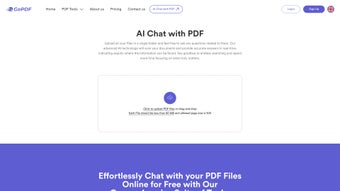
- AI Chat Interaction: Communicate with your PDF using natural language queries, extract paragraphs, summarize sections, or request format changes instantly.
- Conversion Suite: Convert PDFs to editable Microsoft Word documents, high‑resolution JPG images, or plain text files with preservation of layout.
- eSigning & Form Filling: Add digital signatures, initials, and fill out interactive form fields directly in the browser.
- Merge & Split: Combine multiple PDFs into a single document or split large files into smaller, more manageable parts.
- Compression & Optimization: Reduce file size without sacrificing visual quality, ideal for email sharing or web publishing.
- Cropping & Page Management: Trim unwanted margins, rotate pages, and reorder pages with drag‑and‑drop simplicity.
- Encryption & Password Protection: Apply AES‑256 encryption, set open passwords, and restrict printing or editing capabilities.
- Cloud Storage Integration: Connect with Google Drive, Dropbox, or OneDrive to import and export files securely.
- Batch Processing: Automate repetitive tasks on multiple documents, such as bulk conversion or compression.
- Responsive Design: Works smoothly on Windows, macOS, Android, and iOS browsers, providing a consistent experience across devices.
Installation, Usage & Compatibility
Getting Started – No Download Required
Because GoPDF is a fully online service, there is no traditional installation process. Users simply visit gopdf.com, create a free account, and can immediately begin uploading PDFs. The platform supports drag‑and‑drop as well as traditional file‑picker dialogs, making the first step intuitive for any skill level.
Step‑by‑Step Workflow
- Create an Account: Sign up with an email address or use Google/Apple single sign‑on. Verification is completed within seconds.
- Upload Your Document: Drag the file into the workspace or select it from cloud storage. GoPDF processes the file on secure servers and displays a preview.
- Choose a Tool: Select from the toolbar – whether you need AI chat, conversion, e‑signing, or compression. Each tool opens a dedicated pane with clear instructions.
- Apply Changes: Use the AI chat to ask questions like “Show me all tables in this report” or “Summarize the conclusion”. For editing, highlight text, add annotations, or replace images.
- Save & Export: Once satisfied, click “Export”. Choose the desired format (PDF, DOCX, JPG, etc.) and download directly or push the file back to your cloud drive.
Supported Operating Systems & Browsers
GoPDF runs entirely in the browser, so it is compatible with any modern operating system that supports HTML5 and JavaScript. Officially supported platforms include:
- Windows 10/11 (Edge, Chrome, Firefox)
- macOS Monterey and later (Safari, Chrome, Firefox)
- Linux distributions with recent Chromium‑based browsers
- Android 8.0+ (Chrome, Firefox)
- iOS 13+ (Safari, Chrome)
The service uses TLS 1.3 encryption for all data transfers, ensuring that your documents remain private whether you are on a desktop or a mobile device.
Pros, Cons & Expert Review
Pros
- AI chat provides unprecedented interaction with PDF content.
- All core features are accessible for free with generous usage limits.
- No installation – works on any device with a modern browser.
- High‑quality conversion maintains original layout and fonts.
- Strong security with AES‑256 encryption and password protection.
Cons
- Advanced batch processing requires a paid subscription.
- Internet connection is mandatory; offline editing is not possible.
- Large files (>200 MB) may experience longer upload times.
- AI responses depend on document clarity; scanned images with poor OCR may yield limited results.
- Free tier imposes a daily limit on the number of AI chat queries.
Overall Verdict: GoPDF delivers a powerful blend of traditional PDF tools and AI‑enhanced interaction, making it a standout choice for professionals who need quick, secure, and intelligent PDF management. While the reliance on an internet connection and some premium restrictions are worth noting, the free tier already offers enough value for most everyday tasks. Its modern UI, cross‑platform compatibility, and commitment to data security earn it a solid 4.5‑star rating.
Frequently Asked Questions
Is GoPDF completely free to use?
GoPDF offers a robust free tier that includes most editing, conversion, and AI chat features with daily usage limits. For unlimited AI queries, batch processing, and higher file‑size limits, a paid subscription is available.
How secure is my data when I upload a PDF?
All uploads are encrypted with TLS 1.3 during transit and stored temporarily on secure servers. Files are automatically deleted after the session ends, and you can enable additional AES‑256 encryption for the final PDF.
Can I edit scanned documents that are only images?
Yes. GoPDF includes built‑in OCR technology that converts scanned images into selectable, editable text. The accuracy depends on the scan quality; clearer scans produce better results.
Do I need an account to use the AI chat feature?
An account is required for AI chat to keep track of usage limits and to store your conversation history securely. Registration is quick and can be done via email or single sign‑on.
Is there a desktop version of GoPDF?
Currently, GoPDF is offered exclusively as a web‑based service. However, you can create a shortcut on your desktop or mobile home screen that opens the web app in a full‑screen mode, mimicking a native app experience.
Conclusion & Call to Action
GoPDF redefines what an online PDF editor can do by marrying classic document management with AI‑driven conversation. Its no‑install, cross‑platform design means you can start editing from any computer, tablet, or smartphone within seconds. While power users may eventually opt for the premium plan to unlock unlimited AI queries and advanced batch tools, the free tier already equips students, freelancers, and small businesses with everything they need to create, edit, and protect PDFs securely.
Ready to experience a smarter way to work with PDFs? Create your free GoPDF account today and discover how AI can turn a static document into an interactive partner.



.png)




