
Download Grav – Free Flat‑File CMS for Fast, Secure Websites
Overview
Grav is a modern, free, and open‑source content management system (CMS) that takes a bold step away from traditional database‑driven platforms. Built on PHP and the robust Symfony framework, Grav uses a flat‑file architecture that stores content in simple text files, delivering lightning‑fast page loads and a streamlined development workflow. Created by Andy Miller, Djamil Legato, and Matias Griese, the project aims to give both beginners and seasoned developers a tool that feels intuitive yet powerful enough for professional sites. The “gravity” in its name isn’t just a clever tagline—Grav’s core philosophy is to let developers focus on content creation while the system handles performance, caching, and security behind the scenes. Because there’s no database to install, setting up a new site is as easy as unzipping a package and letting the built‑in Package Manager take care of dependencies and future updates. Grav’s admin dashboard provides a clean, responsive interface that displays pages, media, and plugin settings in a single view, making site management hassle‑free. For those who love command‑line efficiency, a full CLI is also available, allowing rapid scaffolding, cache clearing, and theme generation. Multi‑site capabilities let a single Grav installation host several distinct websites, each with its own theme, plugins, and content hierarchy. The platform shines in SEO, offering automatic metadata generation, sitemap creation, and customizable URL structures. It also supports multilingual sites out of the box, making it an ideal choice for global audiences. While Grav’s flat‑file nature means it isn’t suited for massive, data‑intensive applications that rely on relational databases, its speed, extensibility, and developer‑friendly ecosystem make it a compelling alternative for blogs, portfolios, documentation sites, and small‑to‑medium business pages.
Key Features of Grav
- Flat‑File Architecture: Stores pages, configurations, and media as plain text files, eliminating the need for a MySQL or MariaDB server.
- One‑Click Installation: Simply unzip the download; the integrated Package Manager resolves dependencies and sets up the environment automatically.
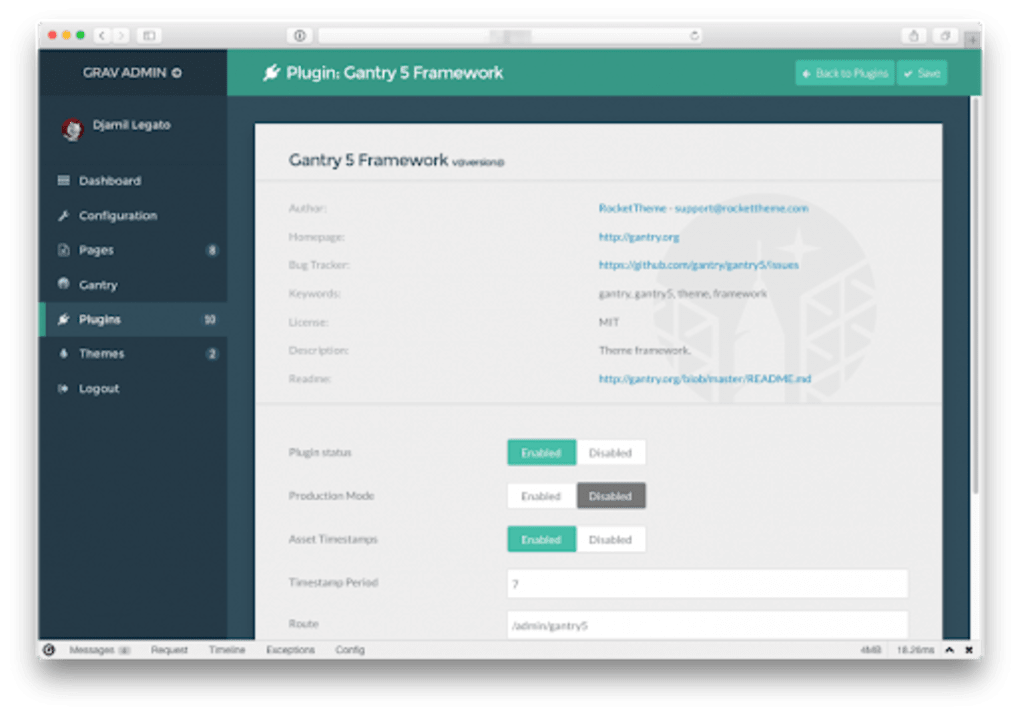
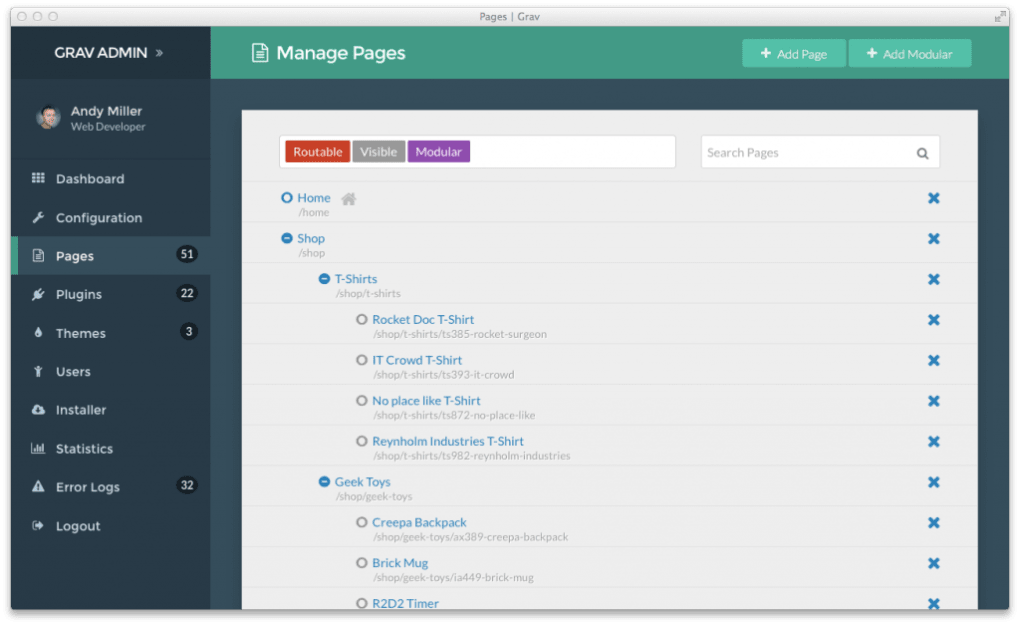
- Powerful Admin Dashboard: A responsive, browser‑based UI that lets users edit content, manage media, and configure plugins without touching code.
- Markdown & HTML Editing: Write content in Markdown for quick formatting or switch to raw HTML for full control; both work online and offline.
- Advanced Caching Layer: Built‑in caching (static, twig, and asset) ensures pages render in milliseconds, even under heavy traffic.
- Command‑Line Interface (CLI): Scaffold new pages, clear caches, install plugins, and generate themes directly from the terminal.
- Multi‑Site Support: Host multiple independent websites from a single Grav installation, each with its own theme and plugin set.
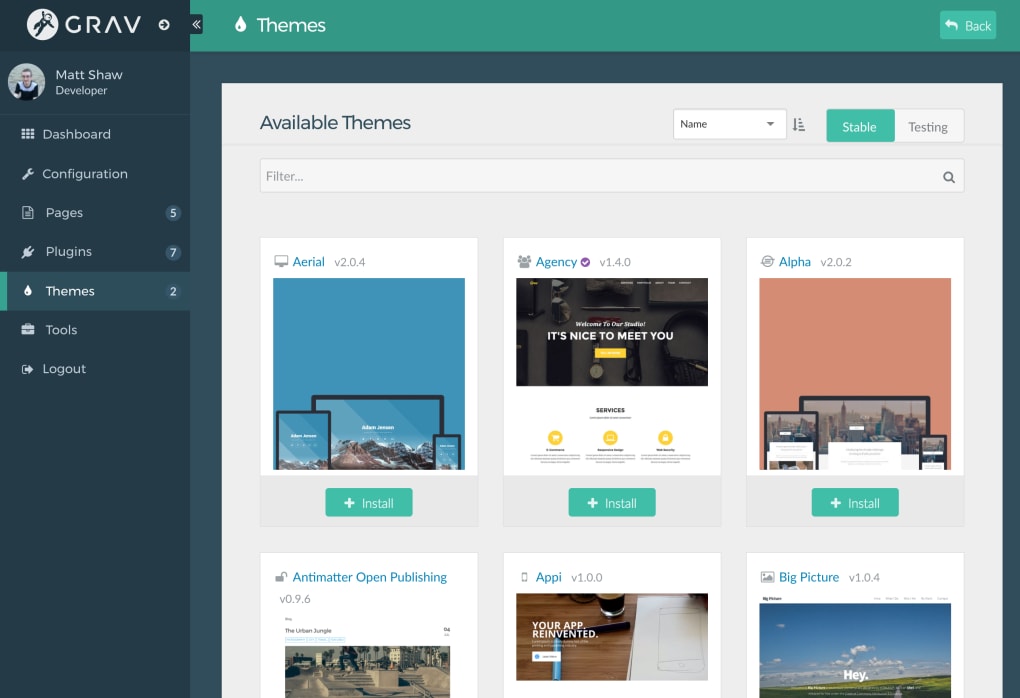
- Theme Inheritance: Combine elements from different themes to create unique designs without rewriting code.
- Extensive Plugin Ecosystem: Over 200 community‑contributed plugins for SEO, forms, e‑commerce, galleries, and more.
- SEO‑Ready Out of the Box: Automatic sitemap, meta tags, Open Graph support, and clean URLs help search engines index your site efficiently.
- Multilingual Capabilities: Create language‑specific content folders; Grav handles language switching and URL localization automatically.
- Image Processing: On‑the‑fly image resizing, cropping, and optimization using the built‑in image manager.
- Full Documentation & Community Support: Comprehensive manuals, video tutorials, and an active forum ensure you’re never stuck.
Installation & Usage Instructions
Getting started with Grav is intentionally straightforward. First, visit the official website and click the “Download” button to obtain the latest stable release. The file comes as a compressed ZIP archive containing the core application, default theme, and the Package Manager. Extract the archive to your web server’s document root (e.g., /var/www/html on Linux or htdocs on Windows). Ensure the web server has write permissions for the cache, logs, and assets directories; this allows Grav to store temporary files and logs securely.
Once the files are in place, open a browser and navigate to your site’s URL. Grav will detect the missing configuration and guide you through a quick setup wizard. You’ll be prompted to create an admin user (username, password, and email), select a default language, and optionally install a starter theme. After completing the wizard, the admin dashboard becomes available at /admin. From here, you can add new pages using the intuitive “Add Page” button, choose a page template (e.g., blog, modular, or default), and start writing in Markdown. Media files are uploaded by dragging them into the media manager, where Grav automatically generates responsive image sets.
For developers who prefer the command line, Grav offers the bin/grav CLI tool. Common commands include bin/grav install to set up a fresh site, bin/grav plugin install to add functionality, and bin/grav clear-cache to purge cached files instantly. The CLI also supports theme scaffolding with bin/grav theme new , which creates a starter theme structure you can customize. Updating Grav is as simple as running bin/grav self-upgrade, which fetches the latest version and applies it without downtime.
After installation, you’ll want to explore Grav’s extensive plugin marketplace. From SEO boosters like Google Analytics and XML Sitemap to e‑commerce extensions such as Snipcart, plugins can be installed directly from the admin interface or via the CLI. Each plugin comes with its own configuration panel, allowing you to fine‑tune settings without editing code. Remember to clear the cache after installing new plugins or themes to ensure changes are reflected immediately.
Compatibility, Pros & Cons
Supported Operating Systems
- Linux distributions (Ubuntu, Debian, CentOS, Fedora, etc.) – recommended for production environments.
- Windows Server 2016/2019 and Windows 10/11 (with IIS or Apache).
- macOS (Apache or Nginx) – ideal for local development.
- Docker – official Grav Docker image simplifies containerized deployments.
- Web hosting platforms supporting PHP 7.4+ (shared hosting, VPS, cloud providers).
Pros
- Blazing‑fast performance: Flat‑file storage eliminates database overhead, resulting in sub‑second page loads.
- Zero‑database setup: Simplifies installation and reduces maintenance costs.
- Extensive plugin ecosystem: Hundreds of community‑maintained extensions add SEO, forms, e‑commerce, and more.
- Developer‑friendly: Symfony foundation, Twig templating, and a powerful CLI empower custom development.
- Responsive admin UI: Intuitive dashboard works on desktops, tablets, and smartphones.
- Built‑in multilingual support: Perfect for global audiences without extra plugins.
- Robust caching: Static, Twig, and asset caching keep servers light and scalable.
- Active community: Comprehensive documentation, tutorials, and a vibrant forum ensure help is always available.
Cons
- Not suited for massive data‑intensive sites: Lack of relational database makes complex queries difficult.
- Learning curve for advanced features: While basic usage is simple, mastering theme inheritance and custom plugins requires Symfony/Twig knowledge.
- Limited out‑of‑the‑box e‑commerce: Requires third‑party plugins, which may not be as mature as dedicated platforms.
- Hosting considerations: Some shared hosts restrict file permissions, affecting cache and log directories.
- Plugin quality varies: Community‑maintained plugins differ in support and documentation; careful selection is needed.
Overall Verdict: Grav offers a compelling blend of speed, simplicity, and extensibility for developers and content creators alike. Its flat‑file approach eliminates database hassles, while a rich plugin marketplace and multilingual support keep it competitive. For small to medium projects, Grav is an excellent free alternative to heavyweight CMS platforms.
Frequently Asked Questions
Is Grav truly free, or are there hidden costs?
Grav is released under the MIT license, which means it is completely free for personal, commercial, or educational use. All core features, the admin panel, and most plugins are open‑source. Some premium themes and third‑party plugins may have a cost, but the core CMS remains 100 % free.
Do I need a database to run Grav?
No. Grav stores all content, configuration, and media in plain text files (Markdown, YAML, and JSON). This flat‑file system removes the need for MySQL, PostgreSQL, or any other database engine, simplifying installation and backups.
Can Grav handle multilingual websites?
Absolutely. Grav includes built‑in multilingual support. You create language‑specific folders (e.g., en, fr), and the system automatically serves the correct language based on URL or browser settings. Language switchers can be added via plugins or theme code.
How secure is Grav compared to traditional CMS platforms?
Grav benefits from a reduced attack surface because it lacks a database layer that many exploits target. Regular security updates are released through the Package Manager, and the community actively monitors vulnerabilities. Using HTTPS, keeping plugins updated, and applying standard server hardening practices keep Grav installations secure.
Can I host multiple sites with a single Grav installation?
Yes. Grav’s multi‑site feature lets you create separate site folders under the user/sites directory. Each site can have its own theme, plugins, and configuration while sharing the same core files, making management and updates more efficient.
Conclusion – Take the Leap and Download Grav Today
If you’re searching for a free, high‑performance CMS that balances simplicity with extensibility, Grav delivers on every promise. Its flat‑file foundation guarantees rapid page loads and effortless backups, while the rich plugin ecosystem and multilingual capabilities give you the tools to build anything from a personal blog to a corporate landing page. Installation is a single click, the admin dashboard is intuitive, and the command‑line interface satisfies power users. Although it isn’t designed for massive data‑driven applications, Grav shines for small‑to‑medium projects where speed, security, and ease of use matter most. Ready to experience the gravity of modern web publishing? Download Grav now, follow the quick setup guide, and start crafting fast, secure, and SEO‑friendly websites today.








