
Download GSmartControl – hard disk health, disk monitoring, PC maintenance, system integrity, SSD health, SATA monitoring, disk diagnostics, drive health check, PC diagnostic tool, hard drive analysis
Overview
GSmartControl is a dedicated utility designed to evaluate the health status of hard disks within personal computers. The application supports a wide range of storage types, including SATA and SSD drives, making it suitable for diverse hardware configurations. Its primary function is to perform comprehensive disk diagnostics, enabling users to detect early signs of drive degradation and prevent potential data loss. This makes it particularly valuable for individuals managing critical data or relying on stable system performance for work or personal use.
Target users include both casual PC users and technical professionals seeking a reliable method to monitor drive integrity without complex tools. The software is especially beneficial for those who prioritize long-term system reliability and proactive maintenance. While the developer did not provide additional background information, the app’s focus on accessibility and functionality suggests a user-centered design philosophy. Real-world use cases include pre-upgrade system checks, routine maintenance, and troubleshooting performance issues linked to storage hardware.
Within the broader productivity and system utility ecosystem, GSmartControl fills a niche by offering a lightweight, free solution for disk health assessment. Its ability to deliver actionable insights without requiring technical expertise enhances its value proposition. The application contributes to overall system integrity by empowering users to make informed decisions about hardware maintenance and upgrades.
Key Features & Functionality
- Comprehensive Disk Analysis: GSmartControl performs in-depth evaluations of hard disk parameters to assess overall health and stability. By analyzing key indicators, it identifies potential risks before they lead to failure, enabling preventive action.
- Compatibility with All Disk Types: The tool supports major storage technologies, including SATA and SSD drives. This broad compatibility ensures that users across different hardware setups can benefit from consistent monitoring capabilities.
- User-Friendly Interface: Designed with simplicity in mind, the interface allows users to navigate functions effortlessly. Even non-technical individuals can initiate scans and interpret results without prior experience in disk diagnostics.
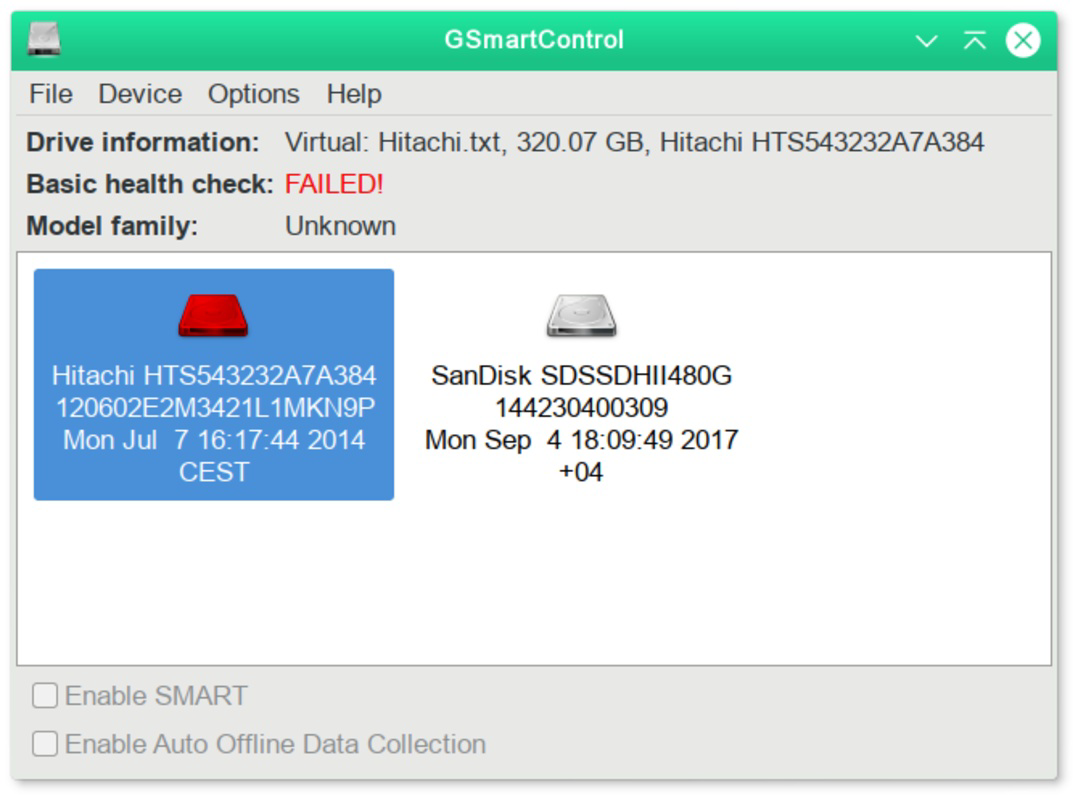
- Detailed Reporting: After each scan, the application generates thorough reports outlining the current condition of each drive. These reports include health status indicators and recommendations for improving system performance and longevity.
- Quick Operations: Scans and actions are executed rapidly, minimizing user wait time. This efficiency supports frequent checks without disrupting workflow, making it ideal for time-sensitive environments.
For example, a user preparing to upgrade their system can use GSmartControl to verify the health of existing drives before installation. Similarly, a remote worker managing large files may run periodic scans to ensure their SSD remains stable. These practical applications highlight the software’s relevance in everyday computing scenarios.
Interface, UX & Performance
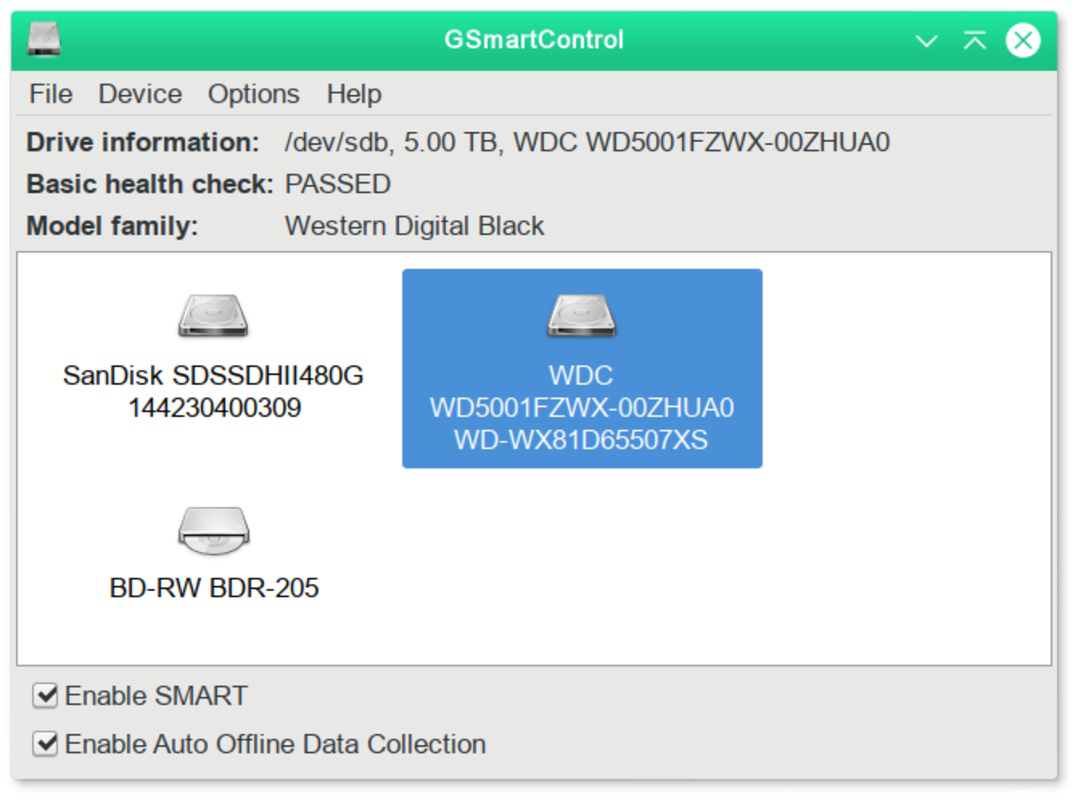
The interface of GSmartControl is clean and minimalistic, focusing on clarity and ease of access. Navigation is straightforward, with essential functions prominently displayed. Users can initiate a scan with a single click, and results are presented in a structured format that avoids technical jargon, enhancing usability.
Visual design emphasizes functionality over ornamentation, which aligns with the app’s purpose as a diagnostic tool. The layout remains consistent across different screen sizes, ensuring readability and usability on various Windows devices. Although the developer did not list formal performance metrics, the application’s file size of 10.5 MB suggests a lightweight footprint, likely contributing to fast startup times and minimal resource usage.
Responsiveness appears to be optimized for typical desktop environments. The program handles multiple drives efficiently, and scans complete in seconds, indicating efficient background processing. Stability is implied by the lack of reported issues in the provided data. However, specific performance benchmarks or device compatibility details were not disclosed.
Platform Compatibility & Technical Requirements
GSmartControl is available exclusively for the Windows platform. It operates on Windows operating systems, though the exact version requirements were not specified by the developer. The application has a file size of 10.5 MB, which indicates a compact and efficient design suitable for systems with limited storage capacity.
Since no detailed technical specifications were provided, users should verify compatibility with their current Windows setup before installation. The developer did not list minimum OS requirements or hardware prerequisites. For optimal performance, it is recommended to run the application on a system with standard Windows configuration and adequate access to storage devices.
Pros and Cons
Pros
- Free to download and use, eliminating cost barriers for users.
- Supports both SATA and SSD drives, ensuring broad hardware compatibility.
- Simple interface makes it accessible to non-technical users.
- Delivers fast, actionable reports after each scan.
- Lightweight design with minimal system resource consumption.
Cons
- Specific OS version requirements were not disclosed.
- Developer background and support channels were not provided.
- No information on update frequency or future development roadmap.
- Compatibility with older Windows versions is unclear.
- Limited functionality beyond basic disk health checks.
FAQ
Is GSmartControl safe to download and install?
Yes, the application is free and designed for legitimate system diagnostics. As it does not require elevated permissions beyond standard access to storage devices, it poses minimal risk to system security when obtained from official sources.
Can I use GSmartControl on multiple PCs?
Since the app is free and not licensed per device, users may install it on multiple Windows machines. However, the developer did not specify usage terms, so users should adhere to fair use principles.
Does GSmartControl require admin rights to run?
While the developer did not specify, typical disk diagnostic tools require access to system storage. It is likely that some level of administrative access is needed to perform full scans, though the app may function partially without elevated privileges.
How often should I run a disk health check?
For routine maintenance, running a scan once a month is recommended. Users experiencing performance issues or planning hardware upgrades should perform checks more frequently to ensure drive stability.
Is GSmartControl available for macOS or Linux?
Based on the provided information, GSmartControl is only available for Windows. There is no indication of support for other operating systems at this time.
Final Thoughts
GSmartControl stands out as a reliable, lightweight tool for monitoring hard disk health on Windows systems. Its ability to deliver quick, detailed diagnostics across SATA and SSD drives makes it a practical addition to any user’s productivity toolkit. The intuitive interface ensures that even non-technical individuals can benefit from advanced system insights without confusion.
While some technical details remain undisclosed, the app’s core functionality is clear and valuable. It empowers users to maintain system integrity proactively, reducing the risk of unexpected failures. For those seeking a free, efficient solution for PC maintenance, GSmartControl offers a compelling value proposition.
Download GSmartControl now


