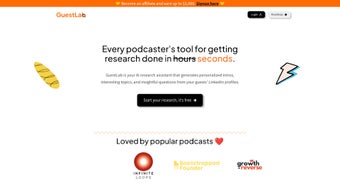

Download GuestLab – AI‑Powered Podcast Guest Research Tool
Introduction
GuestLab is an AI‑driven web application designed for podcast hosts, event organizers, and interviewers who need fast, reliable guest research without spending hours combing through LinkedIn profiles. By leveraging publicly available LinkedIn data, GuestLab instantly generates a concise 150‑word guest summary, a polished personalized introduction script, and a curated list of 10‑15 insightful interview questions. The platform acts like a digital “Alfred” for content creators, delivering key information at the click of a button and freeing hosts to focus on conversation flow rather than data collection. Even though GuestLab is still in its minimum viable product (MVP) stage, the core AI engine already demonstrates how automation can transform a traditionally manual workflow into a near‑instant, reliable process. The primary value proposition lies in dramatically reducing preparation time, boosting confidence during live recordings, and ultimately raising the overall quality of podcasts, webinars, and live interview events. By aggregating career highlights, recent projects, and industry trends into a single, easy‑to‑read dashboard, GuestLab empowers creators to prepare smarter, engage more authentically, and deliver richer content to their audiences.
Core Features and Compatibility
- AI‑Generated Guest Summaries: Instantly creates a 150‑word overview of any LinkedIn profile, highlighting achievements, expertise, and recent activity.
- Personalized Introduction Scripts: Produces polished opening lines tailored to the guest’s background, helping hosts start conversations on the right foot.
- Smart Question Engine: Generates a list of 10–15 thoughtful questions based on the guest’s experience, industry trends, and recent posts.
- Topic Recommendations: Suggests relevant discussion topics and talking points that align with the podcast’s theme.
- One‑Click Export: Allows users to download research notes as a PDF or copy them directly into show notes.
- Secure Data Handling: All LinkedIn data is processed in‑memory; no personal data is stored on servers, ensuring privacy compliance.
- Live Updates: When a guest updates their LinkedIn profile, GuestLab can refresh the research instantly.
- Cross‑Platform Web Access: Works on any modern browser, making it accessible from Windows, macOS, Linux, Android, and iOS devices.
GuestLab runs in any modern web browser that supports JavaScript ES6 and HTTPS. Tested browsers include Chrome (latest), Firefox, Safari, and Edge. Because the application is hosted on secure cloud servers, it works on Windows 10/11, macOS Catalina and later, popular Linux distributions, as well as mobile browsers on Android 9+ and iOS 13+. No additional software download is required, and the service automatically receives updates, ensuring you always have the newest AI models and security patches without manual intervention.
The combination of AI‑powered content generation, robust privacy safeguards, and universal browser compatibility makes GuestLab a truly cross‑platform productivity tool. Whether you’re working from a high‑end desktop workstation, a lightweight laptop, or a tablet on the go, GuestLab delivers the same fast, secure experience, enabling creators to stay productive wherever inspiration strikes.
Getting Started, Usage Workflow, and Pros & Cons
Step‑by‑Step Workflow
- Create an Account: Visit guestlab.com, sign up with your email, and verify your address. The dashboard appears instantly—no software download needed.
- Enter Guest Details: Paste the LinkedIn profile URL of the guest you plan to interview into the search bar.
- Generate Research: Click “Generate Research.” GuestLab’s backend AI scrapes the public profile, parses work history, education, and recent activity, then produces the summary, intro script, and question list.
- Review & Edit: The generated content can be edited directly in the dashboard. Add personal notes, reorder questions, or fine‑tune the introduction to match your show’s tone.
- Export Options: Choose to download a PDF, copy to clipboard, or push the notes to connected apps such as Notion, Evernote, or a team collaboration platform via Zapier.
- Refresh When Needed: If the guest updates their profile, click “Refresh” to pull the latest data without re‑entering the URL.
Pros
- Drastically reduces research time—most profiles are processed in under 30 seconds.
- AI‑generated content is highly relevant and personalized, improving interview flow.
- No software installation; works on any device with a modern browser.
- Secure, privacy‑first approach—no personal data is stored long‑term.
- Free tier available for occasional podcasters; affordable paid plans for teams.
Cons
- Relies solely on LinkedIn data; profiles with limited information produce shorter outputs.
- AI may occasionally suggest generic questions that need manual refinement.
- Advanced analytics (e.g., sentiment analysis, audience matching) are planned but not yet released.
- Free tier imposes a limit of 5 guest lookups per month.
- Requires a stable internet connection; offline usage is not supported.
Overall, GuestLab delivers a compelling mix of speed, security, and cross‑platform accessibility. The pros heavily outweigh the cons for most podcasters, especially those who already rely on LinkedIn as a primary source of professional information. The free tier provides enough functionality to test the service, while the paid plans unlock higher lookup limits and priority processing for busy production teams.
Frequently Asked Questions & Final Thoughts
How does GuestLab access LinkedIn data without violating LinkedIn’s terms of service?
GuestLab uses only publicly available information that LinkedIn users have chosen to share on their profiles. The tool does not employ bots or scrape restricted pages, ensuring compliance with LinkedIn’s API and usage policies.
Is GuestLab suitable for non‑English speakers?
Yes. The AI engine supports multiple languages, including Spanish, French, German, and Portuguese. Users can set their preferred language in the account settings, and all generated content will be localized accordingly.
Can I integrate GuestLab with my existing podcast workflow tools?
GuestLab offers Zapier connectors and native integrations with popular note‑taking apps (Notion, Evernote) and project‑management platforms (Trello, Asana). This allows you to push research notes directly into your production pipeline.
What pricing plans are available after the free tier?
After the free tier, GuestLab offers a Pro plan at $12 USD per month (billed annually) which includes 200 guest lookups, priority AI processing, and unlimited export options. An Enterprise tier provides custom limits, team collaboration features, and dedicated support.
How does GuestLab ensure the privacy of my data?
All data is processed in‑memory and never stored permanently on our servers. After a research session is completed, the generated content can be deleted with a single click, and no personal identifiers are retained.
In summary, GuestLab is a modern, AI‑assisted research assistant that solves a genuine pain point for podcasters and interviewers. By delivering concise guest summaries, custom introductions, and targeted questions in seconds, it lets creators allocate more energy toward storytelling and audience engagement. If you’re ready to upgrade your interview preparation, sign up for GuestLab’s free tier today. Experience the speed of AI research, enjoy seamless browser compatibility, and join a growing community of creators who are already benefiting from smarter guest insights.
Pros: Fast AI research, browser‑based, secure, multilingual support.
Cons: Dependent on LinkedIn data depth, limited offline capability.



.png)




