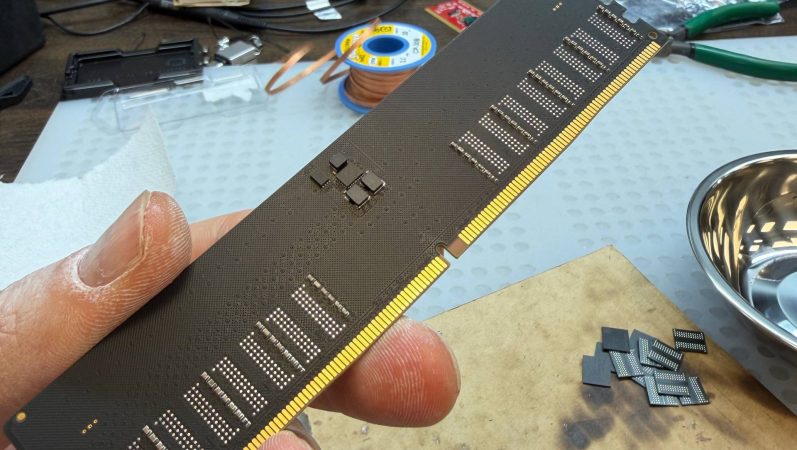
When you can buy something at a low price in one location, and sell it at a higher price somewhere else, you’re engaged in what economists call “arbitrage”. We’re not sure if desoldering DDR5 chips from laptop SO-DIMMs to populate a custom PCB to create much-more-expensive desktop memory counts as arbitrage, but it certainly counts as a hack. [VIK-on], who built the cards, claims he’s getting DDR5 performance at almost DDR3 prices. Nice!
Installed, the RAM apparently works well, though [VIK-on] has not shared benchmarks.Specifically, he’s put together a 32 GB UDIMM from donor chips from two 16 GB SO-DIMMs. The memory chips themselves aren’t enough to make a stick of RAM, however: the part where we wish we had more details was in the firmware. The firmware identifies this DIY DIMM as an ADATA AX5U6500C3232G-DCLARWH, specifically. [VIK-on] is still performing stability tests, if those go well, we’re told to expect a how-to guide.
[VIK-on] is in Russia, so SO-DIMM rates may differ in your local market, but he claims walkaway costs of 17,015 ₽ — about $218 or €188, an astounding price for DDR5 in these dark days.
Some say soldering SIMMs seems severe, but hardly strange to Hackaday, and desperate times call for desperate measures. It’s ether that or optimize software, and who wants go to that effort?
It’s fair to say that there are many people in our community who just love to dunk on Microsoft Windows. It’s an easy win, after all, the dominant player in the PC operating system market has a long history of dunking on free software, and let’s face it, today’s Windows doesn’t offer a good experience. But what might the future hold? [Mason] has an unexpected prediction: that Microsoft will eventually move towards offering a Windows-themed Linux distro instead of a descendant of today’s Windows.
The very idea is sure to cause mirth, but on a little sober reflection, it’s not such a crazy one. Windows 11 is slow and unfriendly, and increasingly it’s losing the position once enjoyed by its ancestors. The desktop (or laptop) PC is no longer the default computing experience, and what to do about that must be a big headache for the Redmond company. Even gaming, once a stronghold for Windows, is being lost to competitors such as Valve’s Steam OS, so it wouldn’t be outlandish for them to wonder whether the old embrace-and-extend strategy could be tried on the Linux desktop.
We do not possess a working crystal ball here at Hackaday, so we’ll hold off hailing a Microsoft desktop Linux. But we have to admit it’s not an impossible future, having seen Apple reinvent their OS in the past using BSD, and even Microsoft bring out a cloud Linux distro. If you can’t wait, you’ll have to make do with a Windows skin, WINE, and the .NET runtime on your current Linux box.
Al and I were talking about the IBM 9020 FAA Air Traffic Control computer system on the podcast. It’s a strange machine, made up of a bunch of IBM System 360 mainframes connected together to a common memory unit, with all sorts of custom peripherals to support keeping track of airplanes in the sky. Absolutely go read the in-depth article on that machine if it sparks your curiosity.
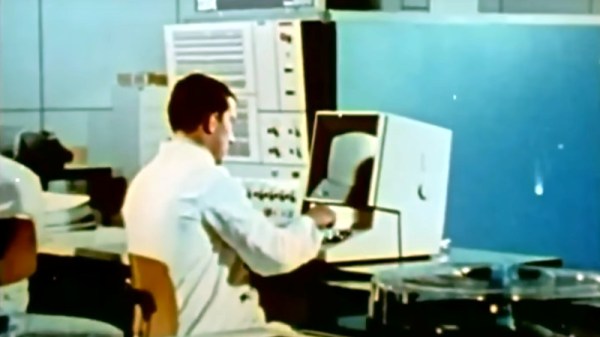
It got me thinking about how strange computers were in the early days, and how boringly similar they’ve all become. Just looking at the word sizes of old machines is a great example. Over the last, say, 40 years, things that do computing have had 4, 8, 16, 32, or even 64-bit words. You noticed the powers-of-two trend going on here, right? Basically starting with the lowly Intel 4004, it’s been round numbers ever since.
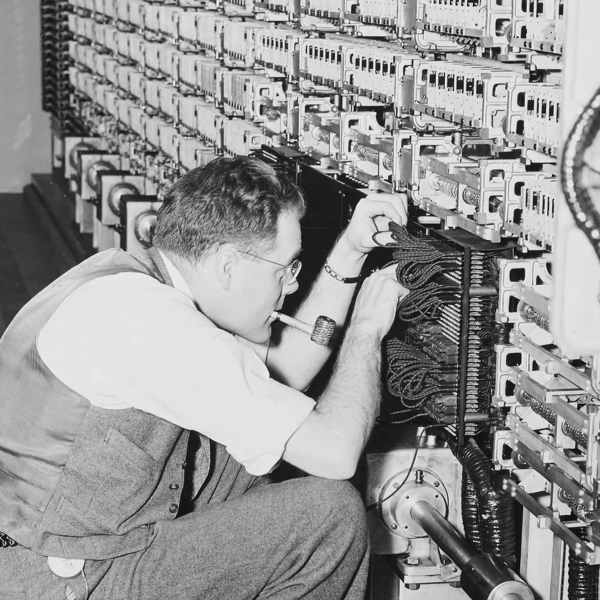
Harvard Mark I, by [Topory]On the other side of the timeline, though, you get strange beasts. The classic PDP-8 had 12-bit words, while its predecessors the PDP-6 and PDP-1 had 36 bits and 18 bits respectively. (Factors of six?) There’s a string of military guidance computers that had 27-bit words, while the Apollo Guidance computer ran 15-bit words. UNIVAC III had 25-bit words, putting the 23-bit Harvard Mark I to shame.
I wasn’t there, but it gives you the feeling that each computer is a unique, almost hand-crafted machine. Some must have made their odd architectural choices to suit particular functions, others because some designer had a clever idea. I’m not a computer historian, but I’m sure that the word lengths must tell a number of interesting stories.
On the whole, though, it gives the impression of a time when each computer was it’s own unique machine, before the convergence of everything to roughly the same architectural ideas. A much more hackery time, for lack of a better word. We still see echoes of this in the people who make their own “retro” computers these days, either virtually, on a breadboard, or emulated in the fabric of an FPGA. It’s not just nostalgia, though, but a return to a time when there was more creative freedom: a time before 64 bits took over.
This article is part of the Hackaday.com newsletter, delivered every seven days for each of the last 200+ weeks. It also includes our favorite articles from the last seven days that you can see on the web version of the newsletter.
Want this type of article to hit your inbox every Friday morning? You should sign up!
DDR3 seemed plenty fast when it first showed up 19 years ago. Who could say no to 6400 Mb/s transfer speeds? Of course compared to the modern DDR5 that’s glacially slow, but given that RAM is worth its weight in gold these days– with even DDR4 spiking in price– some people, like [Gheeotine], are asking “can you game on DDR3“? The answer is a shocking yes.
[Gheeotine] builds two budget-friendly PCs for this video, using some of the newest DD3-supporting motherboards available. That’s not exactly new: we’re talking 12 to 15 years old, but hey, not old enough to drive. We certainly didn’t expect to hear about an x79 motherboard hosting an Ivy Bridge processor in 2026, but needs must when the devil dances. The only concession to modernity is the graphics cards: the x79 mobo got an RX6600XT 8GB, and the other build, using a z97 motherboard got an NVIDIA RTX 4060. The z97 motherboard allowed a slightly newer processor, as well, an i7 4790, with the new and exciting Haswell architecture you may have heard of. Both boards are maxed out on RAM, because at less than one USD/GB, why not?
[Gheeotine] puts a few new titles through their paces on these boxen, and while the results aren’t amazing, everything he tries comes out playable, which is amazing in and of itself. Well, playable unless you’re one of those people who can’t stand playing at resolutions under 4K or FPS under 100. Those of who spent their formative years with 29.7 FPS or 25 FPS in NTSC or PAL regions aren’t going to complain too loudly if frame rates dip down into the 30s playing at 1080p for some of the more demanding titles. Ironically, one of those was the five-year-old Crysis Remastered. Given the age of some of this hardware “Can it Run Crysis” is a perfectly reasonable question, and the answer is still yes.
If you want modern games, you’re much better off with a z97 chipset motherboard if you chose to go the DDR3 route, since you won’t run into issues related to the AVX2 instruction, which first appeared with the Haswell microarchitecture. Here at Hackaday our preferred solution to the rampocalypse is software optimization, Since holding your breath for that would probably be fatal, cost-optimizing PC builds is probably a good plan, even if some might balk at going all the way back to DDR3.
Of course if you’re going to use nearly-retro hardware like DDR3, you might as well go all-out on retro vibes with a nostalgic 80s-style, or even 50s-style case.
Self-hosting a few services on one’s own hardware is a great way to wrest some control over your online presence while learning a lot about computers, software, and networking. A common entry point is using an old computer or Raspberry Pi to get something like a small NAS, DNS-level adblocker, or home automation service online, but the hobby can quickly snowball to server-grade hardware in huge racks. [Dennis] is well beyond this point, with a rack-mounted NAS already up and running. This build expands his existing NAS to one which can host a petabyte of storage out of consumer-grade components.
The main reason for building this without relying too much on server-grade gear is that servers are generally designed to run in their own purpose-built rooms away from humans, and as a result don’t generally take much consideration for how loud that environment becomes. [Dennis] is building a lot of the components from scratch for this build including the case, the backplanes for the drives, and a backplane tester. With backplanes installed it’s time to hook up all of the data connections thanks to a few SAS expanders which provide all of the SATA connections for the 45 drives.
There are two power supplies here as well, although unlike a server solution these aren’t redundant and each only serves half the drives. This does keep it running quieter, along with a series of Noctua fans that cool the rest of the rack. The build finishes off with an LED strip which provides a quick visual status check for each of the drives in the bay. With that it’s ready for drives and to be connected to the network. It’s a ton of wiring and soldering, and great if you don’t want to use noisy server hardware. And, if you don’t need this much space or power, we’ve seen some NAS builds that are a bit on the smaller side as well.
Whenever you buy used computers there is a risk that they come with unpleasant surprises that are not of the insect variant. From Apple hardware that is iCloud-locked with the original owner MIA to PCs that have BIOS passwords, some of these are more severe than others. In the case of BIOS passwords, these tend to be more of an annoyance that’s easily fixed by clearing the CMOS memory, but this isn’t always the case as [Casey Bralla] found with a former student-issued HP ProBook laptop purchased off Facebook Marketplace.
Maybe it’s because HP figured that locking down access to the BIOS is essential on systems that find their way into the hands of bored and enterprising students, but these laptops write the encrypted password and associated settings to a separate Flash memory. Although a master key purportedly exists, HP’s policy here is to replace the system board. Further, while there are some recovery options that do not involve reflashing this Flash memory, they require answers to recovery questions.
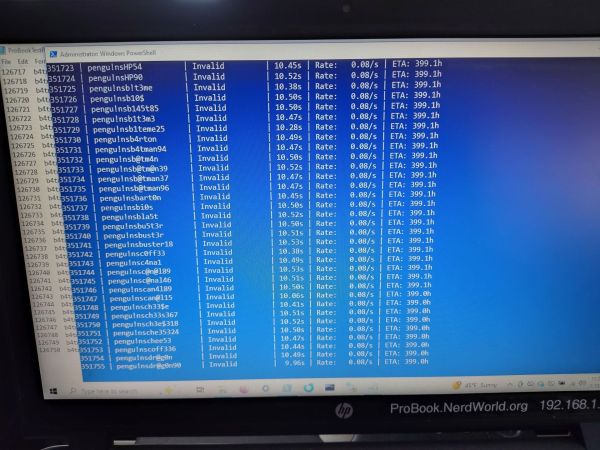
This led [Casey] to try brute-force cracking, starting with a Rust-based project on GitHub that promised much but failed to even build. Undeterred, he tasked the Claude AI to write a Python script to do the brute-forcing via the Windows-based HP BIOS utility. The chatbot was also asked to generate multiple lists of unique passwords to try that might be candidates based on some human guesses.
Six months later of near-continuous attempts at nine seconds per try, this method failed to produce a hit, but at least the laptop can still be used, just without BIOS access. This may require [Casey] to work up the courage to do some hardware hacking and erase that pesky UEFI BIOS administrator password, proving at least that apparently it’s fairly good BIOS security.
These days, bootstrapping a computer is a pretty straight forward process, at least as far as the user is concerned. But in the olden days, one would have to manually flick switches entering binary code to get the computer to boot. While certainly not as painstaking as manually flipping bits, these games written for UEFI systems hearken back to the days when accessing your computer was a touch more complicated than pressing a power button.
The repository features five games ranging from a falling ball maze to an age verification quiz. The one thing they all have in common is that to complete system boot, you need to win. All are available in UEFI modules which can not only run in QEMU virtual machines, but bare metal if you so choose.
In no particular order, the games featured are a User Evaluation For Ineptness, which presents a simple addition problem for the user to complete. Insult Sword Fighting, which requires the user to select the correct come back to a prompted insult. Fall To Boot, a falling ball maze navigation game. Age Verification, a set of questions about 80s culture to prove the user is old enough to use the computer. And finally, UEFI Says, a simple memory game.
All of these games are fairly simple, but it’s rather fun to see them built using EDK II as a UEFI module. Let us know down in the comments which is your favorite. And if you’re running an ARM computer, you too can join in on the fun!