Image

Remember XBMC? It’s Back!

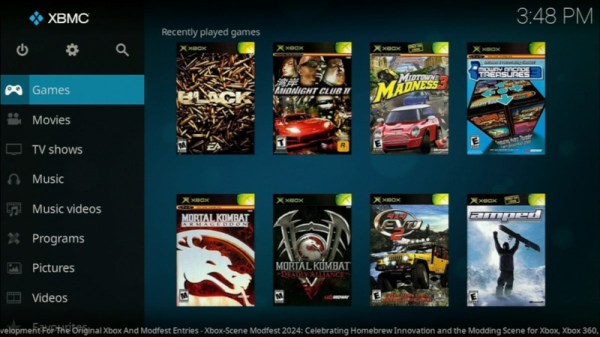
The original Xbox was different from the consoles that had gone before, in that its hardware shared much with a PC of the day. It was found to be hackable, and one of the most successful projects to take advantage of it was a media centre. You know it as Kodi, but its previous name was XBMC, for Xbox Media Centre. The last version that still ran on an original Xbox saw the light of day in 2016, so it’s definitely a surprise that a new version has appeared.

XBMC version 4.0 brings a host of new features to the venerable platform, including the Estuary user interface that will be familiar to users of more recent Kodi versions, a better games library, and more. The plugin system has been revamped too, and while it retains the Python 2 version from back in the day it’s promised that a Python 3 update is in the works. That’s right, it sounds as though there will be more releases. Get them from the GitHub repository.

We’re not sure how many of you have early Xbox hardware along with the inclination to use it as a media centre, after all Kodi runs so well on a lot of very accessible hardware. But we’re impressed that the developers of this release have managed so much within the confines of a machine with a 2000s-era spec, and have released it at all.

If you’re curious about Xbox hacking, take a look at some of its early history.

Image

A Paintball Turret Controlled Via Xbox Controller

Video games, movies, and modern militaries are all full of robotic gun turrets that allow for remotely-controlled carnage. [Paul Junkin] decided to build his own, albeit in a less-destructive paint-hurling fashion.

The turret sits upon a lazy susan bearing mounted atop a aluminium extrusion frame. A large gear is mounted to the bearing allowing the turret to pan when driven by a stepper motor. A pair of pillow block bearings hold a horizontal shaft which mounts the two paint markers, which again is controlled by another stepper motor to move in the tilt axis. An ESP32 microcontroller is responsible for running the show, panning and tilting the platform by commanding the large stepper motors. Firing the paintball markers is achieved with solenoids mounted to the triggers, which cycle fast enough to make the semi-auto markers fire in a way that almost feels like full-auto. Commanding the turret is via an Xbox One controller; communicating with the ESP32 over Bluetooth using the BluePad32 library.

It’s worth noting you shouldn’t shoot paintballs at unsuspecting individuals, since they can do extreme amounts of damage to those not wearing the proper protection. We’ve featured a great many other sentry guns over the years, too, like this impressive Portal-themed build. Video after the break.

Continue reading “A Paintball Turret Controlled Via Xbox Controller”

Image

Iconic Xbox Prototype Brought To Life

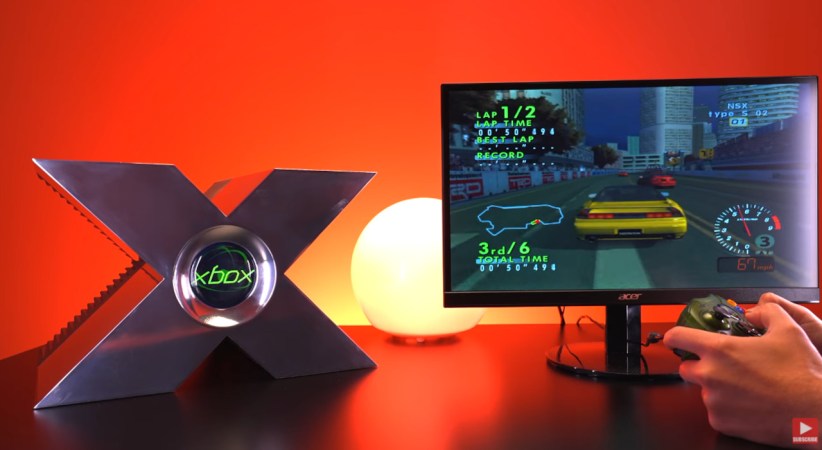
When Microsoft decided they wanted to get into the game console market, they were faced with a problem. Everyone knew them as a company that developed computer software, and there was a concern that consumers wouldn’t understand that their new Xbox console was a separate product from their software division. To make sure they got the message though, Microsoft decided to show off a prototype that nobody could mistake for a desktop computer.

The giant gleaming X that shared the stage with Bill Gates and Seamus Blackley at the 2000 Game Developers Conference became the stuff of legend. We now know the machine wasn’t actually a working Xbox, but at the time, it generated enormous buzz. But could it have been a functional console? That’s what [Tito] of Macho Nacho Productions wanted to find out — and the results are nothing short of spectacular.

Continue reading “Iconic Xbox Prototype Brought To Life”

Image

Building A (Not Very) Portable Xbox

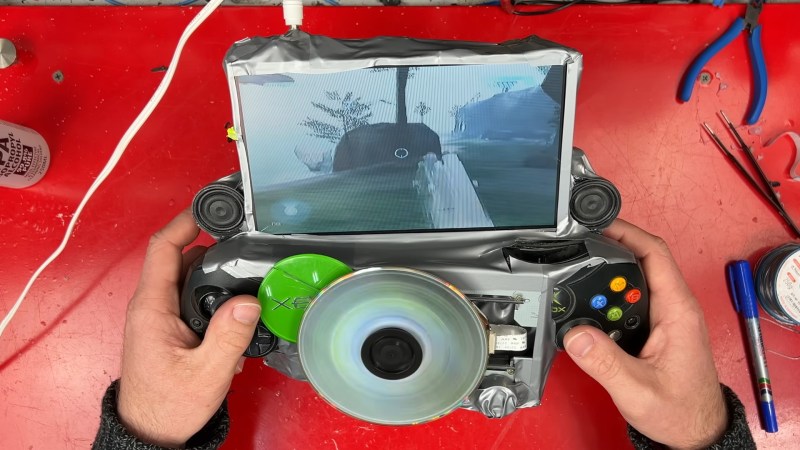
Modern handheld game consoles are impressive feats of engineering, featuring full fledged computers in near pocket-sized packages. So what happens if you take an original Xbox and sprinkle on some modern electronics and create a handheld? Well, if you’re [James] of James Channel, you end up with this sandwich of PCBs held together with hot glue and duck tape. 

The first order of miniaturization in this Xbox was replacing the hard drive. Because a CompactFlash card uses parallel ATA, that could be a simple drop in replacement. However, the Xbox locks the hard drive to the system requiring a mod chip for the CF card to work. Fortunately, the sacrificial Xbox came with a mod chip installed. After using an arcade machine to flash the card and copy over the contents of the drive, the CF card install was a breeze. 

For the screen and batteries, a portable DVD player that had remained unused since 2006 was repurposed. The battery cells were rather unhappy, but managed to get resurrected with some careful charging. As it turns out, the iPod 30 pin connector inside the portable screen contains an S-Video line. By tapping into that and adding in some power management for the batteries, the Xbox became a pile of PCBs that could maybe be taken places.

Continue reading “Building A (Not Very) Portable Xbox”

Image

A Red Ring Light Show For Your Xbox 360

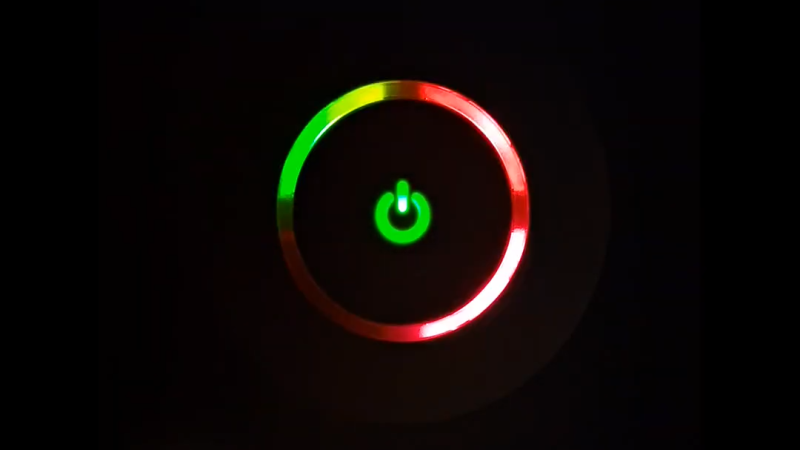
The Red Ring of Death (RROD) was the bane of many an Xbox 360 owner. The problem was eventually solved, mostly, but memories of that hellish era lurk in the back of many a gamer’s mind. For a more cheery use of those same status lights, you might appreciate “Lightshow” from [Derf].

The concept is simple enough. It’s a small application that runs on an Xbox 360, and allows you to test the individual LEDs that make up the Ring of Light indicator, along with the main power LED. If you want to test the lights and see each segment correctly lights up as green, yellow and red, you can.

Alternatively, you can have some fun with it. [Derf] also programmed it to flash along to simple four-channel MIDI songs. Naturally, Sandstorm was the perfect song to test it with. It may have been the result of a simple throwaway joke, but [Derf] delivered in amusing fashion nonetheless.

Lightshow is an entry for Xbox Scene Modfest 2024; it’s nice to see the community is still popping off even in this era of heavily-locked-down consoles. We’ve featured some other useful 360 hacks in recent months, too. Video after the break.

Continue reading “A Red Ring Light Show For Your Xbox 360”

Image

A Robust Guide To The Xbox 360 Glitch Hack

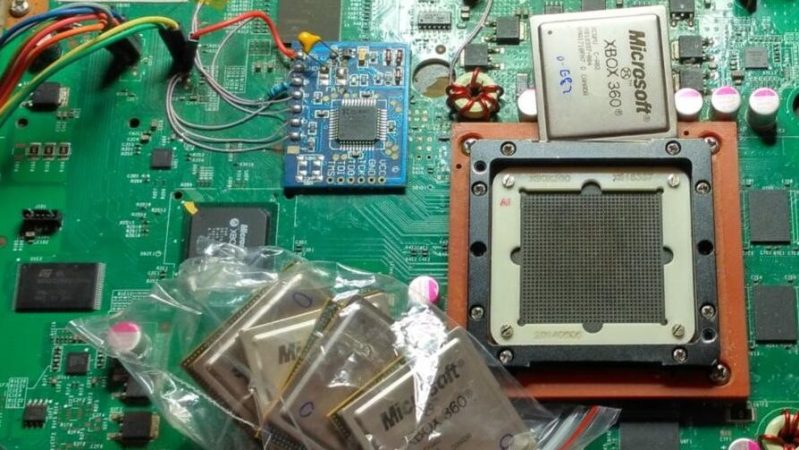
The Xbox 360 was a difficult console to jailbreak. Microsoft didn’t want anyone running unsigned code, and darn if they didn’t make it difficult to do so. However, some nifty out of the box thinking and tricky techniques cracked it open like a coconut with a crack in it. For the low down, [15432] has a great in-depth article on how it was achieved. The article is in Russian, so you’ll want to be armed with Google Translate for this one.

The article gets right into the juice of how glitch attacks work—in general, and with regards to the Xbox 360. In the specific case of the console, it was all down to the processor’s RESET line. Flicker it quickly enough, and the processor doesn’t actually reset, but nonetheless its behavior changes. If you time the glitch right, you can get the processor to continue running through the bootloader’s instructions even if a hash check instruction failed. Of course, timing it right was hard, so it helps to temporarily slow down the processor.

From there, the article continues to explore the many and varied ways this hack played out against Microsoft’s copy protection across multiple models and revisions of the Xbox 360. The bit with the BGA ball connections is particularly inspired. [15432] also goes even deeper into a look at how the battle around the Xb0x 360’s DVD-ROM drive got heated.

We seldom talk about the Xbox 360 these days, but they used to grace these pages on the regular. Video after the break.

Continue reading “A Robust Guide To The Xbox 360 Glitch Hack”

Image

If You Give A Dev A Tricked Out Xbox, They’ll Patch Halo 2

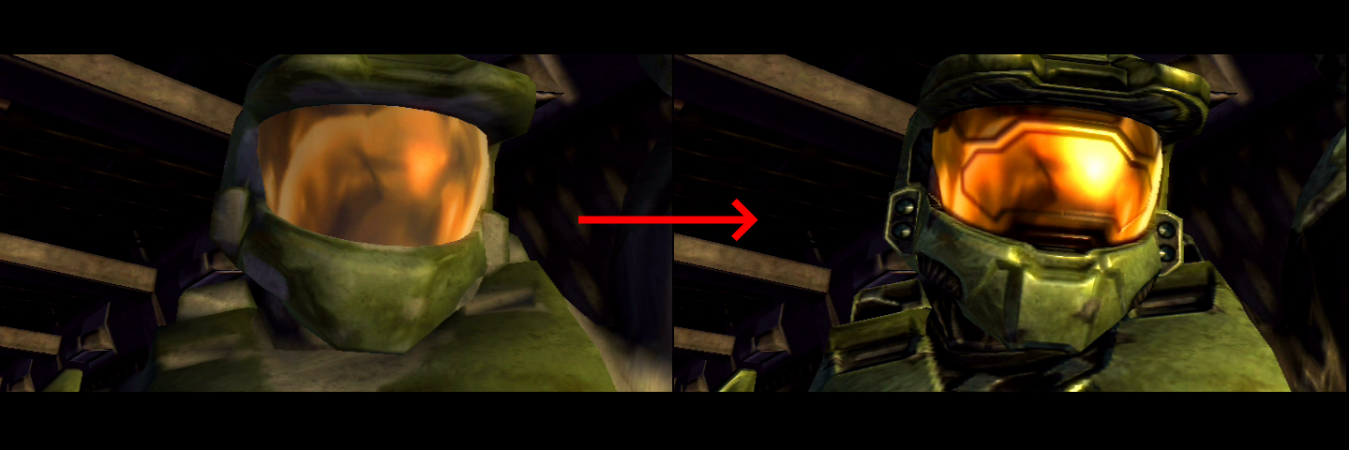
[Ryan Miceli] had spent a few years poring over and reverse-engineering Halo 2 when a friend asked for a favor. His friend created an improved Xbox with significant overclocks, RAM upgrades, BIOS hacks, and a processor swap. The goal was simple: patch the hardcoded maximum resolution from 480p to 720p and maybe even 1080p. With double the CPU clock speed but only a 15% overclock on the GPU, [Ryan] got to work.

Step one was to increase the size of the DirectX framebuffers. Increasing the output resolution introduced severe graphical glitches and rendering bugs. The game reuses the framebuffers multiple times as memory views, and each view encodes a header at the top with helpful information like width, height, and tiling. After patching that, [Ryan] had something more legible, but some models weren’t loading (particularly the water in the title screen). The answer was the texture accumulation layer. The Xbox has a hardware limitation of only sampling four textures per shader pass, which means you need a buffer the size of the render resolution to accumulate the textures if you want to sample more than four textures. Trying to boot the game resulted in an out-of-memory crash. The Xbox [Ryan] was working on had been upgraded with an additional 64MB of RAM, but the memory allocator in Halo 2 wasn’t taking advantage of it. Yet.

To see where the memory was going, [Ryan] wrote a new tool called XboxImageGrabber to show where memory was allocated and by whom. Most games make a few substantial initial allocations from the native allocator, then toss it over to a custom allocator tuned for their game. However, the extra 64MB of RAM was in dev consoles and meant as debug RAM, which meant the GPU couldn’t properly access it. Additionally, between the lower 64MB and upper is the Xbox kernel. Now, it became an exercise of patching the allocator to work with two blobs of memory instead of one contiguous one. It also moved runtime data into the upper 64MB while keeping video allocations in the lower. Ultimately, [Ryan] found it easier to patch the kernel to allow memory allocations the GPU could use in the upper 64MB of memory. Running the game at 720p resulted in only a semi-playable framerate, dropping to 10fps in a few scenes.

After some initial tests, [Ryan] concluded that it wasn’t the GPU or the CPU that was the bottleneck but the swap chain. Halo 2 turns VSync on by default, meaning it has to wait until a blank period before swapping between its two framebuffers. A simple tweak is to add a third frame buffer. The average FPS jumped 10%, and the GPU became the next bottleneck to tweak. With a light GPU overclock, the game was getting very close to 30fps. Luckily for [Ryan], no BIOS tweak was needed as the GPU clock hardware can be mapped and tweaked as an MMIO. After reverse engineering, a debugging feature to visual cache evictions, [Ryan] tuned the texture and geometry cache to minimize pop-ins that the original game was infamous for.

Overall, it’s an incredible hack with months of hard work behind it. The code for the patch is on Github, and there’s a video after the break comparing the patched and unpatched games. If you still need more Halo in your life, why not make yourself a realistic battle rifle from the game?

Continue reading “If You Give A Dev A Tricked Out Xbox, They’ll Patch Halo 2