Art of 3D printer in the middle of printing a Hackaday Jolly Wrencher logo

Does Carbon Fiber PLA Make Sense?

Carbon fiber (CF) has attained somewhat of a near-mystical appeal in consumer marketing, with it being praised for being stronger than steel while simultaneously being extremely lightweight. This mostly refers to weaved fibers combined with resin into a composite material that is used for everything from car bodies to bike frames. This CF look is so sexy that the typical carbon-fiber composite weave pattern and coloring have been added to products as a purely cosmetic accent.

More recently, chopped carbon fiber (CCF) has been added to the thermoplastics we extrude from our 3D printers. Despite lacking clear evidence of this providing material improvements, the same kind of mysticism persists here as well. Even as evidence emerges of poor integration of these chopped fibers into the thermoplastic matrix, the marketing claims continue unabated.

As with most things, there’s a right way and a wrong way to do it. A recent paper by Sameh Dabees et al. in Composites for example covered the CF surface modifications required for thermoplastic integration with CF.
Continue reading “Does Carbon Fiber PLA Make Sense?”

Image

Touchless Support Leaves No Mark

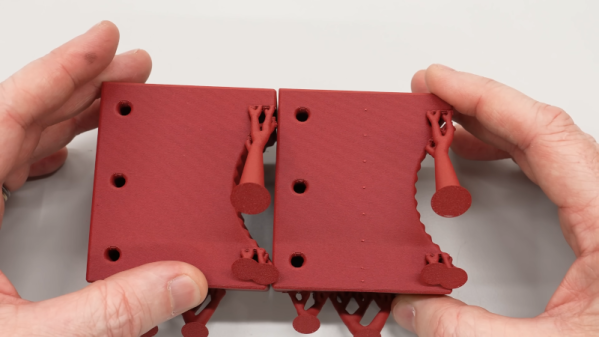
[Clough42] created a 3D print for a lathe tool and designed in some support to hold the piece on the bed while printing. It worked, but removing the support left unsightly blemishes on the part. A commenter mentioned that the support doesn’t have to exactly touch the part to support it. You can see the results of trying that method in the video below.

In this case [Cloug42] uses Fusion, but the idea would be the same regardless of how you design your parts. Originally, the support piece was built as a single piece along with the target object. However, he changed it to make the object separate from the support structure. That’s only the first step, though. If you import both pieces and print, the result will be the same.

Instead, he split the part into the original two objects that touch but don’t blend together. The result looks good.

We couldn’t help but notice that we do this by mistake when we use alternate materials for support (for example, PETG mixed with PLA or PLA with COPE). Turns out, maybe you don’t have to switch filament to get good results.

Continue reading “Touchless Support Leaves No Mark”

Image

Multi-material Parts The Easy Way

You have a part that needs different colors or different material properties — with a multi-color 3D printer, no problem. You can also laboriously switch filaments on a single-color printer. But [anonymous kiwi] points out a different way, which is surprisingly obvious once you think about it. You simply add a previously made part to another one.

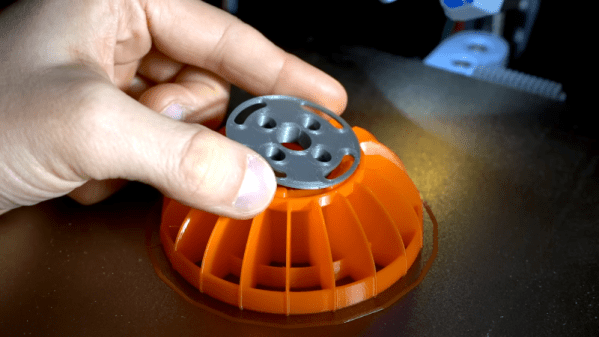
If you’ve ever experimented with adding a nut or a magnet into a print in the middle, the idea is exactly the same: you print one piece and then print a second piece, pausing in the middle to insert the completed first piece. The video example shows TPU robot wheels with PLA hubs. Of course, the same idea could apply to using different colors or even multiple materials or parts. You could imagine a hub with a steel nut embedded in it, then further being embedded in a TPU wheel, for example.

With multi-material printers becoming more commonplace, this technique might seem antiquated. But even if you have one of such a printer, this technique could save time and reduce waste. Not every part would work out this cleanly, but it is something to remember for the times when it does.

Continue reading “Multi-material Parts The Easy Way”

Image

2025: As The Hardware World Turns

If you’re reading this, that means you’ve successfully made it through 2025! Allow us to be the first to congratulate you — that’s another twelve months of skills learned, projects started, and hacks….hacked. The average Hackaday reader has a thirst for knowledge and an insatiable appetite for new challenges, so we know you’re already eager to take on everything 2026 has to offer.

But before we step too far into the unknown, we’ve found that it helps to take a moment and reflect on where we’ve been. You know how the saying goes: those that don’t learn from history are doomed to repeat it. That whole impending doom bit obviously has a negative connotation, but we like to think the axiom applies for both the lows and highs in life. Sure you should avoid making the same mistake twice, but why not have another go at the stuff that worked? In fact, why not try to make it even better this time?

As such, it’s become a Hackaday tradition to rewind the clock and take a look at some of the most noteworthy stories and trends of the previous year, as seen from our rather unique viewpoint in the maker and hacker world. With a little luck, reviewing the lessons of 2025 can help us prosper in 2026 and beyond.

Continue reading “2025: As The Hardware World Turns”

Image

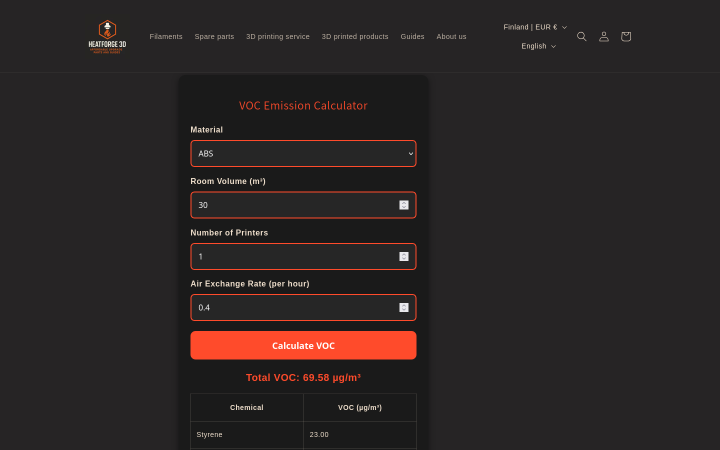
Breathe Easy While Printing With This VOC Calculator

We love 3D printing here, but we also love clean air, which produces a certain tension. There’s no way around the fact that printing produces various volatile organic compounds (VOCs), and that we don’t want to breathe those any more than necessary. Which VOCs, and how much? Well, [Jere Saikkonen] has created a handy-dandy calculator to help you guesstimate your exposure, or size your ventilation system, at least for FDM printing.

The emissions of most common FDM filaments are well-known by this point, so [Jere] was able to go through the literature and pull out values for different VOCs of concern like styrene and formaldehyde for ABS, PLA, Nylon, HIPS and PVA. We’re a bit disappointed not to see PETG or TPU on there, as those are common hobbyist materials, but this is still a great resource.

If you don’t like the numbers the calculator is spitting out, you can play with the air exchange rate setting to find out just how much extra ventilation you need. The one limitation here is that this assumes equilibrium conditions, which won’t be met save for very large prints. That’s arguably a good thing, since it errs on the side of over- rather than underestimating your exposure.

If you want to ground-truth this calculator, we’ve featured VOC-sensing projects before. If you’re convinced the solution to pollution is dilution, check out some ventilated enclosures. If you don’t want to share chemistry with the neighborhood, perhaps filtration is in order. 

Thanks to [Jere] for the tip!

3D printed Origami mechanism

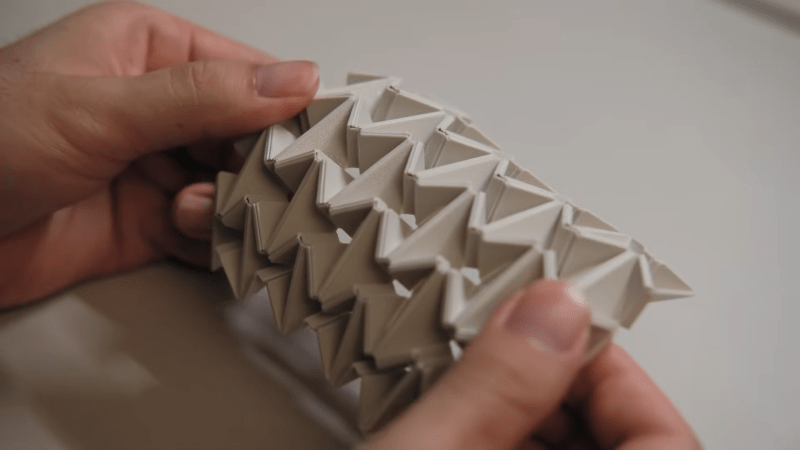
Origami On Another Level With 3D Printing

Origami has become known as a miracle technique for designers. Elegant compliant mechanisms can leverage the material properties of a single geometry in ways that are sometimes stronger than those of more complicated designs. However, we don’t generally see origami used directly in 3D printed parts. [matthew lim] decided to explore this uncharted realm with various clever designs. You can check out the video below.

Continue reading “Origami On Another Level With 3D Printing”

Art of 3D printer in the middle of printing a Hackaday Jolly Wrencher logo

3D Printering: That New Color Printer

Color 3D printing has gone mainstream, and we expect more than one hacker will be unpacking one over the holidays. If you have, say, a color inkjet printer, the process is simple: print. Sure, maybe make sure you tick the “color” box, but that’s about it. However, 3D printers are a bit more complicated.

There are two basic phases to printing color 3D prints. First, you have to find or make a model that has different colors. Even if you don’t make your own models (although you should), you can still color prints in your slicer.

The second task is to set the printer up to deal with those multiple colors. There are several different ways to do this, and each one has its pros and cons. Of course, some of this depends on your slicer, and some depends on your printer. For the purposes of this post, I’ll assume you are using a Slic3r fork like Prusa or OrcaSlicer. Most of the lower-priced printers these days work in roughly the same way. Continue reading “3D Printering: That New Color Printer”