Image

Commodore 64 Helps Revive The BBS Days

Before the modern Internet existed, there were still plenty of ways of connecting with other computer users “online”, although many of them might seem completely foreign to those of us in the modern era. One of those systems was the Bulletin Board System, or BBS, which would have been a single computer, often in someone’s home, connected to a single phone line. People accessing the BBS would log in if the line wasn’t busy, leave messages, and quickly log out since the system could only support one user at a time. While perhaps a rose-tinted view, this was a more wholesome and less angsty time than the modern algorithm-driven Internet, and it turns out these systems are making a bit of a comeback as a result.

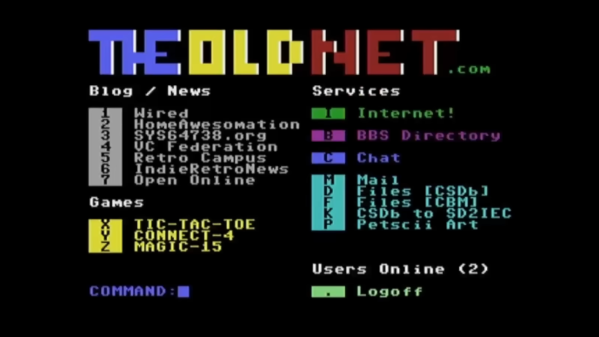
The video by [The Retro Shack] sets up a lot of this history for context, then, towards the end, uses a modern FPGA-based recreation called the Commodore 64 Ultimate to access a BBS called The Old Net, a modern recreation of what these 80s-era BBS systems were like. This involves using a modern networking card that allows the C64 to connect to Wi-Fi access points to get online instead of an old phone modem, and then using a terminal program called CCGMS to connect to the BBS itself. Once there, users can access mail, share files, and even play a few games.

While the video is a very basic illustration of how these BBS systems worked and how to access one, it is notable in that it’s part of a trend of rejecting more modern technology and systems in favor of older ones, where the users had more control. A retro machine like a C64 or Atari is not required either; modern operating systems can access these with the right terminal program, too. A more in-depth guide to the BBS can be found here for those looking to explore, and we’ve also seen other modern BBS systems recently.

Thanks to [Charlie] for the tip!
Continue reading “Commodore 64 Helps Revive The BBS Days”

Image

Microsoft’s WebTV Is Being Revived By Fans

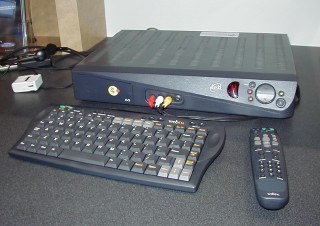
During the 1990s, everyone wanted to surf the information super-highway — also known as the World Wide Web or just ‘Internet’ — but not everyone was interested in getting one of those newfangled personal computers when they already had a perfect good television set. This opened a market for TV-connected thin clients that could browse the web with a much lower entry fee, with the WebTV service being launched in 1996. Bought by Microsoft in 1997 and renamed MSN TV, it lasted until 2013. Yet rather than this being the end, the service is now being revived by members of the community through the WebTV Redialed project.

The DreamPi adds dial-up support back to old hardware.

The project, which was recently featured in a video by [MattKC], replaces the original back-end services that the thin clients connected to via their dial-up modems, with the first revision using a proprietary protocol. The later and much more powerful MSN TV 2 devices relied on a standard HTTP-based protocol running on Microsoft’s Internet Information Services (IIS) web server and Windows.

What’s interesting about this new project is that it allows you to not just reconnect your vintage WebTV/MSN TV box, but also use a Windows-based viewer and more. What difficulty level you pick depends on the chosen hardware and connection method. For example, you can pair the Raspberry Pi with a USB modem to get online thanks to the DeamPi project.

Interestingly, DreamPi was created to get the Sega Dreamcast back online, with said console also having its own WebTV port that can be revived this way. Just in case you really want to get the full Dreamcast experience.

Continue reading “Microsoft’s WebTV Is Being Revived By Fans”

Image

Tiny UPS Keeps WiFi Online

For any mission-critical computer system, it’s a good idea to think about how the system will handle power outages. At the very least it’s a good idea to give the computer enough time to gracefully shut down if the power outage will last for an indefinite time. But for extremely critical infrastructure, like our home Wi-Fi, we might consider a more long-term battery backup that can let us get through the longest of power outages.

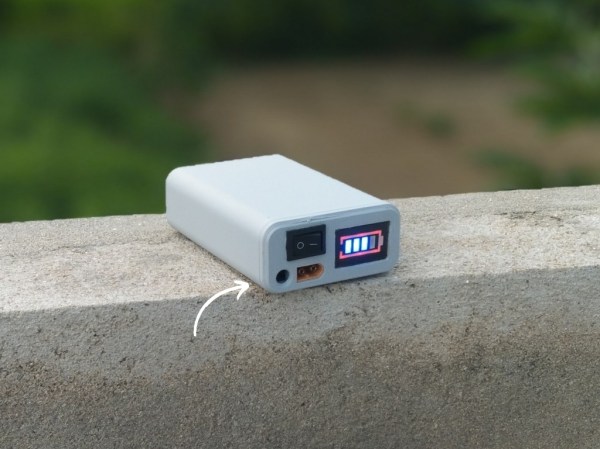
Part of why this project from [Next Builder] works so well is that most off-the-shelf routers don’t actually use that much energy. Keeping that and a modem online when the power is out only requires a few lithium batteries. To that end, three lithium ion cells are arranged in series to provide the router with between 9 and 12 volts, complete with a battery management system (BMS) to ensure they aren’t over- or under-charged and that they are balanced. The router plugs directly into a barrel jack, eliminating any switching losses from having to use an inverter during battery operation.

While [Next Builder] is a student who lives in an area with frequent interruptions to the electricity supply, this does a good job of keeping him online. If you’re planning for worse or longer outages, a design like this is easily adapted for more batteries provided the correct BMS is used to keep the cells safely charged and regulated. You can also adapt much larger UPS systems to power more of your home’s electrical system, provided you can find enough batteries.

Image

Making WiFi Sound Like Dial-Up Internet

Dial-up modems had a distinctive sound when connecting, with the glittering, screeching song becoming a familiar melody to those jumping online in the early days of the Internet. Modern digital connections don’t really have an analog to this, by virtue of being entirely digital. And yet, [Nick Bild] decided to make WiFi audible in a pleasing tribute to the modems of yore.

The reason you could hear your dial-up modem is because it was actually communicating in audio over old-fashioned telephone lines. The initialization process happened at a low enough speed that you could hear individual sections of the handshake that sounded quite unique. Ultimately, though, once a connection was established at higher speed, particularly 33.6 k or 56 k, the sound of transmission became hard to discern from static.

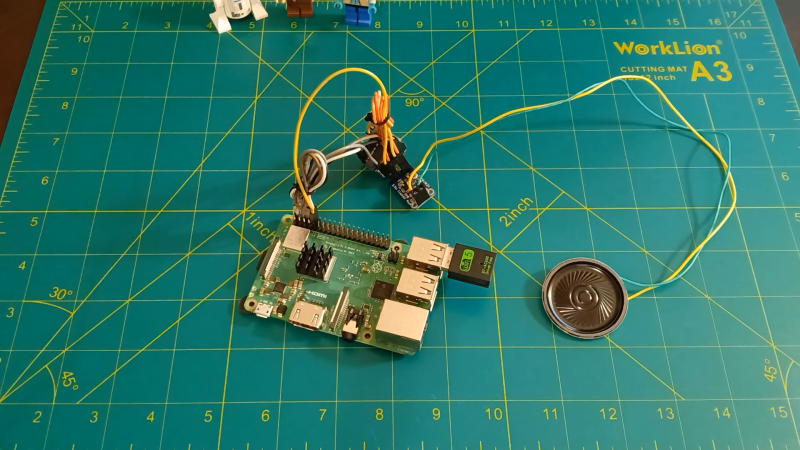
Modern communication methods like Ethernet, DSL, and WiFi all occur purely digitally — and in frequencies far above the audible range. Thus, you can’t really “listen” to a Wi-Fi signal any more than you can listen to the rays of light beaming out from the sun. However, [Nick] found an anachronistic way to make a sound out of WiFi signals that sounds vaguely reminiscent of old-school modems. He used a Raspberry Pi 3 equipped with a WiFi adapter, which sniffs network traffic, honing in on data going to one computer. The packet data is then sent to an Adafruit QT Py microcontroller, which uses the data to vary the amplitude of a sound wave that’s then fed to a speaker through a digital-to-analog converter. [Nick] notes this mostly just sounds like static, so he adds some adjustments to the amplitude and frequency to make it more reminiscent of old modem sounds, but it’s all still driven by the WiFi data itself.

It’s basically WiFi driven synthesis, rather than listening to WiFi itself, but it’s a fun reference to the past. We’ve talked a lot about dial-up of late; from the advanced technology that made 56 k possible, to the downfall of AOL’s long-lived service. Video after the break.

Continue reading “Making WiFi Sound Like Dial-Up Internet”

Image

YouTube… Over Dial Up

In the days of yore, computers would scream strange sounds as they spoke with each other over phone lines. Of course, this is dial up, the predecessor to modern internet technology, offering laughable speeds compared to modern connections. But what if dial up had more to offer? Perhaps it could even stream a YouTube video. That’s what the folks over at The Serial Port set out to find out.

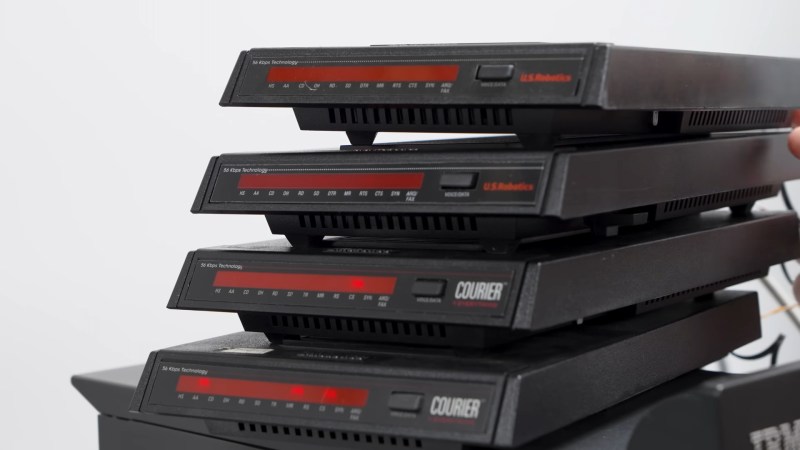
The key to YouTube over dial up is a little known part of the protocol added right around the time broadband was taking off called multilink PPP. This protocol allows for multiple modems connected to a PC in parallel for faster connections. With no theoretical limit in sight, and YouTube’s lowest quality requiring a mere 175 Kbps, the goal was clear: find if there is a limit to multilink PPP and watch YouTube over dialup in the process.

Continue reading “YouTube… Over Dial Up”

Image

Acoustic Coupling Like It’s 1985

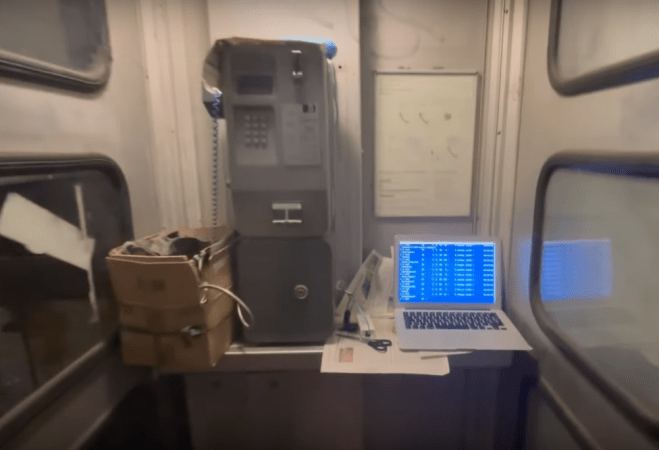
Before the days of mobile broadband, and before broadband itself even, there was a time where Internet access was provided by phone lines. To get onto a BBS or chat on ICQ required dialing a phone number and accoustically coupling a computer to the phone system. The digital data transmitted as audio didn’t have a lot of bandwidth by today’s standards but it was revolutionary for the time. [Nino] is taking us back to that era by using a serial modem at his house and a device that can communicate to it through any phone, including a public pay phone.

As someone in the present time can imagine, a huge challenge of this project wasn’t technical. Simply finding a working public phone in an era of smartphones was a major hurdle, and at one point involved accidentally upsetting local drug dealers. Eventually [Nino] finds a working pay phone that takes more than one type of coin and isn’t in a loud place where he can duct tape the receiver to his home brew modem and connect back to his computer in his house over the phone line like it’s 1994 again.

Of course with an analog connection like this on old, public hardware there were bound to be a few other issues as well. There were some quirks with the modems including them not hanging up properly and not processing commands quickly enough. [Nino] surmises that something like this hasn’t been done in 20 years, and while this might be true for pay phones we have seen other projects that use VoIP systems at desk phones to accomplish a similar task.

Continue reading “Acoustic Coupling Like It’s 1985”

Image

Why 56k Modems Relied On Digital Phone Lines You Didn’t Know We Had

If you came of age in the 1990s, you’ll remember the unmistakable auditory handshake of an analog modem negotiating its connection via the plain old telephone system. That cacophony of screeches and hisses was the result of careful engineering. They allowed digital data to travel down phone lines that were only ever built to carry audio—and pretty crummy audio, at that.

Speeds crept up over the years, eventually reaching 33.6 kbps—thought to be the practical limit for audio modems running over the telephone network. Yet, hindsight tells us that 56k modems eventually became the norm! It was all thanks to some lateral thinking which made the most of the what the 1990s phone network had to offer.

Continue reading “Why 56k Modems Relied On Digital Phone Lines You Didn’t Know We Had”