Image

Tolerating Delay With DTN

The Internet has spoiled us. You assume network packets either show up pretty quickly or they are never going to show up. Even if you are using WiFi in a crowded sports stadium or LTE on the side of a deserted highway, you probably either have no connection or a fairly robust, although perhaps intermittent, network. But it hasn’t always been that way. Radio networks, especially, used to be very hit or miss and, in some cases, still are.

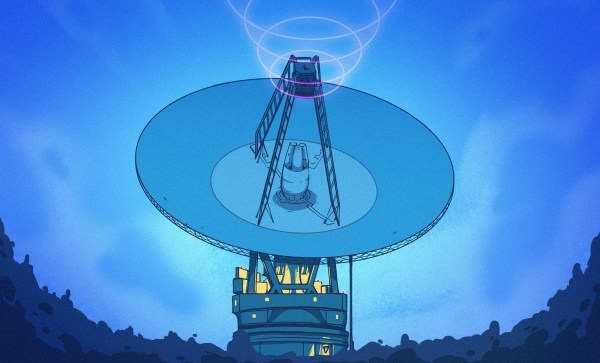
Perhaps the least reliable network today is one connecting things in deep space. That’s why NASA has a keen interest in Delay Tolerant Networking (DTN). Note that this is the name of a protocol, not just a wish for a certain quality in your network. DTN has been around a while, seen real use, and is available for you to use, too.

Think about it. On Earth, a long ping time might be 400 ms, and most of that is in equipment, not physical distance. Add a geostationary orbital relay, and you get 600 ms to 800 ms. The moon? The delay is 1.3 sec. Mars? Somewhere between 3 min and 22 min, depending on how far away it is at the moment. Voyager 1? Nearly a two-day round trip. That’s latency!


Continue reading “Tolerating Delay With DTN”

Image

Escaping The Linux Networking Stack At Cloudflare

Courtesy of the complex routing and network configurations that Cloudflare uses, their engineers like to push the Linux network stack to its limits and ideally beyond. In a blog article [Chris Branch] details how they ran into limitations while expanding their use of soft-unicast functionality that fits with their extensive use of anycast to push as much redundancy onto the external network as possible.

The particular issue that they ran into had to do with the Netfilter connection tracking (conntrack) module and the Linux socket subsystem when you use packet rewriting. For soft-unicast it is important that multiple processes are aware of the same connection, yet due to how Linux works this made it impossible to use packet rewriting. Instead they had to use a local proxy initially, but this creates overhead.

To work around this the solution appeared to be to abuse the TCP_REPAIR socket option in Linux, which normally exists to e.g. migrate VM network connections. This enables one to describe the entire socket connection state, thus ‘repairing’ it. Combined with TCP Fast Open to skip the whole handshake bit with a TFO ‘cookie’. This still left a few more issues to fix, with an early demux providing a potential solution.

Ironically, ultimately it was decided to not break the Linux networking stack that much and stick with the much less complicated local proxy to terminate TCP connections and redirect traffic to a local socket. Unfortunately escaping the Linux networking stack isn’t that straightforward.

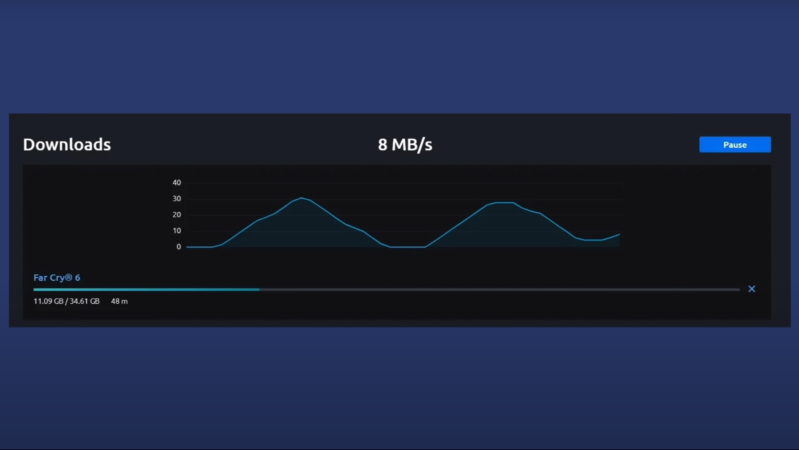
A graph of download speeds is shown, with two triangular spikes and declines. Above the graph, the label “8 MB/s” is shown.

A Quick Introduction To TCP Congestion Control

It’s hard to imagine now, but in the mid-1980s, the Internet came close to collapsing due to the number of users congesting its networks. Computers would request packets as quickly as they could, and when a router failed to process a packet in time, the transmitting computer would immediately request it again. This tended to result in an unintentional denial-of-service, and was degrading performance significantly. [Navek]’s recent video goes over TCP congestion control, the solution to this problem which allows our much larger modern internet to work.

In a 1987 paper, Van Jacobson described a method to restrain congestion: in a TCP connection, each side of the exchange estimates how much data it can have in transit (sent, but not yet acknowledged) at any given time. The sender and receiver exchange their estimates, and use the smaller estimate as the congestion window. Every time a packet is successfully delivered across the connection, the size of the window doubles.

Once packets start dropping, the sender and receiver divide the size of the window, then slowly and linearly ramp up the size of the window until it again starts dropping packets. This is called additive increase/multiplicative decrease, and the overall result is that the size of the window hovers somewhere around the limit. Any time congestion starts to occur, the computers back off. One way to visualize this is to look at a graph of download speed: the process of periodically hitting and cutting back from the congestion limit tends to create a sawtooth wave.

[Navek] notes that this algorithm has rather harsh behavior, and that there are new algorithms that both recover faster from hitting the congestion limit and take longer to reach it. The overall concept, though, remains in widespread use.

If you’re interested in reading more, we’ve previously covered network congestion control in more detail. We’ve also covered [Navek]’s previous video on IPV5. Continue reading “A Quick Introduction To TCP Congestion Control”

Image

IPV4, IPV6… Hey! What Happened To IPV5?

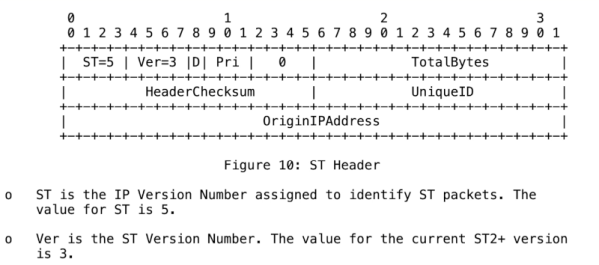
If you’ve ever been configuring a router or other network device and noticed that you can set up IPv4 and IPv6, you might have wondered what happened to IPv5. Well, thanks to [Navek], you don’t have to wonder anymore. Just watch the video below.

We will warn you of two things. First, the video takes a long time to get around to what IPv5 was. In addition, if you keep reading, there will be spoilers.

Continue reading “IPV4, IPV6… Hey! What Happened To IPV5?”

Image

Satellite Internet On 80s Hardware

Portability has been a goal of a sizable section of the computing world for many decades now. While the obvious products of this are laptops, there are a number of “luggable” PCs that pack more power while ostensibly maintaining their portability. Going back in time past things like the LAN party era of the 90s and 00s takes us to the early era of luggables, with the Commodore SX-64 being one such machine of this era. Its portability is on display in this video where [saveitforparts] is using it to access the Internet over satellite.

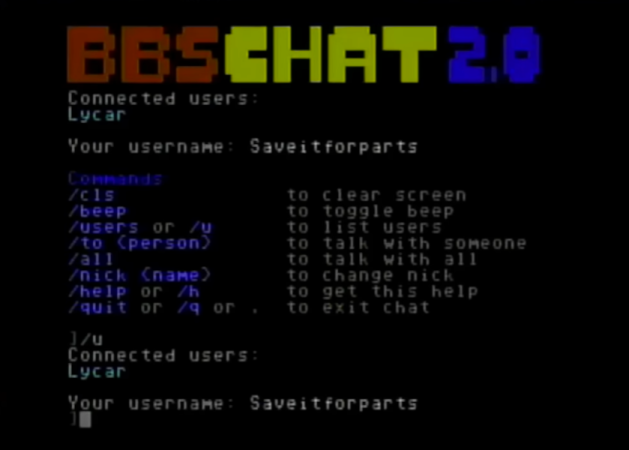
The project uses a Glocom Inmarsat modem and antenna to access the internet through a geostationary satellite, but since this computer is about four decades old now this takes a little bit more effort than a modern computer. A Teensy microcontroller is used to emulate a modem so that the Ethernet connection from the satellite modem can be understood by the Commodore. There was a significant amount of setup and troubleshooting required as well, especially regarding IP addresses and networking but eventually [saveitforparts] got the system up and running well enough to chat on a BBS and browse Wikipedia.

One thing he found that might make a system like this relevant for a modern user is that the text-only mode of the Commodore significantly limited data use. For a normal Internet connection this might be a problem, but on a geostationary satellite network where the data is orders of magnitude more expensive, this can be surprisingly helpful. We might not recommend an SX-64 system specifically, but one inspired by similar computers like this text-only cyberdeck might do the trick with the right networking connections.

Continue reading “Satellite Internet On 80s Hardware”

Image

Networking History Lessons

Do they teach networking history classes yet? Or is it still too soon?

I was reading [Al]’s first installment of the Forgotten Internet series, on UUCP. The short summary is that it was a system for sending files across computers that were connected, intermittently, by point-to-point phone lines. Each computer knew the phone numbers of a few others, but none of them had anything like a global routing map, and IP addresses were still in the future. Still, it enabled file transfer and even limited remote access across the globe. And while some files contained computer programs, others files contained more human messages, which makes UUCP also a precursor to e-mail.

What struck me is how intuitively many of this system’s natural conditions and limitations lead to the way we network today. From phone numbers came the need for IP addresses. And from the annoyance of having know how the computers were connected, and to use the bang notation to route a message from one computer to another through intermediaries, would come our modern routing protocols, simply because computer nerds like to automate hassles wherever possible.

But back to networking history. I guess I learned my networking on the mean streets, by running my own Linux system, and web servers, and mail servers. I knew enough networking to get by, but that mostly focused on the current-day application, and my beard is not quite grey enough to have been around for the UUCP era. So I’m only realizing now that knowing how the system evolved over time helps a lot in understanding why it is the way it is, and thus how it functions. I had a bit of a “eureka” moment reading about UUCP.

In physics or any other science, you learn not just the status quo in the field, but also how it developed over the centuries. It’s important to know something about the theory of the aether to know what special relativity was up against, for instance, or the various historical models of the atom, to see how they inform modern chemistry and physics. But these are old sciences with a lot of obsolete theories. Is computer science old enough that they teach networking history? They should!