Close
0%
0%

aivision-H6

A Linux-based embedded module using Allwinner H6 CPU and Google Coral TPU for edge AI applications like computer vision

Similar projects worth following
I’m prototyping a Edge AI camera board specifically for local, real-time vision using neural network models. From object detection, tracking to complex vision tasks, the goal is to run powerful AI models directly on the hardware—no PC (or Jetson), no cloud, no lag. Local Inference: Optimized for on-device neural network running with TPU. Real-time Vision: Zero-latency object detection and tracking. Developer-Centric: Built for those who value performance and lean integration. Whether you’re in Robotics, Industrial Automation, or a Student/Engineer exploring the limits of Edge AI, I’d love to connect and hear your use cases!

Here is the latest demo of this board. In this Phase 1 demo, the camera runs person detection fully on-device and directly controls a small robot: when person detected → GO; no person detected → STOP.

No Jetson, no PC, no cloud — just a camera, a neural network, and a control loop forming a compact, self-contained vision module that directly sends GO / STOP signals to a motor controller. The goal of this demo is to validate an end-to-end pipeline on real hardware: camera capture → on-device inference (TPU) → decision logic → motor control.

Rather than building autonomy or navigation, this phase focuses on proving that local vision alone can reliably drive physical actions without external compute or heavyweight setups. Phase 1 is about making the full loop work, stably and visibly, on real hardware.
  • Add a TPU module

    Blade Master01/01/2025 at 21:43 0 comments

    ## December 30, 2024 Year-End Update ## 

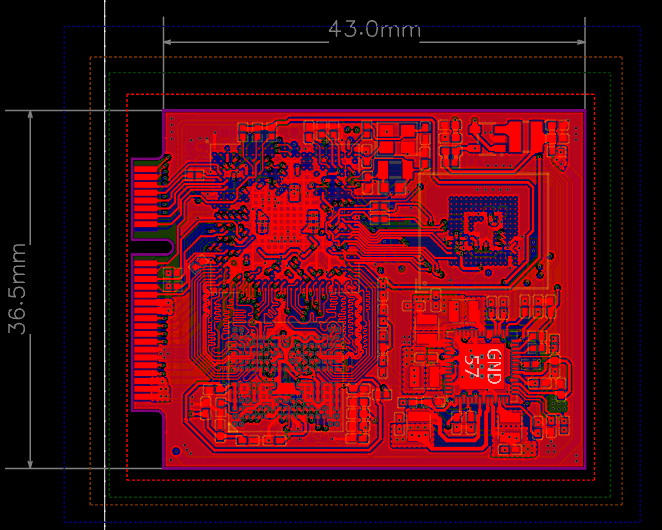
    The TPU module design for AI acceleration has been completed and is currently undergoing PCB testing. The module uses a Google coral TPU with a stamp hole interface compatible with the peripheral board and can be directly added to the peripheral board to work with the core board, becoming a powerful CPU+TPU edge AI inference machine. The neural network inference efficiency can reach 4TOPS (4 trillion operations per second), with a total board power consumption of only 6W. If needed, two TPU modules can be added to achieve 8TOPS inference speed. Here are two design diagrams:

    image.png

    TPU module 3D view

    image.png

    TPU module PCB raw design

  • Initial prototype

    Blade Master01/01/2025 at 21:34 0 comments

    Project Overview

    This project aims to create an embedded AI module running a Linux system, combined with a camera, primarily focusing on AI vision applications. The module is divided into two parts: the main control core board and the peripheral board.

    What main control chip or circuit is used? --------- Materials 

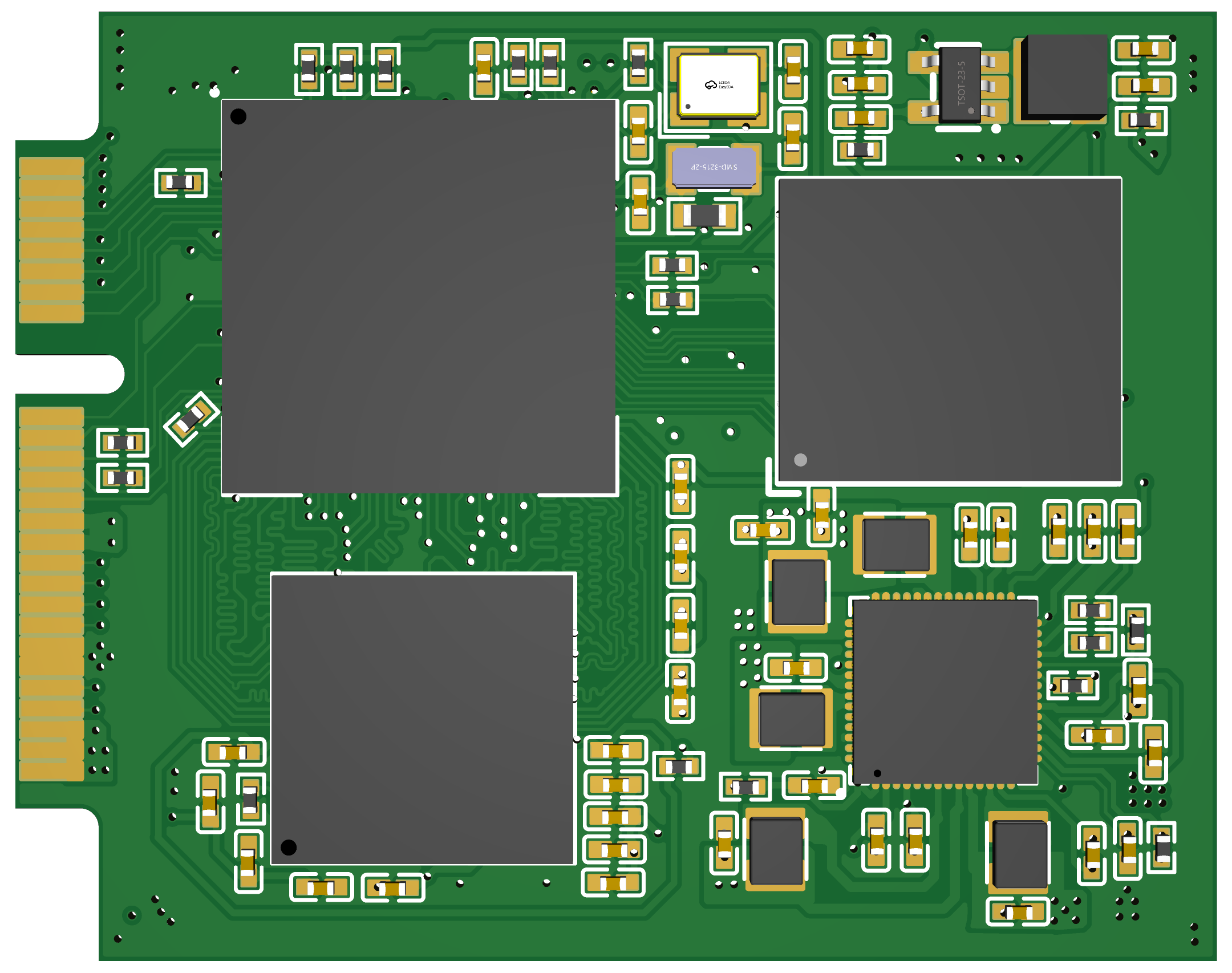
    Core board basic composition: The main controller uses Allwinner H6 (1.8GHZ, V200-AI), memory uses Samsung K4E6E304E series LPDDR3 (2GB), plus Samsung EMMC (8GB) and power management chip AXP805, as well as related resistors, capacitors, and inductors. The core board uses a golden finger interface to connect with the peripheral board.

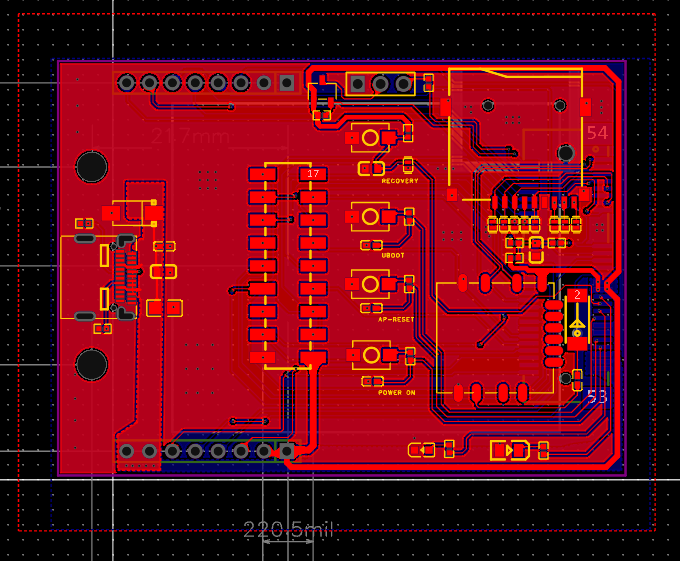
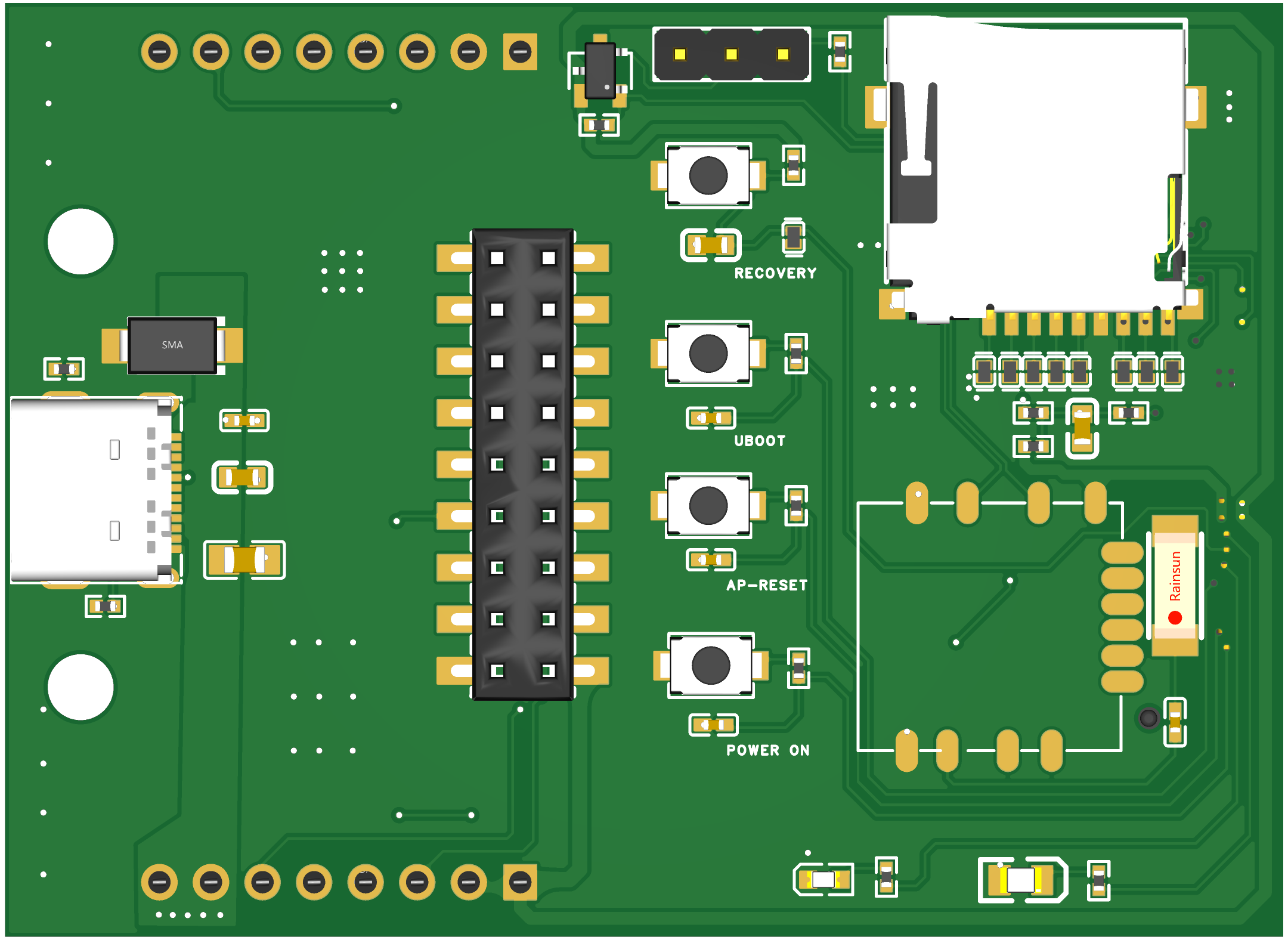
    The basic composition of the peripheral board: USB TYPE-C power supply for the core board and peripheral board, related DC-DC step-down modules, several control buttons, wifi module (currently using RTL-8723BU, planning to switch to MT series later), TF card slot, OV5640 camera module. A TPU module (4TOPS) will be added later for AI computation acceleration.

    What has been created? -------------------------- Product 

    By combining the core board and peripheral board, this project can serve as an edge AI processor, running a Linux Sunxi mainline system equipped with TPU neural network computation acceleration, used for deep learning and computer vision applications.

    What functions have been implemented? -------------------------- Features 

    Currently, the core board has successfully and stably running Linux sunxi-5.10.75 system, with normal chip heating (compared to Orange Pi equivalent boards), normal DDR memory frequency, normal TF card system image loading, successful WiFi connection enabling SSH and other functions, and system interaction through serial port. Currently debugging the device tree part of the camera module, and camera test results are expected to come out soon.

    What are the potential applications? -------------------- Applications 

    The applications are broad. As far as I know, there are few easy-to-use, easy-to-learn, and efficient-to-run edge AI modules in the current market that can run AI vision applications. Our board is mini-sized and powerful and will provide detailed technical documentation and guidance, making it convenient to deploy in smart homes, IoT, robotics, and other fields.

    Schematic Design

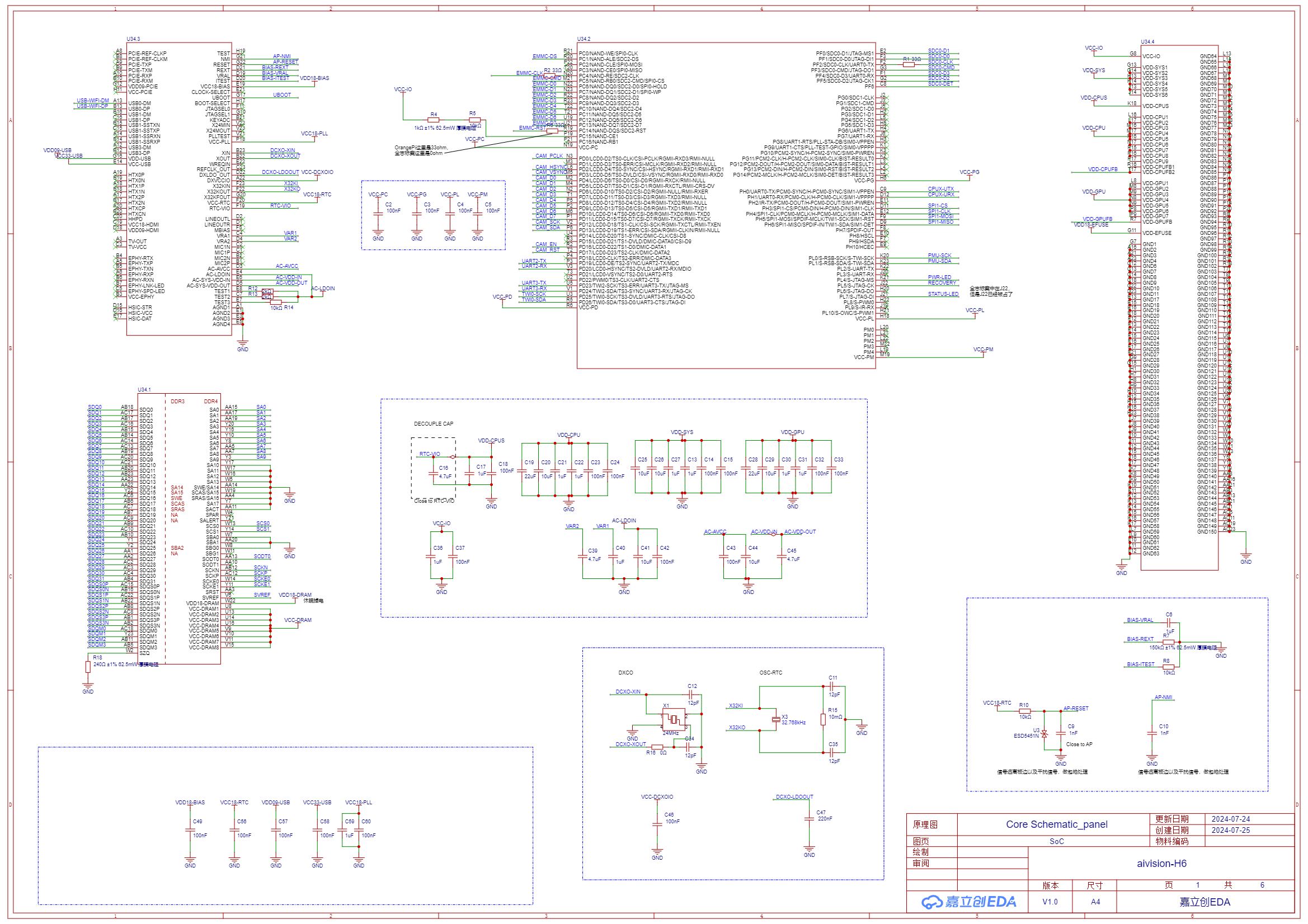
    Attached is the partial schematic of the core board. The complete schematic documentation can be found in the related attachments section.
    [1] Main Controller Chip Allwinner H6 SoC

    SCH_Core Schematic_panel_1-SoC_2024-09-04.png

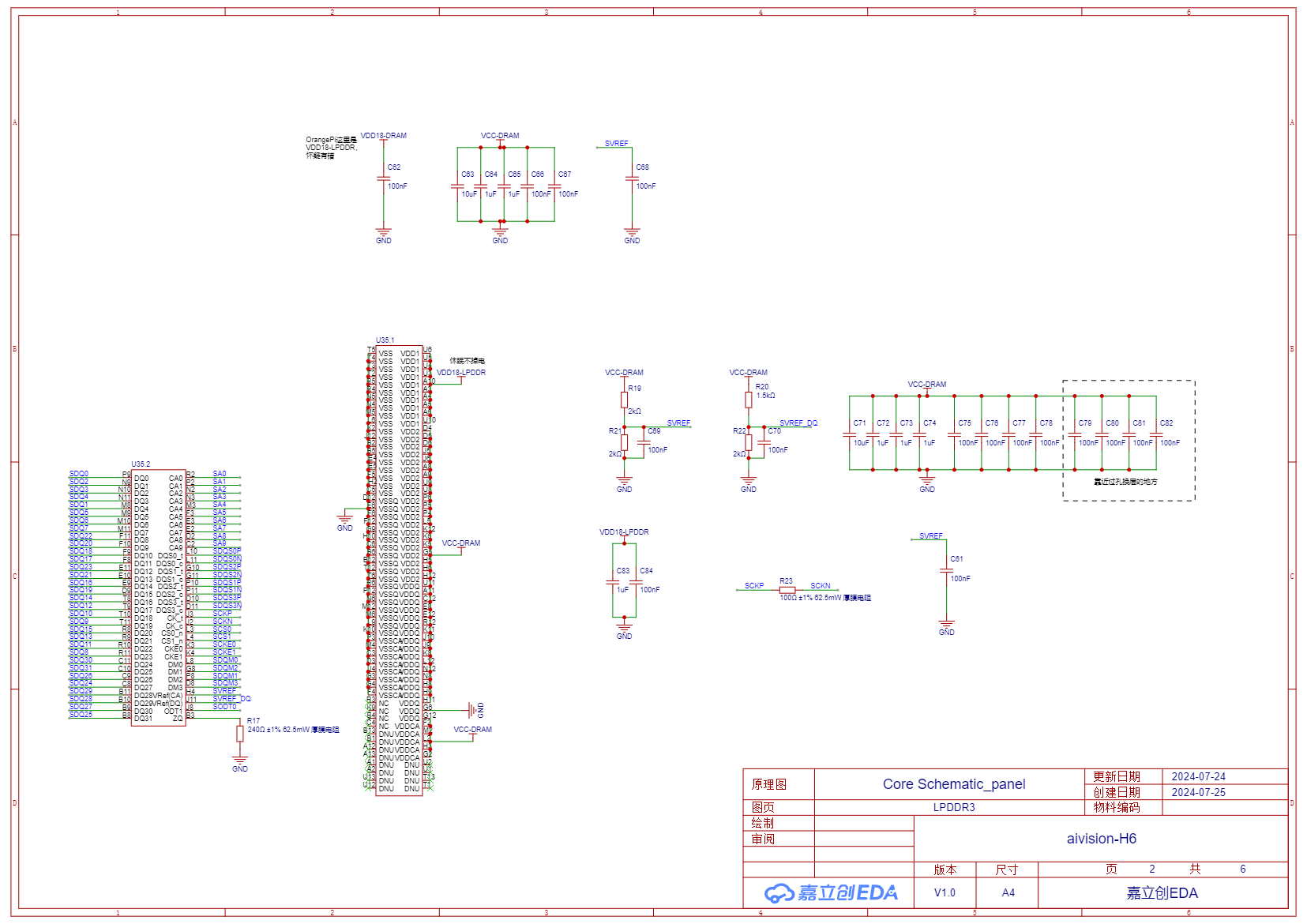
    [2] Memory Chip LPDDR3
    SCH_Core Schematic_panel_2-LPDDR3_2024-09-04.png

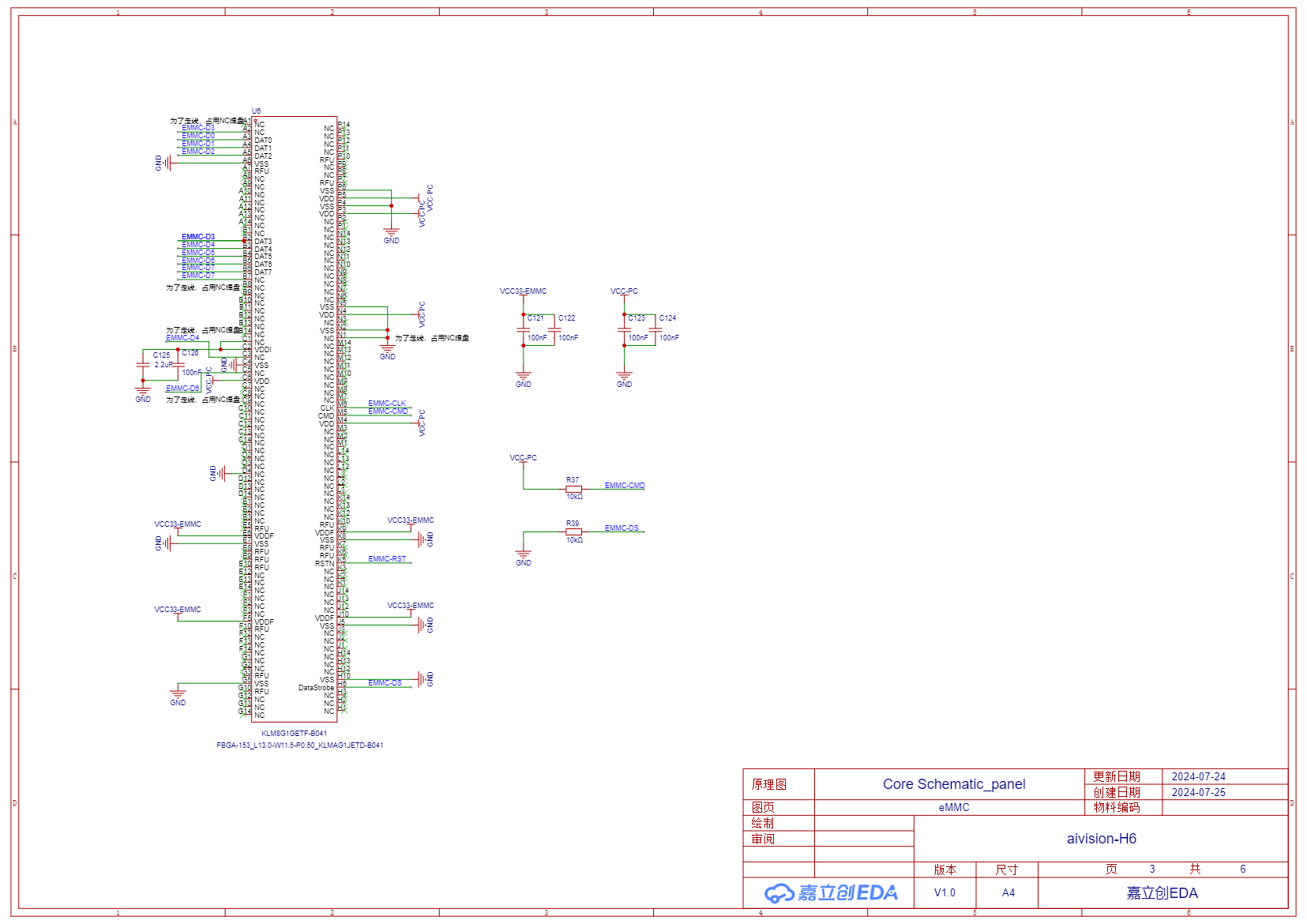
    [3] Storage eMMC
    SCH_Core Schematic_panel_3-eMMC_2024-09-04.png

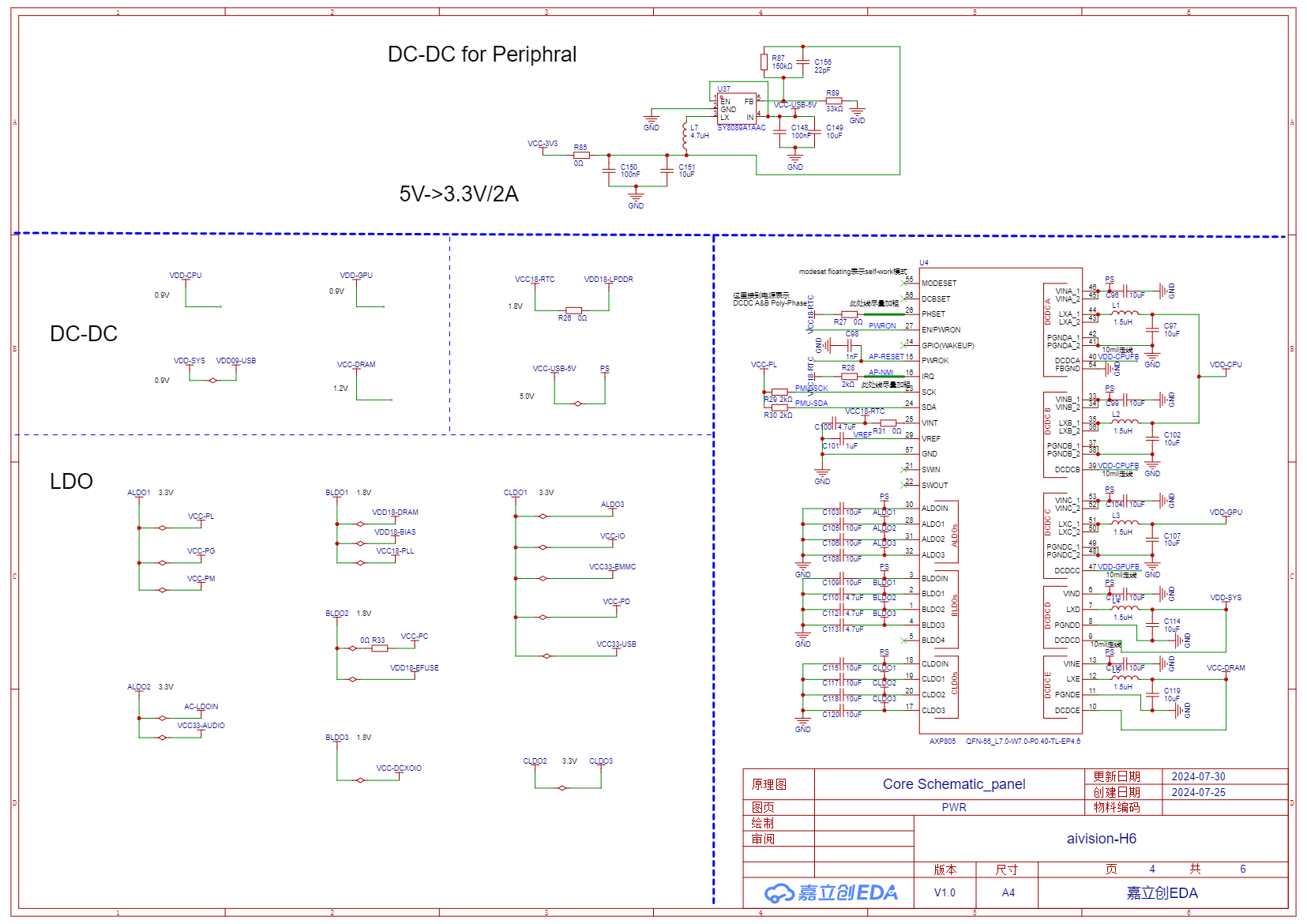
    [4] Power Management Chip AXP805 and a DC-DC
    SCH_Core Schematic_panel_4-PWR_2024-09-04.png

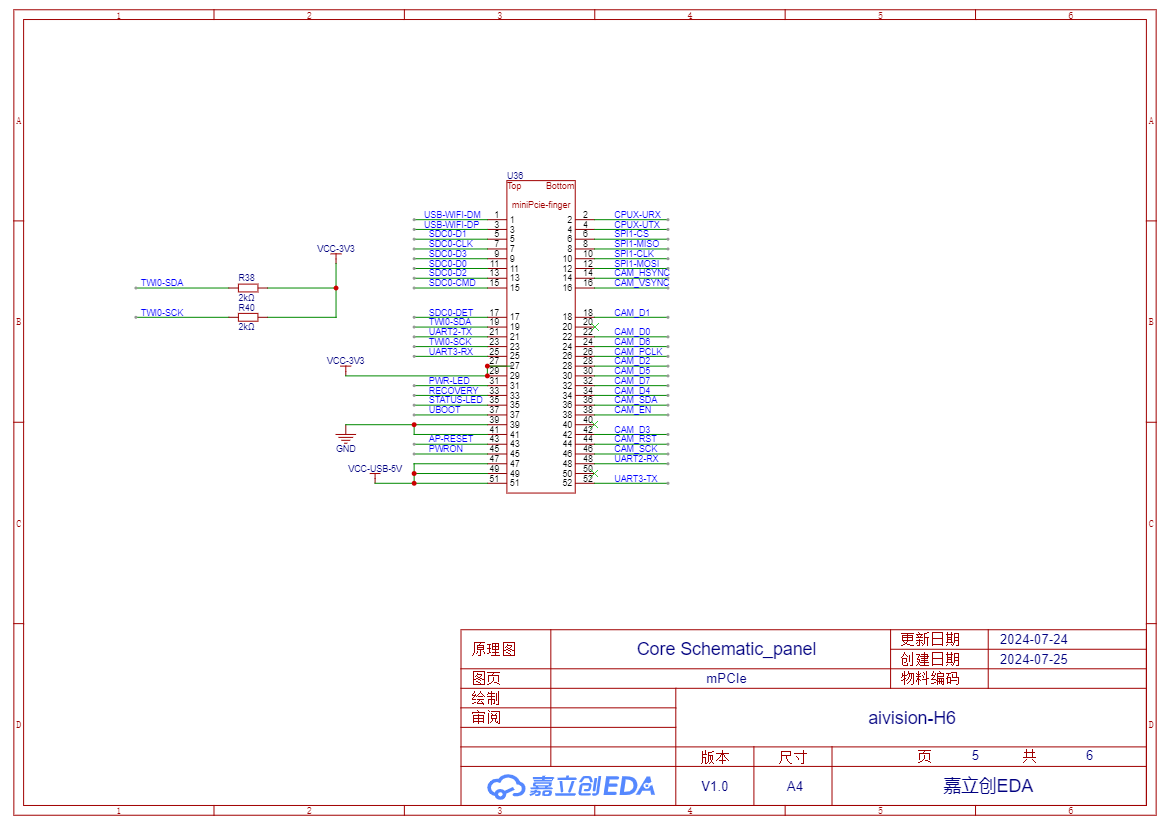
    [5] Golden Finger Interface Definition
    SCH_Core Schematic_panel_5-mPCIe_2024-09-04.png

    PCB Layout (Non-source files)

    Top Layer of Core Board PCB
    core.png

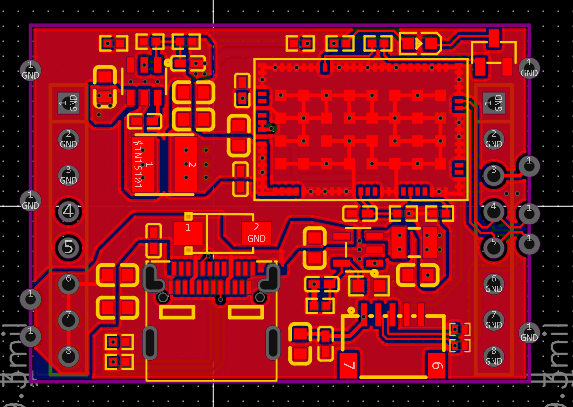
    Peripheral Board PCB Top Layer
    base.png

    3D Rendering

    Core board 3D rendering
    3D_Core PCB_panel_2024-09-04.png

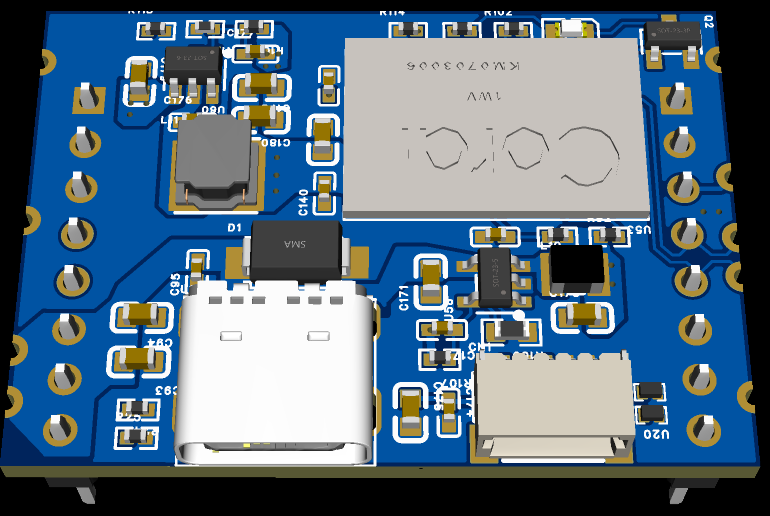
    Peripheral Board 3D rendering
    3D_Base PCB_panel_2024-09-04.png

    Circuit Debugging Instructions

    1. After receiving the board, write the Linux system image file (the image file can be found in attachments) to the TF card and insert it into the TF card slot.
    2. Use a USB to TTL serial module. Connect one end of the serial module to the serial pin header interface on the peripheral board using three Dupont wires, and connect the other end (USB 2.0) to the PC. For Windows systems, use MobaXterm software, create a new serial session, and wait for the board to start.
    3. Press and hold the POWER ON button on the peripheral board until the red LED lights up. Release the button, and after a few seconds, the yellow LED will light up and the red LED will turn off, indicating successful board startup. At this time, the serial session should display the boot log output. Wait for the login prompt.
    4. Enter username "orangepi" (the system uses orangepi3-lts system) and password "orangepi" to enter the system command line interface.
    5. Use the command line interface under serial connection to set up the board's WiFi connection. After this, you can disconnect the serial connection and operate the board directly through an SSH wireless connection....
    Read more »

View all 2 project logs

Enjoy this project?

Share

Discussions

Similar Projects

Does this project spark your interest?

Become a member to follow this project and never miss any updates

Image