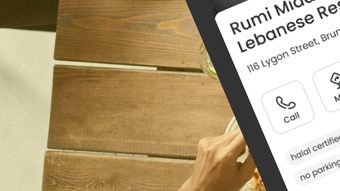

Find Halal Food with Ease on iPhone
Overview
halals is a location-based mobile application designed to simplify the process of discovering halal food options for users on the go. The app serves as a dedicated halal finder, helping individuals locate nearby halal restaurants, food products, and dietary choices with minimal effort. It addresses the common challenge of limited halal availability, especially in unfamiliar areas or when traveling. Whether users are seeking a quick meal, planning a grocery run, or verifying the halal status of a packaged product, halals offers a streamlined solution. The app is tailored for individuals following halal dietary guidelines, including Muslims and others with specific food preferences. It supports seamless navigation across different locations, enabling users to explore new food destinations effortlessly. The app also includes a barcode scanning feature to verify the halal status of packaged goods, providing transparency and confidence in purchasing decisions. For items not yet listed, users can submit requests to expand the database. The developer, Halals Inc., has positioned the app as a reliable companion for halal-conscious consumers.
Key Features & Capabilities
- Location-Based Halal Discovery – The app uses GPS to identify nearby halal restaurants and food outlets in real time, enabling users to find suitable dining options instantly.
- Barcode Scanning for Product Verification – Users can scan product barcodes to check their halal status, ensuring informed choices at grocery stores or markets.
- Seamless Location Switching – The app allows users to switch between cities or regions, making it ideal for travelers and frequent movers.
- User-Submitted Halal Status Requests – When a product or restaurant is not listed, users can submit a request for inclusion, contributing to the app’s growing database.
- Personalized Food Preferences – The app adapts to user preferences, offering tailored recommendations based on dietary needs and past interactions.
These features enhance daily food decisions by reducing uncertainty and improving access to verified halal options. For instance, a user traveling to a new city can quickly locate a nearby halal eatery using real-time location data. Similarly, a shopper can scan a packaged product to confirm its halal compliance before purchasing. The ability to submit missing entries encourages community-driven content expansion, fostering a more comprehensive and up-to-date resource over time.
User Interface, Workflow & Performance
The user interface of halals is designed with simplicity and functionality in mind, optimized for the iPhone ecosystem. Navigation is intuitive, with a clean layout that prioritizes location-based results and product scanning. The main screen displays nearby halal options with clear icons, ratings, and distance indicators. Users can access the barcode scanner with a single tap, and the scanning process is integrated directly into the camera interface. Workflow efficiency is maintained through minimal steps between action and result—finding a restaurant or verifying a product takes just a few taps. The app’s performance is expected to align with standard iOS app behavior, though specific resource usage details were not provided. The developer did not specify CPU or RAM consumption, so performance observations are based on general software behavior patterns. Stability appears consistent with typical mobile applications, and no reported crashes or freezes were mentioned. The app’s lightweight size of 45.7 MB suggests efficient memory management, though actual usage may vary depending on device and network conditions.
Compatibility & System Requirements
halals is exclusively available for iPhone devices, with a release version of 1.0. The app has a download size of 45.7 MB, indicating a relatively compact footprint. The developer did not specify additional system requirements, such as minimum iOS version or hardware specifications. Compatibility information was partially provided, leaving details about supported iPhone models and required iOS versions unclear. Users should ensure their device meets standard requirements for running iOS applications. The developer did not provide information on whether the app supports older iPhone models or specific hardware features like Face ID or AR capabilities. Exact performance details were not specified, and no information was shared regarding background processes or battery impact.
Pros and Cons
Pros
- Intuitive interface optimized for iPhone users
- Real-time location-based halal restaurant discovery
- Barcode scanner for verifying product halal status
- Supports location switching for travelers
- Free to download and use with no in-app purchases
Cons
- No public information on required iOS version or device compatibility
- Limited system requirement details may affect installation on older devices
- Performance under heavy usage not documented
- Dependence on user-submitted data for full database coverage
- App size and functionality may vary across different iPhone models
FAQ Section
Is halals available for Android devices?
Currently, halals is only available for iPhone. The developer has not announced plans for Android support.
Is the app free to use?
Yes, halals is free to download and use. There are no in-app purchases or subscription fees.
Can I submit a new halal restaurant or product?
Yes, users can submit a request for a restaurant or product not listed in the app, helping to expand the database.
Does halals require an internet connection?
Yes, the app requires an active internet connection to access real-time location data, barcode verification, and user-submitted content.
How often does the app receive updates?
The app was released on April 15, 2024. No information was provided on the frequency of updates or future development plans.
Final Thoughts + CTA
halals delivers a focused and practical solution for iPhone users seeking halal food options with confidence. Its combination of location-based discovery, barcode scanning, and user-driven content makes it a valuable tool for individuals navigating halal dietary needs. While system requirements and update frequency remain unspecified, the app’s free access, clean interface, and practical features stand out. It is particularly beneficial for travelers, Muslims following halal guidelines, and anyone looking to make informed food choices. The app’s commitment to transparency and community input enhances its long-term potential. For those seeking a reliable halal food finder on iPhone, halals offers a strong starting point. Download halals now.








