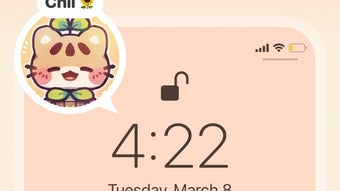

Download Handy - Live Widget Wallpaper – Personalize Your Device, Custom Themes, App Icons, Live Widgets
Overview
Handy - Live Widget Wallpaper is a freemium desktop and mobile customization tool designed to help users personalize their devices with a wide range of visual elements. The software enables users to apply unique wallpapers, app icons, and interactive widgets to enhance the aesthetic and functionality of their home screens. With over 400 available themes, the application supports creative expression through diverse designs, including cartoonish illustrations, modern patterns, and retro-inspired layouts. The tool is particularly suited for consumers seeking dynamic, visually engaging device personalization without extensive technical effort. While some content requires a subscription or individual purchase, the platform also offers a selection of free designs, making it accessible to a broad audience. Real-world usage includes daily device refreshes, themed environments for special occasions, or experimenting with digital art. The developer did not provide additional details about the company or development background. No specific system requirements were listed, and exact performance behavior remains unspecified.
Key Features & Capabilities
- Over 400 Custom Themes – Users can browse and apply a vast library of unique themes tailored to different tastes, from playful cartoon styles to minimalist modern designs.
- Live Widgets – Includes interactive widgets such as retro music players and digital clocks that add both visual appeal and functionality to the home screen.
- App Icon Customization – Allows users to replace default app icons with custom designs, enhancing visual consistency across the device interface.
- Personal Design Upload – Enables users to upload their own artwork and convert photos into live wallpapers using built-in tools.
- Favorite Theme Organization – Offers a feature to save and manage preferred themes for quick switching, improving workflow efficiency.
These features support seamless personalization with minimal user input. For example, a user can apply a new theme with a single tap, eliminating the need for manual configuration. The ability to upload custom content empowers creative users to build unique digital environments. The inclusion of live widgets adds interactivity beyond static visuals. However, the lack of filtering options for free vs. paid content may hinder discovery for budget-conscious users. The developer did not specify how the design engine processes visual assets or manages real-time rendering.
User Interface, Workflow & Performance
The user interface of Handy - Live Widget Wallpaper is structured around a central theme gallery, with navigation primarily based on scrolling and tapping. The layout appears to prioritize visual content, with large thumbnails and minimal text labels. While the interface is visually engaging, users may experience difficulty navigating due to the absence of category-based filters or search refinement tools. There is no visible option to sort designs by type, popularity, or price, which can slow down the discovery process. Workflow efficiency is moderately high for simple tasks like theme application, which can be completed in one tap. However, organizing favorites or managing uploaded content may require multiple steps. The developer did not specify resource usage details, so CPU and RAM behavior remain unknown. Performance observations are based on general software behavior patterns. Stability during prolonged use was not documented. No information was provided regarding update frequency or crash reports.
Compatibility & System Requirements
Handy - Live Widget Wallpaper is designed for use on mobile and desktop platforms, though specific operating systems were not listed in the provided data. The software version and installation size were not specified. The developer did not provide detailed hardware requirements or compatibility notes. Exact system requirements were not listed. Compatibility information was partially provided. Users should verify platform support through official channels before installation. The software may be optimized for devices with high-resolution displays due to the nature of live wallpapers and detailed graphics, but this was not confirmed.
Pros and Cons
Pros
- Over 400 diverse themes for broad creative expression
- One-tap theme application simplifies customization
- Supports live widgets and interactive elements
- Allows uploading and editing personal artwork
- Includes free content options for cost-conscious users
Cons
- Limited navigation tools with no category filtering
- No clear distinction between free and paid designs
- Missing search or sorting features for efficient browsing
- Interface may feel cluttered without visual organization
- Performance and resource usage details not disclosed
FAQ Section
Is Handy - Live Widget Wallpaper compatible with my device?
Compatibility information was partially provided. Users should check official sources for supported operating systems and device models.
Is the software safe to download and use?
The application is described as a freemium tool with no known security risks. Users are advised to download only from official or trusted platforms to ensure integrity.
Are updates available for Handy - Live Widget Wallpaper?
Update frequency was not specified. Users should monitor official channels for new releases and feature improvements.
What type of license does the software use?
Handy - Live Widget Wallpaper operates under a freemium model. Some features and designs require a subscription or one-time purchase.
Can I use the software offline?
Offline functionality was not specified. While some features may work without internet access, full functionality likely requires connectivity for theme downloads and updates.
Final Thoughts + CTA
Handy - Live Widget Wallpaper stands out as a versatile tool for users who value visual customization and interactive design elements. With over 400 themes, live widgets, and the ability to upload personal artwork, it offers a rich environment for creative expression. While the interface lacks advanced filtering and categorization tools, the core functionality remains effective for quick, one-tap personalization. The inclusion of free content makes it accessible to a wide range of users, and the option to create custom designs adds depth for more engaged users. Despite minor navigation challenges, the software delivers a compelling experience for those looking to refresh their device’s look. For individuals seeking an easy, visually dynamic way to personalize their desktop or mobile interface, Handy - Live Widget Wallpaper is a strong contender. Download Handy - Live Widget Wallpaper now.








