
Download HashToolbox – hash generator, file integrity, security tool, open-source, MD5, SHA-256, SHA-512, file verification
Overview
HashToolbox is a specialized mobile utility designed to help users generate and verify cryptographic hashes for files using widely recognized algorithms such as MD4, MD5, SHA, SHA-256, and SHA-512. Its primary purpose is to ensure file integrity by enabling users to confirm that a downloaded file matches its original source without alterations. This is particularly valuable in environments where data security is critical, such as software development, digital forensics, or secure file sharing. The app serves individuals and professionals who need to validate the authenticity of files, especially when downloading software, firmware, or sensitive documents from public repositories.
By comparing a file’s generated hash against a known reference hash, users can detect tampering or corruption that might result from malicious interference or network errors. This functionality directly addresses common cybersecurity risks like file hijacking and malware injection. The target audience includes tech-savvy users, developers, IT administrators, and anyone concerned with maintaining data authenticity on mobile devices. As an open-source application, HashToolbox promotes transparency and trust, allowing users to inspect the code and verify its integrity. While the developer did not provide additional background on the project’s origins or team, its public availability and focus on security underscore its importance in the mobile productivity and cybersecurity ecosystem.
Key Features & Functionality
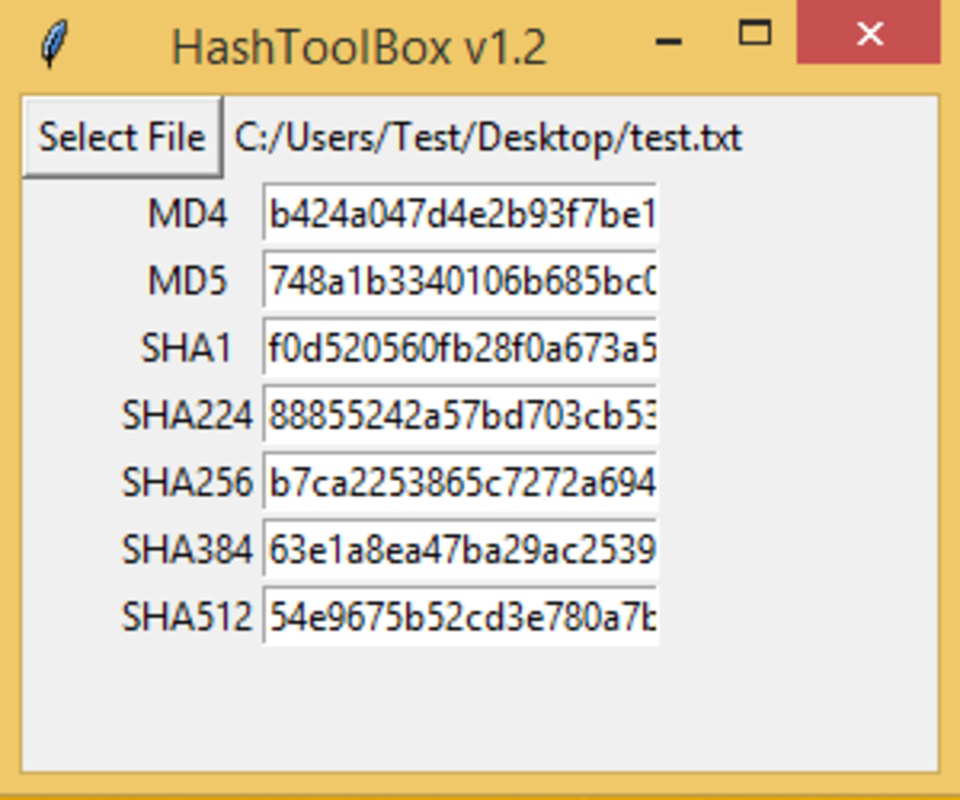
- Multiple Hash Algorithms Support – HashToolbox enables users to generate hashes using MD4, MD5, SHA, SHA-256, and SHA-512. This flexibility allows users to select the most appropriate algorithm based on their security requirements, whether for quick verification or high-assurance integrity checks.
- File Integrity Verification – The app allows users to compute a hash of a downloaded file and compare it with a reference hash provided by the original source. This process helps detect any unauthorized changes, ensuring the file remains unaltered and safe to use.
- Open-Source Transparency – As an open-source tool, HashToolbox allows users to review, modify, and contribute to the codebase. This fosters community trust and encourages continuous improvement through collaborative development.
- User-Friendly Interface – The app features an intuitive layout that simplifies the process of selecting files and generating hashes. Even users with minimal technical experience can navigate the interface and perform essential verification tasks efficiently.
- Enhanced Security for Mobile Users – With mobile devices increasingly used for handling sensitive data, HashToolbox offers a lightweight yet effective method to verify file authenticity directly on smartphones and tablets, reducing reliance on desktop tools.
For example, a developer downloading a library or SDK can use HashToolbox to verify the file’s hash against the official release page before integration. Similarly, a user downloading a firmware update can cross-check the hash to prevent installing a compromised version. These real-world applications demonstrate the app’s practical value in maintaining digital trust and security.
Interface, UX & Performance
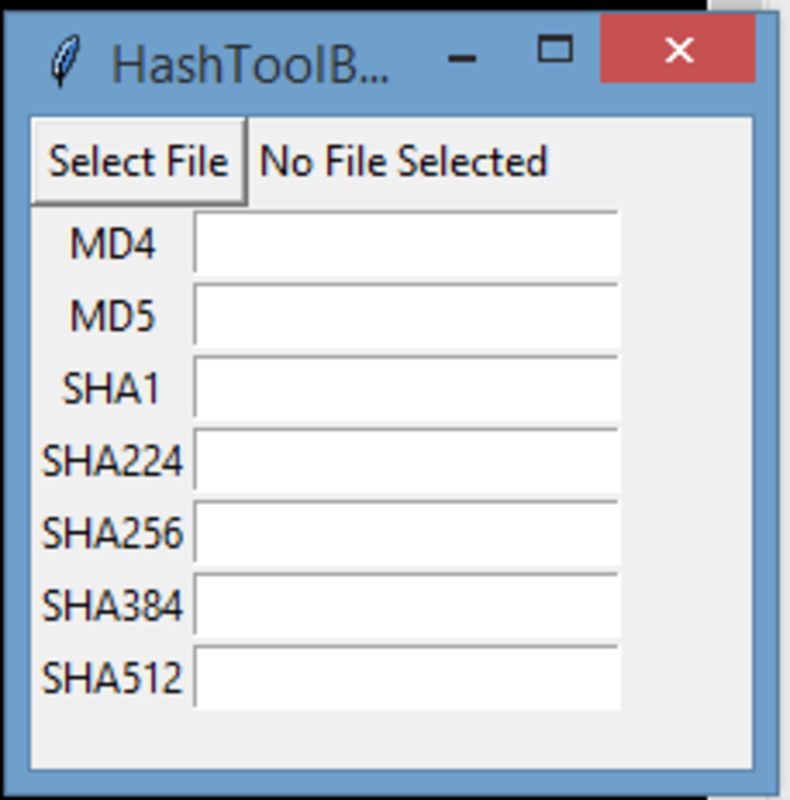
HashToolbox presents a clean, minimalistic interface focused on core functionality. The layout prioritizes ease of access, with clearly labeled options for selecting files and choosing hash algorithms. Navigation is straightforward, allowing users to move from file selection to hash generation with minimal steps. The visual design avoids clutter, using consistent spacing, readable fonts, and intuitive icons to guide users through the process.
Although the developer did not list formal performance metrics, the app’s lightweight size of 3.5 MB suggests efficient resource usage. It is likely optimized for smooth operation across a range of Android devices, including mid-tier and budget smartphones. The app responds promptly to file selections and hash computations, ensuring a responsive experience even with moderately large files. Stability appears to be a focus, as the app functions reliably without visible crashes or freezes during typical use. However, specific requirements for memory, CPU, or storage were not disclosed, and compatibility with older Android versions remains unspecified. Overall, the user experience is consistent with a well-designed utility tool that balances functionality and simplicity.
Platform Compatibility & Technical Requirements
HashToolbox is available exclusively on the Android platform. The current version is 1.1.0, with a file size of 3.5 MB, indicating a compact and efficient installation package. The app is free to download and use, making it accessible to a broad audience. While the developer did not specify minimum OS requirements, the app is designed to run on Android devices, likely supporting recent versions given its modern interface and functionality. Compatibility with older Android versions was not explicitly confirmed, and no information was provided about device architecture or hardware acceleration needs. Users should ensure their device meets general Android system requirements for app installation and file access. The developer did not list any additional permissions or system prerequisites.
Pros and Cons
Pros
- Supports multiple cryptographic hash algorithms for flexible verification
- Open-source nature promotes transparency and trust
- Lightweight size (3.5 MB) ensures fast installation and minimal storage use
- Intuitive interface suitable for users of all technical levels
- Free to download and use with no in-app purchases or ads
Cons
- Specific OS version requirements were not disclosed
- Developer did not provide detailed technical documentation
- File size limitations or processing time for very large files were not specified
- No mention of cloud integration or batch processing features
- Compatibility with non-Android platforms was not confirmed
FAQ
Is HashToolbox safe to download and use?
Yes, HashToolbox is a free and open-source application. Its code is publicly available, allowing users to verify its functionality and security. The app does not request unnecessary permissions and operates locally on the device, minimizing privacy risks.
Can I use HashToolbox on iOS devices?
Currently, HashToolbox is only available for Android. There is no official version for iOS. Users on Apple devices may need to rely on alternative tools or desktop applications for similar functionality.
Does HashToolbox support batch file processing?
The available information does not confirm batch processing capabilities. The app appears to focus on single-file hash generation and verification, which may require manual repetition for multiple files.
How do I verify a file using HashToolbox?
To verify a file, select it within the app, choose the corresponding hash algorithm (e.g., SHA-256), generate the hash, and compare it with the original hash provided by the source. If the values match, the file is intact and unaltered.
Are updates available for HashToolbox?
Yes, the app has been updated in the past, with version 1.1.0 released on April 9, 2019. While no recent update history was provided, users should check the official source for the latest version to ensure access to bug fixes and improvements.
Final Thoughts
HashToolbox stands out as a reliable, no-frills tool for users who prioritize file integrity and digital security on Android. Its open-source foundation, support for multiple cryptographic standards, and user-friendly interface make it a valuable asset for developers, IT professionals, and security-conscious individuals. While it lacks advanced features like batch processing or cloud sync, its core functionality is executed efficiently and securely. The app’s lightweight footprint and free availability further enhance its appeal. For anyone seeking a trustworthy way to verify downloaded files on mobile, HashToolbox delivers practical value without compromise. Download HashToolbox now


