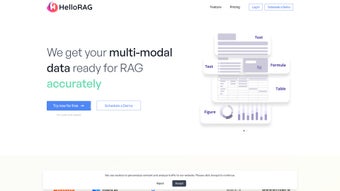

Download HelloRag – Secure Multi‑Modal Data Processing for LLM Apps
Introduction
In the fast‑moving world of artificial intelligence, the quality and structure of input data have become the decisive factor for the success of Large Language Model (LLM) projects. Organizations that can swiftly ingest, cleanse, and transform heterogeneous content—ranging from plain text and spreadsheets to audio recordings, video streams, and scientific formulas—gain a competitive edge by reducing time‑to‑insight and cutting costly manual effort. HelloRag arrives precisely at this crossroads, offering a unified, no‑code platform that automates multi‑modal data processing while preserving the semantic richness required for Retrieval‑Augmented Generation (RAG) workflows. Whether you are a startup building a conversational assistant, a research lab curating a knowledge base, or an enterprise looking to scale AI across departments, HelloRag promises to simplify the most complex preprocessing steps. This review examines the core capabilities, installation experience, real‑world pros and cons, and frequently asked questions, helping you decide whether HelloRag fits your AI stack.
Throughout this article, we will explore how HelloRag leverages state‑of‑the‑art AI models for optical character recognition, speech‑to‑text, and computer‑vision tasks, and how its visual workflow builder empowers users without a programming background to create robust pipelines. We will also discuss security features, deployment options, and integration points with popular LLM frameworks such as LangChain, LlamaIndex, and Haystack. By the end, you will have a clear picture of the value HelloRag delivers, the effort required to get it up and running, and the scenarios where it shines brightest.
Overview
HelloRag is a purpose‑built, multi‑modal data processing tool that targets the most demanding Large Language Model (LLM) workflows. In today’s AI‑driven environment, developers and data scientists constantly juggle heterogeneous sources—plain text, spreadsheets, audio recordings, video streams, scientific formulas, and complex figures. Traditionally, extracting meaning from such varied inputs requires a patchwork of scripts, manual annotation, and endless format conversions. HelloRag eliminates that friction by offering an AI‑augmented, no‑code platform that automates ingestion, semantic‑preserving extraction, annotation, and transformation across all these modalities.
The heart of HelloRag lies in its integration with the Richly Annotated Graph (RAG) framework. By converting raw inputs into structured, graph‑ready representations, the tool empowers LLMs to retrieve contextually relevant information with far greater precision. Whether you are building a conversational assistant, a research‑assistant bot, or a domain‑specific knowledge base, HelloRag supplies the clean, linked data that modern LLMs need to perform at their best. Its architecture is designed for scalability: pipelines can be executed on a single workstation for small projects or distributed across a Kubernetes cluster for enterprise‑level ingestion of millions of documents.
Security and transparency are baked in. All data passes through encrypted pipelines, and users retain full control over what is stored, transformed, or discarded. The intuitive web interface requires zero coding skills, making it accessible to product managers, analysts, and educators who lack deep programming backgrounds. While the platform shines in speed and automation, it does ask for occasional technical assistance when edge‑case errors arise, and certain niche file types may still need custom handling. Overall, HelloRag positions itself as the bridge between raw, messy data and the refined inputs that LLMs thrive on, delivering a seamless experience from ingestion to graph export.
Key Features & Functionalities
- Multi‑Modal Ingestion: Accepts texts, CSV/Excel tables, audio (MP3, WAV), video (MP4, MOV), LaTeX formulas, and vector graphics without extra plugins.
- AI‑Driven Extraction: Uses state‑of‑the‑art OCR, speech‑to‑text, and computer‑vision models to preserve semantics during conversion.
- No‑Code Workflow Builder: Drag‑and‑drop pipelines let users chain operations such as cleaning, tagging, and graph construction.
- Richly Annotated Graph (RAG) Export: Generates Neo4j‑compatible, JSON‑LD, or custom graph formats ready for LLM retrieval.
- Scalable Human‑In‑the‑Loop: Seamlessly integrates crowdsourced or internal reviewers to validate annotations where AI confidence is low.
- Secure Data Handling: End‑to‑end TLS encryption, role‑based access control, and on‑premise deployment options for regulated industries.
- Versioned Pipelines: Track changes, revert to prior configurations, and audit every transformation step.
- Extensible Plug‑In Architecture: Add custom parsers or export modules via a lightweight SDK.
Beyond the headline features, HelloRag provides a comprehensive dashboard that visualizes ingestion throughput, annotation quality scores, and graph connectivity metrics. Real‑time alerts notify teams when data quality dips below thresholds, allowing swift corrective action. The platform also supports bulk operations, letting enterprises process millions of documents in a single run while maintaining granular logging for compliance audits. By abstracting away the complexities of multi‑modal preprocessing, HelloRag frees data engineers to focus on model fine‑tuning and downstream application logic. Additional capabilities such as automated language detection, batch metadata enrichment, and customizable post‑processing scripts further extend its utility across diverse industry use cases, from legal document review to multimedia content indexing.
Installation, Usage & Compatibility
Getting Started
HelloRag is delivered as a Docker‑based appliance, ensuring a consistent environment across Windows, macOS, and Linux hosts. To begin, download the installer package, unzip, and run docker compose up -d. The first launch will prompt you to create an admin account and configure basic network settings. For organizations that prefer on‑premise installations behind a firewall, a Helm chart is also available for Kubernetes clusters, and a virtual‑machine image can be deployed on VMware or Hyper‑V. The installation wizard checks for prerequisite components such as Docker Engine version 20.10+ and a minimum of 8 GB RAM, providing clear guidance if any requirement is missing.
Step‑by‑Step Workflow
- Upload Sources: Drag files or connect cloud buckets (AWS S3, Google Cloud Storage, Azure Blob) directly from the web UI. The system automatically detects file types and suggests appropriate processing pipelines.
- Select Modality Pipelines: Choose pre‑built templates—e.g., “Audio‑to‑Text → Entity Extraction → RAG Graph”—or build a custom chain using the visual editor. Each node can be configured with specific AI models, confidence thresholds, and post‑processing rules.
- Configure AI Models: Pick from bundled open‑source models (Whisper for speech, Tesseract for OCR) or point to your own hosted endpoints, including commercial APIs such as Google Cloud Vision or Azure Speech.
- Run & Monitor: Start the job; progress bars and live log streams update in real time. Errors are flagged with actionable suggestions, and you can pause, resume, or rollback a pipeline at any stage.
- Export Results: Download JSON‑LD files, push directly to Neo4j, or trigger a webhook that feeds into your LLM serving layer. Export options include incremental updates for continuous data pipelines.
HelloRag runs on the following operating systems: Windows 10/11, macOS 12 and higher, Ubuntu 20.04 LTS, CentOS 8, and any Docker‑compatible Linux distribution. Mobile platforms (iOS, Android) are supported indirectly via the responsive web interface; there is no native app, but the UI adapts smoothly to tablets and smartphones for monitoring and lightweight uploads.
The platform also includes a powerful CLI tool for power users who wish to script batch jobs or integrate HelloRag into CI/CD pipelines. Detailed documentation, video tutorials, and a community forum are bundled with the download, ensuring that both novices and seasoned engineers can get productive quickly. For enterprise customers, a dedicated onboarding specialist is available to assist with environment configuration, custom model integration, and compliance review.
Pros, Cons & Frequently Asked Questions
Pros
- Comprehensive multi‑modal support eliminates the need for separate preprocessing tools.
- No‑code interface democratizes data preparation across teams.
- Strong security model suitable for enterprise and regulated environments.
- Seamless RAG export accelerates LLM fine‑tuning and retrieval‑augmented generation.
- Scalable architecture handles both small projects and enterprise‑level data volumes.
- Extensible plug‑in SDK enables custom parsers for niche file types.
- Versioned pipelines provide auditability and rollback capabilities.
Cons
- Initial Docker/Kubernetes setup may be daunting for non‑technical users.
- Edge‑case file formats sometimes require custom plug‑ins.
- Technical support is necessary for complex error troubleshooting.
- Limited offline documentation; heavy reliance on web‑based resources.
- Pricing tier for premium AI models can increase total cost of ownership.
- No native mobile app, only a responsive web UI.
Frequently Asked Questions
Is HelloRag available as a free trial?
Yes, HelloRag offers a 14‑day free trial that includes full access to all core features, unlimited ingestion, and community support. No credit card is required to activate the trial.Can I host HelloRag on my own server?
Absolutely. HelloRag provides an on‑premise Docker image and a Helm chart for Kubernetes, allowing you to run the entire stack behind your firewall with full data sovereignty.Which LLM frameworks are compatible with the exported RAG graphs?
The exported JSON‑LD and Neo4j formats are framework‑agnostic. They integrate smoothly with LangChain, LlamaIndex, Haystack, and custom Retrieval‑Augmented Generation pipelines.How does HelloRag ensure data privacy?
All data in transit is encrypted with TLS 1.3, and at rest encryption can be enabled using industry‑standard AES‑256. Role‑based access controls limit who can view or modify data, and audit logs record every operation for compliance.What support channels are available for troubleshooting?
Customers receive email support, a dedicated Slack community, and optional 24/7 premium phone support. The knowledge base also contains step‑by‑step guides for common error scenarios.Is there an API for automating pipeline creation?
Yes, HelloRag offers a RESTful API that lets you programmatically create, modify, and trigger pipelines, as well as retrieve status and export results. SDKs are available for Python and JavaScript.Conclusion & Call to Action
In the rapidly evolving AI landscape, the quality of your input data often determines the success of your LLM initiatives. HelloRag bridges the gap between raw, multi‑modal content and the clean, semantically rich graphs that modern language models require. Its blend of AI‑driven automation, no‑code workflow design, and enterprise‑grade security makes it a compelling choice for startups, research labs, and large corporations alike. While a modest learning curve exists for the initial deployment, the long‑term productivity gains—fewer manual annotations, faster ingestion pipelines, and tighter integration with RAG‑based retrieval—far outweigh the onboarding effort.
Ready to transform your data into a knowledge graph that powers next‑generation LLM applications? Download HelloRag today, start your free trial, and experience the speed of automated multi‑modal processing. Your LLMs deserve the best data foundation—give them HelloRag.
- Pros: Multi‑modal support, no‑code workflow, secure, scalable.
- Cons: Setup complexity for non‑technical users, occasional custom plug‑in need.



.png)




